Arcus by TestsigmaAI-generated test cases, coverage gap detection, and a go/no-go release verdict, directly from your sprints. |

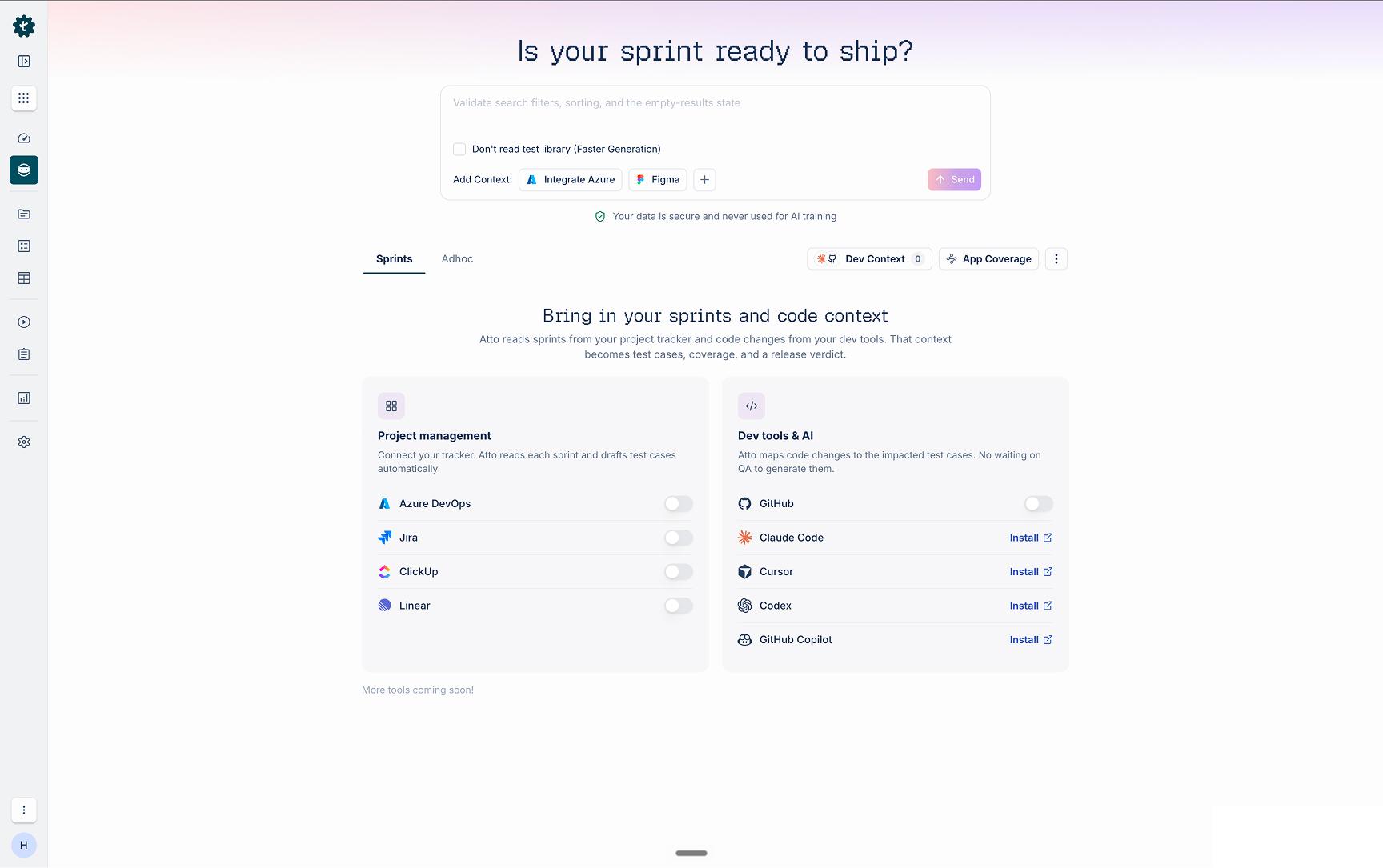
Arcus: Quality Intelligence and Test ManagementAI-generated test cases, coverage gap detection, and a go/no-go release verdict, directly from your sprints. Arcus is a quality intelligence platform for engineering teams that connects your Azure DevOps workflows to AI-powered test coverage, gap detection, and a go/no-go release verdict on every pull request. When a PR is raised in Azure Repos, the Generator Agent produces test cases scoped to the exact diff, identifies coverage gaps in the mapped session, and assembles a test plan ready to execute. Include an Azure Boards work item ID anywhere in the PR title or description and Arcus maps it to the right sprint session automatically. Results flow back in both directions. On the PR, Arcus posts a status check showing the Release Gate verdict (Go, No-Go, or Conditional) alongside a summary of test coverage and any open gaps. Developers see QA status before they request a review. On the linked Azure Boards work item, Arcus updates test execution status, flags uncovered acceptance criteria, and reflects the current Release Readiness score. PMs and engineering managers see sprint quality without leaving Azure Boards. When the Release Gate is configured to block merges, no PR moves forward until the thresholds are met. No work item ID? The PR lands in the Unmapped queue where QA assigns it to any session with one click. Across every sprint, Arcus tracks five Quality Intelligence metrics: Coverage, Pass Rate, Confidence, Release Readiness, and Release Gate. The Release Gate synthesizes all upstream signals into a configurable verdict before every deploy. It gives engineering leaders an evidence-based answer to the question that matters most before every release: are we safe to ship? Arcus deploys on your Azure infrastructure using your existing Arcus license from Testsigma. No configuration files or YAML required. Connect your Arcus workspace during setup, select the repositories and pipelines to monitor, and optionally link Azure Boards to activate auto-mapping and two-way sync. To purchase a license or start a trial, visit testsigma.com. At a GlanceBring in your sprints and code context — connect your project tracker and dev tools so sprint changes become test cases, coverage, and a release verdict.
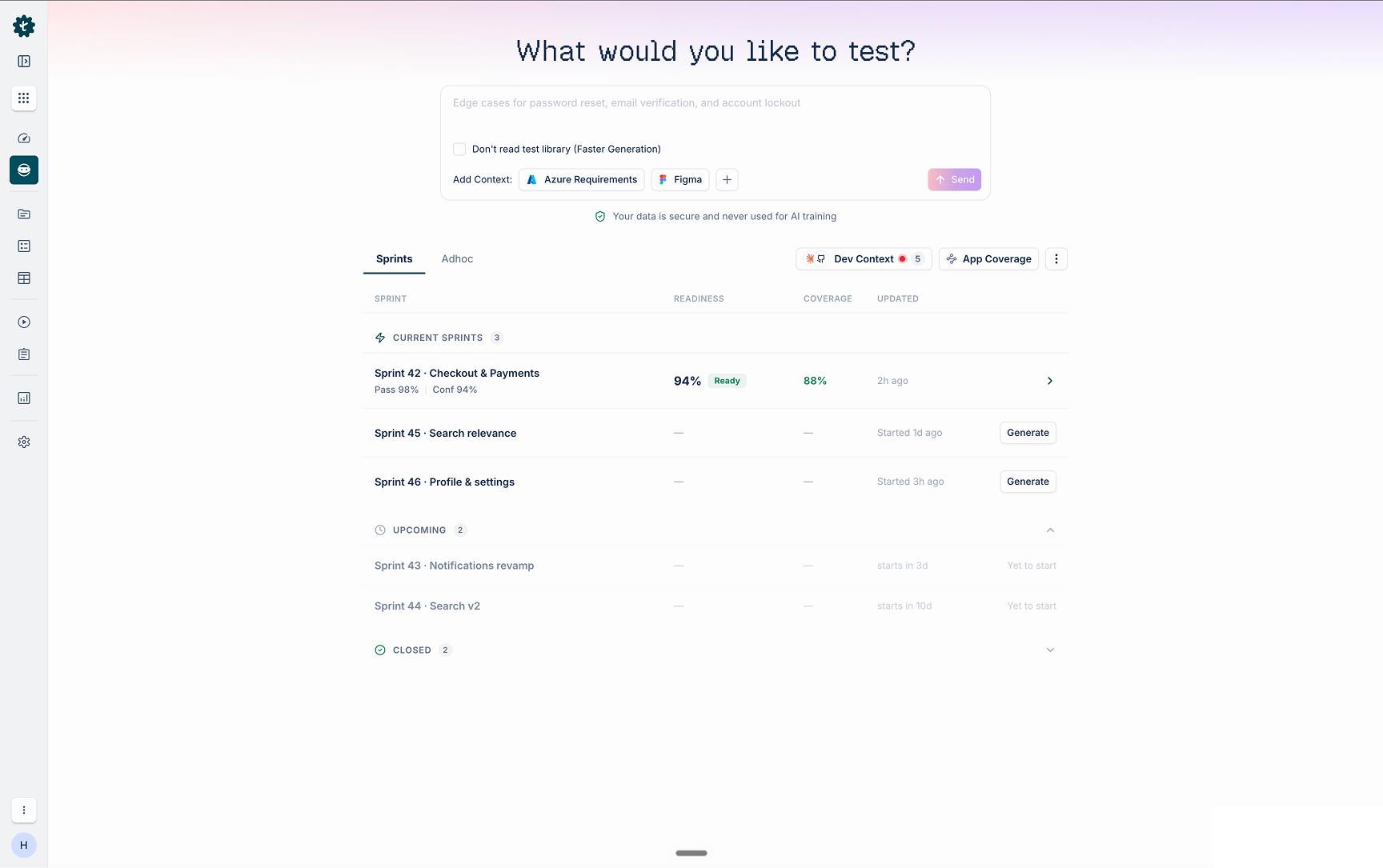
Sprint readiness at a glance — every sprint with its Readiness, Coverage, and Pass Rate, updated as work lands.
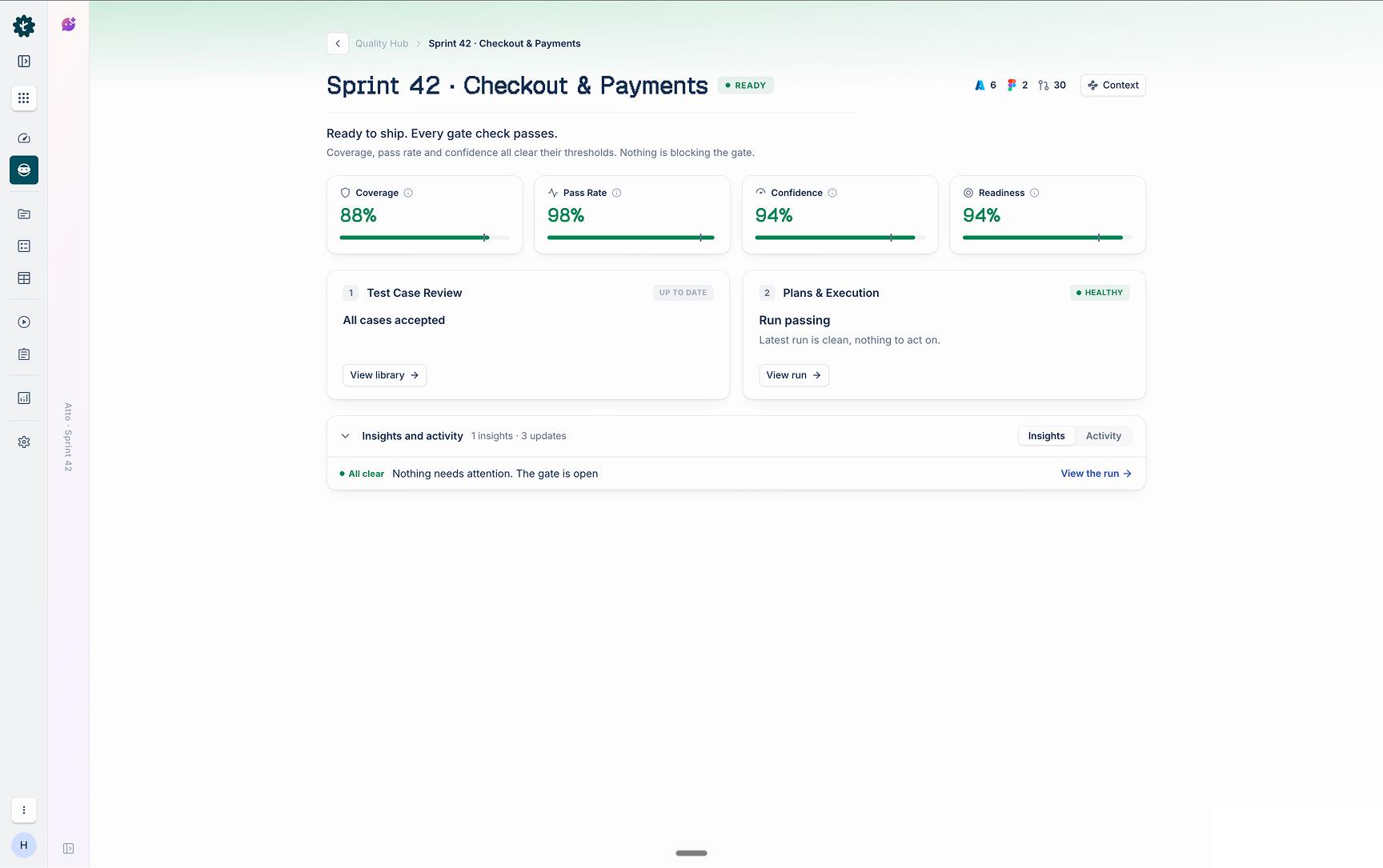
Quality Intelligence metrics and the Release Gate — Coverage, Pass Rate, Confidence, and Readiness synthesized into a clear ship/no-ship verdict.
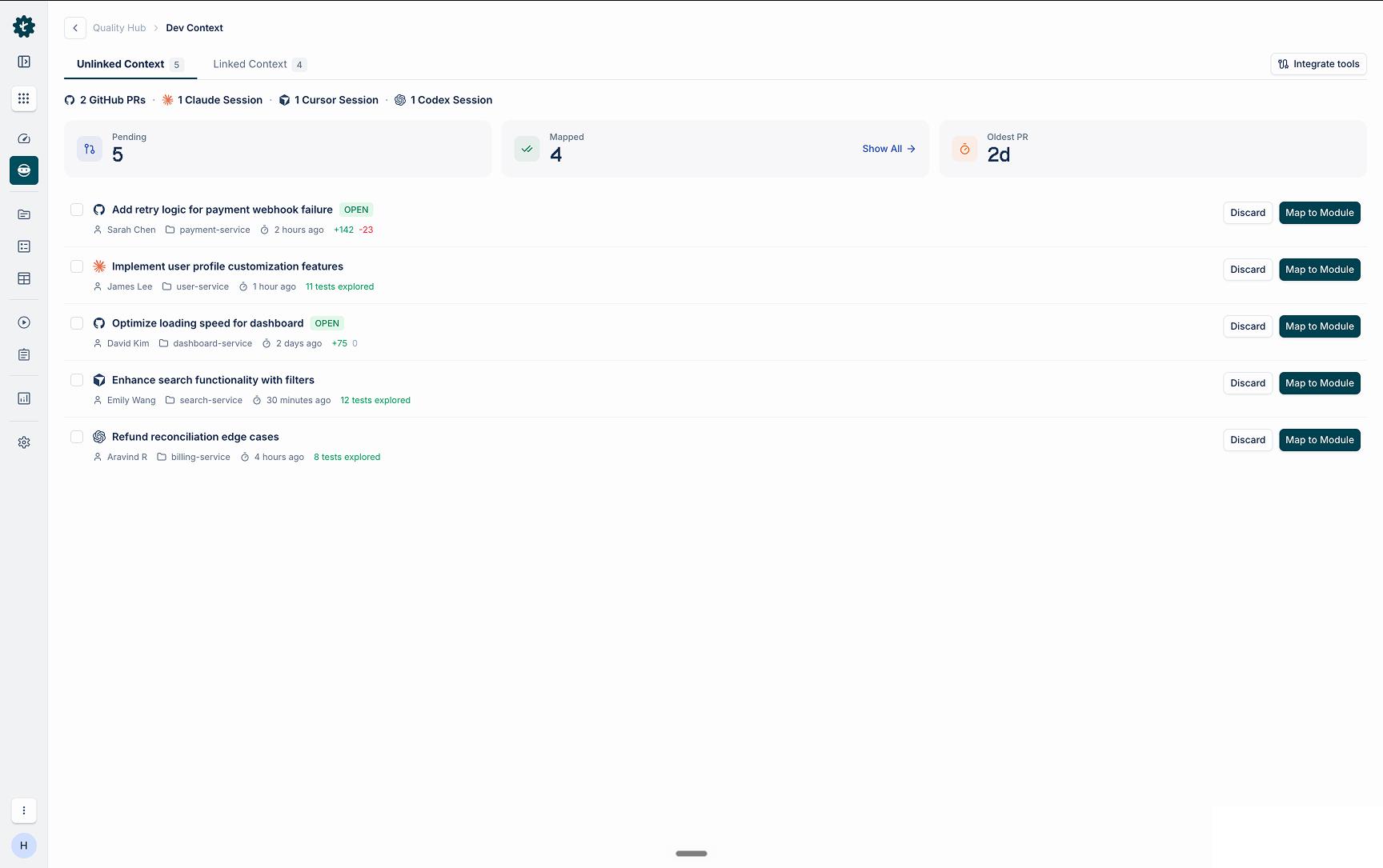
Dev Context and the Unmapped queue — PRs and AI coding sessions without a work item ID land here for QA to map to a session in one click.
Details + Support
By Testsigma |