What is TestDino?
TestDino is Playwright focused test reporting and analytics platform that helps teams classify failures, detect flakiness, and turn test results into actionable insights. It reduces manual triage effort, links runs to commits, branches, and pull requests, and gives QA engineers, SDETs, developers, test leads, and engineering managers a shared view of test health.
Teams use TestDino as a single place to analyze runs, prioritize fixes, and ship more reliable, confident releases using AI-driven analysis.
Key Features
- TestDino MCP: Connects TestDino to MCP-compatible editors so AI agents can search and upload test runs using natural language. Ask questions like “show me flaky tests on main from the last 7 days” and get structured results and links back to TestDino inside your editor or chat.
- Dashboards for every role: Gives QA, Developers, and Managers focused views of failure trends, flaky hotspots, and release readiness.
- GitHub Quality Gate: Use TestDino quality gates to drive GitHub status checks for each commit and pull request. Mark these checks as required so merges are blocked whenever your rules are not met—for example due to failing tests, flaky tests, or missing test runs.
- CI optimization with failed test reruns: Rerun only the tests that failed in the last run directly in your CI. TestDino stores failure data centrally, allowing you to trigger targeted reruns on any CI platform.
- Environment and branch mapping: Organize and compare test analytics across environments and branches to spot patterns.
- Git and pull request integration: Connect runs to commits, branches, and pull requests, so you can see which changes introduced or fixed failures.
- Deep Test Run Analytics: Track flakiness, retries, and duration trends to find slow or unstable tests that hurt CI speed and reliability.
- Test case management: A workspace for teams to create, organize, and maintain all their manual and automated test cases within the project.
- Evidence-first debugging: Bring logs, screenshots, stack traces, and steps into a single view, allowing engineers to move from failure to fix faster.
- Seamless CI and tool integrations: Connect with CI/CD, communication, and issue tracking tools such as Jira, Linear, Slack, and Asana for issue tracking and real-time alerts.
- AI-driven failure and flakiness classification: Automatically label failures as actual bugs, unstable tests, UI changes, or miscellaneous, so teams spend less time triaging.
- Deep Playwright-focused analytics: Surface rich insights on Playwright runs so teams can stabilize critical journeys without digging through raw logs.
- AI-generated summaries and insights: Quickly understand each run and get guidance on what to investigate next.
TestDino Azure DevOps Installation Guide
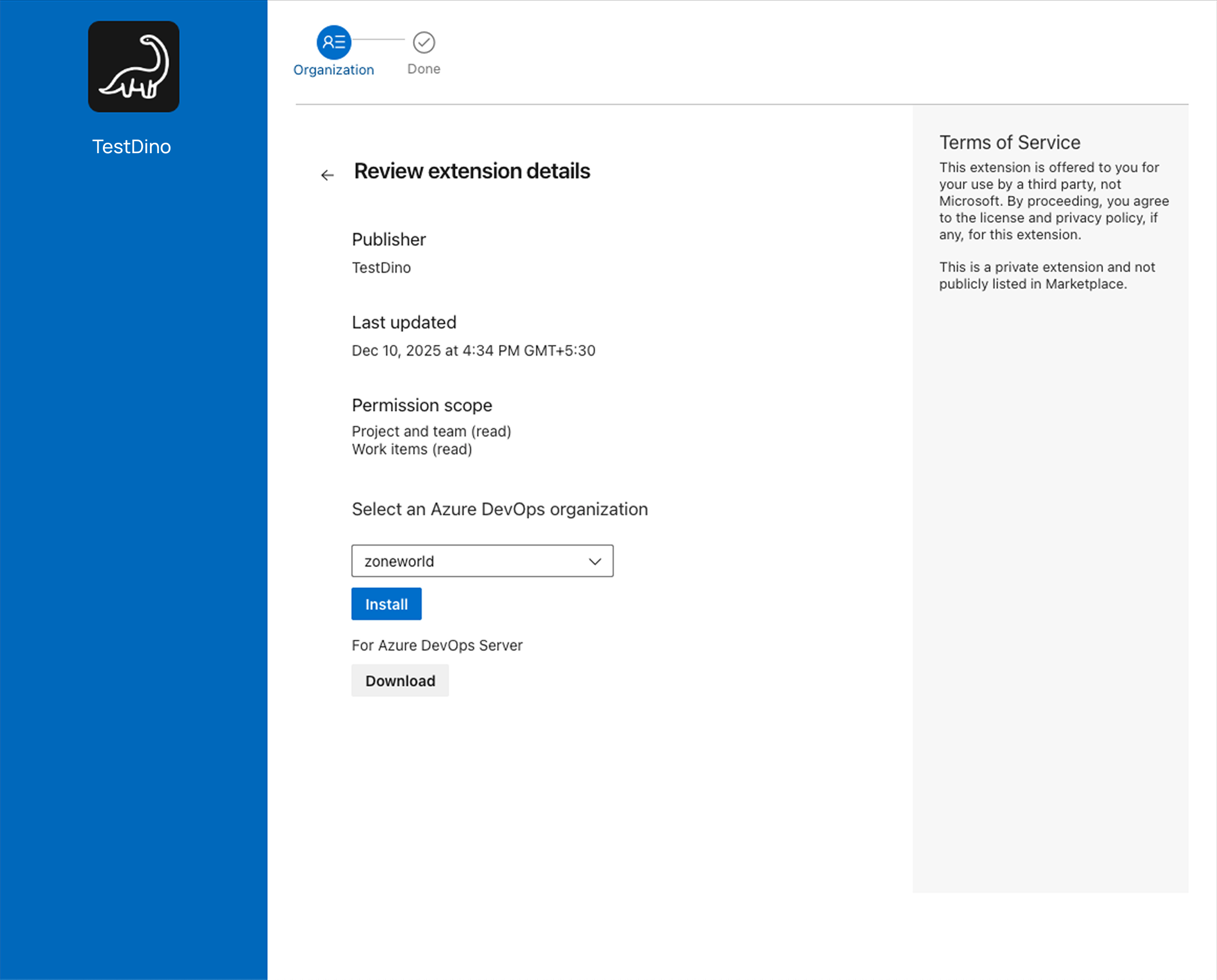
Install in Desired Azure DevOps Organisation
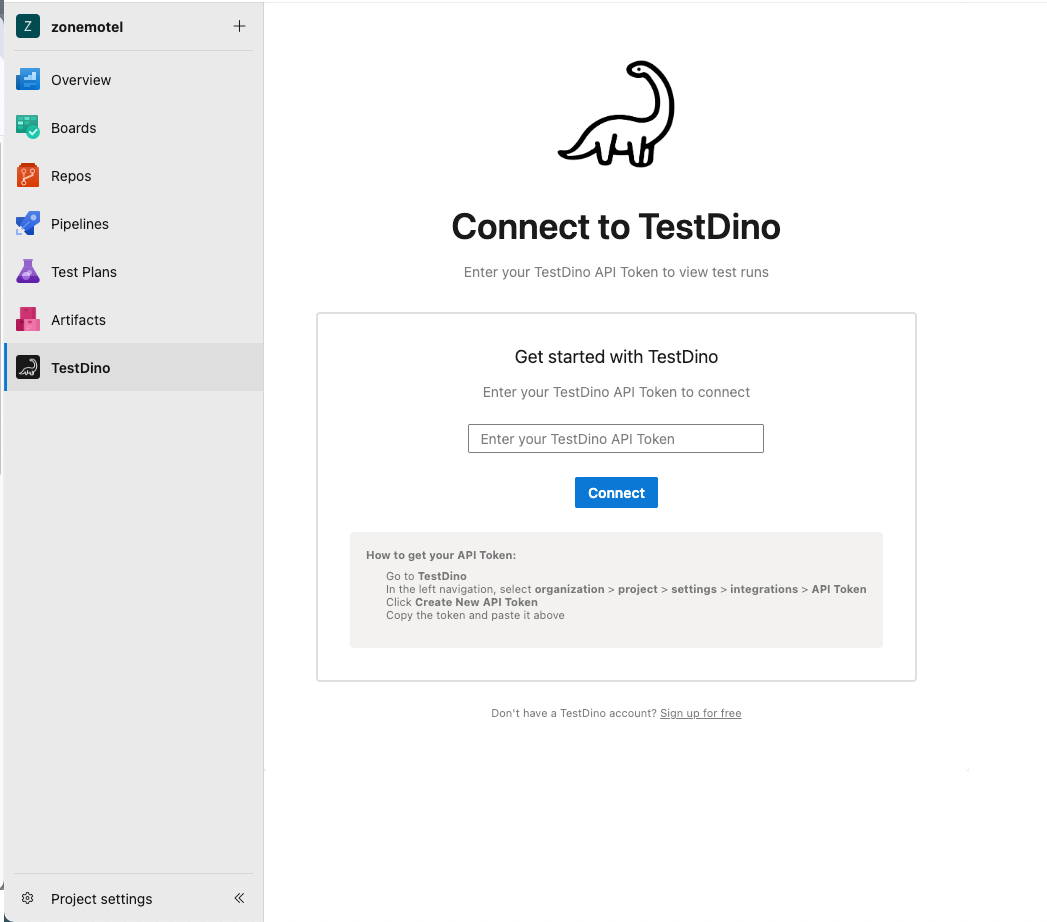
Connect to TestDino Platform using TestDino PAT Token
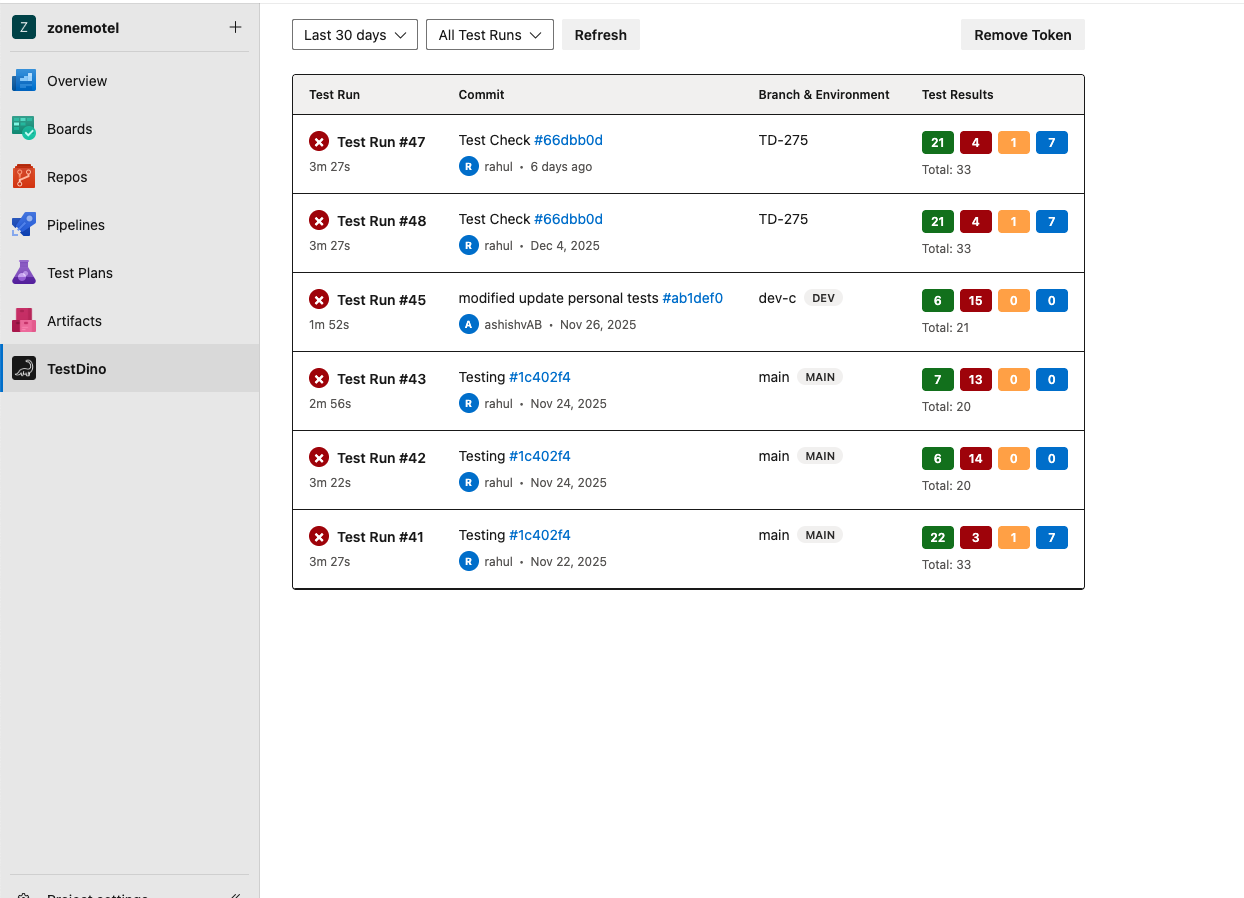
See Testruns Status
| |

