Skip to content
| Marketplace
Sign in
Azure DevOps>Azure Repos>Diffsift: local AI pull request review
Diffsift: local AI pull request review

Diffsift: local AI pull request review

Tamedeveloper

| (0) | Free
Local-first AI review packs for your Azure DevOps pull requests: severity, confidence, and evidence from the diff. Your model, your hardware.
Get Started

Diffsift is a Windows desktop app that reviews the open pull requests in your Azure DevOps project and turns each one into a structured, evidence-backed review pack. It runs on your machine with your own model, through LM Studio, Ollama, or any OpenAI-compatible endpoint. Turn on monitoring and the review packs are already waiting in your inbox when you sit down. You stay the reviewer.

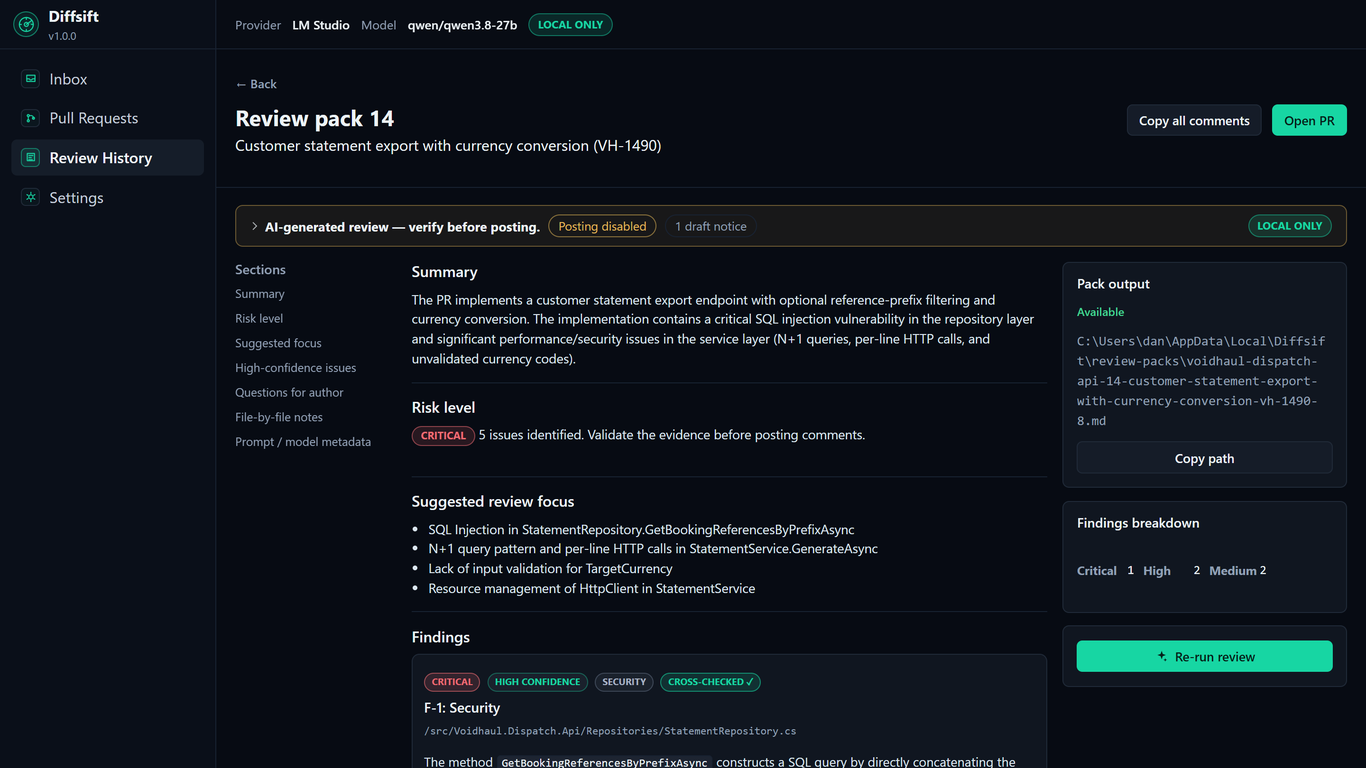
Diffsift review pack

Your code stays yours

  • Nothing leaves the machine by default. Reviews run against the model host you control.
  • Hosted providers (OpenAI, Azure OpenAI, Anthropic, OpenRouter) are available only if you choose them, with explicit confirmation before any code is sent.
  • Your Azure DevOps personal access token is stored encrypted with Windows DPAPI, never in plain text.
  • Review packs are plain Markdown files on your disk.
  • No account, no telemetry, no vendor lock-in.

If your security team's answer to cloud code review is "no", Diffsift doesn't need to ask.

What you get for each pull request

  • Findings with severity, confidence, and evidence quoted from the actual diff.
  • A risk level, a suggested review focus, and questions for the author.
  • Copy-ready review comments to paste into Azure DevOps yourself. Diffsift never approves, rejects, or merges anything.
  • Multi-pass review for large pull requests, and review profiles for security, performance, tests, and architecture.

See a real, unedited review pack at diffsift.dev/sample-review.

Reviews before you ask

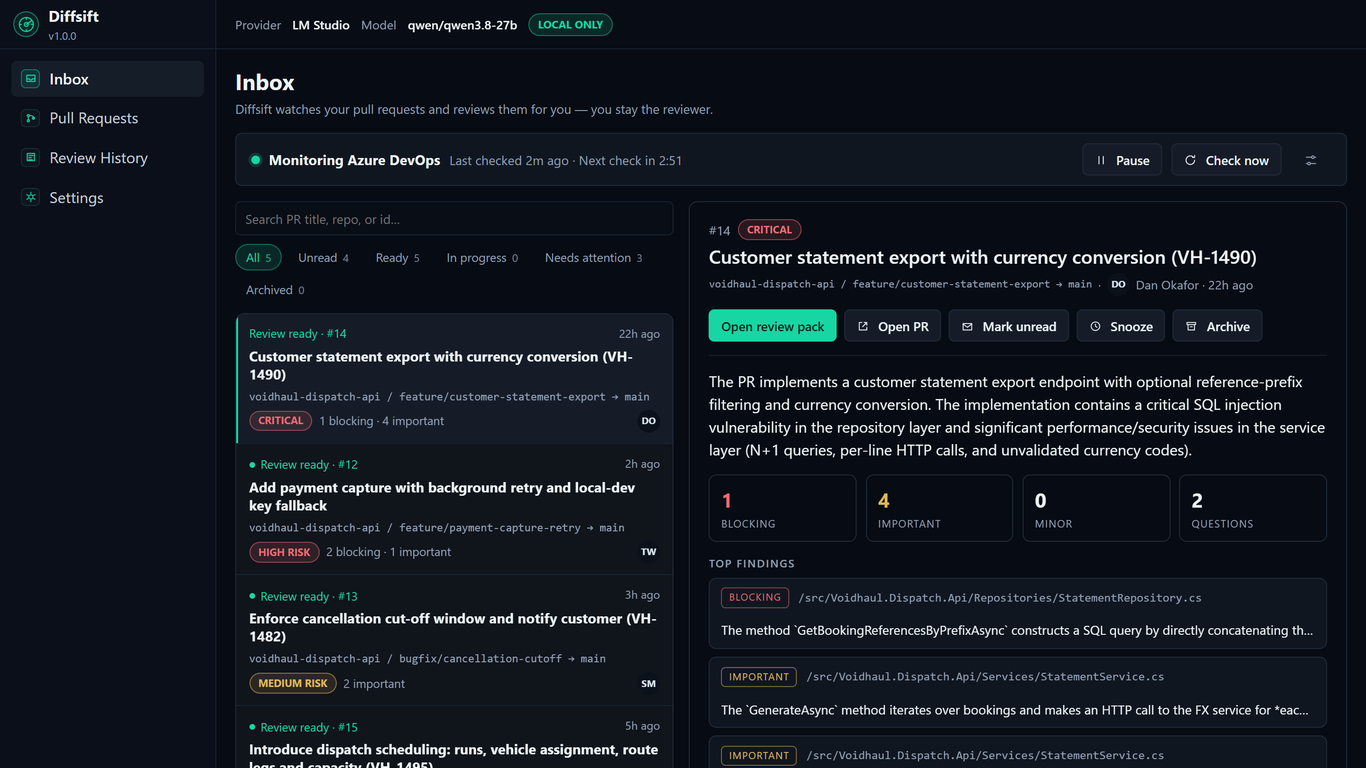
Diffsift inbox

Turn on monitoring and Diffsift checks your project while the app is open, picks up new and updated pull requests, and reviews them by your rules: per-repository toggles, skip drafts, a size cap, and re-review on push. Finished packs land in an inbox you can triage, with a Windows notification. Monitoring is opt-in and off by default, reviews run one at a time, and nothing is ever posted to Azure DevOps.

Requirements

  • Windows 10 or 11 (x64). No admin rights needed to install.
  • An Azure DevOps personal access token with Code (Read) scope.
  • A model: LM Studio or Ollama on your machine or network, or a hosted provider if your policies allow it.

GitHub repositories are supported too.

Pricing

A one-time purchase, not a subscription. Personal $59, Team $119 per seat. Every license includes 12 months of updates, and your installed version keeps working after that. The 14-day trial is fully featured and needs no account and no card.

Download Diffsift · Pricing · Getting started

  • Contact us
  • Jobs
  • Privacy
  • Manage cookies
  • Terms of use
  • Trademarks
  • Your Privacy Choices
  • Consumer Health Privacy
© 2026 Microsoft