Miami '26 - Visual Studio theme


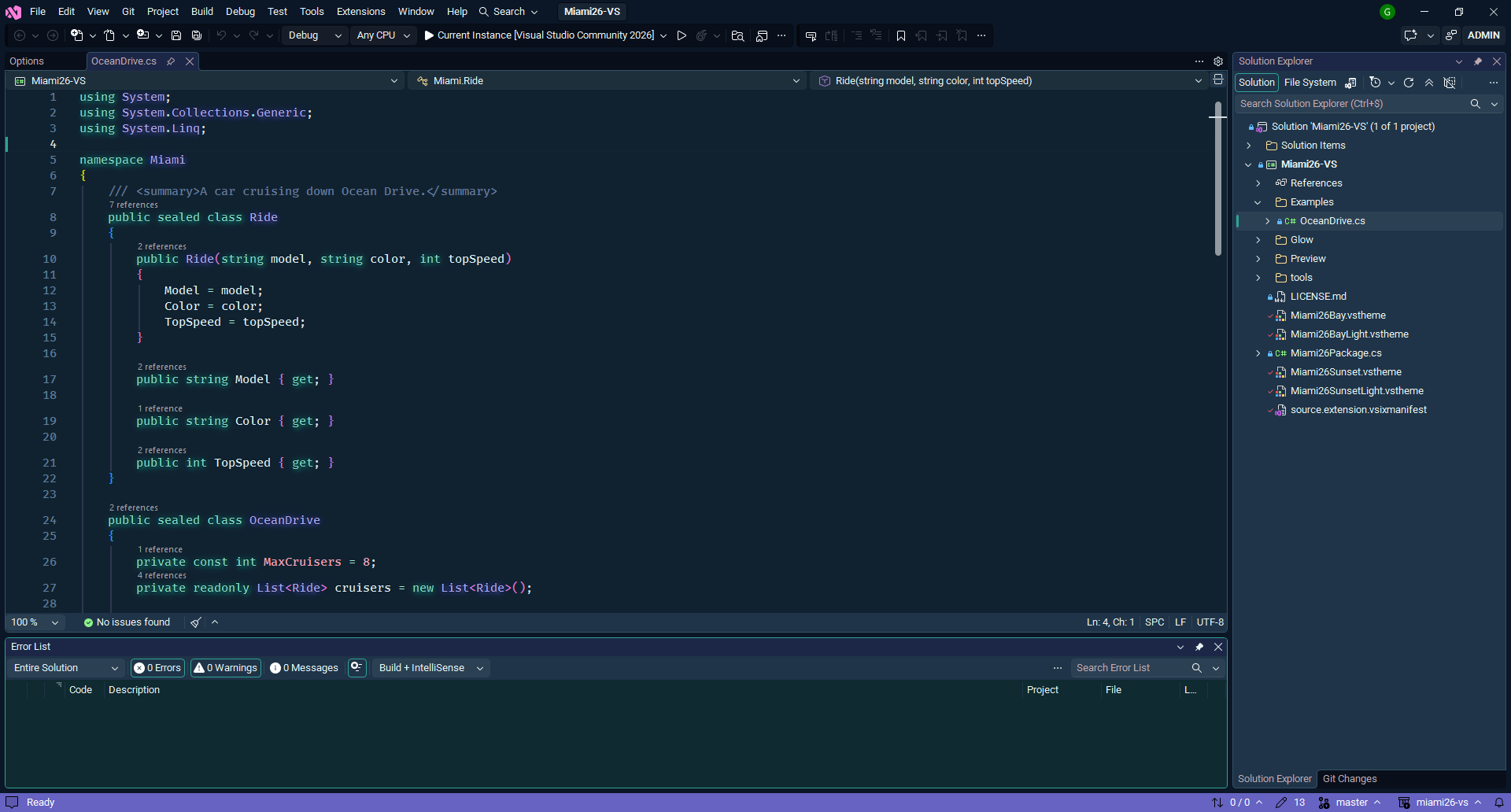
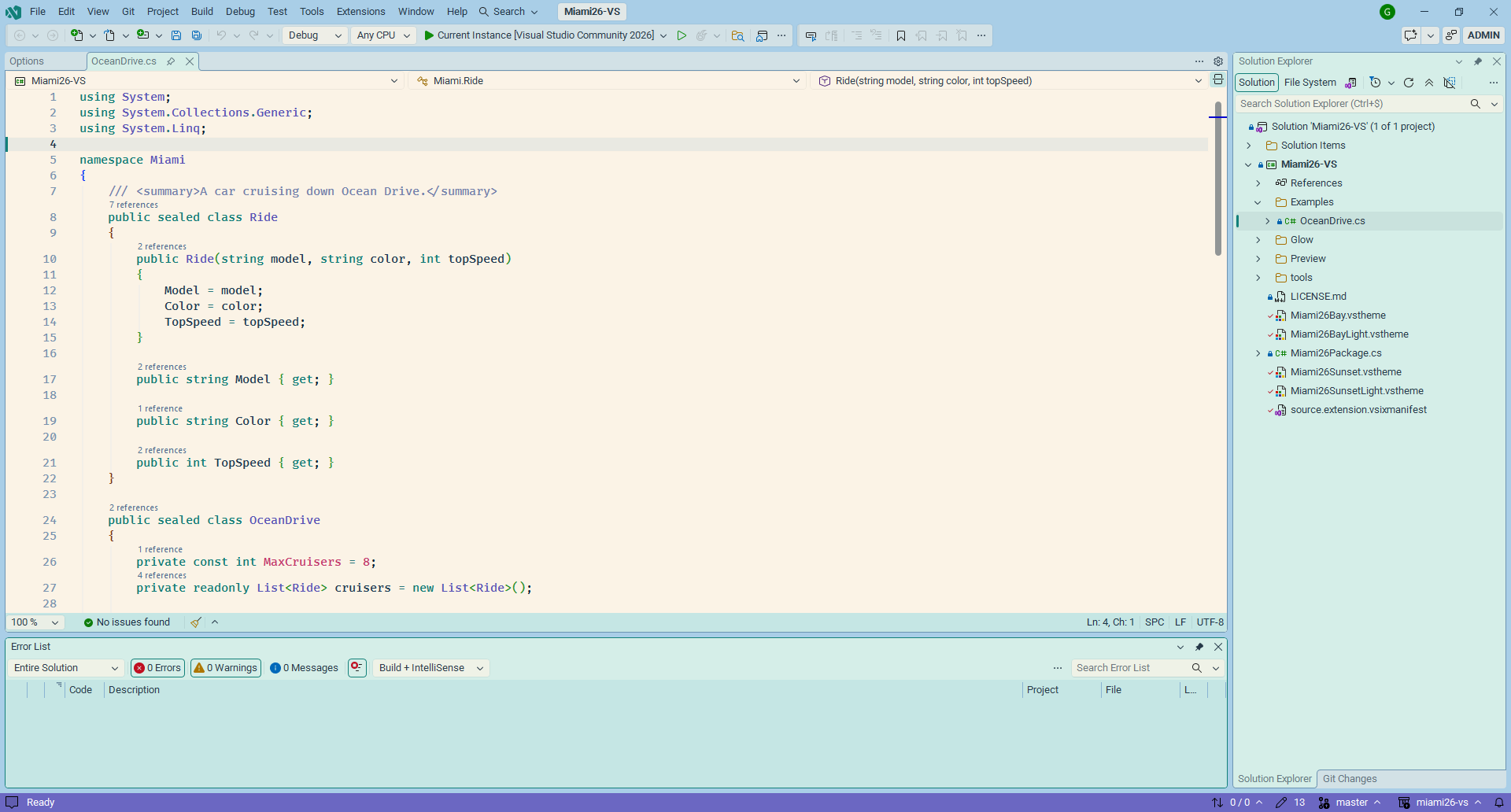
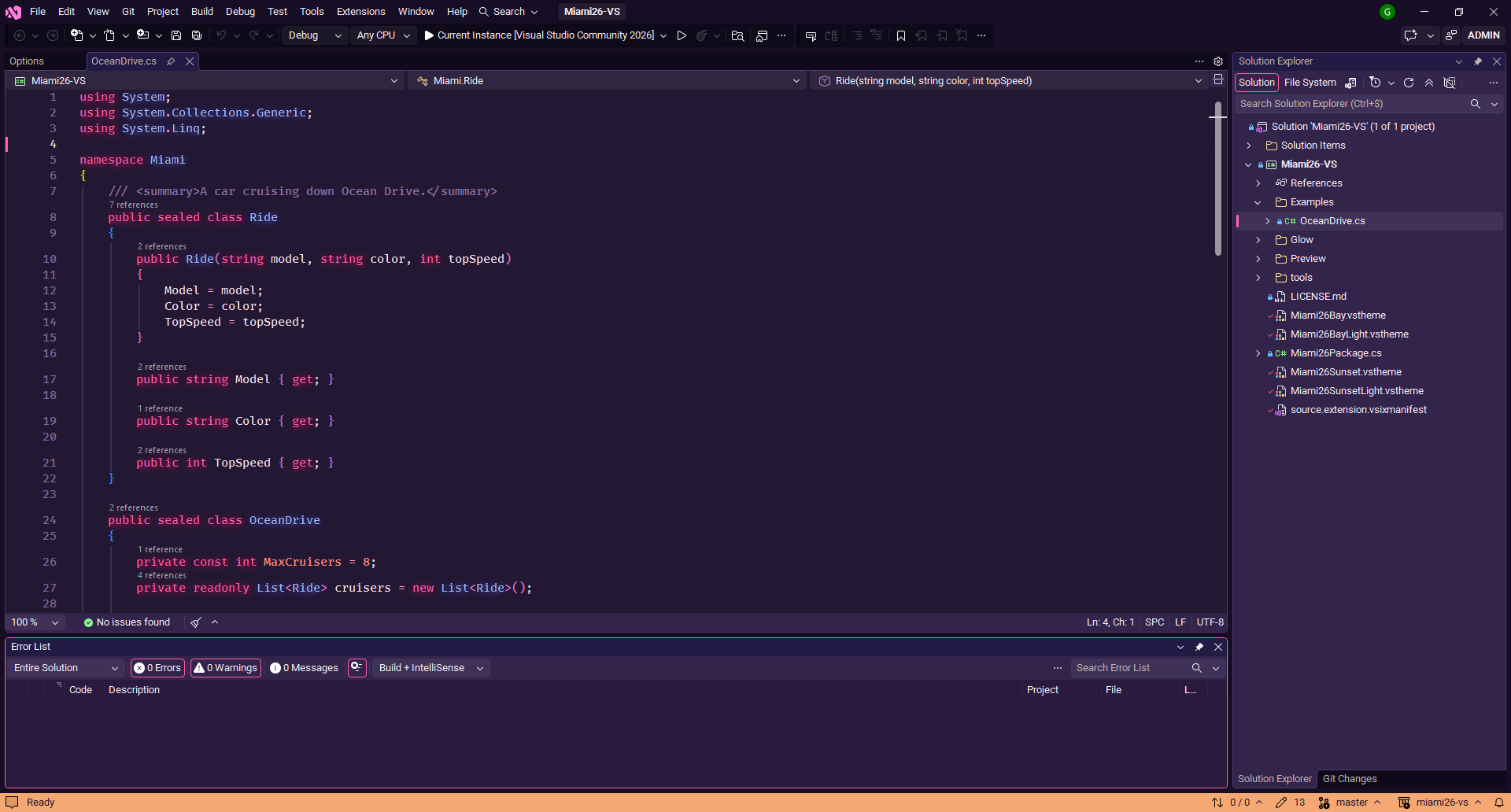
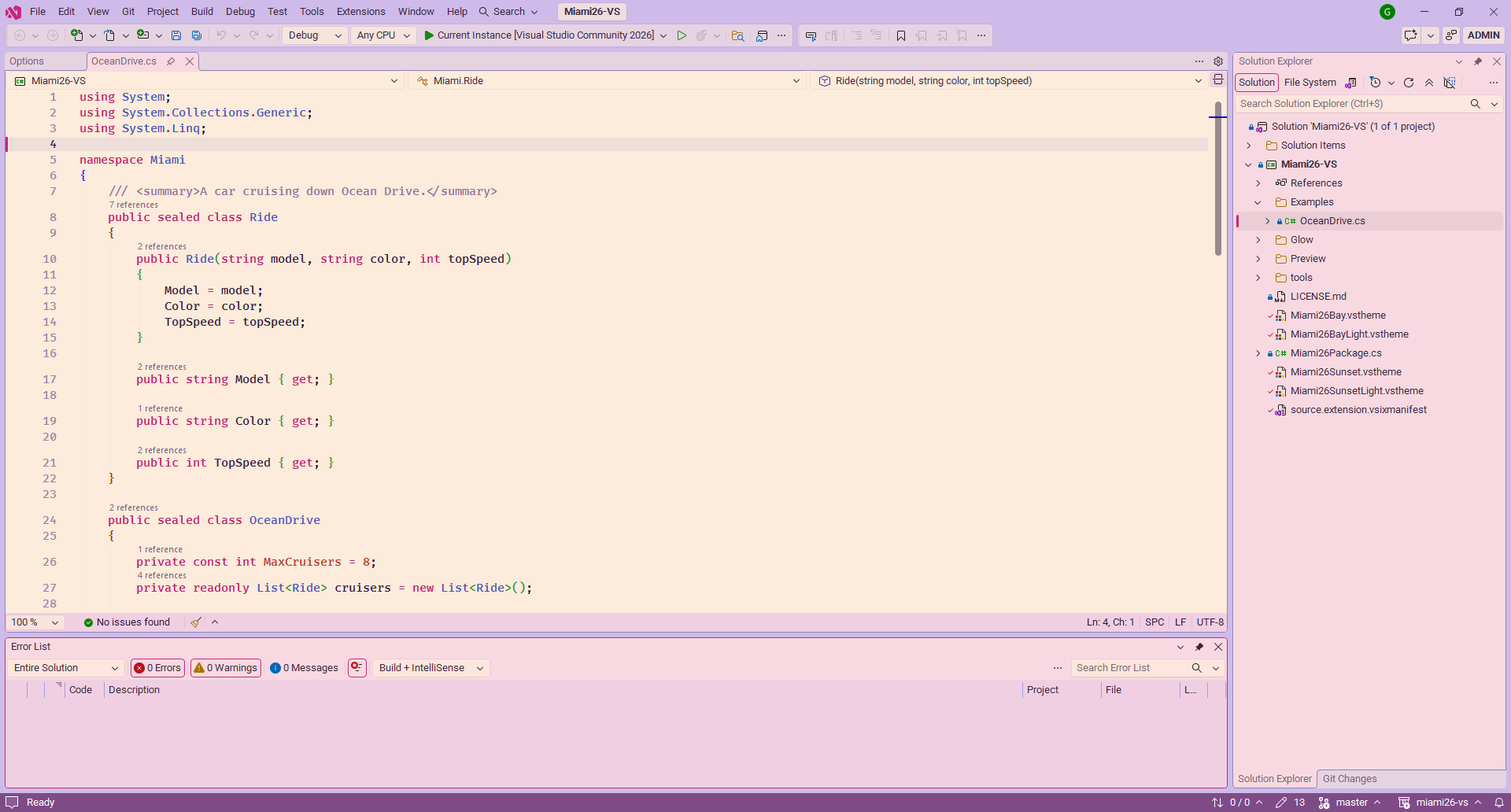
Miami colors for Visual Studio 2019, 2022 and 2026. Two palettes, each in a dark and a light version:
- Bay: a day on the bay. Sky blue, turquoise water, lavender palm trees, peach facades and warm sand.
- Sunset: dusk on the ocean front. Magenta, peach and pale gold under a periwinkle and lavender sky, with plum palm trees.
|
Dark |
Light |
| Bay |
Miami '26 Bay, with neon glow |
Miami '26 Bay Light |
| Sunset |
Miami '26 Sunset, with neon glow |
Miami '26 Sunset Light |
Miami '26 Bay
Miami '26 Bay Light
Miami '26 Sunset
Miami '26 Sunset Light
Palettes
| Role |
Bay |
Bay Light |
Sunset |
Sunset Light |
| Frame |
#0B1626 |
#A6CBE8 |
#160E24 |
#C9B9EA |
| Editor |
#102230 |
#FBF3E6 |
#231833 |
#FDEBDB |
| Status bar |
#6763C2 |
#6B67C2 |
#F5A872 |
#7E4B87 |
| Keywords |
#7FD8C8 |
#0E7A74 |
#FF5FAA |
#BE1F70 |
| Types |
#A9A6F0 |
#5853B5 |
#A9B4F5 |
#4A56B8 |
| Functions |
#8EC6EC |
#23689E |
#FFB27A |
#A64F18 |
| Strings |
#F3DDB0 |
#B04F2A |
#F6E2A2 |
#7F5E00 |
| Numbers, constants |
#F2A0B4 |
#C2386C |
#FF8A7A |
#B83A28 |
| Tags, preprocessor |
#F5B49C |
#9C3F8A |
#D6A2F2 |
#7A3D8C |
| Comments |
#64799C |
#7380AA |
#8C72A8 |
#8E7299 |
Install
From a release
- Download
Miami26-VS.vsix from the latest release.
- Close Visual Studio, then double-click the file.
- Start Visual Studio and pick the theme in Tools > Theme.
Installing a newer release updates the extension in place, no need to uninstall first.
From source
- Clone this repository and open
Miami26-VS.sln.
- Build in Release, then run
bin\Release\Miami26-VS.vsix.
Press F5 instead to try your changes in the experimental instance of Visual Studio, without touching your main installation.
Neon glow
With the dark themes, the extension draws a neon glow around keywords, types, functions, tags and, faintly, variables, each in its own color. It only applies to the text editor, and nothing in the Visual Studio installation is modified.
Turn it on or off and set its brightness in Tools > Options > Miami '26 > Neon Glow. The light themes never glow.
Recommended fonts
If a color you changed yourself in Tools > Options > Environment > Fonts and Colors wins over the theme, click Use Defaults there.
Credits
- The dark themes are built on the environment of SynthWave '84 for Visual Studio, and the neon glow comes from it. SynthWave '84 itself is by Robb Owen (MIT License).
- The light themes are built on the Visual Studio Light theme.
Inspired by the colors of Miami. This is a fan-made theme, not affiliated with any game or studio.
Development
Editing the themes
Every color lives in tools/generate-themes.py. Each palette (BAY, BAY_LIGHT, SUNSET, SUNSET_LIGHT) gives:
colors: the IDE colors (backgrounds, accent, status bar, editor selection...). DARK_ROLES and LIGHT_ROLES tell which color of each base they replace; the other colors of the base follow the palette (greys take its hue, blues its accent).tokens: the syntax colors.
Then regenerate the four themes and look at them side by side:
python tools/generate-themes.py
python tools/preview-themes.py
The second script writes bin/preview.html, a mock-up of Visual Studio in each theme, with the glow.
The glow colors are in Glow/GlowPalette.cs, keyed by the token colors of the dark themes: change both together, generate-themes.py checks that they match.
The bases are tools/base-dark.xml (SynthWave '84) and tools/base-light.xml (Visual Studio Light, extracted by tools/import-vs-theme.py from a Visual Studio installation). They are not named .vstheme on purpose: every .vstheme file of the project is compiled into the extension. The icon is drawn by python tools/generate-icon.py.
Releasing
- Increase
Version in source.extension.vsixmanifest: Visual Studio only updates an installed extension to a higher version.
- Push a tag with the same version, for example
v1.1. The Build workflow builds the VSIX and attaches it to a new GitHub release.

