Sockless npm Package Manager
A visual, Visual Studio–native way to manage package.json — browse, install,
update and consolidate npm dependencies without hand-editing JSON or leaving the
IDE.
Right-click a project or a solution, and get a full package manager panel: search
the registry, see what's installed, catch vulnerable and deprecated packages, and
update everything with one click — all inside a native tool window docked next to
Solution Explorer.
Why you'll want this
- Stop context-switching to a terminal. Search, install, update, and
uninstall packages without leaving Visual Studio.
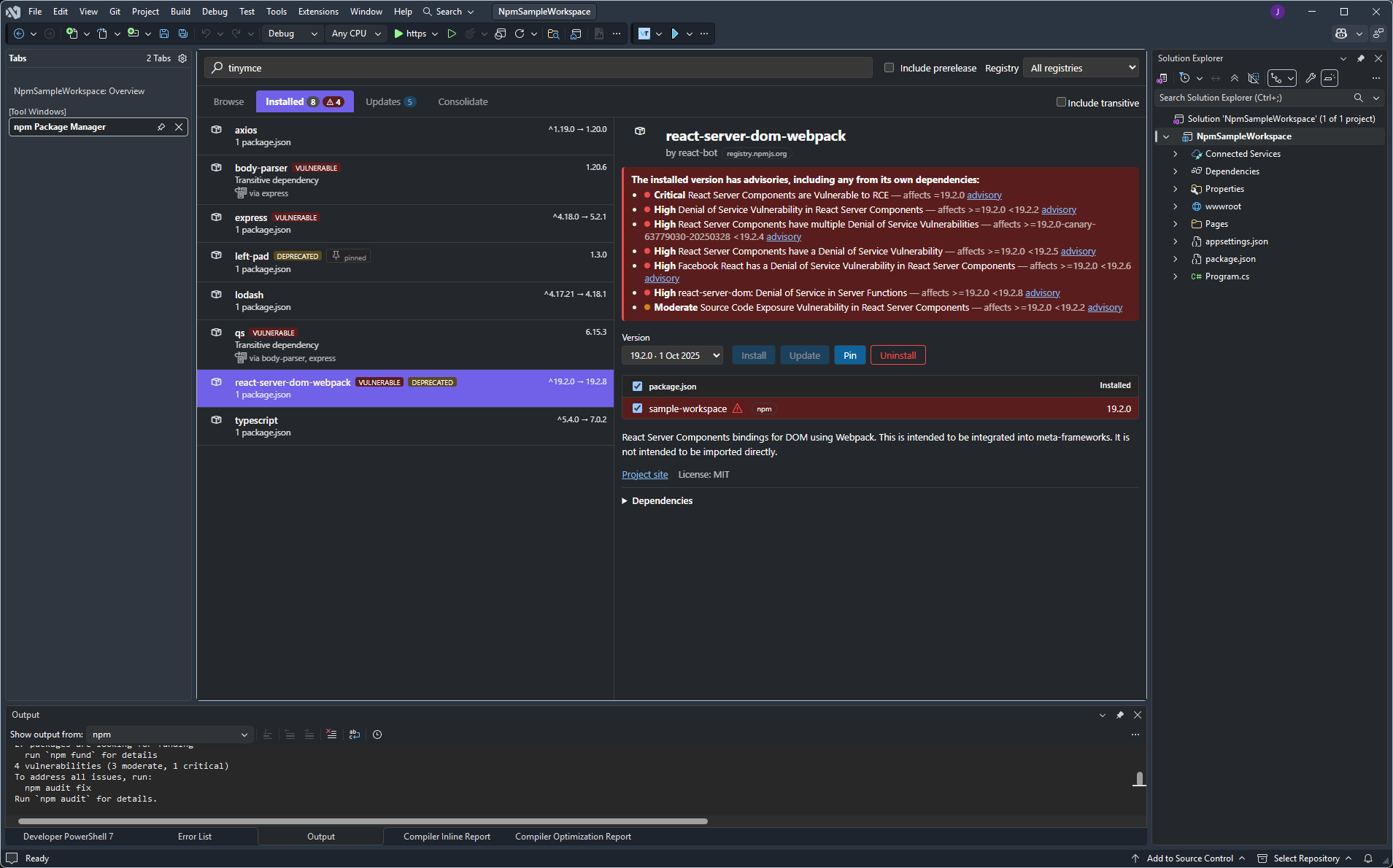
- See your real exposure to vulnerabilities.
npm audit often reports an
advisory several dependencies deep — this resolves the full chain so a
direct dependency shows its complete exposure, not just an empty-looking
transitive entry.
- Scope to a project or an entire solution. Right-click a single project to
manage just its
package.json, or right-click the solution to manage every
project's packages in one aggregated view.
- Catch supply-chain risk before it lands. Freshly published versions
younger than a configurable age are flagged and held back from Update All.
Everything you can do
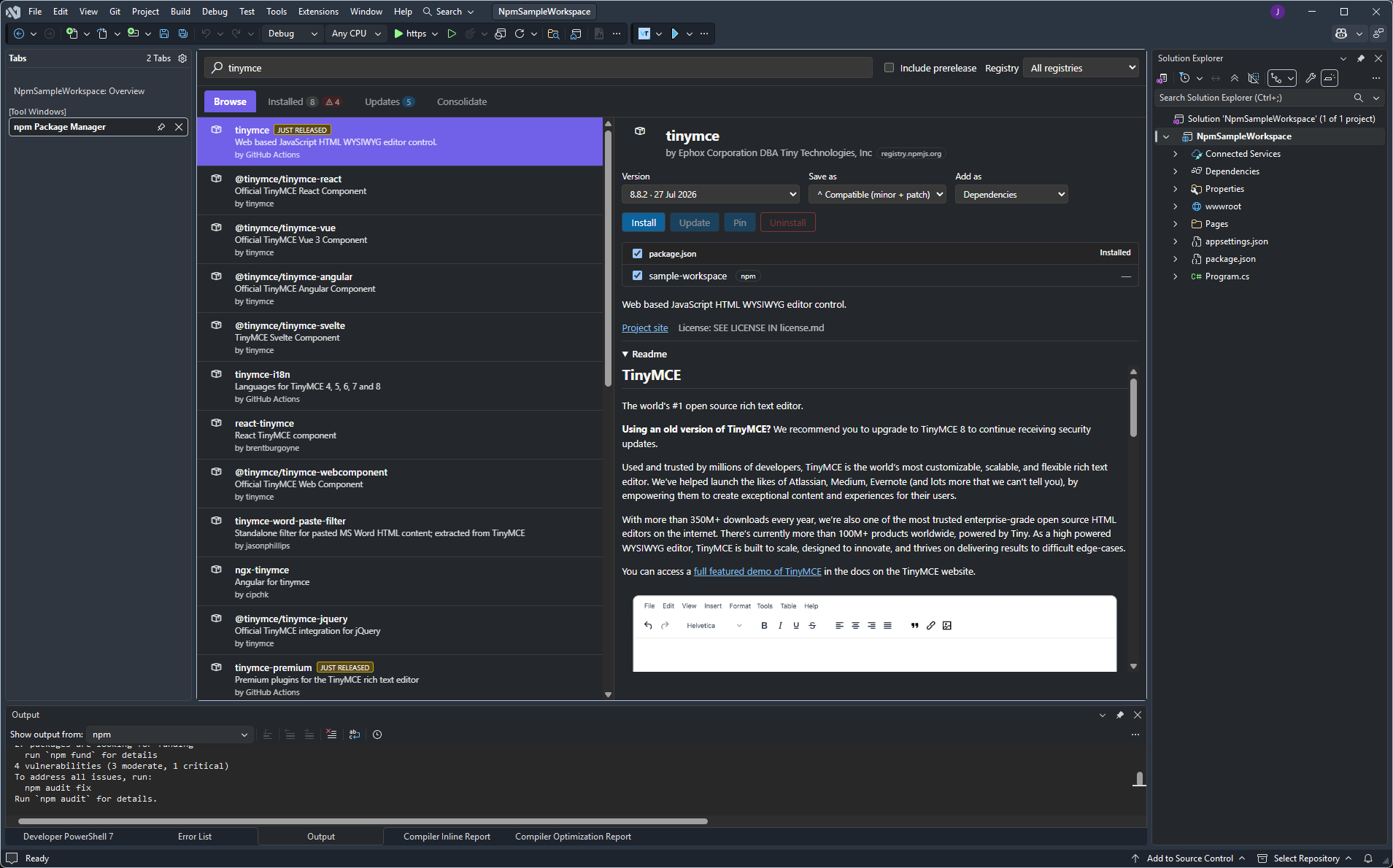
- 🔍 Browse — search the npm registry (and any private/scoped registries
from your
.npmrc) with live results, readme, license, downloads and
dependency lists right in the detail pane.
- 📦 Installed — every package actually referenced across your open scope,
direct and transitive, with a tree view explaining why a transitive
package is present.
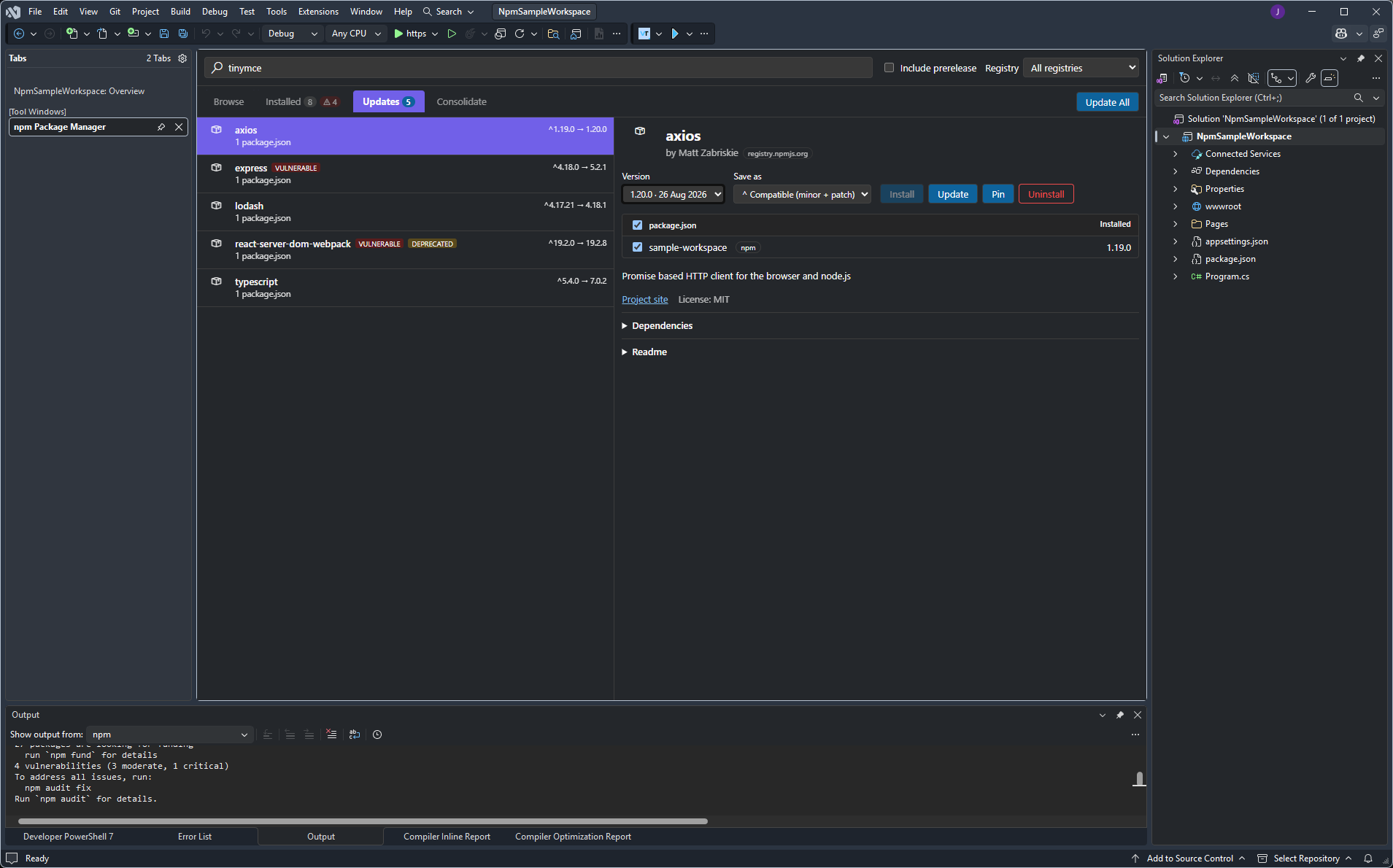
- ⬆️ Updates — every installed package with a newer version available,
with version history and a one-click Update All.
- 🧹 Consolidate — packages pinned to inconsistent versions across
multiple
package.json files in an npm/Yarn/pnpm workspace.
- 🛡️ Vulnerability scanning via
npm audit, surfaced on the package row
and in the detail pane with each advisory's title, affected range, and a
link to it.
- 📌 Pin / unpin a dependency to an exact version — held back from
Update All until you unpin it.
- 🎯 Choose how a version is written —
^ caret, ~ tilde, exact, or
>= — per install or update, so bumping a version doesn't silently change
its range style.
- 🧩 Works with npm, Yarn (classic) and pnpm — detected per project from
its lockfile.
- 🏗️ Understands npm/Yarn/pnpm workspaces — open the manager from a
workspace root to scope actions across every member package.
Open-scope behaviour
| Right-click on... |
You get |
| a project |
the manager scoped to that project's package.json |
| the solution |
packages aggregated across every project, like a multi-root workspace |
a project with no package.json |
a Create package.json prompt, then a normal single-project view |
Getting started
- Right-click a project or the solution in Solution Explorer.
- Choose Manage npm Packages...
- Search, install, update — the panel does the rest, including keeping your
lockfile in sync after every change.
Requirements
- Visual Studio 2026.
- Node.js on
PATH (the manager's engine runs as a lightweight sidecar
process; it also shells out to npm/yarn/pnpm the same way the CLI
would).
Also available for VS Code
Prefer VS Code? The same engine and panel is available as the Sockless npm
Package Manager for VS Code.
Feedback & source
This extension is open source. File issues, feature requests, or contribute at
the GitHub repository.
| |

