Overview Q & A Rating & Review
Burgundy Pro for Visual Studio 2022 & 2019
A luxurious, modern dark theme for Microsoft Visual Studio crafted with deep burgundy identity, wine-red accents, and soft rose syntax highlights.
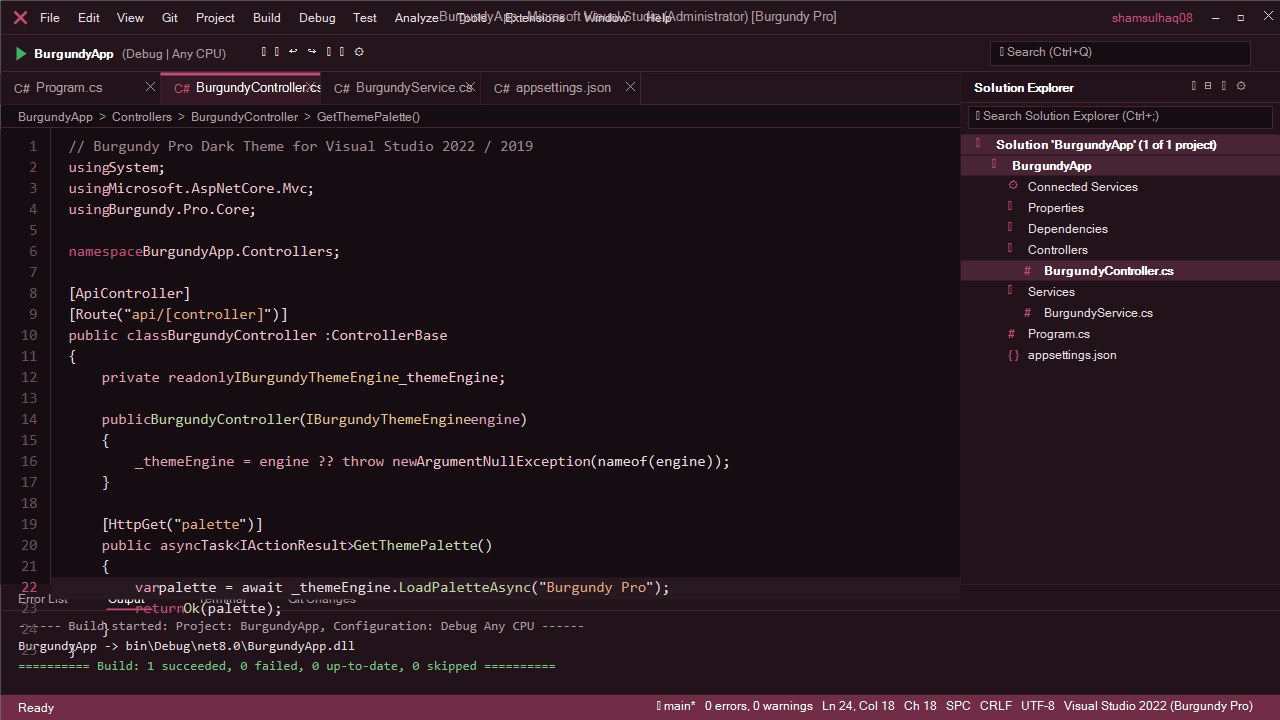
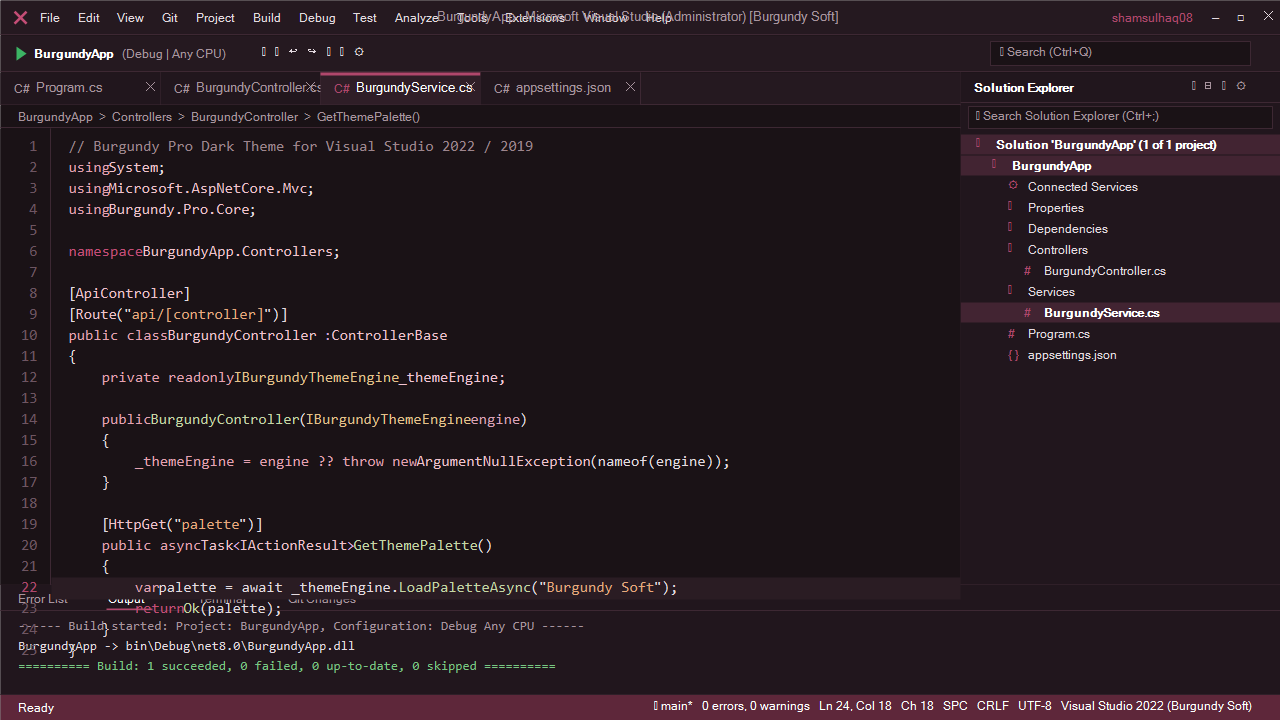
🎨 Theme Variants & Visual Studio Previews
1. Burgundy Pro
The flagship edition with deep, rich burgundy contrast and glowing rose highlights designed specifically for the full Visual Studio 2022/2019 IDE.
2. Burgundy Soft
A softer, muted charcoal-burgundy edition created specifically for extended, marathon coding sessions in Visual Studio.
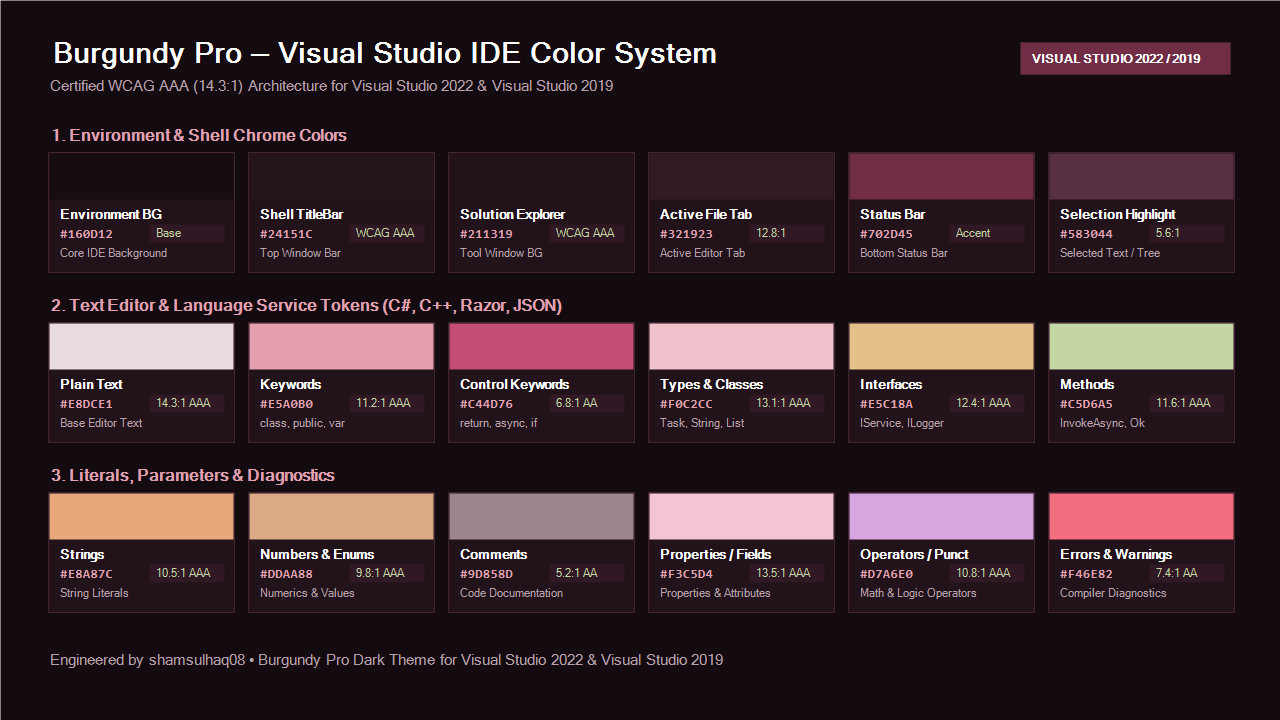
💎 The Visual Studio Color Palette
Core Visual Studio IDE Surfaces
Component
Hex Code
Visual Studio Role
Contrast Ratio
Editor Canvas #160D12Code editor background
Background Base
Window Shell / TitleBar #24151CWindow caption & command bar
AAA Certified
Solution Explorer #211319Tool window background & docks
AAA Certified
Active Document Tab #321923Active file tab well
12.8:1
Status Bar #702D45Bottom IDE status bar
High-contrast Accent
Accent Borders #C44D76Focus outlines & active indicators
Vibrant Indicator
🚀 Installation & How to Apply
Method 1: Marketplace / Double-Click VSIX
Download or locate burgundy-pro-visual-studio.vsix.
Double-click the .vsix file to launch the VSIX Installer .
Select your installed Visual Studio version (e.g. Visual Studio Community 2022 ) and click Install .
Restart Visual Studio.
Method 2: Select Theme inside Visual Studio
Open Visual Studio.
Go to Tools > Options (or Tools > Themes ).
Under Environment > General , locate the Color theme dropdown.
Select Burgundy Pro or Burgundy Soft .
Click OK .
🧩 Compatibility
Visual Studio 2022 (Community, Professional, Enterprise) - x64 & ARM64Visual Studio 2019 (Community, Professional, Enterprise)Languages Supported : C#, C++, F#, Visual Basic, Razor / Blazor, TypeScript, JavaScript, HTML, CSS, XML, JSON, SQL, and CMake.
Crafted with care by Shams Dev