Overview Q & A Rating & Review
Localization HQ Editor (aka lhqeditor)
Visual Studio extension for one-stop localizations, resources, strings, importing multiple resx strings into one centralized file. Generate C# source files with strong-typed classes to be consumed by .NET application.
Official project page
Web - psulek.github.io/lhqeditor
Features
Supported Visual Studio versions
from Community to Enterprise versions.
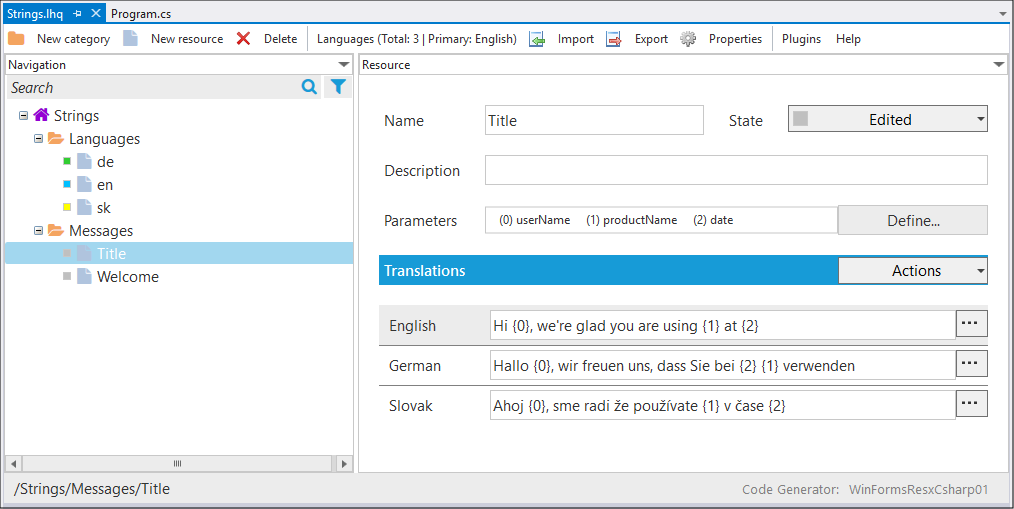
WYSIWYG Editor
Edit and manage string resources in visual tree
Add foreign languages using lookup editor
Translate multiple string resources in one click
Lock translations for editing
Perform actions on multiple resources
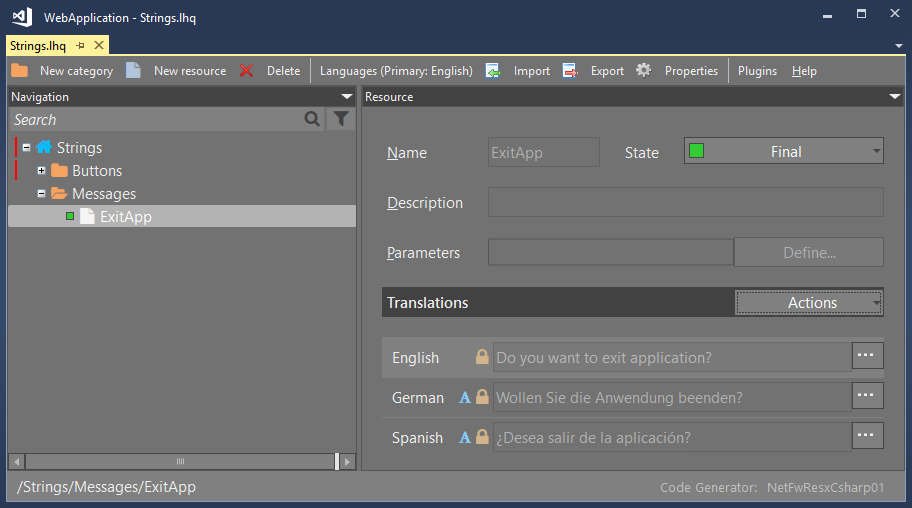
Dark Mode
Popular Dark mode is available
Plugins
Buildin plugins (import, export, online translation services)
Import resources from multiple languages resx files
Export resources to Microsoft Excel for external translation
Import Microsoft Excel translations from external entity
Code Generator
Save file automatically generates code (strongly typed C#, resX, JSON)
Different generator for ASP.NET Core, WPF, WinForms
Visual Studio Templates
New Project Wizard ➞ Localization HQ ➞ Project Templates
New Item Wizard ➞ Localization HQ ➞ Item Templates
Nuget Packages
Read more about features and help pages on: psulek.github.io/lhqeditor
Installation
There are two versions of lhqeditor extension:
LHQ Editor for Visual Studio 2015 / 2017 / 2019LHQ Editor VS2022 for Visual Studio 2022 / 2026
Install lhqeditor extension from Visual Studio Marketplace :
-or-
Install lhqeditor extension directly from Visual Studio IDE:
Main Menu ➞ Extensions ➞ Manage Extensions ➞ Online ➞ enter search term "lhq"
Contributors
Wanna help with project? Look at CONTRIBUTING.md
Bug / Feature Request
If you find a bug or missing some feature, please add new issue here .
License
MIT / Peter Šulek
Project Status
✅ Project is stable