Work Item Sheets
Excel-like work item management across multiple Azure DevOps projects.
Work Item Sheets brings a fast, familiar Excel-like spreadsheet experience directly into Azure DevOps. Edit and bulk manage work items across multiple projects in a single sheet, then sort, filter, group, manage hierarchy, and plan your work without opening items one by one or switching between projects.
Use the sheet for fast backlog and work item editing across projects, then switch to the visual timeline planner when you need to schedule and coordinate work. Everything works directly with your existing Azure DevOps work items and permissions, with changes saved back in real time.
Table of contents
Why Work Item Sheets
Azure Boards is powerful, but managing many Azure DevOps work items one by one can be slow. If you've ever wished you could manage your Azure DevOps backlog like a spreadsheet, Work Item Sheets gives you an Excel-like view for your existing work items — directly inside Azure DevOps.
Edit fields inline, bulk update multiple work items, sort and filter large backlogs, and bring work from multiple Azure DevOps projects together in one sheet. When you need a broader planning view, switch to the visual timeline. There is no separate spreadsheet to maintain, no need to export your work just to make bulk changes, and no need to jump between projects to manage related work.
- Excel-like work item editing — edit titles, assignees, states, priorities, iterations, tags, and custom fields directly in a familiar spreadsheet-style grid.
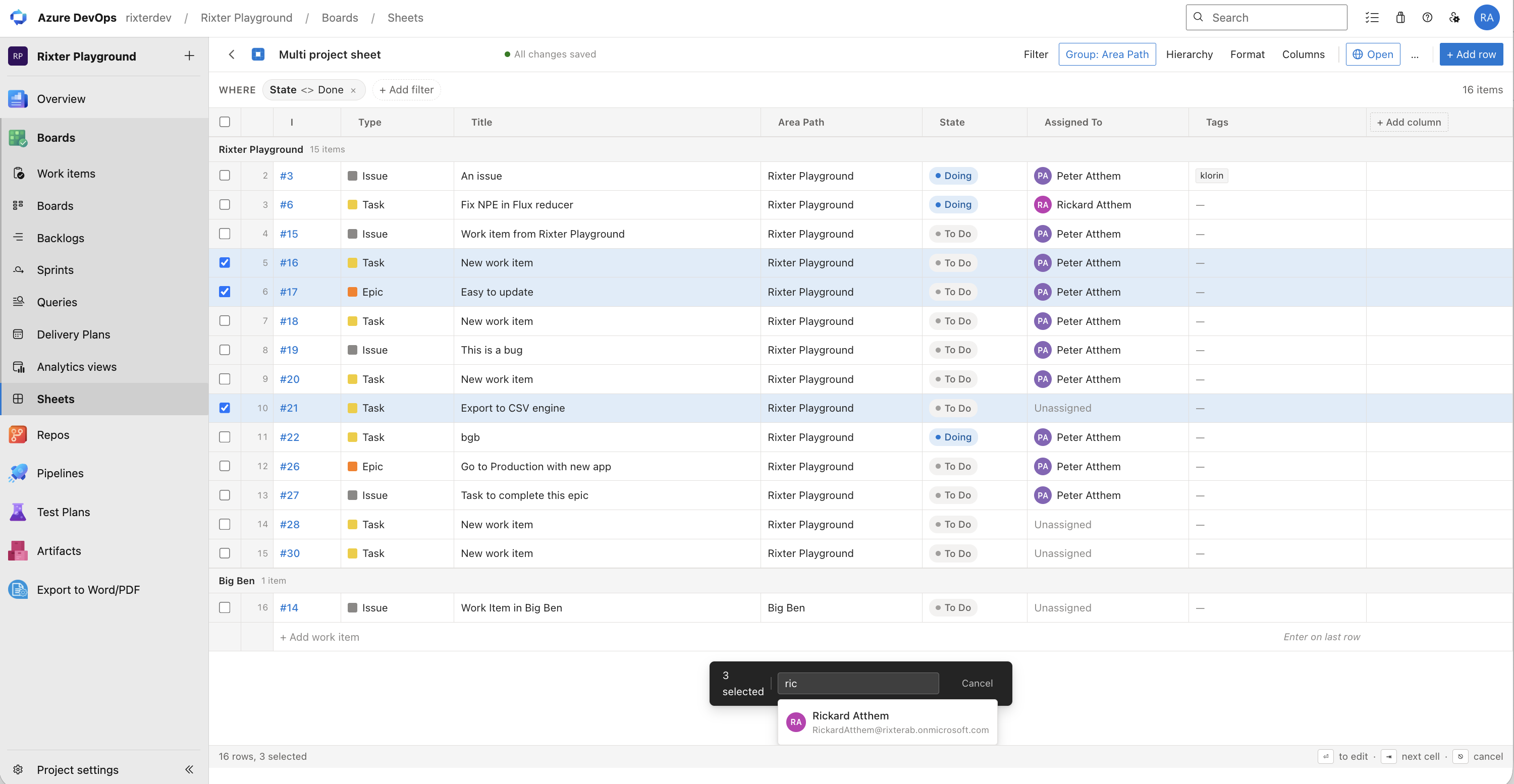
- Bulk edit Azure DevOps work items — select multiple rows and update fields across dozens of work items at once.
- Multi-project work item management — bring work items from multiple Azure DevOps projects into one sheet and edit, filter, group, and manage them together in a single view.
- Fast backlog management — use keyboard navigation, inline editing, sorting, filtering, grouping, and hierarchy to work through large backlogs quickly.
- Always in sync with Azure DevOps — changes save directly back to your Azure DevOps work items in real time. No copy-paste or separate synchronization step.
- Works with your existing fields — custom fields, area paths, iteration paths, tags — all visible and editable.
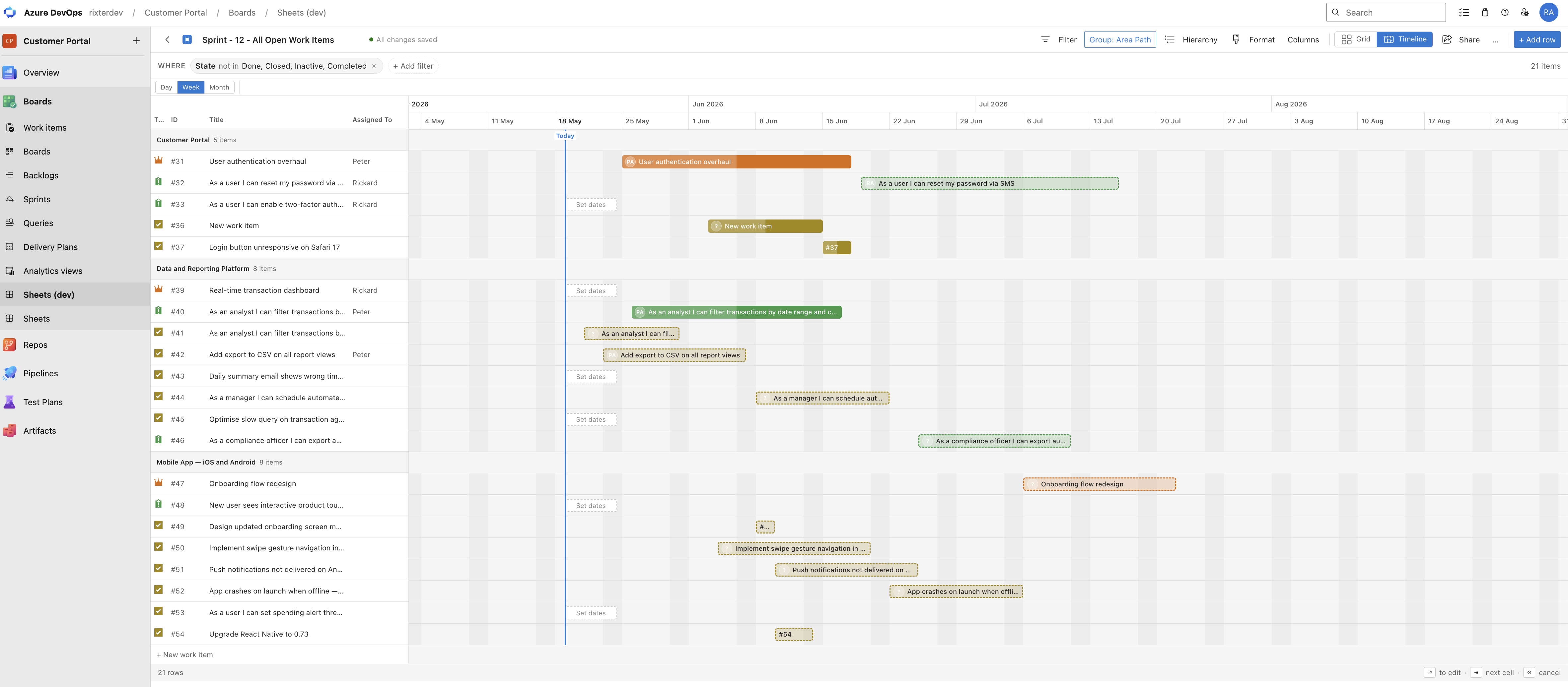
- Visual timeline planning — switch from sheets to a Gantt-style planner to schedule work visually, drag and resize timelines, manage hierarchy, and spot bottlenecks instantly.
How it works
- Open Boards → Sheets from any Azure DevOps project.
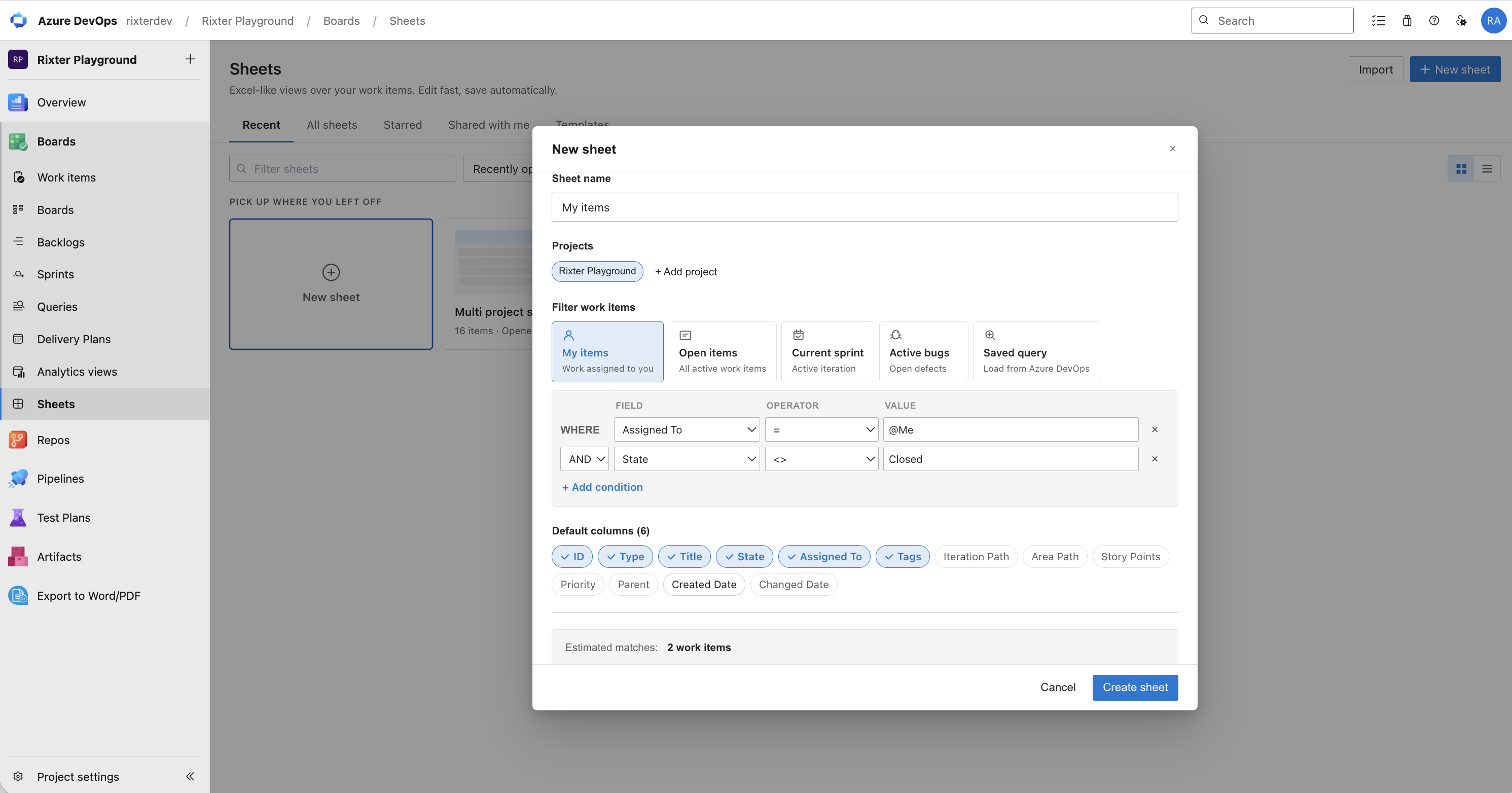
- Click + New sheet and choose one or multiple projects, work item types, fields, and filters.
- Manage work items across your selected Azure DevOps projects in the Excel-like sheet — edit inline, bulk update, sort, filter, and group with changes saved automatically.
- Star sheets you use often, share them with your team, or use templates to get started in seconds.
Demo
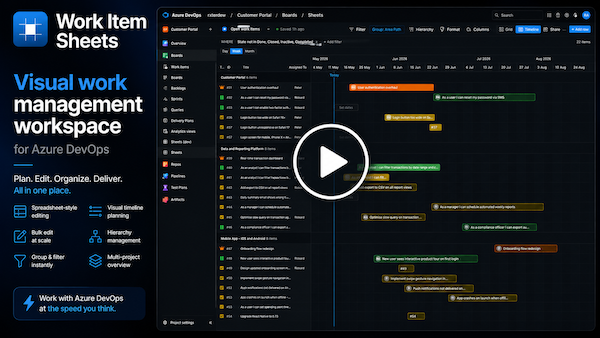
🎬 See how Work Item Sheets turns Azure DevOps work items into a fast, Excel-like workspace for bulk editing, multi-project management, grouping, hierarchy, and visual timeline planning.
Screenshots
Excel-like sheet view — edit and manage your Azure DevOps backlog across projects
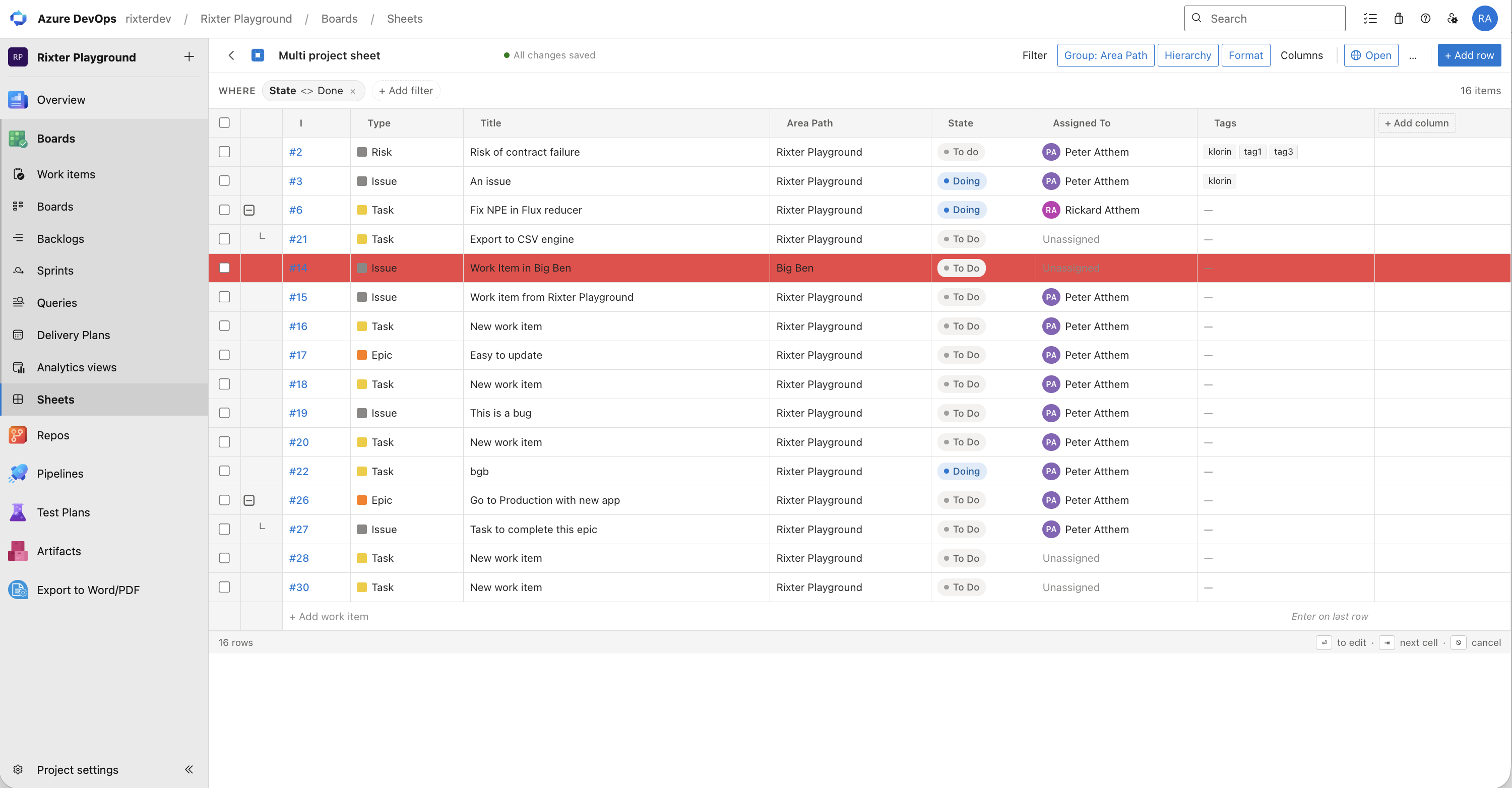
Multi-project work item management — combine and manage projects in one sheet
New sheet setup — up and running in seconds
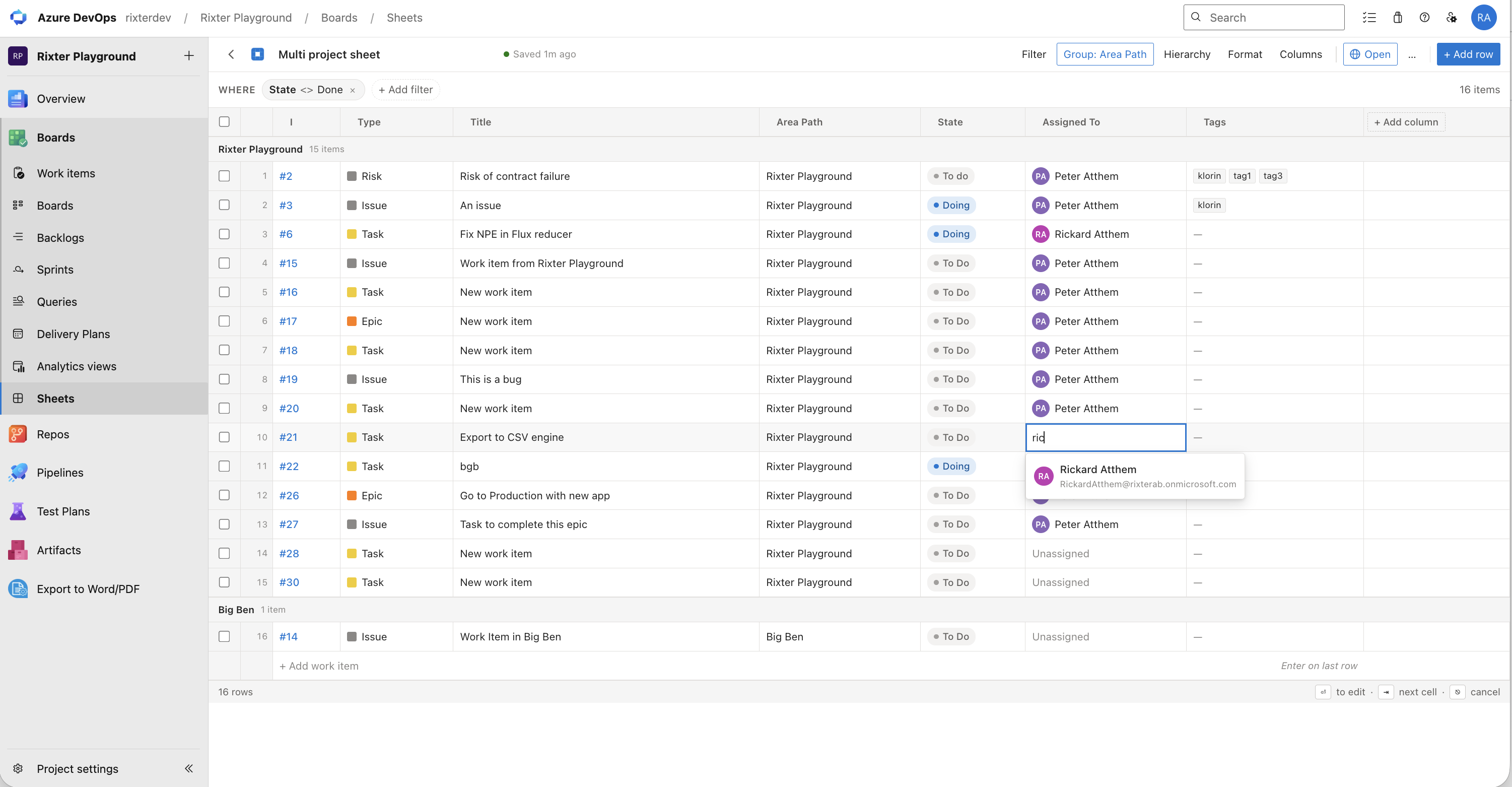
Bulk edit Azure DevOps work items — change multiple items at once
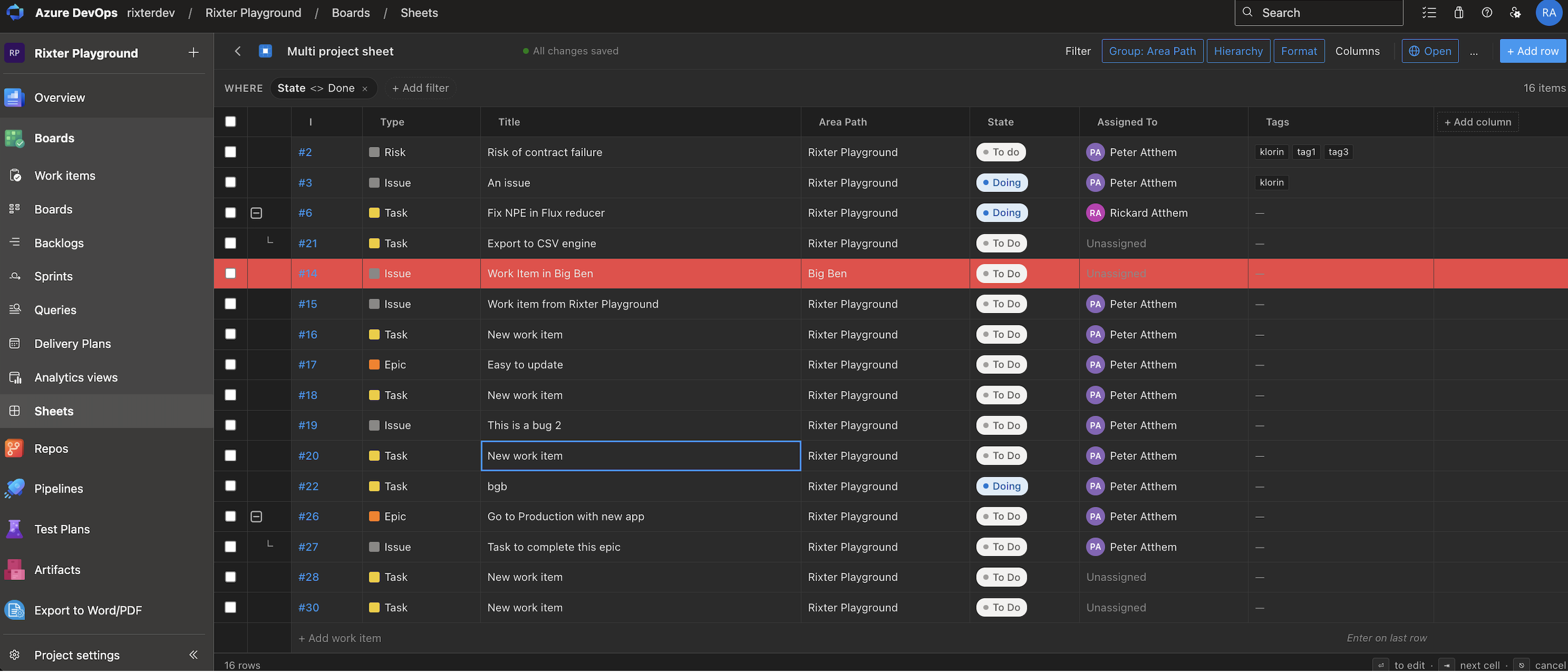
Dark mode
Timeline planner — visualise your work items on a Gantt chart
Features
Work Item Sheets combines Excel-like work item editing, multi-project work item management, and visual planning for teams that need a faster way to manage Azure DevOps backlogs, sprints, projects, and large sets of work items.
Stay inside Azure DevOps while moving between a spreadsheet-style sheet and a visual timeline. Your existing work items, standard fields, custom fields, hierarchy, and permissions remain the source of truth.
- Excel-like spreadsheet editing — manage Azure DevOps work items in a familiar grid with inline editing for standard and custom fields and no page reloads.
- Multi-project sheets — combine, edit, filter, group, and plan work items from multiple Azure DevOps projects in one unified sheet.
- Bulk edit work items — select multiple Azure DevOps work items and update fields across all of them simultaneously.
- Custom columns — choose which fields appear as columns, reorder them, and resize as needed.
- Filtering & sorting — filter Azure DevOps work items by field, sort by multiple columns, and save the view for next time.
- Grouping — group work items by any field to focus on what matters.
- Backlog, sprint & project management — use flexible sheet and timeline views for planning, coordination, prioritization, and execution.
- Timeline & Gantt-style planning — switch from the Excel-like sheet to a visual timeline with drag-and-drop scheduling, hierarchy, grouping, and independent timeline column management.
- Real-time Azure DevOps updates — edits are saved directly to your existing Azure DevOps work items.
- Templates — save sheet configurations as templates and reuse them across your team.
- Saved & shared sheets — create reusable views, star the sheets you use most, and share them with teammates.
- Dark mode — full support for Azure DevOps light and dark themes.
- Sharing — share sheets openly with your entire organization or with specific individuals by name.
- 30-day free trial — no credit card required.
Pricing
- Free for teams with up to 10 users on Azure DevOps Services (cloud) only — Azure DevOps Server (on-premises) requires a paid licence per project collection
- 30-day free trial for larger organizations
- Flexible paid plans based on organization size
Licensing and subscription management are handled directly within the app.
Limitations & notes
- Works with both Azure DevOps Services (cloud) and Azure DevOps Server (on-premises). On-premises collections are licensed separately, per project collection.
- Excel import is coming soon. The current Excel-like sheet works directly with Azure DevOps work items; it does not require Microsoft Excel.
- The Excel-like sheet view is optimised for Azure DevOps work items with standard and custom fields. Boards-specific features such as swimlanes are not replicated in the sheet view.
- Very large queries (5,000+ work items) may experience slower initial load times.
Support
For help, questions, or bug reports, contact support@rixter.se or use the support portal:
https://rixter.atlassian.net/servicedesk/customer/portal/2
Please include your Azure DevOps organization name and organization ID when reaching out — it helps us resolve issues faster.
Privacy & data
Work Item Sheets stores only the minimal configuration needed to display and operate your sheets — such as saved sheet definitions, column layouts, and filter preferences. This data is stored within your Azure DevOps organization's extension storage.
We as a vendor have no access to your work item data. The extension reads and writes work items exclusively on your behalf, using your Azure DevOps permissions. It does not transmit your data to any external service.
Permissions
The extension requests the following permissions for specific, limited reasons:
vso.extension.data — read saved sheet configurations and layout preferences stored in your organization.vso.extension.data_write — save sheet configurations, column layouts, and filter preferences in your organization.vso.graph — verify that the user installing or purchasing the app holds the required Project Collection Administrator role.vso.memberentitlementmanagement — Azure DevOps Services (cloud) only. Read the number of billable users in your organization to determine the correct license tier. Not used on Azure DevOps Server (on-premises), where licensing is per project collection.vso.work — read work items and field data to display them in the sheet view.vso.work_write — save changes made to work items directly from the sheet back to Azure DevOps.

