Skip to content
| Marketplace
Sign in
Azure DevOps>Azure Boards>Excel Includer – Link and view Excel files on work items
Excel Includer – Link and view Excel files on work items

Excel Includer – Link and view Excel files on work items

Rixter AB

|
6 installs
| (0) | Free during preview
Include an Excel file on a work item and view it directly on the work item page
Get

Excel Includer

View linked Excel files directly inside Azure DevOps work items using a dedicated Linked Excel section. Keep key spreadsheets in context without leaving the work item.

Table of contents

  • Why Excel Includer
  • How it works
  • Screenshots
  • Features
  • Limitations & notes
  • Support
  • Privacy & data
  • Permissions

Why Excel Includer

  • Reduce context switching by viewing linked spreadsheets right on the work item.
  • Keep discussions focused with a single, predictable place for Excel references.
  • Share a consistent, read-only view for everyone on the team.

How it works

  1. Add a file link (for example from OneDrive or SharePoint) to an Excel document on the work item.
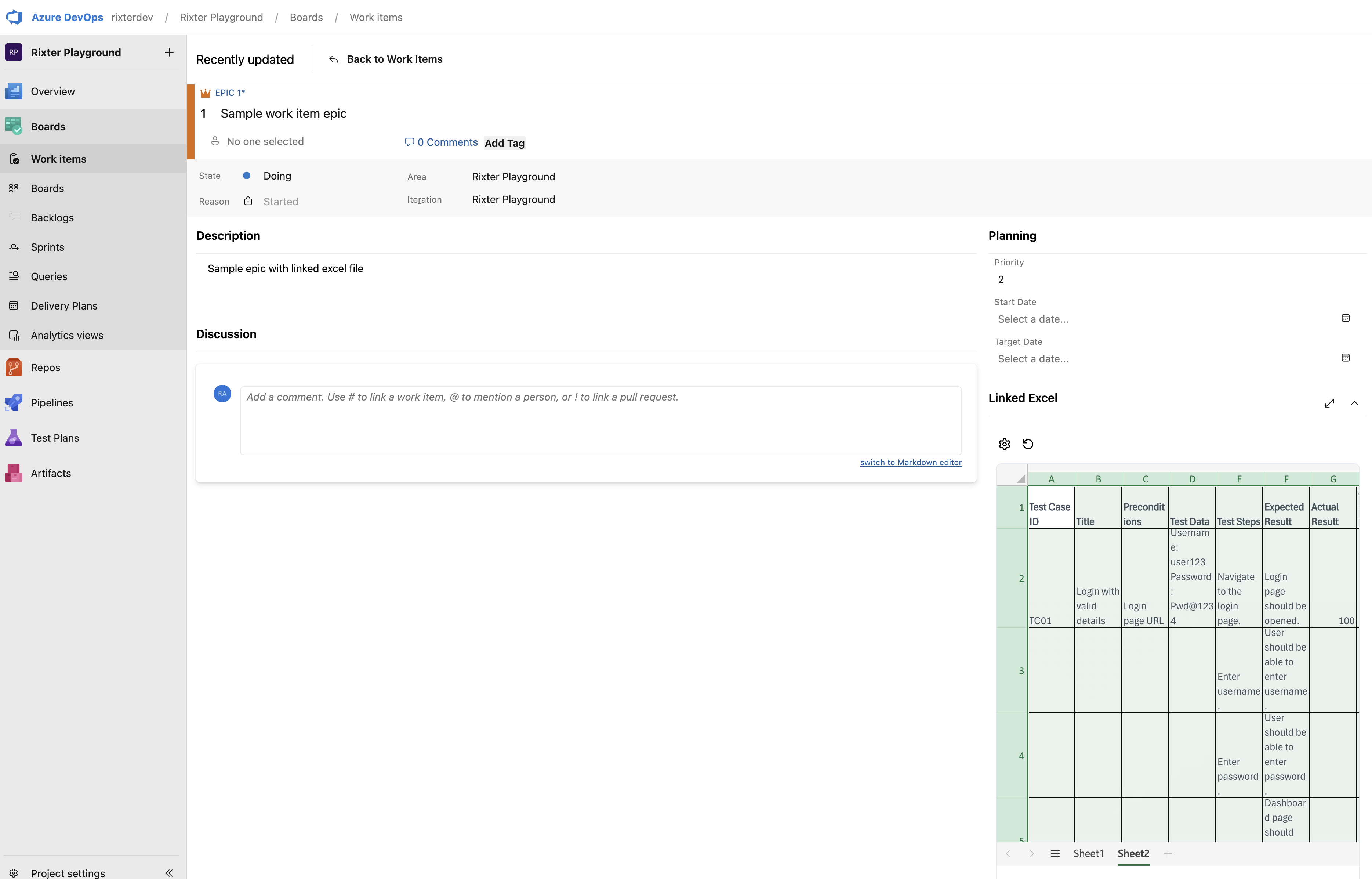
  2. The Linked Excel section detects the file and renders it inline.
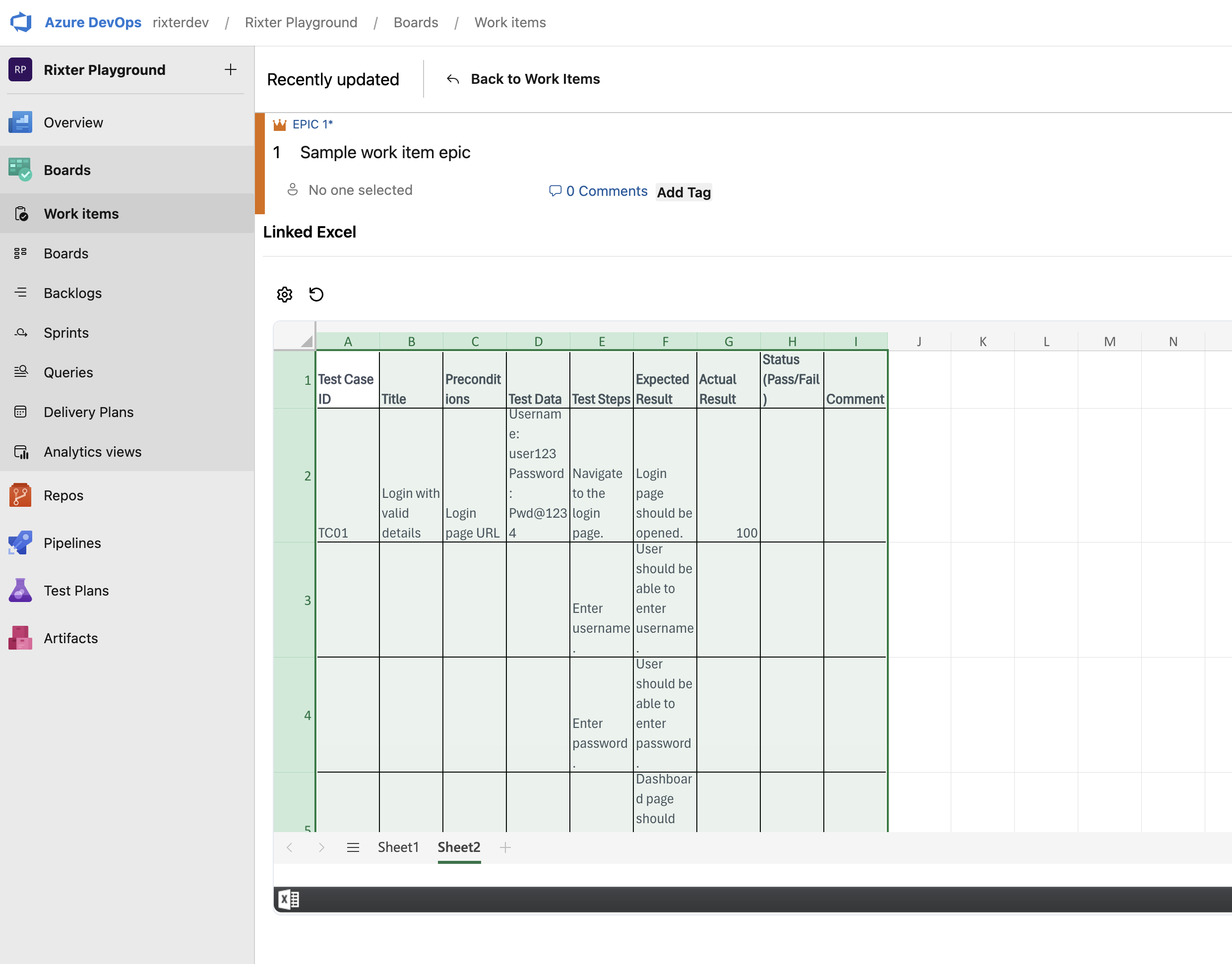
  3. Expand the view to read more rows and columns without leaving the page.

Screenshots

Linked Excel section

Work item showing linked excel

Expanded inline view

Expanded inline view

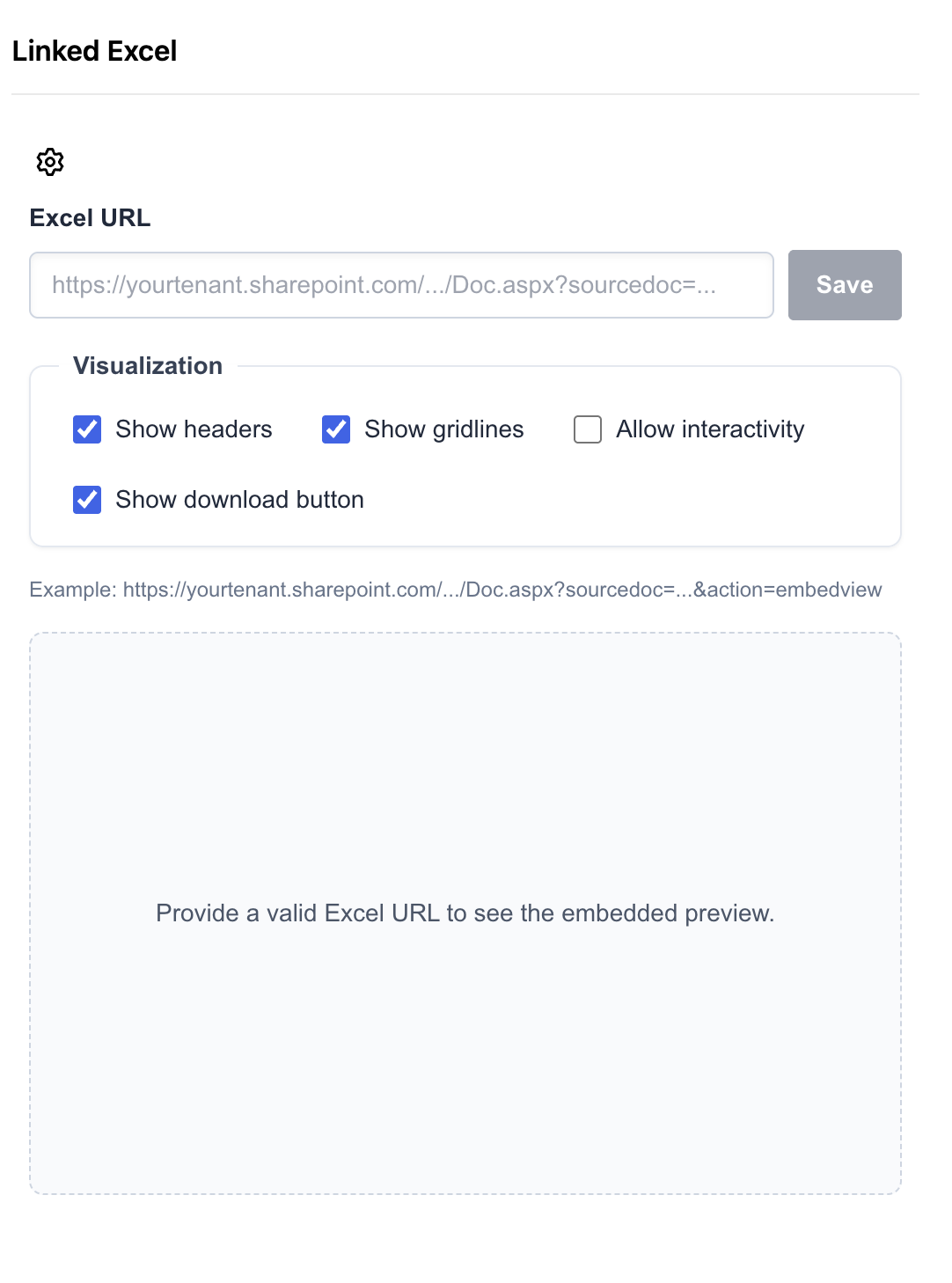
Configuration / how to link

Configuration for linking

Features

  • Adds a dedicated Linked Excel section to work items.
  • Inline, read-only rendering of linked Excel files.
  • Expandable view for larger spreadsheets.
  • Simple configuration and predictable behavior.

Limitations & notes

  • Read-only view only. Editing is not supported due to Excel restrictions.
  • Rendering depends on a valid file link on the work item.

Support

For help or questions, contact support@rixter.se or use the support portal: https://rixter.atlassian.net/servicedesk/customer/portal/2

Please include your Azure DevOps organization name and organization ID.

Privacy & data

Excel Includer stores the minimal configuration needed to link and display Excel files in your Azure DevOps organization. We as a vendor can never access your app data. It does not modify the linked files or perform edits.

Permissions

The extension requests these scopes for specific reasons:

  • vso.extension.data: read configuration and stored link metadata for rendering.
  • vso.extension.data_write: save configuration and link metadata in your organization.
  • vso.graph: verify that the user purchasing/installing the app is a Project Collection Administrator.
  • Contact us
  • Jobs
  • Privacy
  • Manage cookies
  • Terms of use
  • Trademarks
© 2026 Microsoft