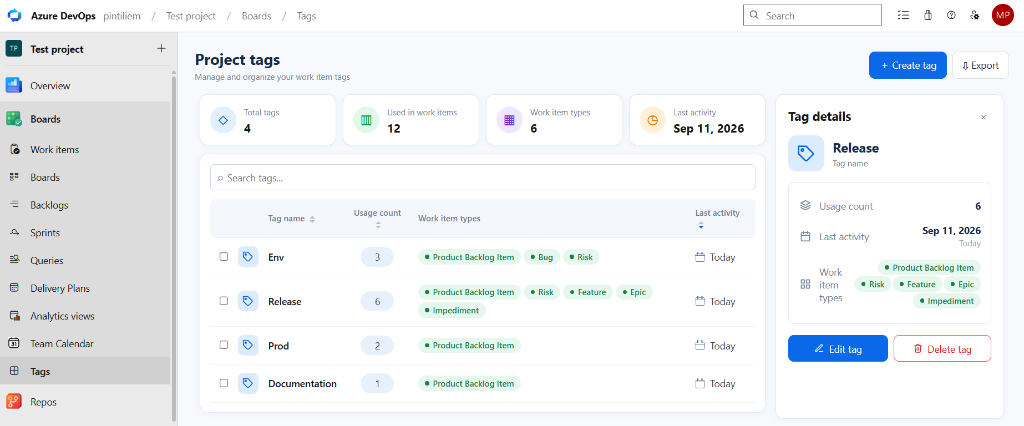
Azure DevOps extension that adds a Tags hub under Boards, allowing you to explore, organize, and manage all work item tags across your project.
Supported Actions
- Create tags: Click + Create tag to quickly add a new tag to your project.
- View tag details: Click any tag in the table to view its usage statistics, last activity, and associated work item types in the details side panel.
- Rename tags: Select a tag and click Edit tag to rename it across all tagged work items.
- Delete tags: Select a tag and click Delete tag to safely remove it from all associated work items.
- Merge tags: Select two or more tags using checkboxes, then click Merge tags to combine them into one.
- Sort columns: Click column headers (Tag name, Usage count, or Last activity) to sort tags ascending or descending.
- Search & filter: Quickly find tags in your project using the search bar.
- Export: Click Export to download your tag usage overview.
| |

