Kodio — your AI coding assistant, natively in Visual Studio
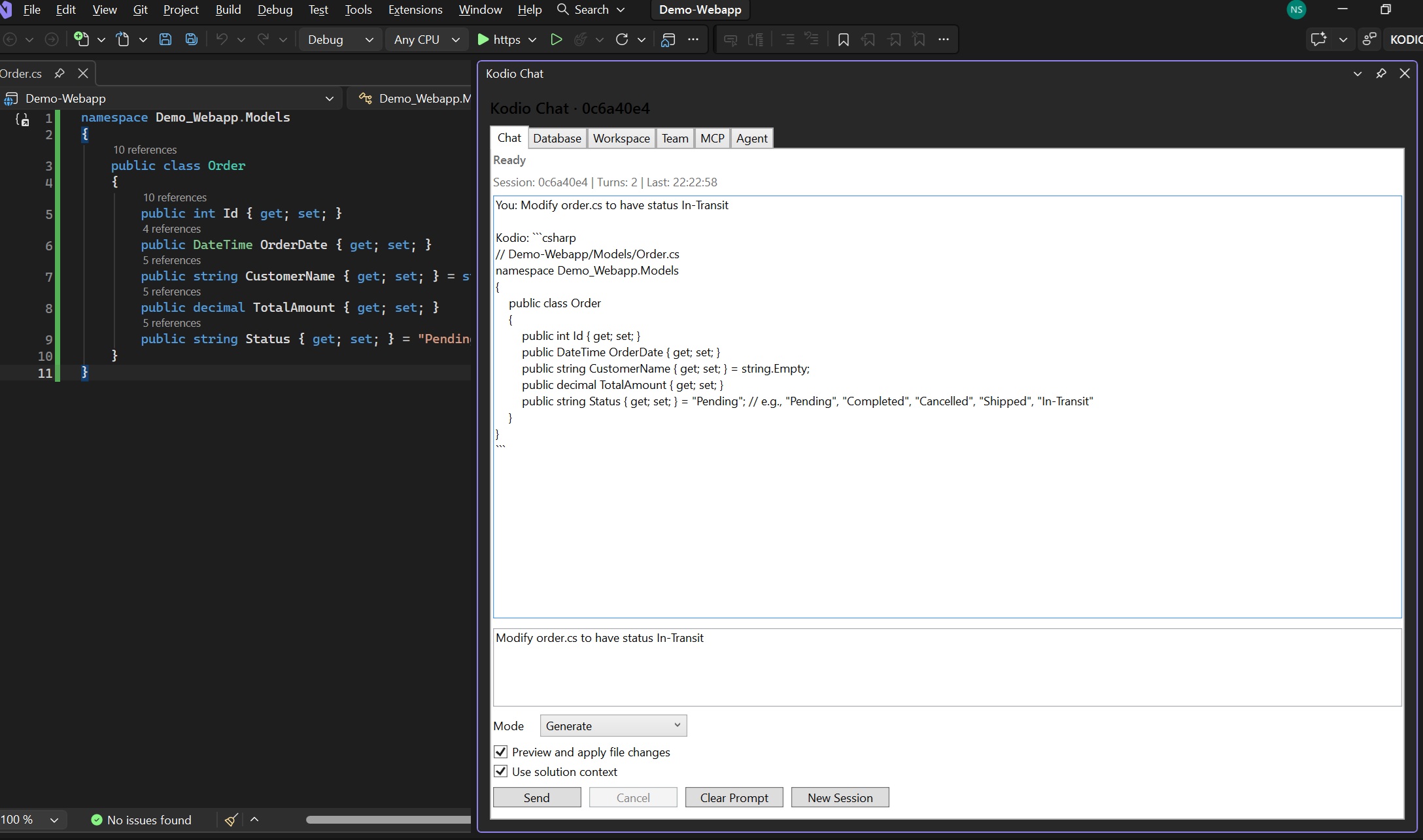
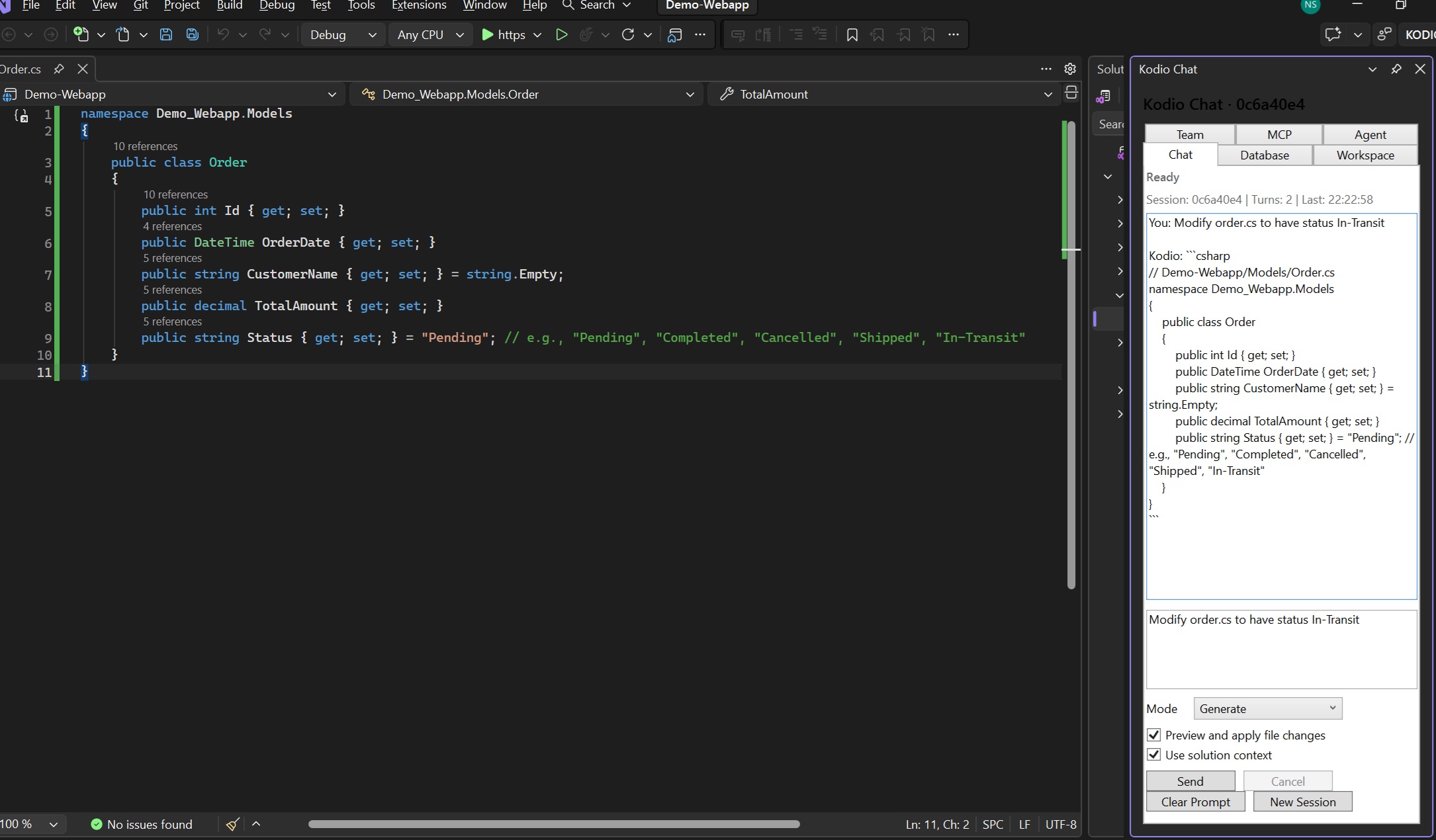
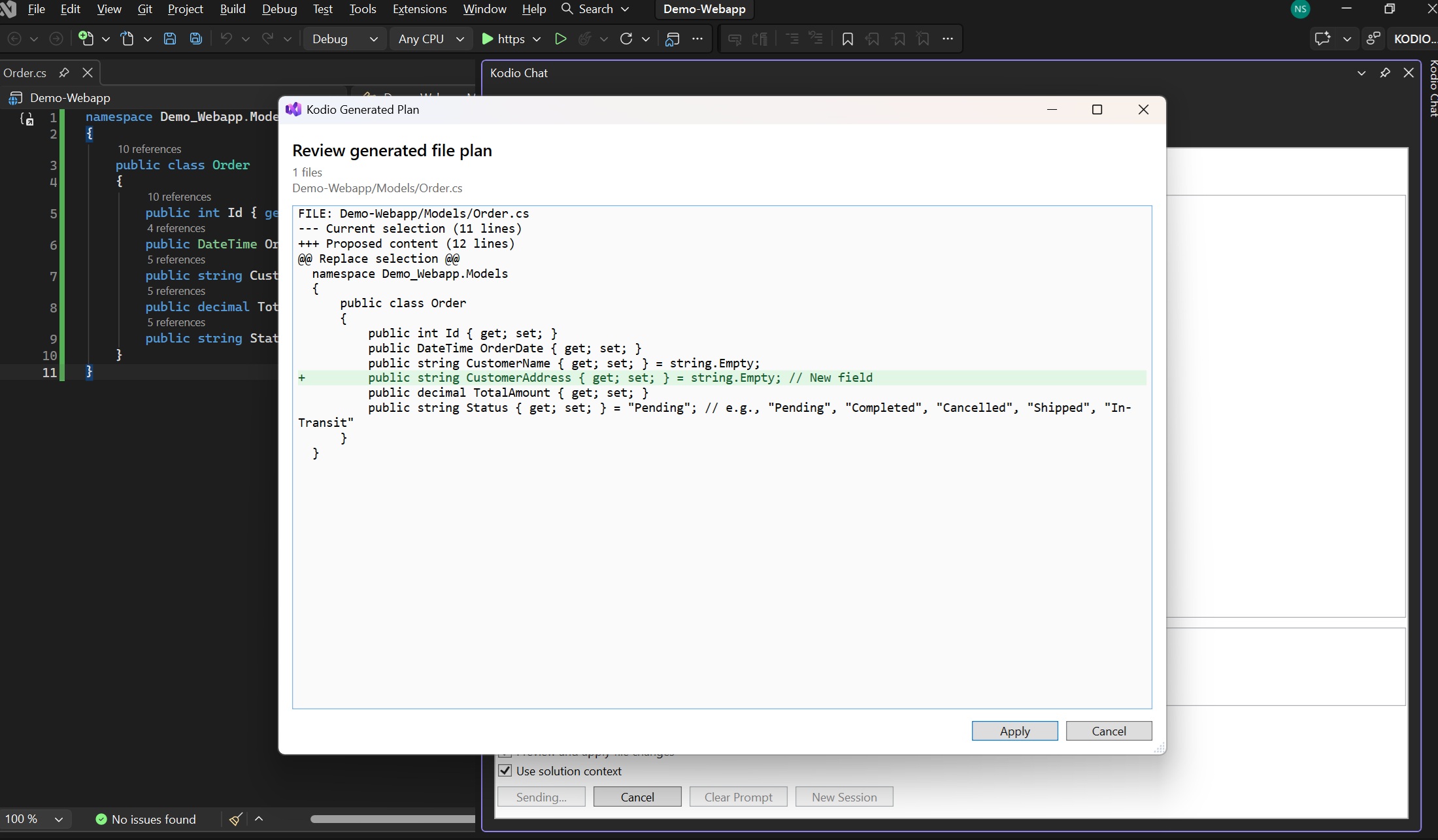
Kodio brings AI-assisted development to Visual Studio as a first-class native extension: streamed chat, context-aware code generation, refactoring, and fix workflows that understand your open solution or folder — with explicit previews and approval before any file is changed.
Chat with your workspace
- Persistent, streamed AI chat in a native tool window
- Automatic workspace context: your loaded solution, active document, and selection are discovered and included — no manual setup
- Language and framework inference for C#/.NET, Java (Spring/Jakarta), Angular/TypeScript, JavaScript/Node, Python, and more
Generate, refactor, and fix code — safely
- Generate new files or modify existing code from a prompt
- Every change is shown as a preview and requires your explicit approval
- Multi-file changes apply as a transaction with snapshots and rollback
- Changes to open documents participate in native Visual Studio undo
Agent workflows
- Multi-step agent sessions: plan, search the workspace, edit, build, and repair with approval gates at every mutation
- Pause, resume, step, and stop controls; checkpoints with exact-content rewind
- Safe recovery if Visual Studio restarts mid-session
Database-aware assistance
- Recognizes database configuration across .NET, Spring, Python, and INI formats — credentials are never read into context
- Secure connection profiles encrypted with Windows DPAPI
- Approval-gated schema inspection through your installed ADO.NET providers (PostgreSQL bundled)
Built for trust
- Final canonical VSIX has a valid Kodio LLC OPC signature and timestamped signed assemblies; verify the checksum against the release manifest before upload
- Access tokens stored with per-user Windows DPAPI encryption; no plaintext secrets on disk
- Common sensitive file patterns and binary-like files are excluded from workspace context by default; common credential-like key/value patterns are redacted client-side. These are best-effort safeguards, so review requests and never include secrets.
- Chat history is stored locally as ordinary JSON under Windows Local AppData, up to 100 messages in the active history; it is not DPAPI-encrypted.
- Operational diagnostic events are written to Visual Studio's local Kodio Output pane and ActivityLog; the VSIX does not send these events to a separate analytics endpoint. Local entries can include command/chat intent, elapsed time, status, message counts, session IDs/labels, and exception text.
Requirements
- A Kodio account (https://kodio.ai)
- Visual Studio 2022 or 2026, 64-bit; the tested configuration is Visual Studio 2026 Community 18.10. Other declared versions/editions are not yet validated.
- .NET Framework 4.7.2 or later
Getting started
- Install the extension and restart Visual Studio.
- Open Tools → Kodio → Login and sign in with your Kodio account.
- Open Tools → Kodio → Open Chat, load a solution or folder, and start prompting.
- Use Generate / Refactor / Fix from the Tools menu for mode-specific workflows.
Docs: https://kodio.ai/docs/visual-studio · Changelog: https://kodio.ai/changelog
Privacy: https://kodio.ai/privacy · Terms: https://kodio.ai/terms
Note: inline completions are not part of this release; Kodio focuses on chat, generation, refactoring, fixes, and agent workflows.
| |

