Claude Code for Visual Studio
Claude Code in a Visual Studio tool window. It runs the Claude Code CLI you already use, in your solution folder, so
your sign-in, settings, CLAUDE.md, permissions and MCP servers all apply, just as in a terminal.
|
|
|
 |
 |
 |
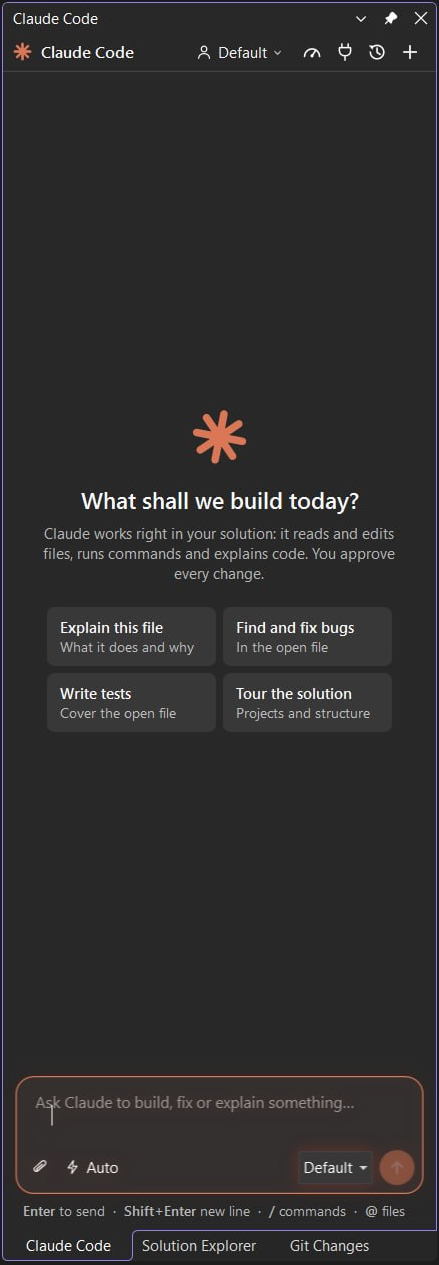
| Start from a suggestion or your own prompt |
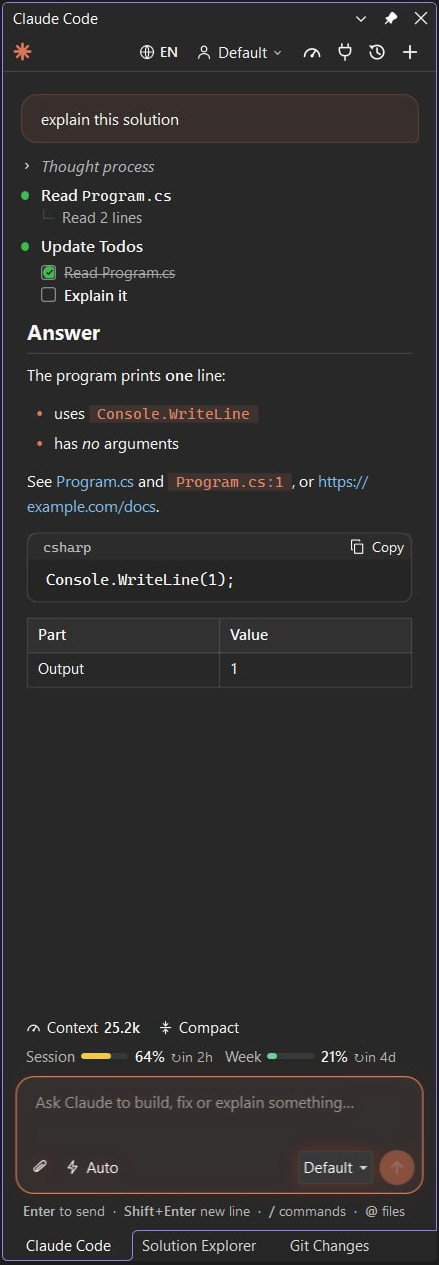
Follow every step, the context and your limits |
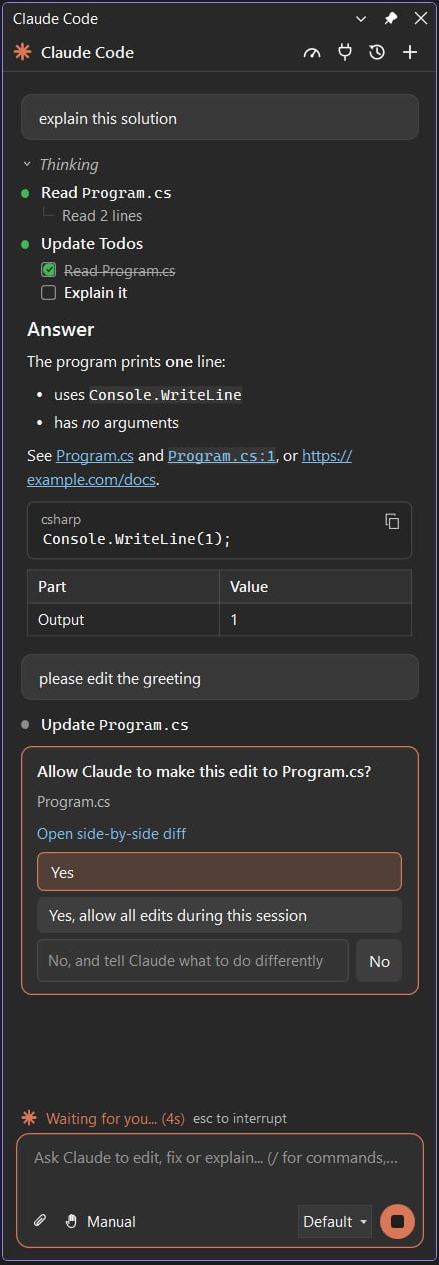
Approve each edit and command |
Requirements
- Visual Studio 2022 (17.14 or later) or Visual Studio 2026.
- The Claude Code CLI, signed in. Install it in PowerShell with
irm https://claude.ai/install.ps1 | iex, then run claude once to sign in. If claude.exe is somewhere else, point
the VSL_CLAUDE_PATH environment variable at it.
Getting started
- Open the window with Alt+K, the Claude button on the Standard toolbar, or View > Other Windows > Claude Code.
- Ask Claude in the code editor's context menu sends the current file and selection with your prompt. On files,
folders and projects in Solution Explorer it adds them to the prompt as
@ mentions.
Features
- Conversation: streamed Markdown answers, tool calls with their results, todo lists, and subagent steps.
- Approvals: Claude asks before it edits files or runs commands. Answer Yes, allow edits for the session, or No
with a note on what to do instead. A proposed edit opens in Visual Studio's diff window.
- Questions and plans: answer Claude's clarifying questions and approve or refine its plans in the panel.
- Modes and models: Manual, Edit automatically, Plan and Auto (Shift+Tab), reasoning effort, and the model picker.
- Context: the current file and selection,
/ commands, @ files, and images by paste, drag and drop, or attach.
- Tokens: how much context the conversation holds, with Context (
/context) and Compact (/compact), and your
plan's session and weekly limits with when each resets.
- Account and usage, and MCP servers with their status, sign-in, enable / disable and Add server.
- Several accounts: each
~/.claude-NAME folder is an account next to the default ~/.claude, as with
CLAUDE_CONFIG_DIR in a terminal. Add one from the picker and sign in.
- History: resume past conversations of the solution folder.
- File references in answers open in the editor at their line. The window follows the Visual Studio theme and speaks
English or Uzbek (the globe button).
Privacy
The extension itself sends nothing anywhere. It starts the claude CLI on your machine, and the CLI talks to
Anthropic exactly as it does in a terminal.
About
Part of VSL (Visual Studio for Linux), whose Claude Code panel this is: the same CLI session, protocol and view model,
with a WPF view for Visual Studio. MIT licensed.
| |

