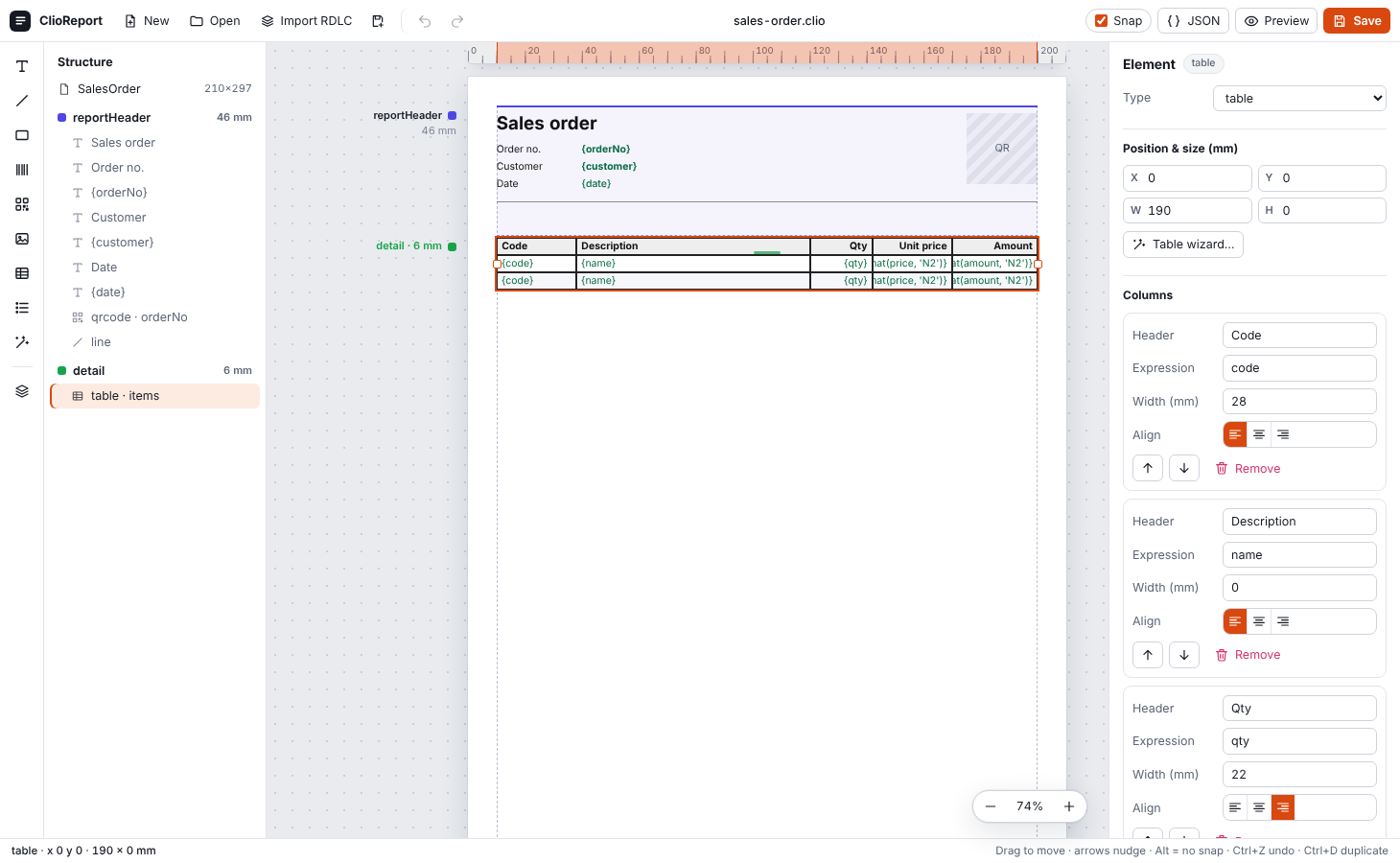
Design band-based reports for the ClioReport .NET library without leaving Visual Studio: open .clio report files in a visual designer, preview the PDF, and import RDLC reports. Needs the .NET 8 runtim
Design reports for the open-source ClioReport .NET library without leaving Visual Studio.
ClioReport is a band-based report builder for .NET 8: a report is a JSON document (bands, groups, aggregates, expressions) that you render to PDF from your own data. This extension adds a visual designer for those report files.
What you get
Visual designer for .clio report files: canvas with rulers, structure outline, properties panel, drag elements onto bands, multi-select, align and distribute, undo and redo.
Open from Solution Explorer: double-click a .clio file (works in Folder View too), or right-click and choose Open in ClioReport Designer. Each file opens in its own tab and Ctrl+S saves it.
Add New Item > ClioReport Report creates a blank report in C# projects.
Table wizard: pick a collection and its fields from a sample data file and get a table in one step.
PDF preview with your own sample data (a JSON file).
RDLC import: convert an existing .rdlc report; anything that cannot be converted is listed, not guessed.
Use a report in your code
var definition = ReportSerializer.Deserialize(File.ReadAllText("report.clio"));
// render it with ReportEngine and the ClioReport.Pdf renderer, see the project README
Packages: ClioReport.Core, ClioReport.Pdf, ClioReport.Rdlc on NuGet (prerelease).
Requirements
Visual Studio 2022 or 2026 (x64)
.NET 8 runtime (the designer runs as a small local process)
WebView2 runtime (included with current Windows and Microsoft Edge)
Privacy
The designer runs entirely on your machine. It starts a local web server bound to 127.0.0.1 on a free port for the editor window and sends no data over the network. No telemetry is collected.
Status
Early release (0.1.x). Feedback and bug reports are welcome on GitHub. Licensed under MIT.