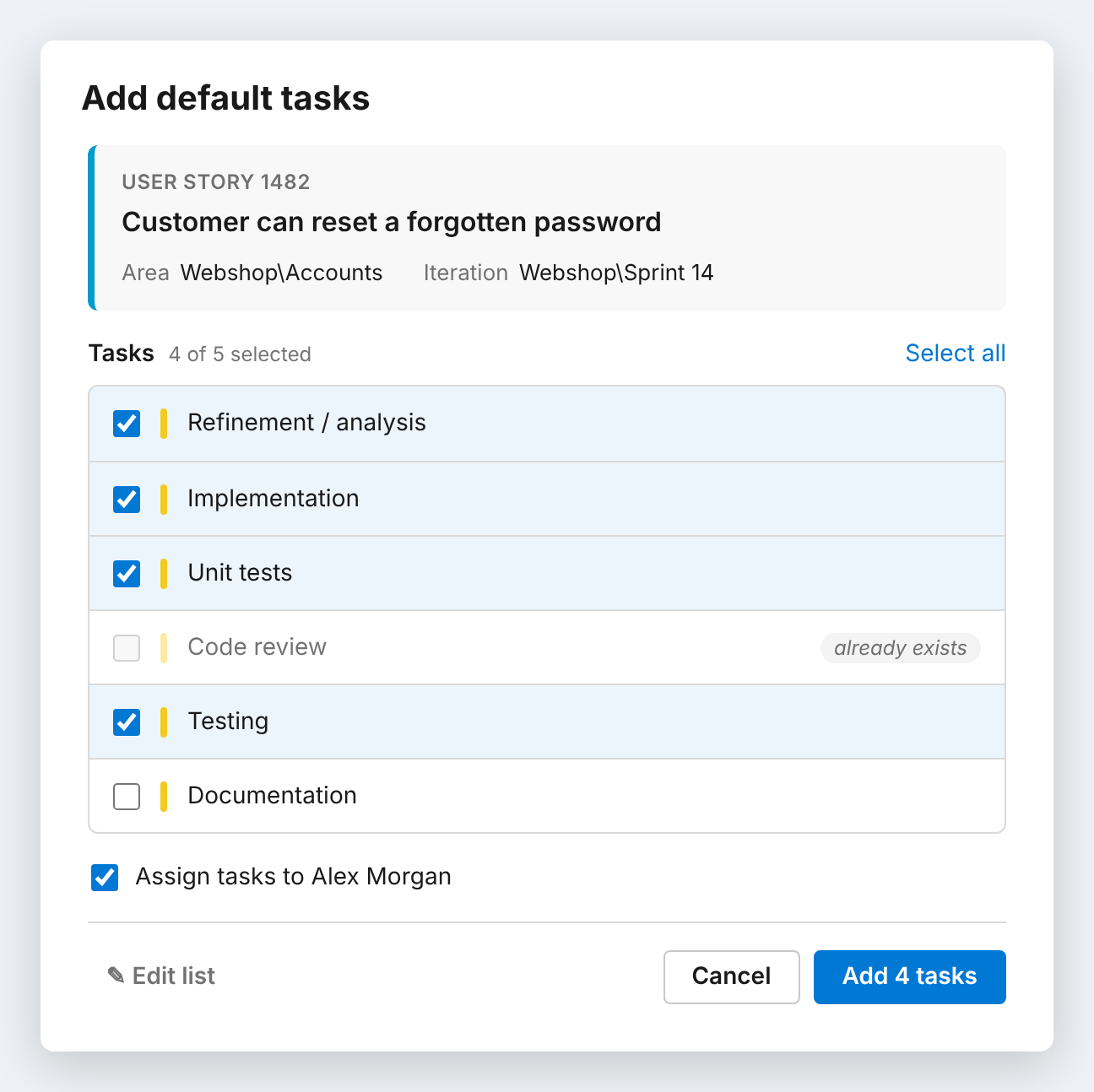
Add Default TasksAdd your team's standard set of tasks to a user story in two clicks, right from the sprint taskboard. Tasks inherit Area and Iteration from the story. |

Add Default TasksStop typing the same tasks into every user story. Add your team's standard set of tasks to a user story in two clicks, right from the sprint taskboard.
How it works
The tasks are created as children of the story and appear on the board right away. Features
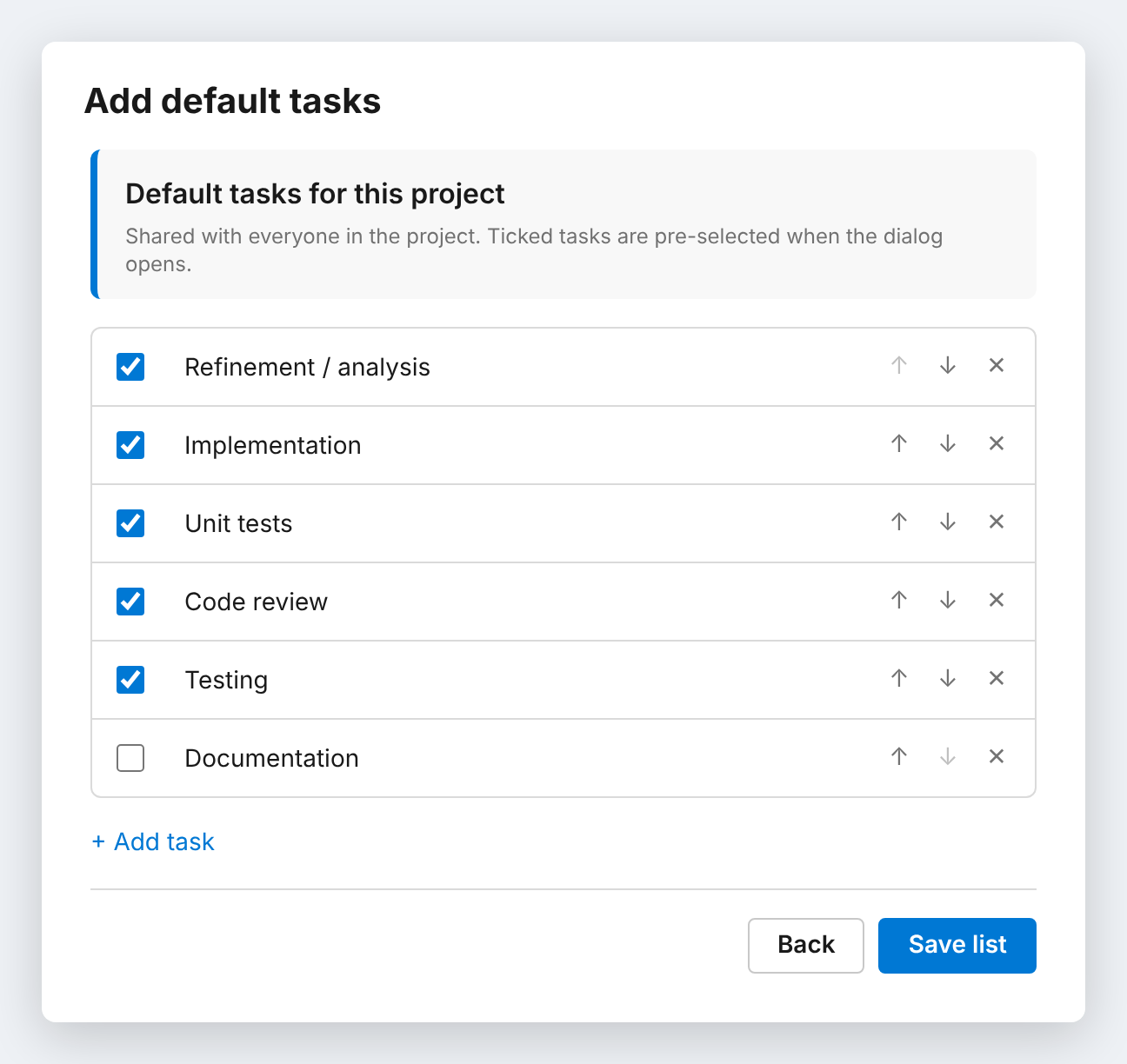
Your team's list, per projectClick Edit list in the dialog to set up the default tasks for your project: add, rename, remove and reorder tasks, and choose which ones are pre-selected. The list is shared with everyone in the project and takes effect immediately, with no redeployment needed.
Requirements
Feedback and sourceFound a bug or have an idea? Open an issue on GitHub. |