PR Conflict Resolver
Resolve pull request merge conflicts in the browser, without a local clone. PR Conflict Resolver adds a Resolve conflicts tab to every pull request in Azure Repos. It lists the conflicting files, opens each one in a three-way merge editor, saves your work as you go, and shows a final diff before anything is written to the pull request.
What it does
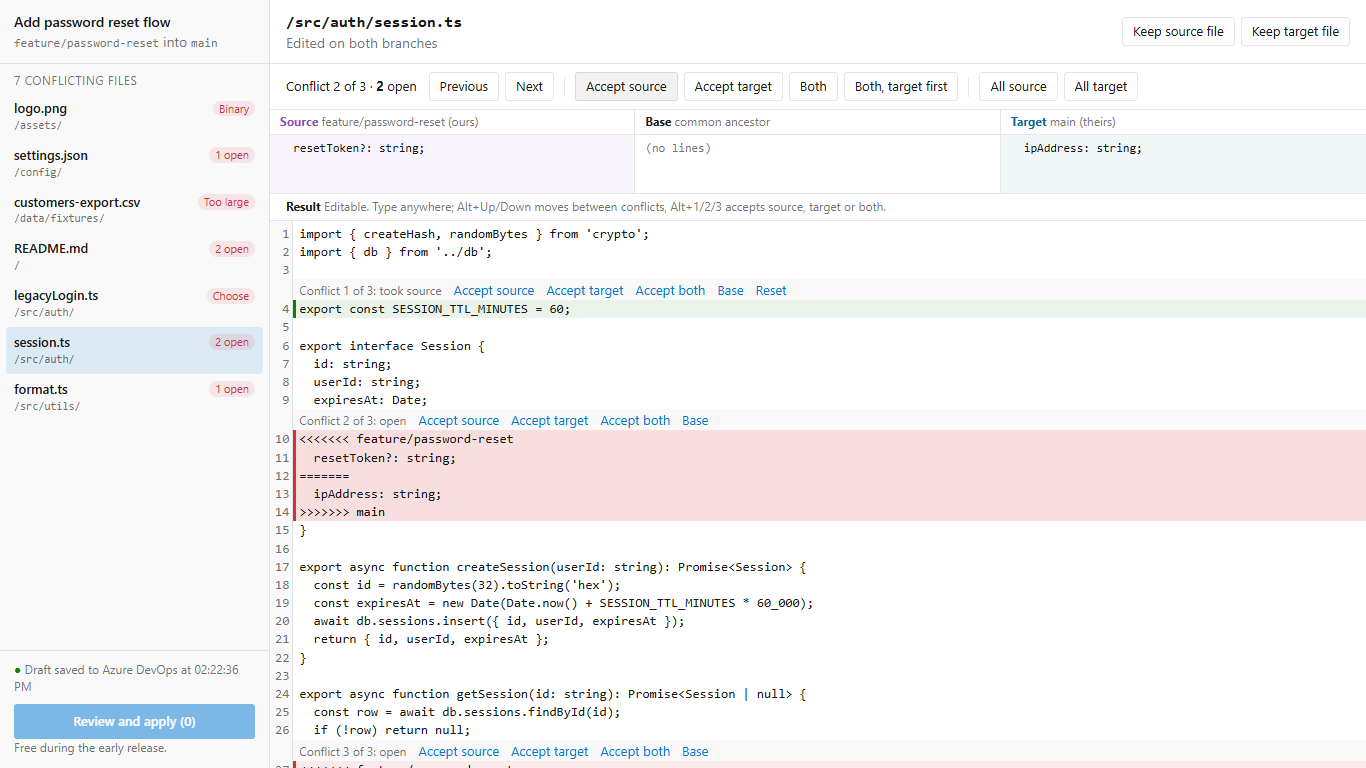
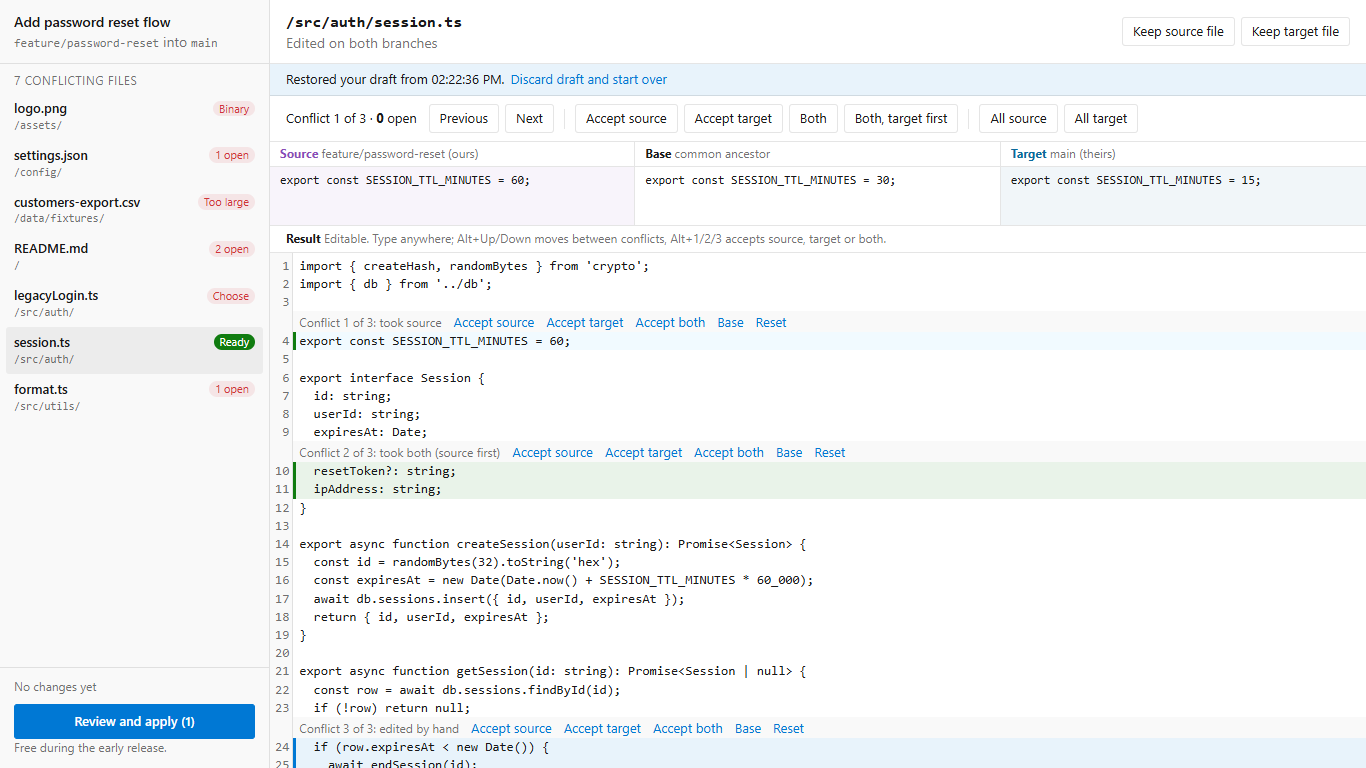
- Lists every conflicting file in the pull request, with a status for each: open sections, ready, binary, too large, or needs a choice.
- Three-way merge editor. Source (your branch), base and target side by side for the current conflict, and an editable result below. Changes that do not conflict are merged for you.
- Accept per conflict: source, target, both (either order) or base, from the toolbar or from the buttons above each conflict in the result. Or type the merge by hand anywhere in the result.
- Keyboard: Alt+Up and Alt+Down move between open conflicts; Alt+1, Alt+2 and Alt+3 accept source, target or both.
- Autosave. Every change is saved in your browser at once and to your Azure DevOps organization (extension data storage, your user only) a moment later. A crash, a refresh or a closed tab does not lose the work; the draft comes back when the tab reopens. A draft made for an older version of the pull request is set aside, not applied.
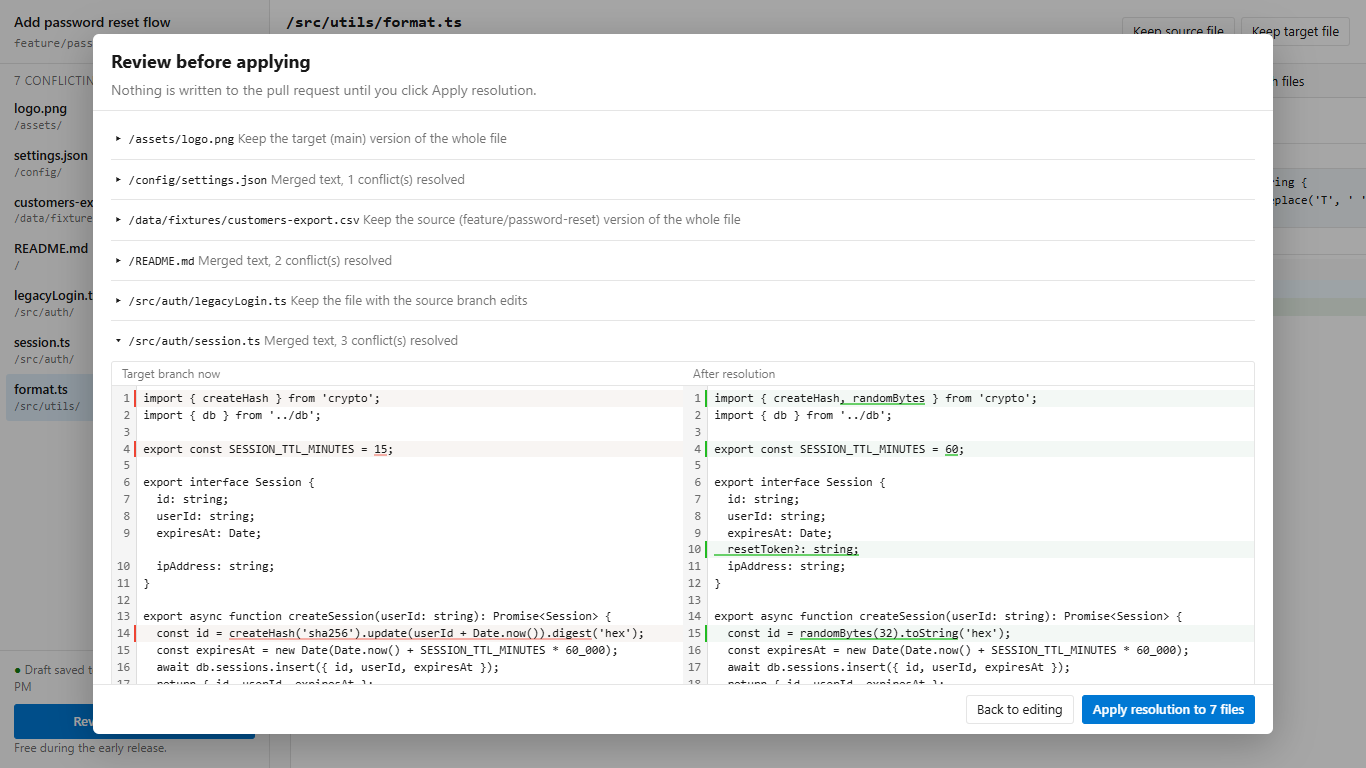
- Review before apply. A side-by-side diff of each file against the target branch. Nothing is written until you click Apply resolution.
- Apply through the pull request conflicts API. Each file is applied separately. If one fails (for example, missing permission), the others still apply, the error says why, and the draft for the failed file is kept.
Files that cannot be merged line by line
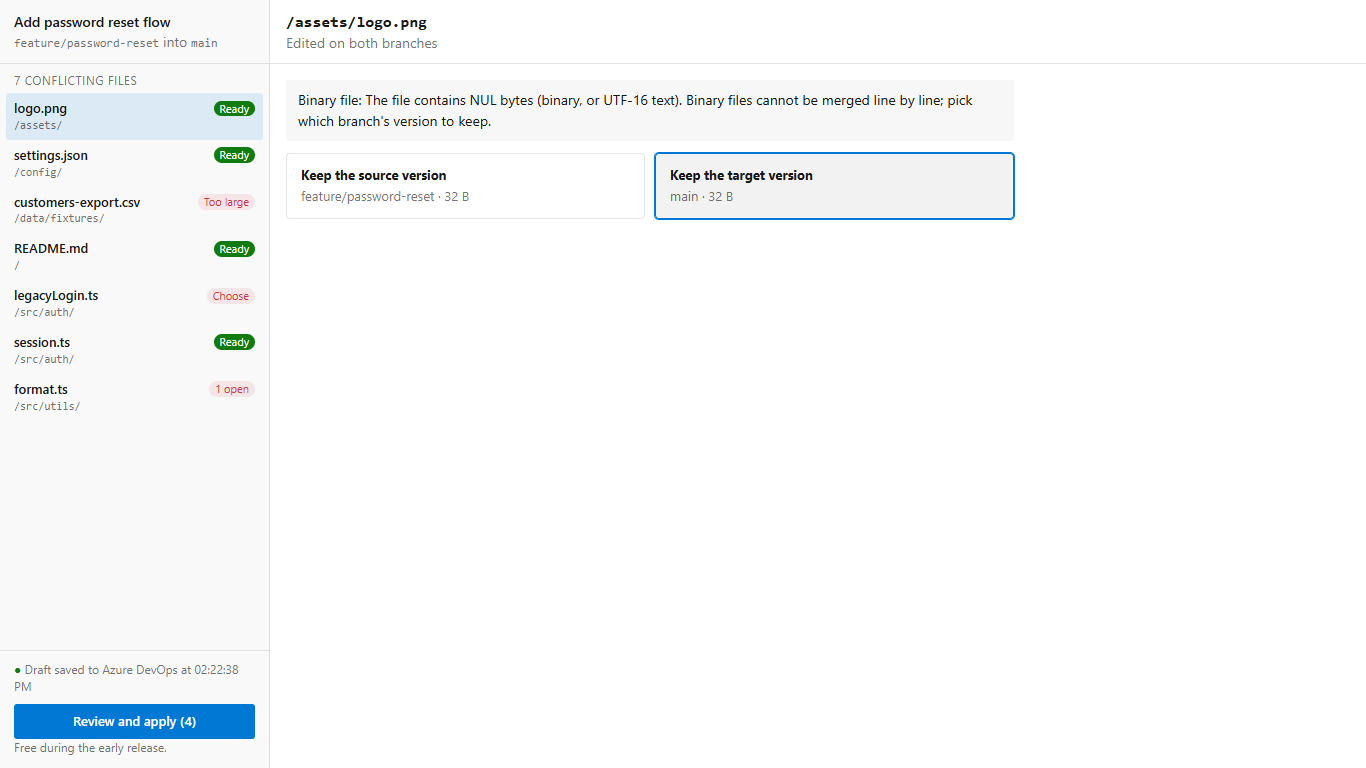
- Binary files (images, archives, UTF-16 text): pick the source or target version.
- Large files: above 2 MB, or more than 20,000 changed lines, the file is not loaded into the editor; pick a side instead. The browser tab stays responsive.
- Edited on one branch, deleted on the other: keep the edit or keep the delete.
- Renames: the original and both new paths are shown. For a file renamed differently on each branch, merge the content and choose which path to keep, or keep both files.
- Line endings and byte-order marks are kept as the target branch has them. When the branches differ, the editor says so.
Data and permissions
- Scope: Code (read and write), used to read the pull request, its conflicts and the file versions, and to save resolutions.
- Drafts are stored in this organization's extension data storage at user scope, and in the browser's local storage. PR Conflict Resolver does not send code or drafts to any other server.
- Applying a resolution needs the same permission as resolving conflicts in the pull request (Contribute on the repository).
Pricing
Free during the early release, with every feature included.
Support
Questions and bug reports: https://leducsystems.com/
PR Conflict Resolver is made by LeDuc Systems LLC. It is not made by or affiliated with Microsoft.
| |

