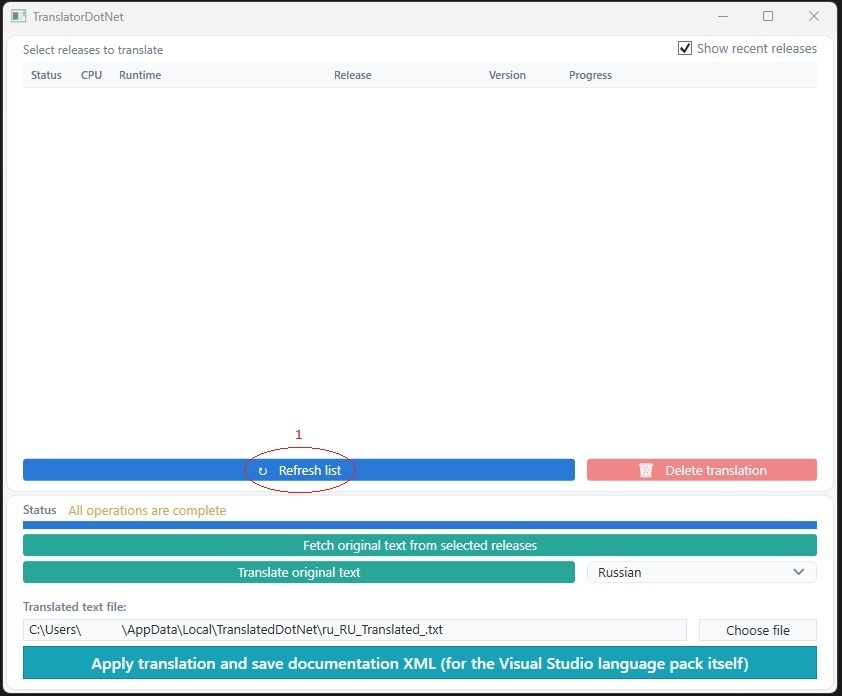
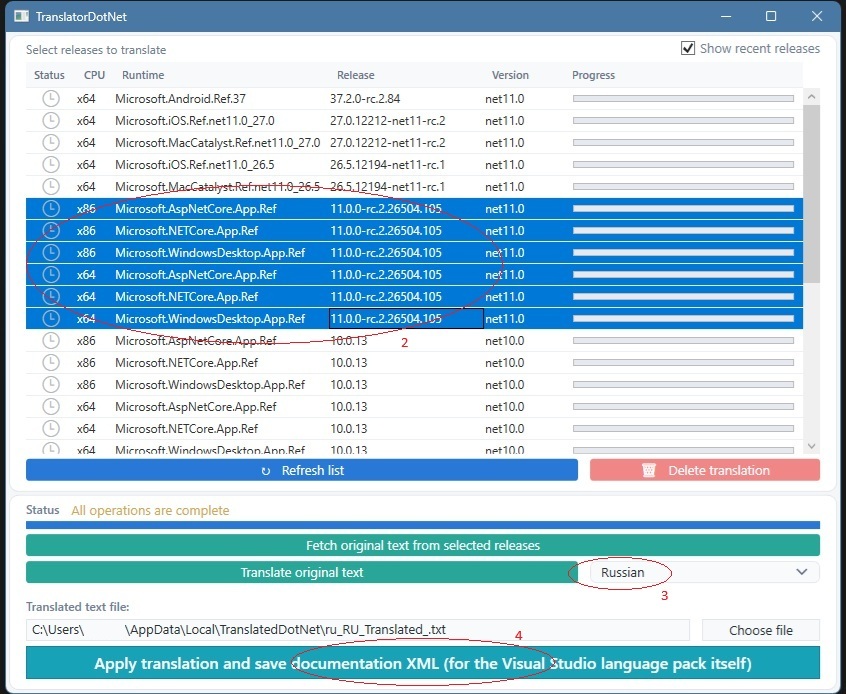
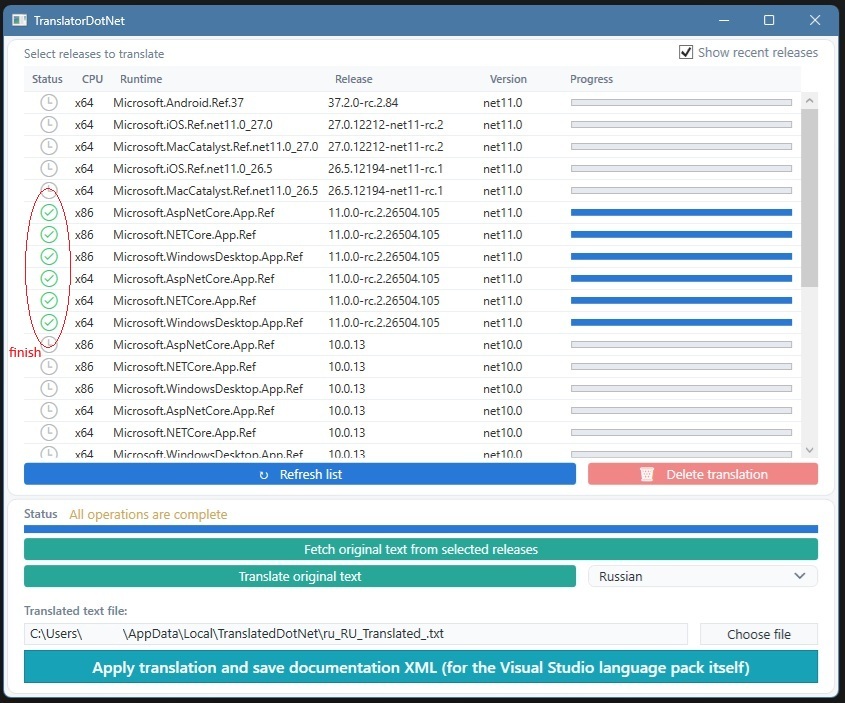
To open the translator, go to View -> Other Windows -> TranslatedDotNet; this launches a separate process called "TranslatorDotNet_Lib_Launcher.exe". If your language is not on the list, or if the text fails to translate for some reason, you can translate the original file yourself.
To do this, first obtain the file containing the original text (click the top green button), then translate the file as you see fit (you can locate the file by clicking the "Choose file" button; its name ends with "
|