Merge Conflict Resolver
Resolve pull request merge conflicts without leaving Azure DevOps, and without crashes, lost work or mangled
characters. One price for your whole organization, with a 14-day Pro trial that starts automatically.
Looking for a replacement for the Pull Request Merge Conflict Extension? Microsoft's DevLabs extension is no
longer maintained. Merge Conflict Resolver is an independent, actively maintained alternative that fixes its most
reported problems: crashes and lost work, broken special characters, no per-conflict choice, and resolutions that
reviewers and builds never see. It is not affiliated with Microsoft.
Features
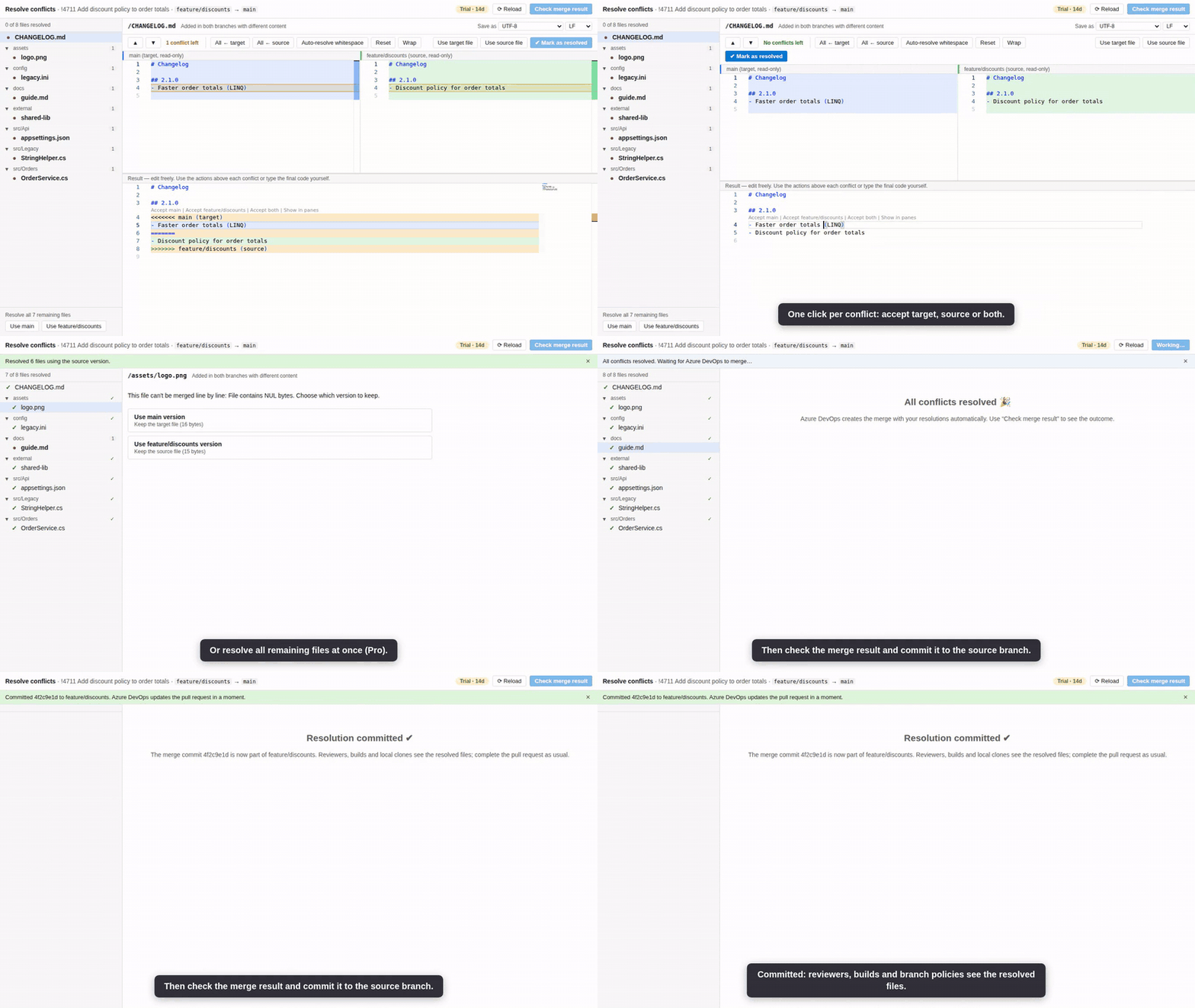
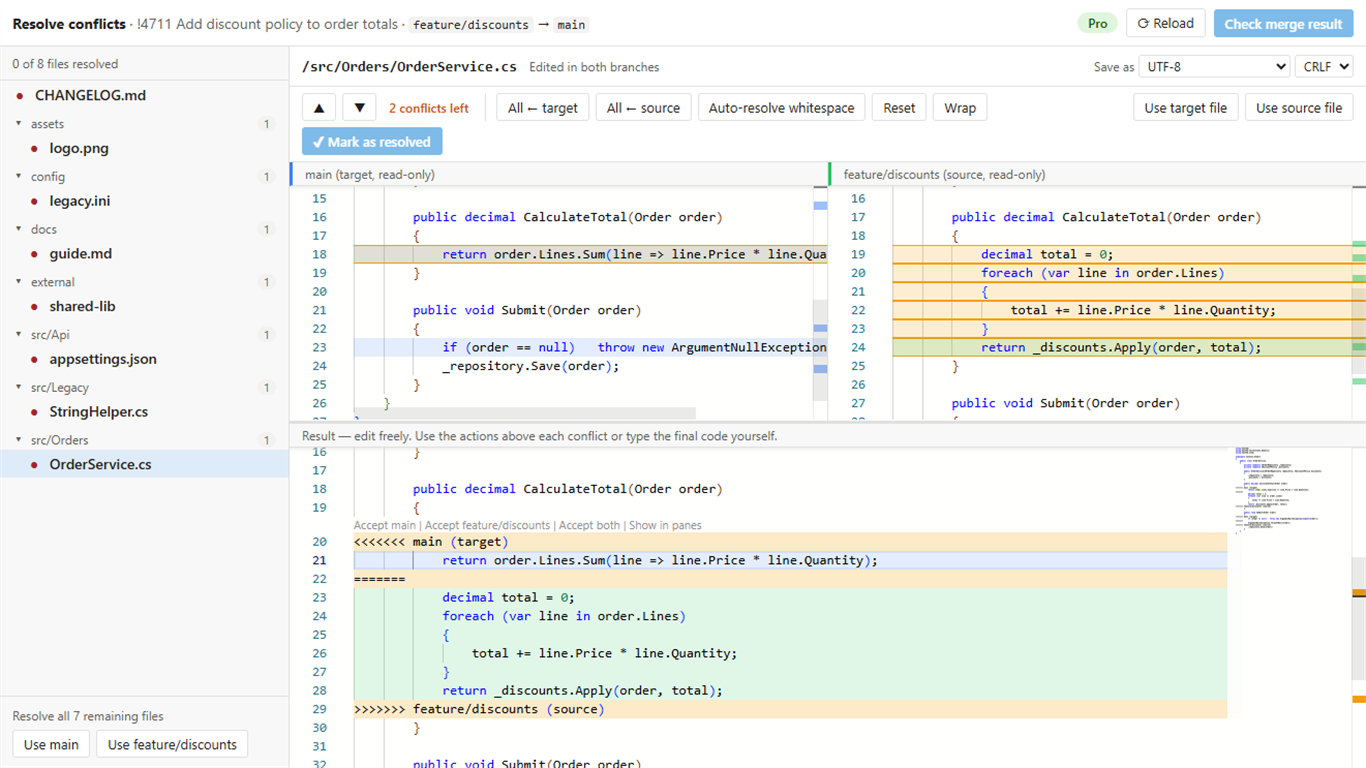
- 3-way merge editor: target, source and result side by side. Non-conflicting changes are merged automatically.
- One-click actions above every conflict: Accept target, Accept source, Accept both.
- Never lose work: every edit is saved as a local draft and restored automatically after a reload or browser crash.
- No accidental conflict markers: a file can't be marked as resolved while
<<<<<<< markers remain.
- Every conflict type: edit/edit, add/add, edit/delete, renames and path conflicts, binary files, Git LFS
files and submodules.
- Keeps your file format: encoding (UTF-8, UTF-8 with BOM, UTF-16, Windows-1252/ANSI) and line endings (CRLF/LF,
even mixed within one file) are detected and written back byte for byte, so accented and non-Latin characters are
never mangled.
- Fast on big pull requests: hundreds of conflicts, multi-megabyte lockfiles and very long lines stay responsive.
- Light and dark: follows your Azure DevOps theme.
Pro
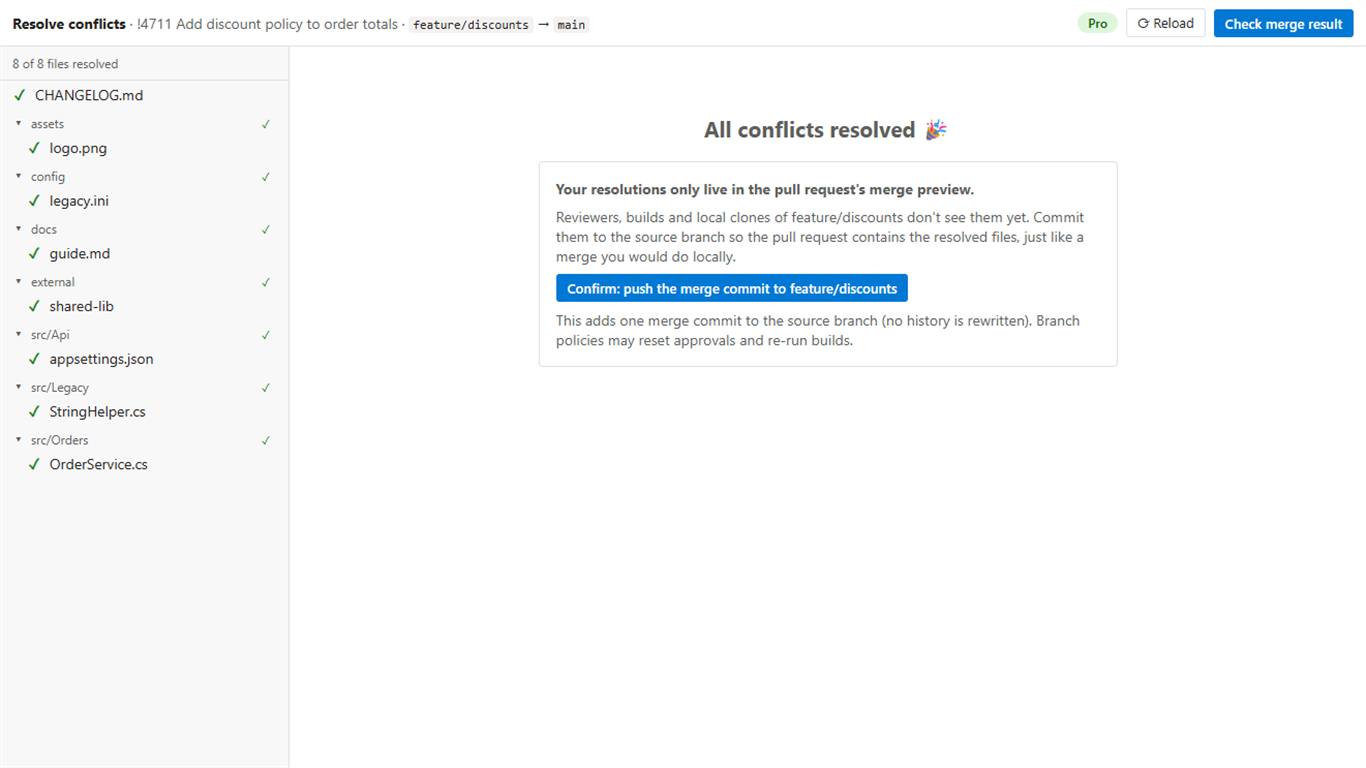
- Commit the resolution to the source branch: reviewers, builds, branch policies and local clones see the resolved
files, just like a merge you did locally. No hidden changes in the merge preview.
- Resolution summary on the pull request: after the merge, a comment lists every conflicted file and how it was
resolved, with a link to the merge commit (can be turned off in the settings).
- Unlimited pull requests for any number of users (the free plan covers 10 pull requests per organization per
month).
- Bulk-resolve all remaining files with one side, and auto-resolve conflicts where one side only changed
whitespace.
$12 per organization per month or $120 per year. See the Pricing tab. When the trial ends or a subscription
stops, the organization falls back to the free plan; nothing breaks.
How it compares
|
Merge Conflict Resolver |
DevLabs conflicts tab |
Resolve locally |
| Stays in the browser, no clone needed |
✔ |
✔ |
Clone, merge, push |
| Choose per conflict: target, source or both |
✔ |
Whole file only |
✔ (your IDE) |
| Work survives a reload or crash |
✔ |
– |
✔ |
| Encodings and line endings kept byte for byte |
✔ |
Reported to mangle non-ASCII |
✔ |
| Reviewers and builds see the resolution |
✔ (Pro) |
Only in the merge preview |
✔ |
| Actively maintained, with support |
✔ |
No longer maintained |
n/a |
Why not just resolve locally? For a big refactoring you probably should. For the everyday conflict in a changelog,
a config file or a lockfile, anyone with access to the pull request resolves it here in a minute, without a clone or a
merge tool, and with Pro the result lands on the source branch exactly like a local merge.
How it works
- Open a pull request with conflicts and go to the Resolve conflicts tab.
- Resolve every file. As soon as the last one is resolved, Azure DevOps creates the merge with your resolutions.
- With Pro, commit that merge to the source branch with one click; then complete the pull request as usual.
After buying Pro, an organization admin enters the license key under
Organization settings → Extensions → Merge Conflict Resolver.
Permissions and security
- Your code stays in Azure DevOps. The extension runs in your browser and only calls your organization's Azure
DevOps REST API. There is no analytics or telemetry.
- The only external call is the license check with Lemon Squeezy (about once a week): the license key and your
organization name and ID, never code.
- Why Code (read and write): to read the conflicting files, to save your resolutions to the pull request, and,
with Pro, to commit the resolution to the source branch and post the summary comment.
- It acts as the signed-in user and can't do more than that user is allowed to. It only changes a branch when you
select Commit to <source branch>: always a fast-forward to the merge commit, never a history rewrite, and
refused if someone pushed in the meantime.
Supported
- Azure DevOps Services (dev.azure.com). Azure DevOps Server (on-premises) is not supported yet; email us if you
need it.
- Conflicts of cherry-pick and rebase operations can't be resolved: Azure DevOps doesn't offer that for any extension.
Support
Questions and bug reports: support@jr-devtools.com or the Q&A tab, answered within 2
business days. FAQ, changelog and support policy: jr-devtools.com.
| |

