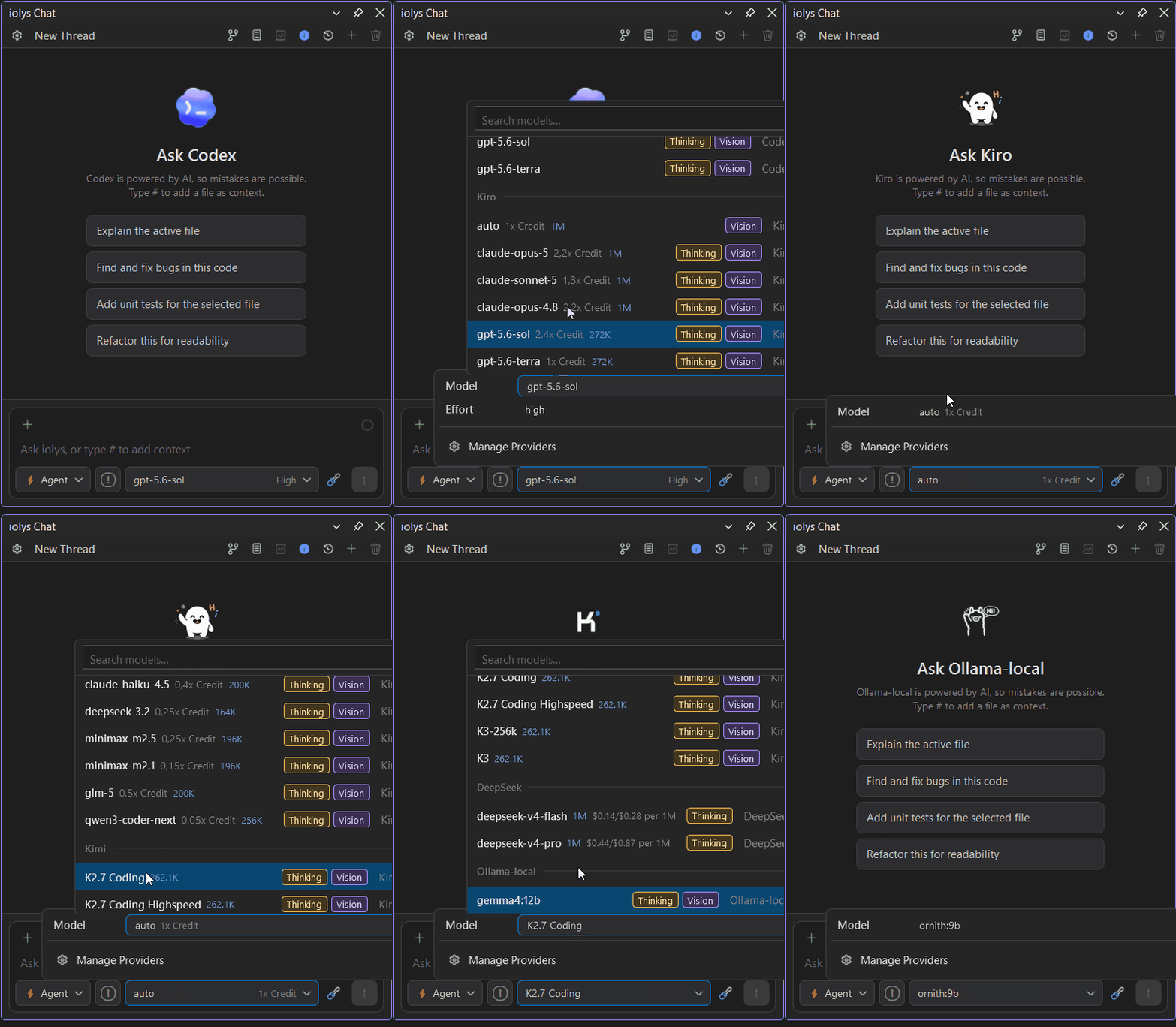
iolys - Codex, Claude, Kimi, Kiro, Deepseek, Ollama, OpenRouter & AI agentsUse any AI coding agent inside Visual Studio 2026. Connect your existing subscriptions (Codex, Kimi, Google Gemini), APIs like OpenRouter, OpenCode Go, OpenCode Zen, Databricks, and local Ollama models to C# and .NET solutions. |

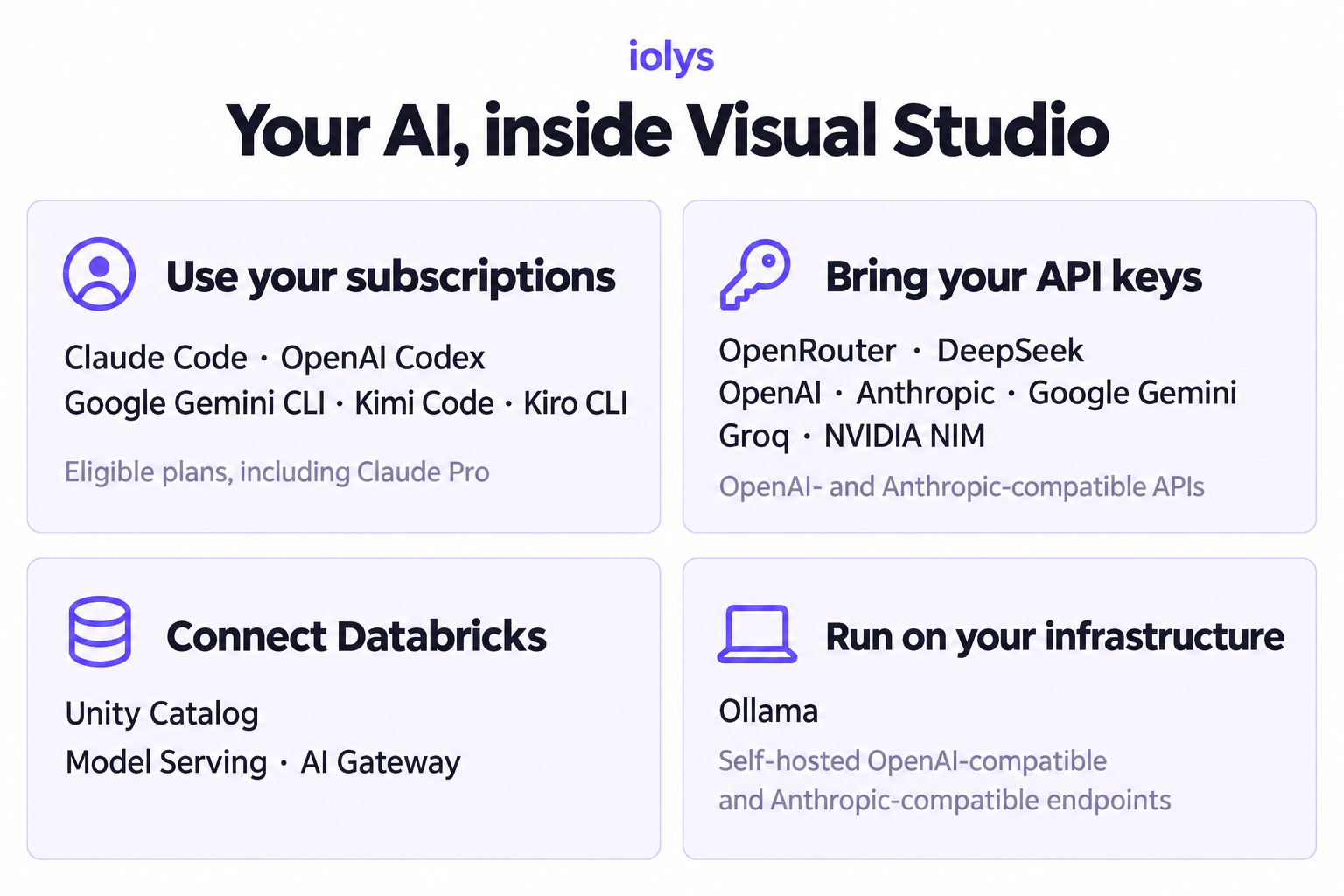
iolys for Visual StudioBring your AI subscriptions into Visual Studio 2026.Use eligible Claude, Codex, Gemini, Kimi, and Kiro plan access directly in your C# and .NET workflow — or connect DeepSeek, OpenRouter, OpenCode Go, OpenCode Zen, Databricks, other supported API providers, and local Ollama models. iolys gives you one familiar workspace for switching providers while keeping your solution context. In Agent Mode, AI agents can inspect and edit your solution, build, test, and iterate — while you stay in control. The intelligence can change; your workflow does not.
Switch providers, not workflowsAI models improve quickly, but switching providers still pushes many C# developers toward another editor, another interface, and another workflow. iolys gives Visual Studio developers the freedom to choose the right AI route for each task while keeping their solution and established habits in one place. With iolys, you can:
No mandatory second pay-as-you-go API bill. Choose a subscription-backed CLI when it fits, bring your own API credentials when you need direct model access, or use your own local infrastructure. Supported providers
Provider guides:Codex · Gemini · Kimi · Kiro · OpenRouter · DeepSeek · Databricks · Ollama. OpenCode Go · OpenCode Zen · Supported coding-agent CLIs can be installed, updated, authenticated, and managed from iolys. Model catalogs are discovered automatically where the provider supports it. Claude Code also provides native Web Search and Fetch URL tools, with individual controls in the tool picker. Provider availability, model capabilities, and features such as reasoning, vision, tool use, or usage reporting vary by provider and model. A separate account, subscription, API key, or local model installation may be required. Explore the supported provider routes Built for C# and .NET solutionsiolys gives agents structured access to the development context that matters:
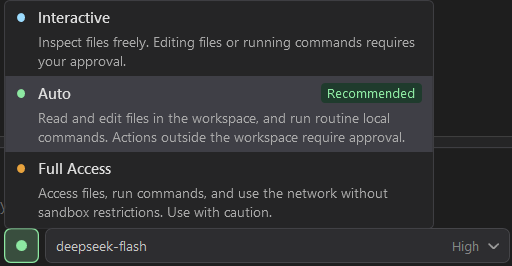
Agents can search and inspect the workspace, edit multiple files, rename or move files, run builds and tests, use Git safely, and execute approved PowerShell commands. This reduces manual copy and paste and keeps responses grounded in the current state of your solution. Stay in controliolys makes agent activity visible and lets you decide how much autonomy to grant:
You can inspect tool calls, review changed files in Visual Studio diff views, undo an individual change, or roll back the latest group of changes.
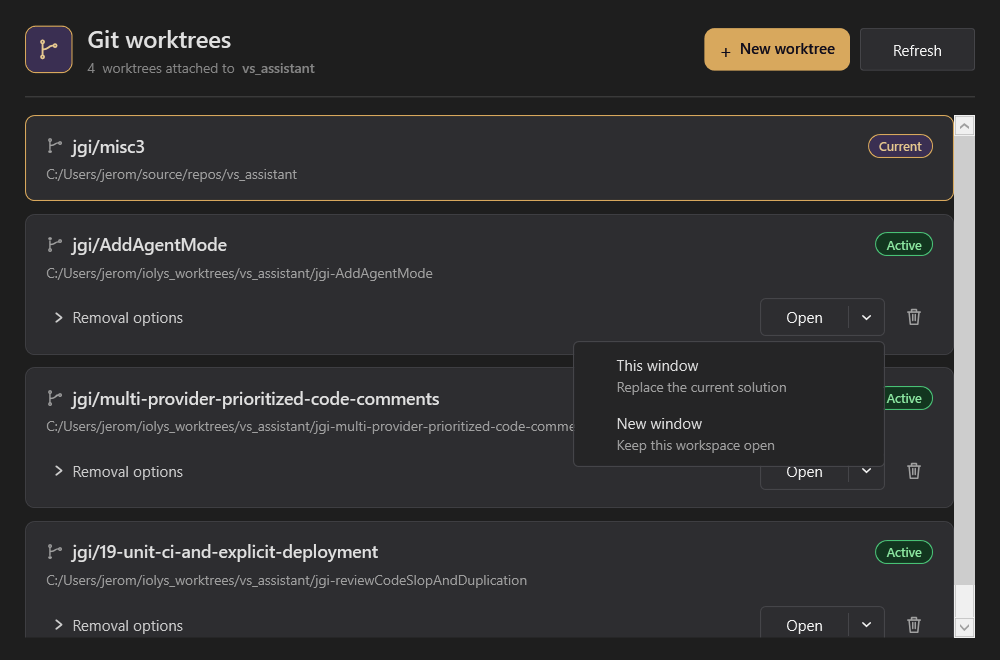
Create reusable custom agentsTurn recurring roles, workflows, and project conventions into custom agents. Each agent combines a dedicated prompt with the exact built-in and external MCP tools it is allowed to use. Create agents from Visual Studio or the companion web interface with the built-in Agent Creator, then select them alongside the built-in Agent and Plan modes. Keep agents global when you want them in every workspace, or store workspace agents as reviewable, version-controlled Custom-agent tool access can allow all tools, no tools, or an explicit selection. The selected allowlist remains subject to your provider settings, permission prompts, chat mode, MCP execution policies, and workspace security boundaries. Run tasks in parallelDelegate independent features, fixes, investigations, or refactors without letting agents overwrite one another's work. iolys can create an isolated Git worktree and branch, open it in a separate Visual Studio instance, and keep its files and build state separate from your main workspace. Active worktrees can be listed, reopened, and cleaned up from the extension.
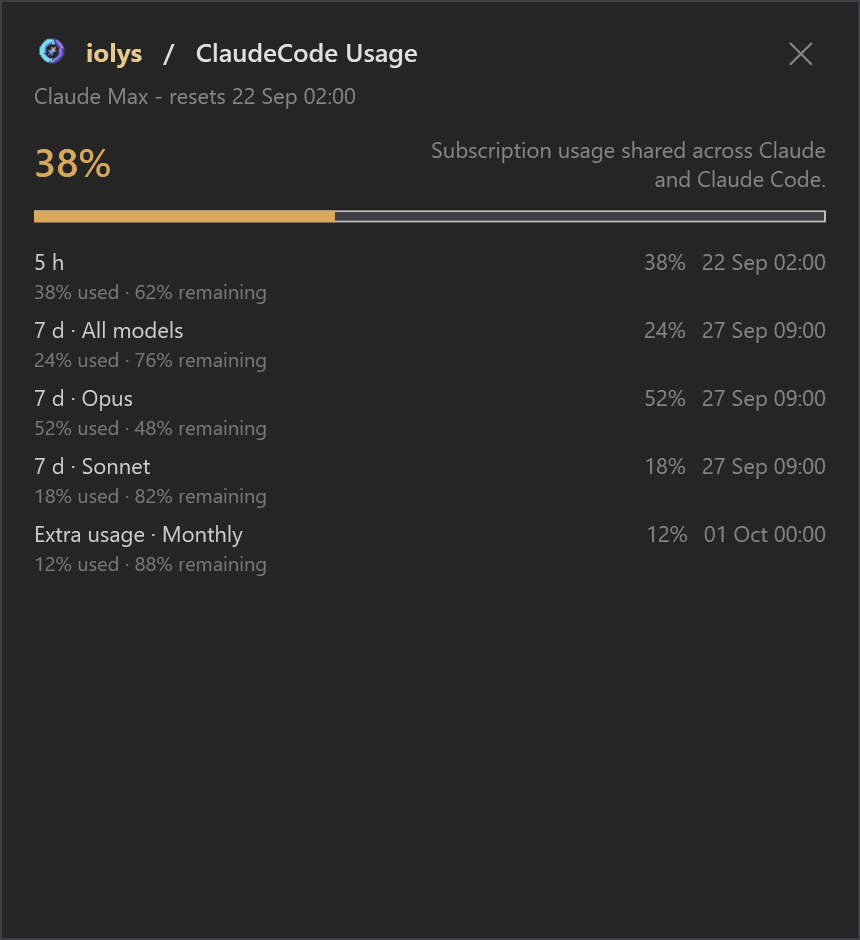
Extend every provider with shared toolsAgent SkillsStore reusable project instructions, workflows, scripts, references, and assets in the portable Agent Skills format: iolys discovers project skills and makes them available across supported providers, so your team can define project conventions once instead of rebuilding them for each AI tool. Model Context ProtocolConnect external MCP servers over Streamable HTTP or standard input/output. Enable only the servers and tools you need, test connections, configure execution policies, and expose additional capabilities to supported providers without changing the core extension. Keep conversations and contextConversations are associated with the solution and preserved across Visual Studio restarts. Create, rename, resume, and delete tasks from the chat interface. Save a context handoff when you want to continue useful context in a fresh task. Where supported by the provider, iolys can also display context-window consumption, token or quota usage, estimated cost, session duration, and model-processing time. For Claude Code, open Usage to view your subscription's 5-hour and 7-day quotas, percentages used and remaining, and reset times when available.
Getting started
Requirements
Free to useiolys is currently completely free for personal and commercial use, with all available features included. No paid iolys plan is required. AI provider subscriptions, API usage, and infrastructure costs remain separate. Your provider accounts, Databricks workspace, and local infrastructure remain yours, subject to each provider's eligibility, quotas, and terms. Learn more and get supportChoose your next model, not your next workflow. |