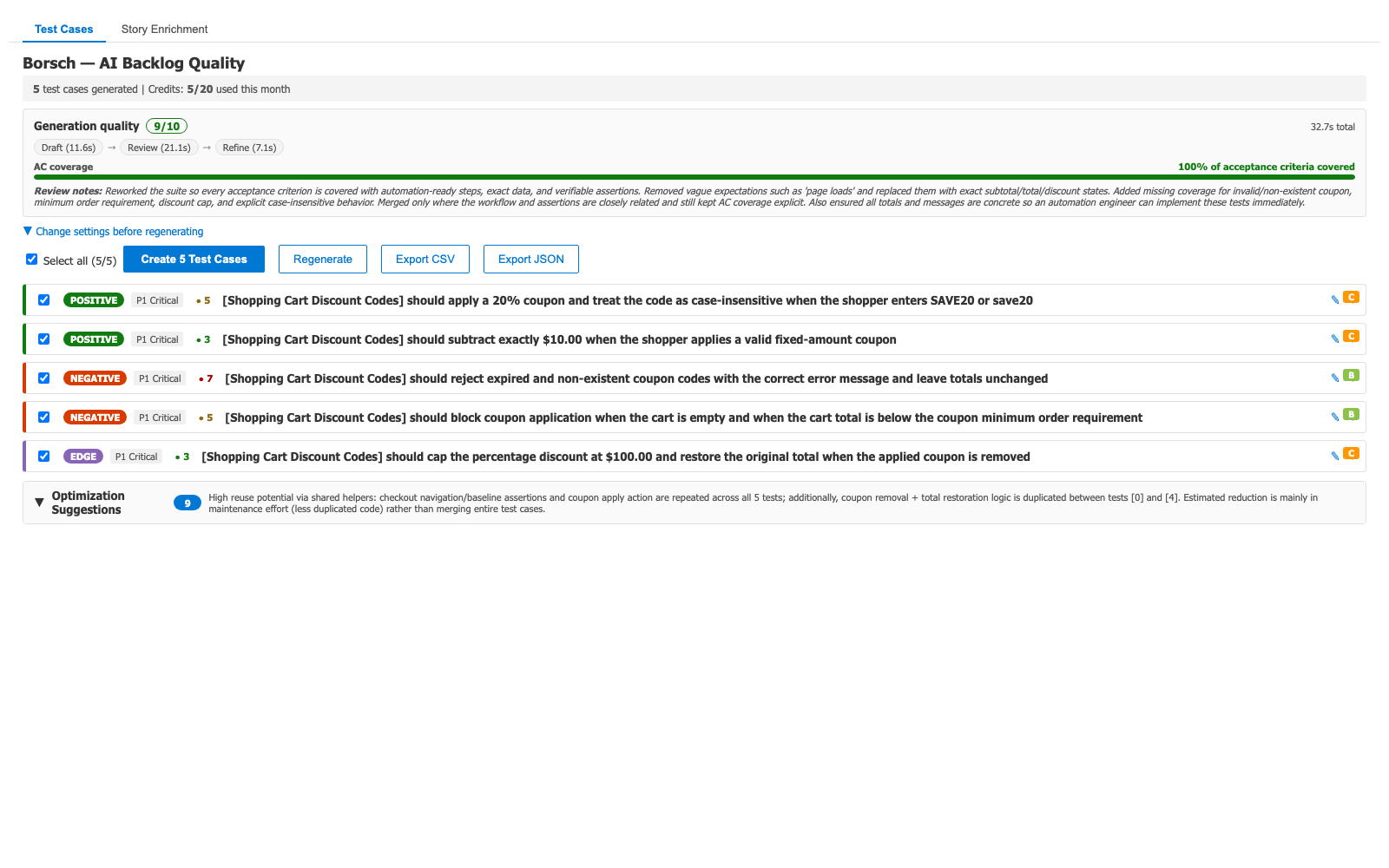
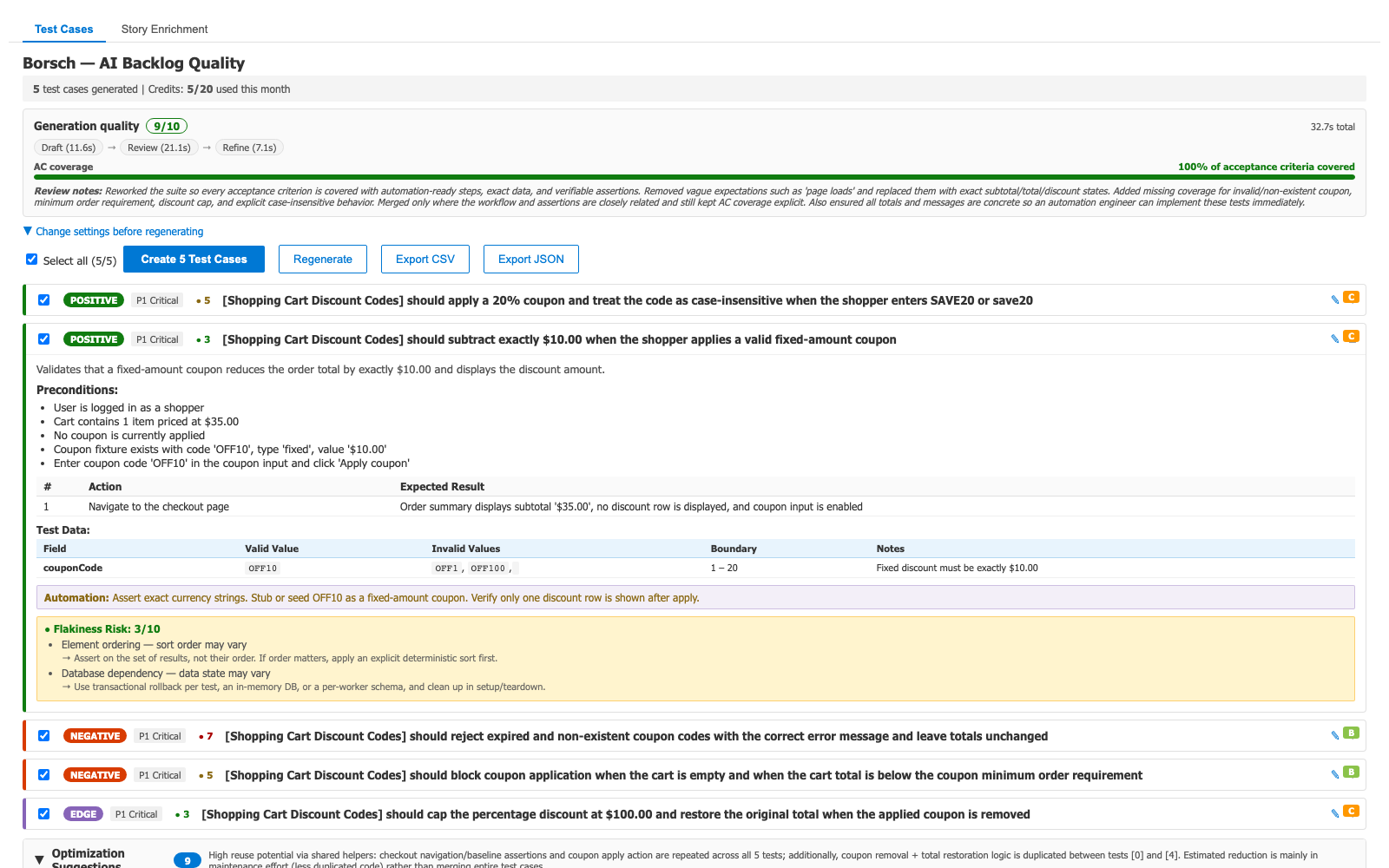
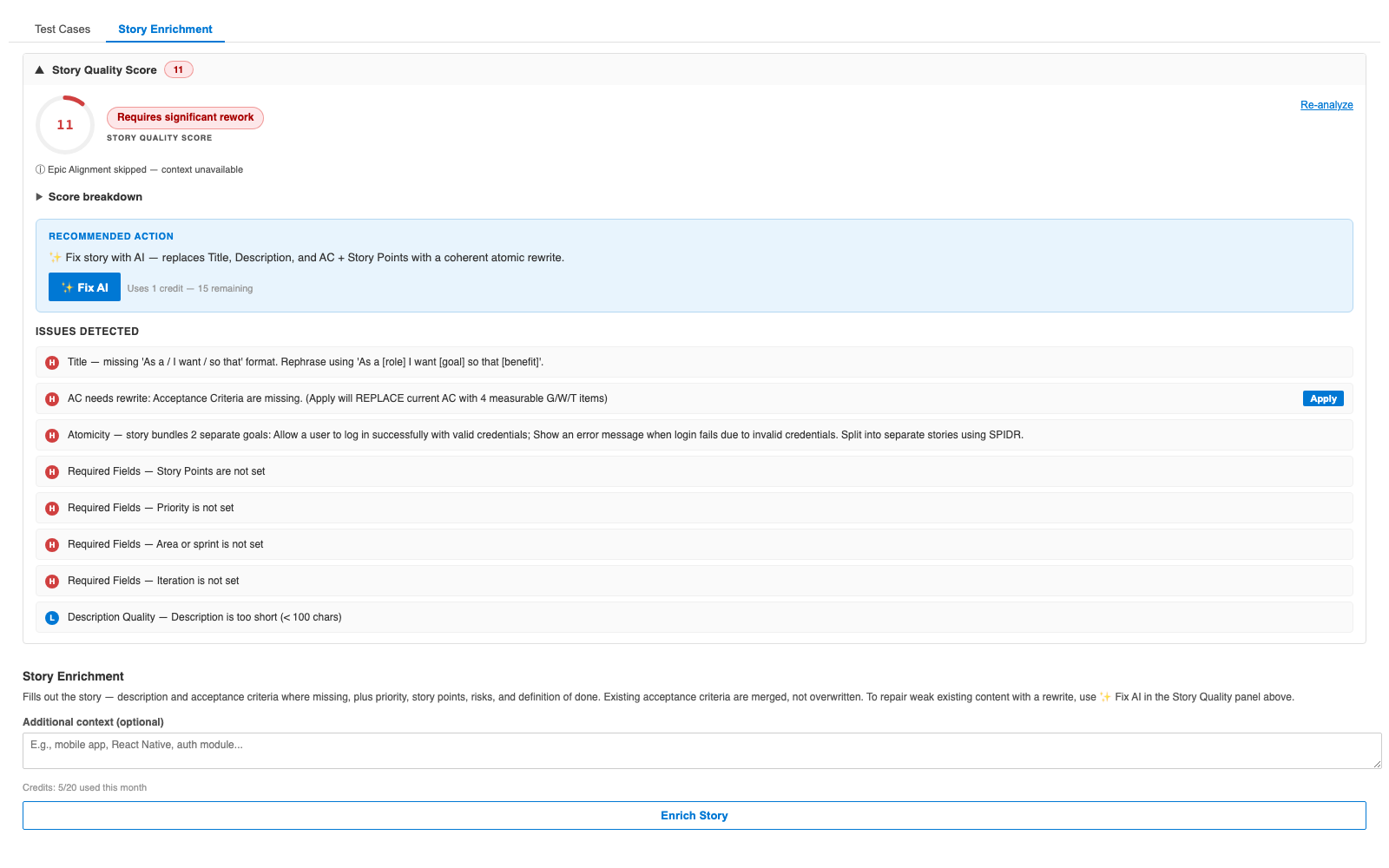
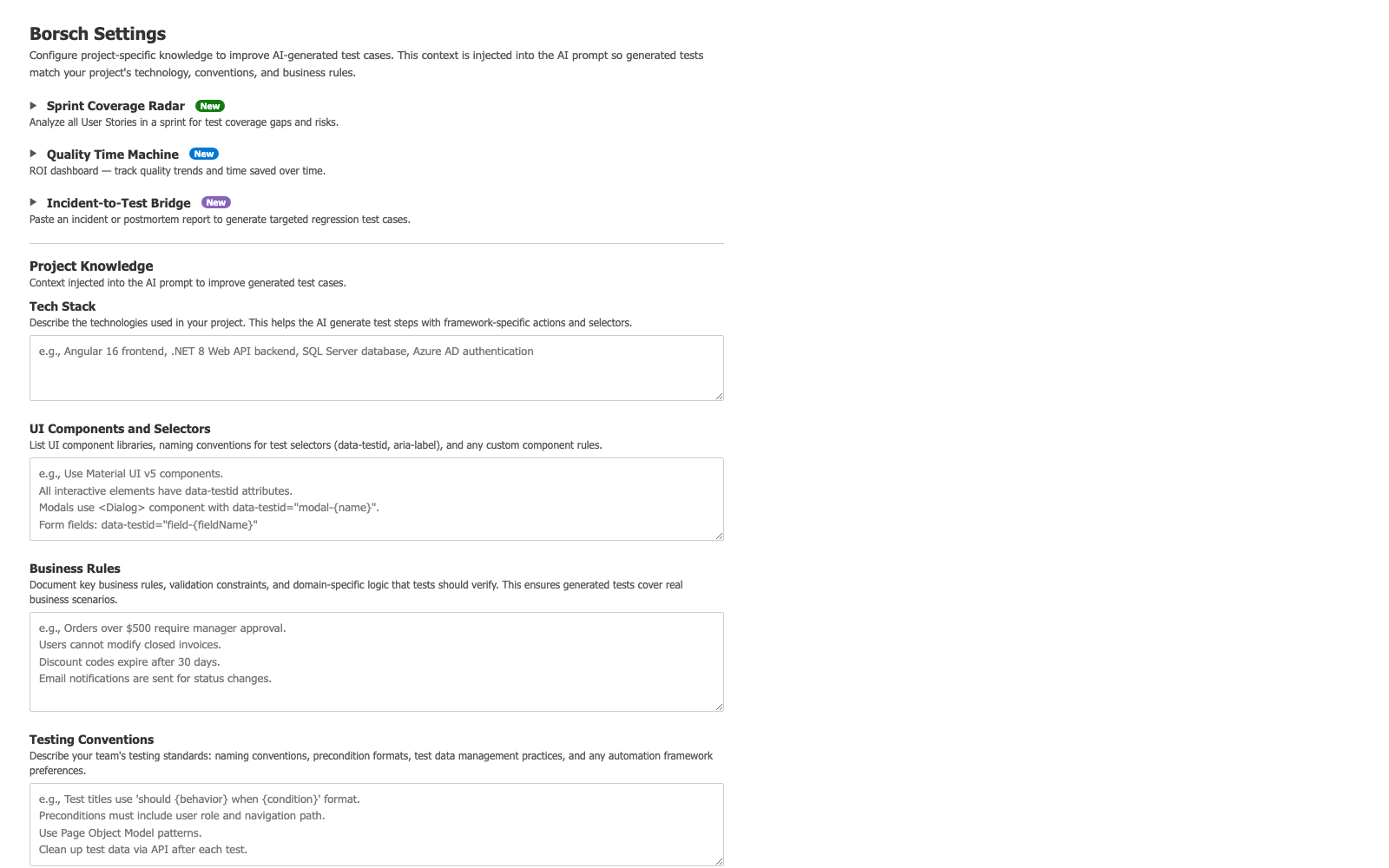
Borsch - AI Backlog Quality for Azure DevOpsA backlog is like borsch — many ingredients that only become great when refined together. Borsch reads your work items and refines the whole backlog with AI: it generates test cases from User Stories, scores and fixes weak stories, and sharpens bug reports into actionable repro steps. All directly inside Azure DevOps — no copy-pasting, no context switching. Most AI generators make a single call to a model and hand you whatever comes back. Borsch runs a multi-stage pipeline — Draft → Review → Refine — where every output is independently critiqued and improved before it reaches you: fewer duplicates, real negative and edge coverage, output you can actually ship. One plugin, three modes. The right tab appears automatically based on the work item type you have open. FeaturesTest Case Generation (User Stories / PBIs)Reads title, description, acceptance criteria, and team discussion, then produces structured, categorized, automation-ready Test Case work items — linked to the story with a single click. Bug Report Enhancement (Bugs)Turns a rough one-line bug into a structured report: repro steps, expected vs actual, environment, severity suggestion, and missing-info detection. Includes duplicate detection against recent bugs and one-click regression test generation from the fixed bug. Story Quality Score + one-click ✨Fix AI (User Stories / PBIs)Score any story 0–100 across every quality dimension it can check — clear description, testable acceptance criteria, atomicity, sizing, and more — with an honest breakdown and targeted fixes. Scoring is free. When the story needs work, ✨Fix AI rewrites Title + Description + AC + Story Points in one coherent pass, you preview before anything is saved, and the story re-scores automatically after apply. Catch untestable requirements before the sprint, not halfway through it. Story Enrichment (User Stories / PBIs)Vague story in, clear story out: AI fills in what's missing — description, acceptance criteria, priority, story points, risks, and definition of done — then applies the improved content back to the work item on your approval. Existing acceptance criteria are merged, not overwritten. Multi-Stage AI QualityMost tools generate once and stop. Borsch doesn't. Every generation goes through several AI review stages — a first draft, then a coverage-and-duplicates review, then a refinement pass that catches shared preconditions and overlapping tests. The output scores 8-9/10 consistently, noticeably higher than single-pass tools. Built on ISTQB Test Design TechniquesEquivalence Partitioning, Boundary Value Analysis, Decision Tables, State Transitions, Error Guessing — applied internally for systematic coverage. The output reads like it was written by an experienced QA engineer. BDD / Gherkin Output ModeSwitch between classic test case steps and BDD/Gherkin scenarios (Given/When/Then), including Scenario Outlines with Examples tables. Project KnowledgeConfigure your tech stack, UI conventions, business rules, and testing standards once — every generation uses them, producing output that matches your project's terminology instead of generic text. Wiki IntegrationLink Azure DevOps Wiki pages as additional context. Domain knowledge documented in your Wiki feeds directly into generation. Smart Categorization and PriorityTest cases are auto-categorized as positive, negative, or edge case with priority 1-4 — triage-ready from the moment they're created. Non-Overlapping RegenerationAlready have linked Test Cases? Borsch detects them and generates only new, non-overlapping ones. Re-run as requirements evolve without duplicates. Export to CSV and JSONExport generated test cases for spreadsheet review or external tooling. Accessibility Auto-Layer (WCAG 2.2)Detects which WCAG 2.2 success criteria apply to your story (forms, images, modals, navigation) and generates targeted accessibility test cases under the Accessibility strategy. Requirement Drift DetectionDetects when linked Test Cases have drifted from current acceptance criteria — shows drift level, uncovered requirements, and stale tests. Mutation Score GradesEach generated test case gets an A-F grade predicting its bug-killing power, based on 8 quality signals. Framework-Specific HintsPlaywright, Selenium, or Cypress — automation hints use your framework's API. 6 Test Strategy TemplatesComprehensive, Smoke, Regression, Security (OWASP Top 10), Performance, Accessibility (WCAG 2.2). Security Lens (OWASP Top 10)Detects OWASP Top 10 risks in your story and generates targeted security test cases under the Security strategy. Free Tier20 test cases per month (about 4 generations at the default 5 per story), plus 15 bug enhancements — no cost, no registration. Install and start immediately. How It Works
Screenshots
Getting Started
Works out of the box on the free tier — no API keys, no external accounts. Pricing
Annual billing available with 17% savings. All plans include unlimited users. See full pricing and subscribe. SupportQuestions or issues? Email support@iklab.dev. |