Skip to content
| Marketplace
Sign in
Azure DevOps>Azure Pipelines>Yarn
Yarn

Yarn

Geek Learning

|
19,965 installs
| (17) | Free
Harness Yarn power and make your build faster and more robust
Get it free

Yarn Build and Release Tasks

⚠️ Deprecated and unmaintained

This extension is no longer maintained. No further releases, bug fixes or security updates will be published, and Yarn 1.x (Classic) is itself end-of-life.

You almost certainly don't need it — see Migrating off this extension below. The repository is left as-is for anyone who still depends on it. Feel free to fork.

Migrating off this extension

Yarn 1.x is already available in the standard hosted agent images, and Yarn 2 and later can be enabled directly through Corepack. Between the two, none of this needs an extension any more.

The following does everything this extension did, with nothing installed:

variables:
  YARN_CACHE_FOLDER: $(Pipeline.Workspace)/.yarn-cache

steps:
  - task: NodeTool@0
    inputs:
      versionSpec: "20.x"

  - task: Bash@3
    displayName: Yarn enable
    inputs:
      targetType: "inline"
      script: |
        corepack enable
        corepack prepare yarn@stable --activate

  - task: Cache@2
    displayName: Cache Yarn packages
    inputs:
      key: '"yarn" | "$(Agent.OS)" | yarn.lock'
      restoreKeys: |
        yarn | "$(Agent.OS)"
        yarn
      path: $(YARN_CACHE_FOLDER)

  - task: Bash@3
    displayName: Yarn
    inputs:
      targetType: "inline"
      script: |
        yarn --immutable

  - task: Bash@3
    displayName: Yarn build
    inputs:
      targetType: "inline"
      script: |
        yarn build

If your project pins its Yarn version with the packageManager field in package.json, then corepack enable on its own is enough and the corepack prepare line can be dropped. On Yarn 1.x, use yarn --frozen-lockfile in place of yarn --immutable.

If package feed authentication is needed — the one thing the Yarn task did beyond running Yarn — the built-in npm authenticate task does the job.

Yarn is Facebook's npm alternative. It is the fast, reliable and secure dependency management. This extension brings the power of Yarn to Visual Studio Team Services Build and Release Management. It enables using yarn with the official npm registry or any registry you like such as Myget or Visual Studio Team Services Package Management.

GeekLearning Loves Yarn

Why so much sudden love for Yarn ? You can find out here

Learn more about this extension on the wiki!

Tasks included

  • Yarn installer: Installs Yarn
  • Yarn: Execute Yarn

Note that Yarn installer uses new agents features hence TFS 2015 is not supported.

Steps

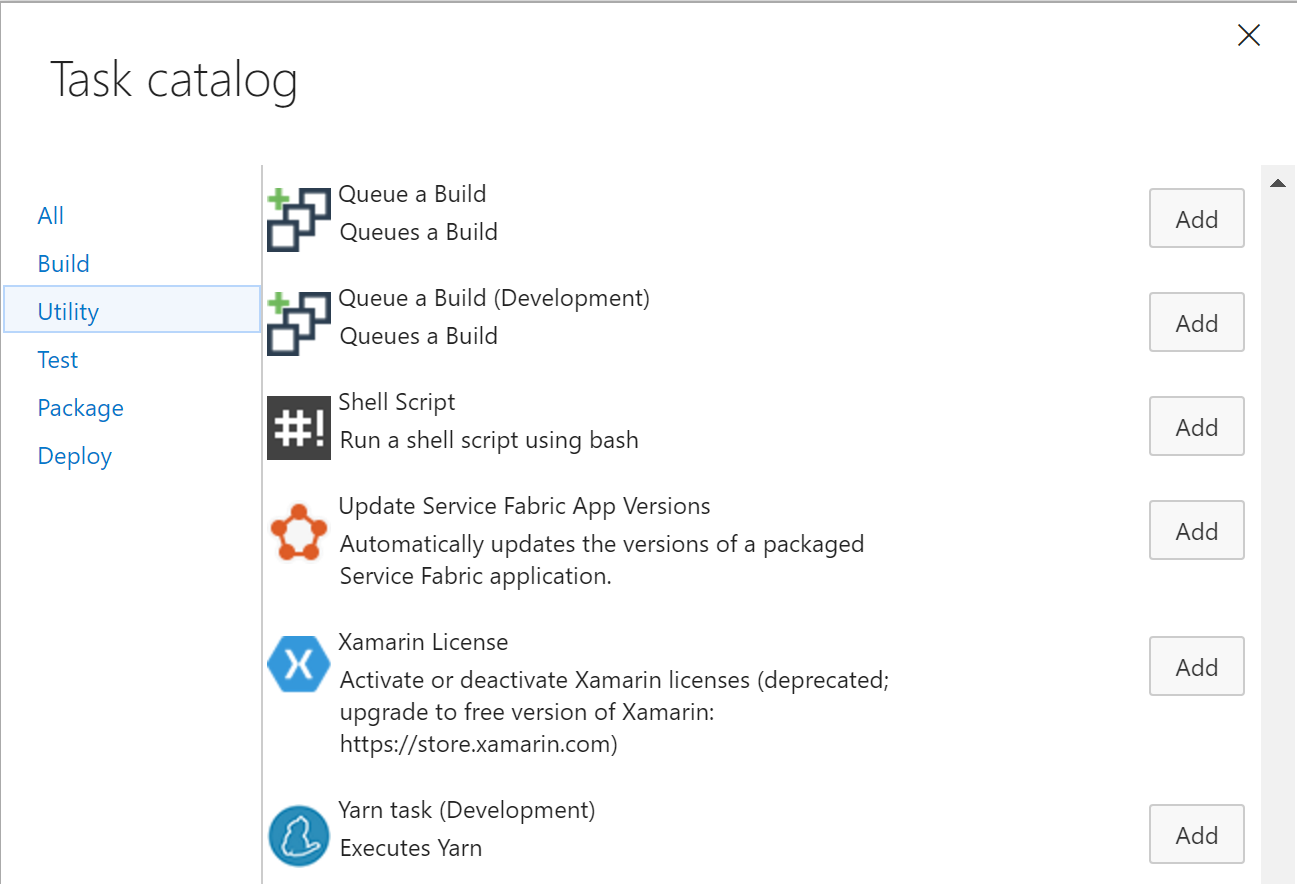
After installing the extension, you can add one (or more) of the tasks to a new or existing build definition or release definition

add-task

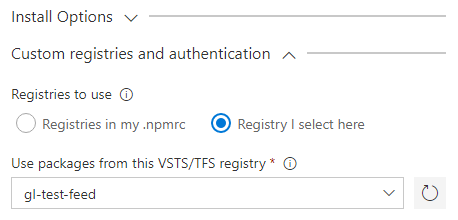
Starting with version 1.x, you can configure custom registries directly in the task settings:

Custom Registries

Learn more

The source for this extension is on GitHub. Take, fork, and extend.

Known Issues

Please refer to our wiki page on Github

Release Notes

Please refer to our release page on Github

  • Contact us
  • Jobs
  • Privacy
  • Manage cookies
  • Terms of use
  • Trademarks
  • Your Privacy Choices
  • Consumer Health Privacy
© 2026 Microsoft