E8 Test Summary Report
Professional test summary reports from Azure Test Plans, in one click.
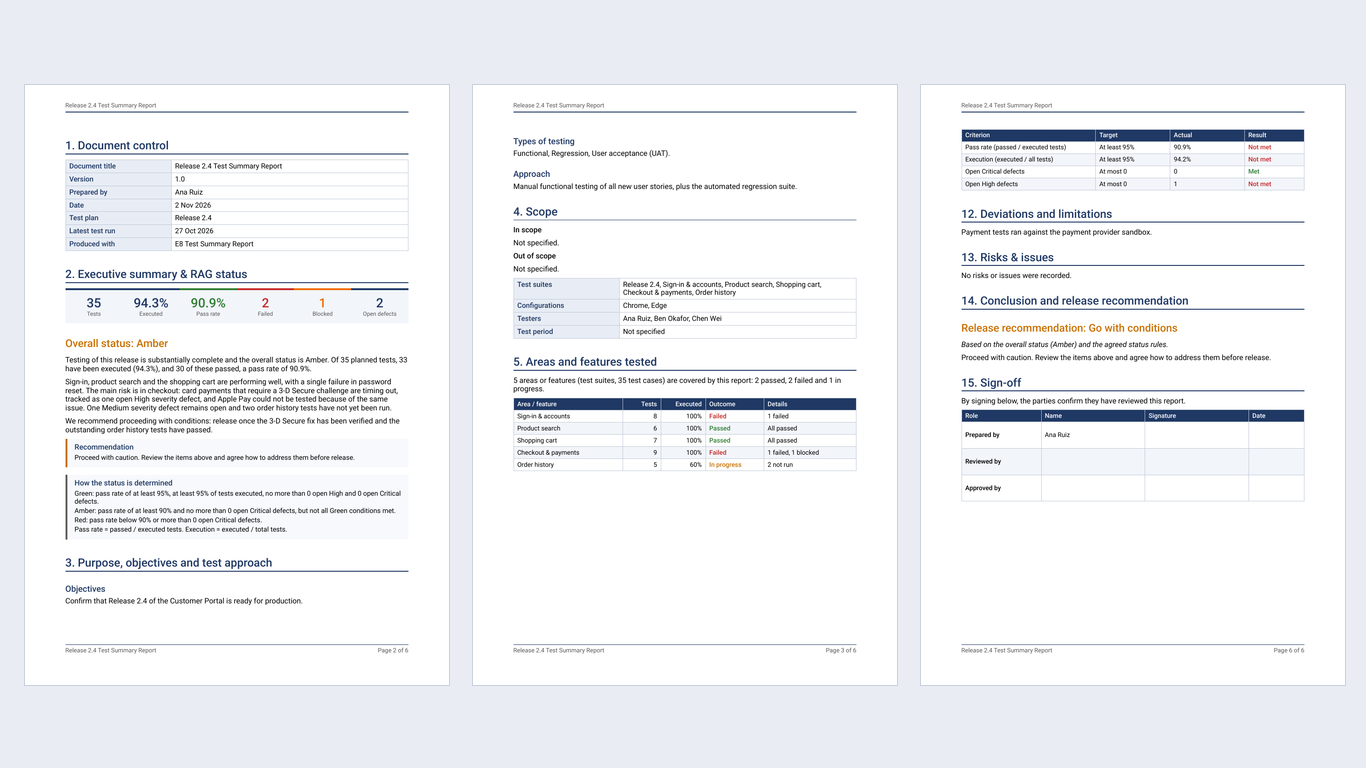
E8 Test Summary Report turns the results in your Azure DevOps test plans into a polished, consistent report in Word and PDF. Choose a plan and its suites, check the automatic Green / Amber / Red status, add your own notes, and download a report that is ready for your stakeholders, your head of quality or your release board.
It is free, with every feature available to everyone. The report is built in your browser: your test data is never sent to us.
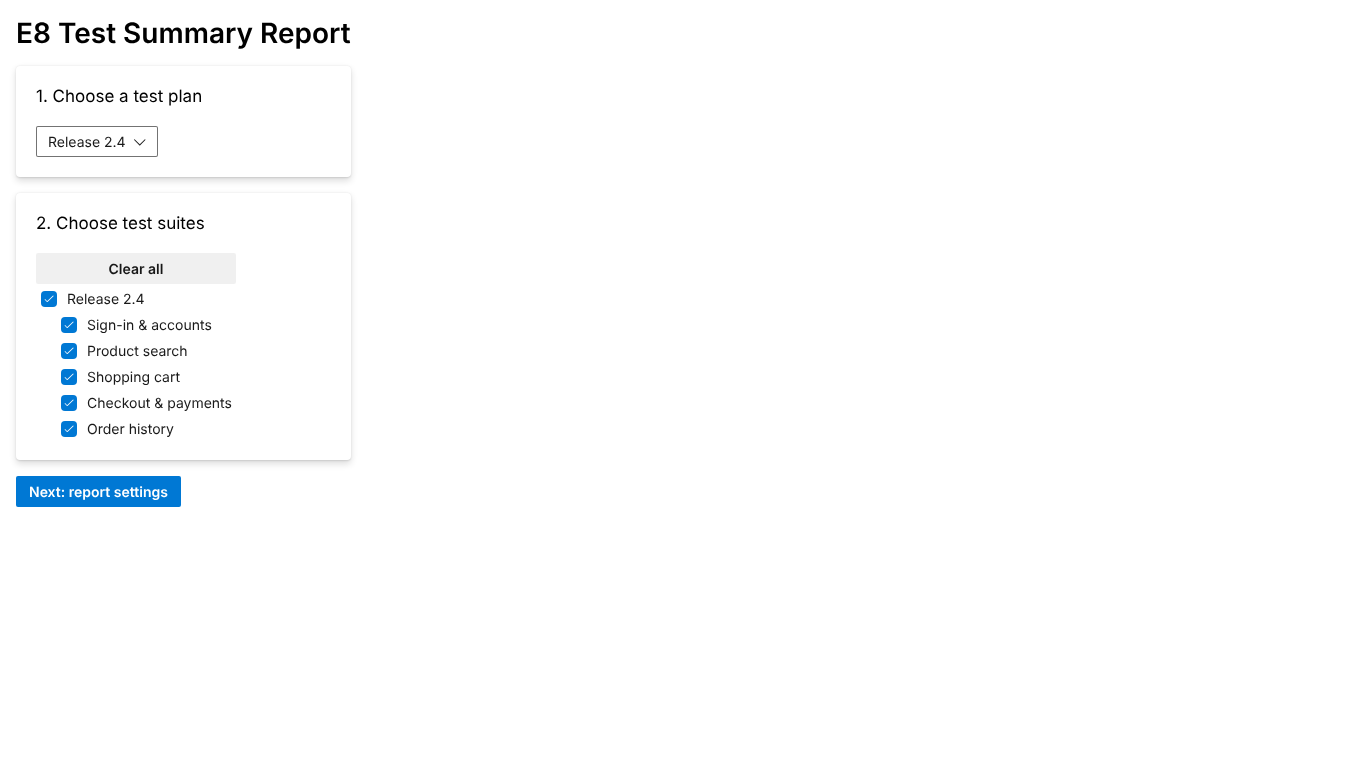
Why teams use it
- Save hours on every release. No more copying numbers into a template: the counts, rates, charts and defect lists come straight from Azure Test Plans.
- One consistent format. Every report has the same structure and wording, so readers always know where to look.
- A clear verdict. An automatic Green / Amber / Red status and a Go / Go with conditions / No-Go recommendation, based on thresholds you control.
- Word and PDF that always match. Both files are built from the same content, so they contain the same sections and the same numbers.
What's in the report
| Section |
What it shows |
| Cover page and document control |
Title, project, environment, test period, author, version and dates |
| Executive summary and status |
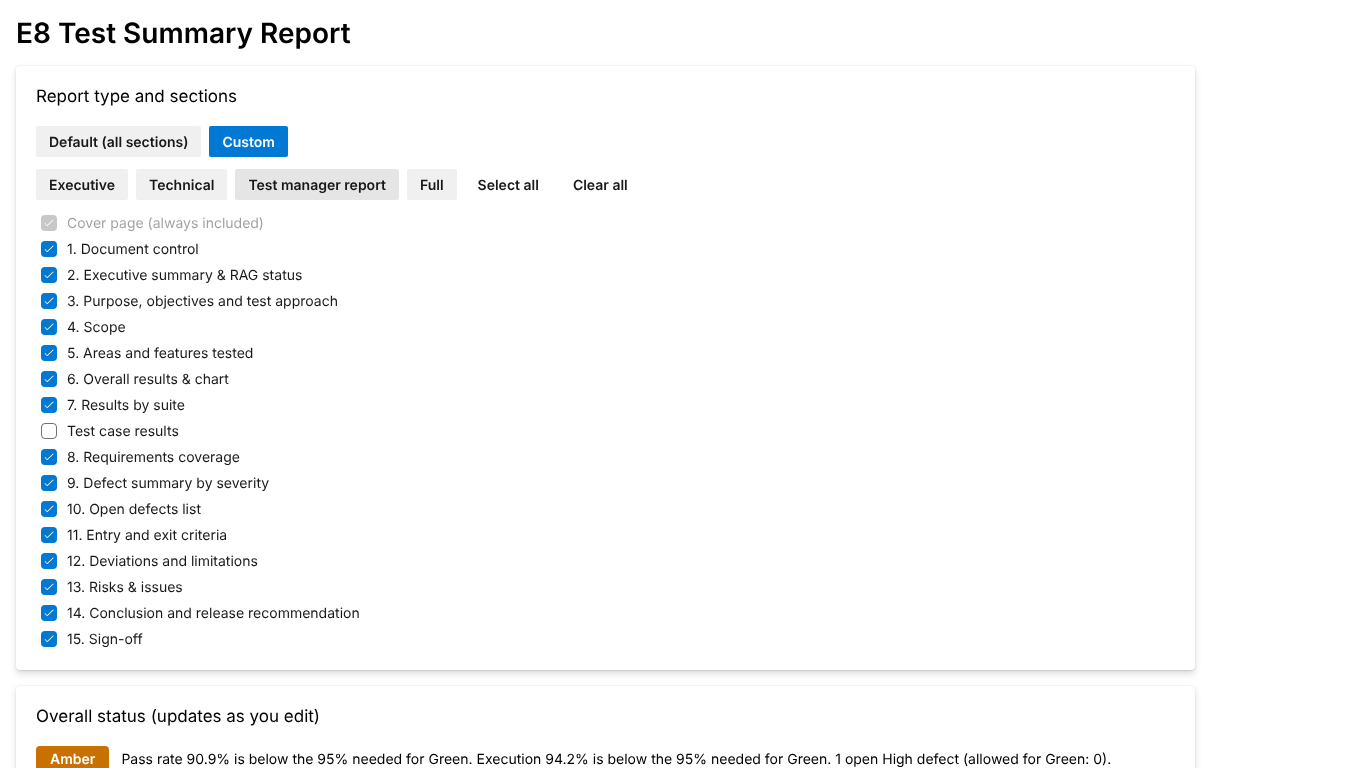
Key figures, the Green / Amber / Red status with the reasons, and a summary from your notes (or written automatically from the numbers) |
| Purpose, objectives and test approach |
Your objectives, the types of testing carried out (functional, regression, smoke, integration, UAT) and your approach |
| Scope |
What was in and out of scope, the suites, configurations and testers |
| Areas and features tested |
One row per area or feature with its tests, execution and a single outcome (Passed, Failed, Blocked, Needs review, In progress, Not tested) |
| Overall results and results by suite |
Outcome charts, pass rate and execution rate per suite |
| Test case results |
Every test case with its title and latest status, grouped by suite (all, or only those not passed) |
| Requirements coverage |
Linked user stories and requirements and how well they are covered |
| Defect summary and open defects |
Defects by severity, and the open (or all) defects with clickable links to the work items |
| Entry and exit criteria |
Pass rate, execution and open defect limits, each checked automatically as Met or Not met, plus your own criteria |
| Deviations, limitations, risks and issues |
What changed from the plan and what stakeholders should know |
| Conclusion and release recommendation |
Go / Go with conditions / No-Go, with your rationale and conditions |
| Sign-off |
Prepared by, reviewed by and approved by |
Find every relevant defect. Choose where the report looks for bugs: linked to the tested test cases, linked to the user stories they cover, created during test runs, with a tag, in an area or iteration path, or from a saved query. Combine as many as you like; each bug is listed once.
Pick the sections you need, or start from a preset: Executive, Technical, Test manager report or Full.
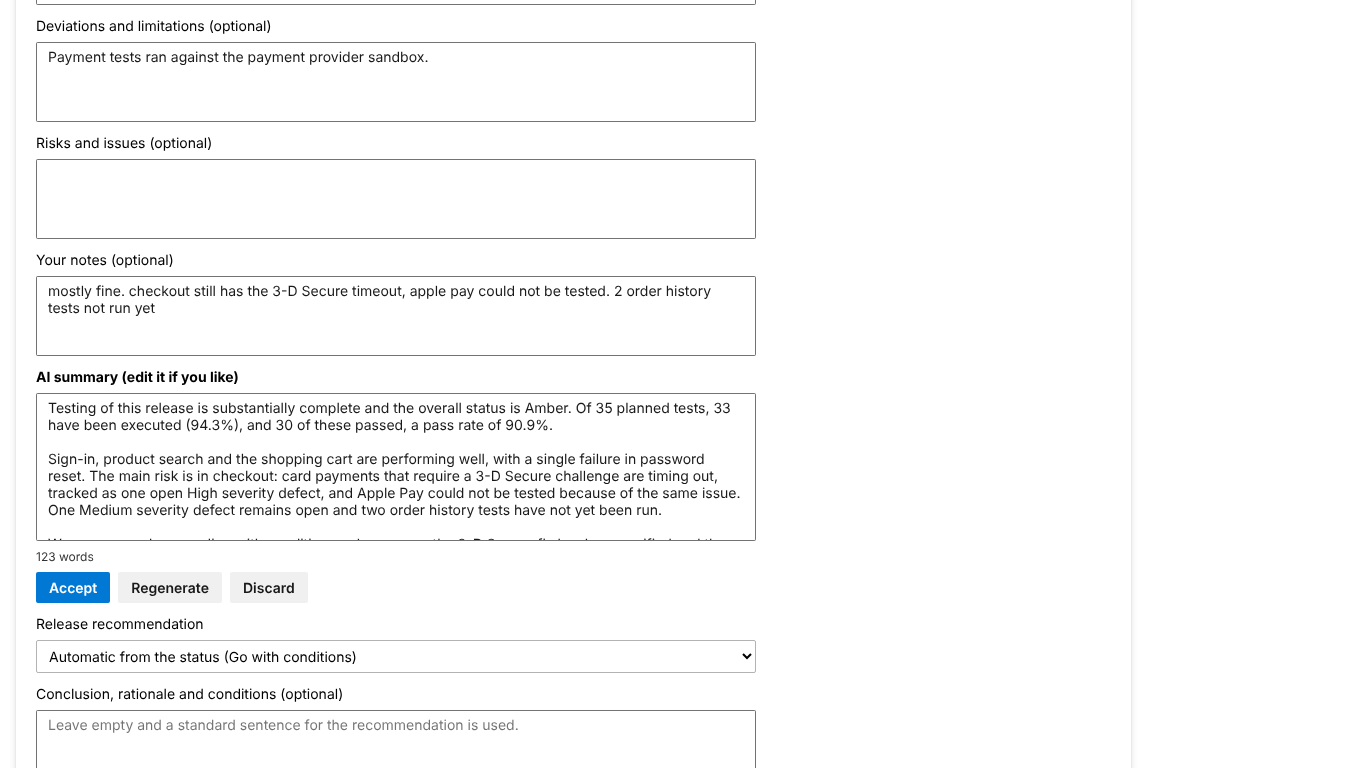
Make it professional (optional AI summary)
Write a few rough notes and click Make it professional. Your chosen AI turns them into a clear executive summary in the tone you choose (Executive or Technical). You review and edit it, and nothing reaches the report until you click Accept.
- Works with Claude (Anthropic), ChatGPT (OpenAI) or your organisation's Azure OpenAI, using your own key, called directly from your browser. There is nothing for you to host and nothing goes through our servers.
- Only your notes and the result totals are sent. Test case names, steps and defect details are never sent.
- You are asked for consent before anything is sent, and the AI is told to use only your numbers, never to invent any.
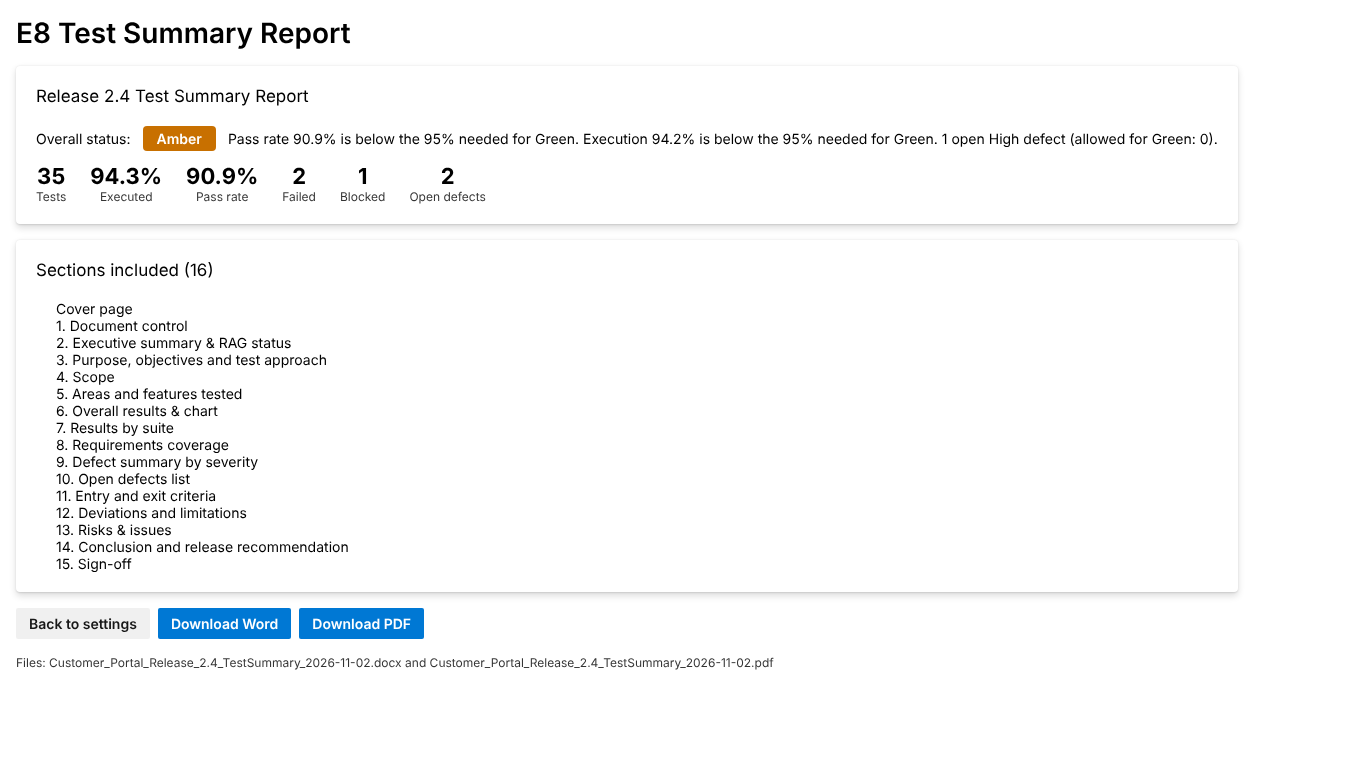
How it works
- Open Test Plans > Test Summary in your project, choose a test plan and tick the suites to report on.
- Choose the report sections and fill in the details. The status and summary update as you type, and your settings are remembered.
- Click Preview report, then Download Word or Download PDF.
Privacy and security
- Reports are created in your browser and downloaded to your computer. E8 Tech Consulting runs no server for this extension and receives none of your data. There is no analytics and no tracking.
- The extension only reads your test plans and work items, using your own Azure DevOps permissions.
- Your report settings are saved in your Azure DevOps organisation, for your user only.
- The optional AI summary sends only your notes and result totals, straight from your browser to the AI service you chose, using your own key and only after you agree. The key is never saved in Azure DevOps.
Read the full privacy policy.
Requirements
- Azure DevOps Services (dev.azure.com) with Azure Test Plans.
- Permissions requested: Test management (read) to read test plans and results, and Work items (read) to read bugs, requirements and the queries you choose.
- For the optional AI summary: an API key from Anthropic or OpenAI, or an Azure OpenAI deployment.
Good to know: the PDF font does not include Japanese, Chinese or Korean characters; use the Word file for titles in those languages.
Support
Questions, ideas or problems? Email quality@e8tech.co or visit e8tech.co.
E8 Test Summary Report is made by E8 Tech Consulting. It is free to use under our licence terms.
| |

