PowerWiki — a modern wiki for Azure DevOps
The wiki you already have, the experience it deserves. PowerWiki adds a Power Wiki hub next to the built-in Azure DevOps Wiki and reads and writes the same wiki Git repositories. No migration, no proprietary formats, no lock-in — turn it off tomorrow and your wiki is untouched.
💻 Prefer to work in your editor? ADO PowerWiki for VS Code
runs this same experience against a cloned wiki repository — no sign-in, no PAT —
with the built-in Explorer as the page tree. Same rendering, same editors, same
export. Use whichever suits the task; both read and write the same wiki Git
repositories.
Why teams switch
- 🧜 Today's Mermaid, today's Markdown. Mermaid v11 (architecture, kanban, sankey, xy-chart, mindmap, timeline and more), GitHub-style callouts, KaTeX math, syntax-highlighted code, and every emoji shortcode (
:tada: 🎉) — instead of the frozen renderers bundled with Azure DevOps.
- 📤 Export to Word and PDF — in your own template. Turn one page, or an ordered set of pages, into a real
.docx carrying your corporate cover page, headers, footers and styles, or a print-perfect PDF. Diagrams, query tables, and images included.
- 🕑 Never lose the thread. Page history with side-by-side diffs and one-click restore, follow pages for change notifications, and safe renames that fix inbound links for you.
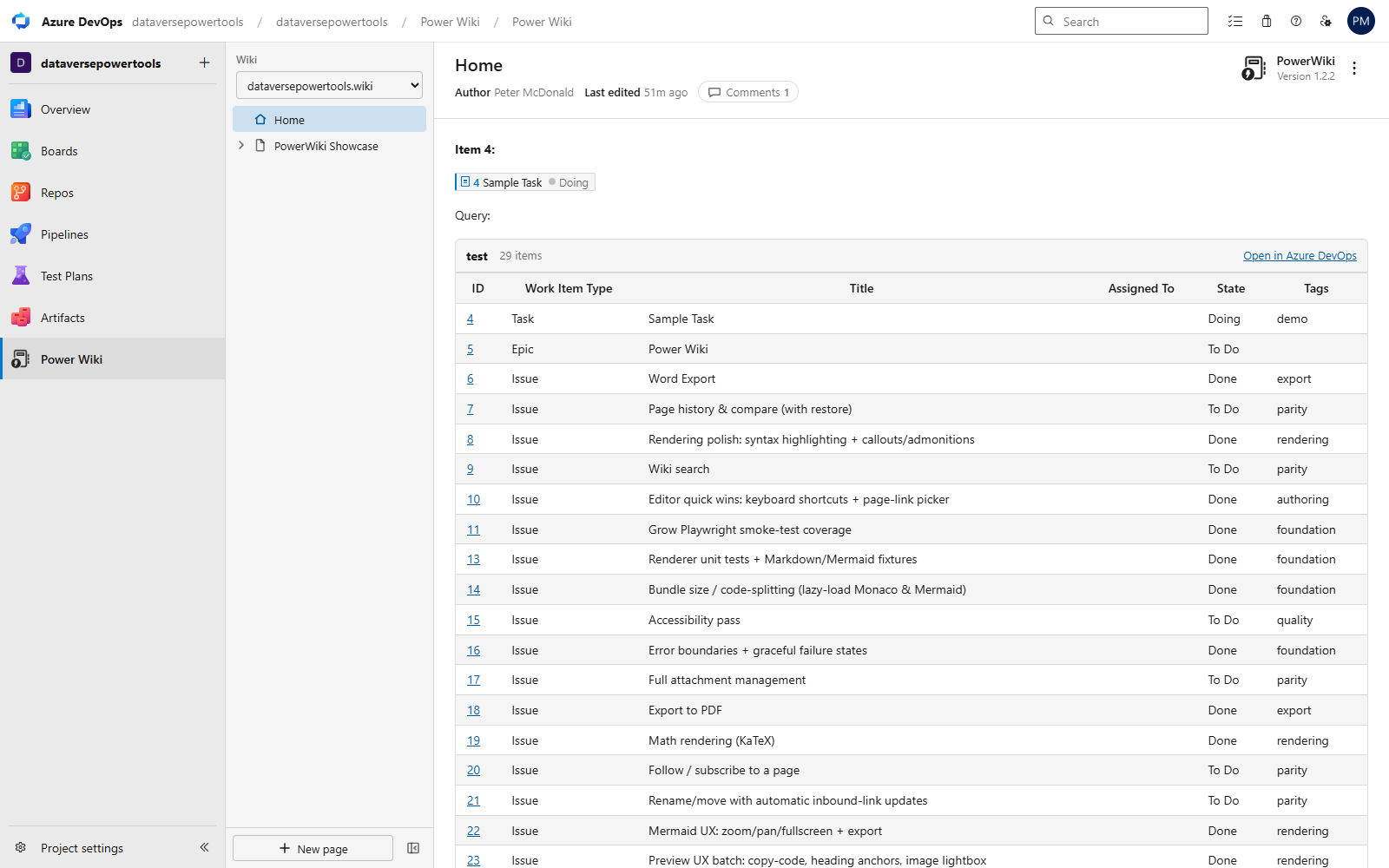
- 🧩 Azure Boards, live on the page.
#1234 becomes a rich work item badge; ::: query-table <id> ::: embeds live query results — and both stay readable as plain text in the built-in wiki.
- 🔗 Your wiki, inside the work item. A Power Wiki tab sits beside Details and History on every work item, showing the wiki pages linked to it — read and edit them without leaving the item.
- ✍️ An editor you'll actually enjoy. Monaco (the VS Code editor) with a
/ command palette, keyboard shortcuts, page-link and attachment pickers, autosaved drafts, and a WYSIWYG mode with in-context table editing. Split view keeps code and preview scrolled together, and images resize by dragging their handles.
Reading, upgraded
- Current CommonMark + GFM pipeline,
[[_TOC_]] and [[_TOSP_]] support, and native-feeling deep links.
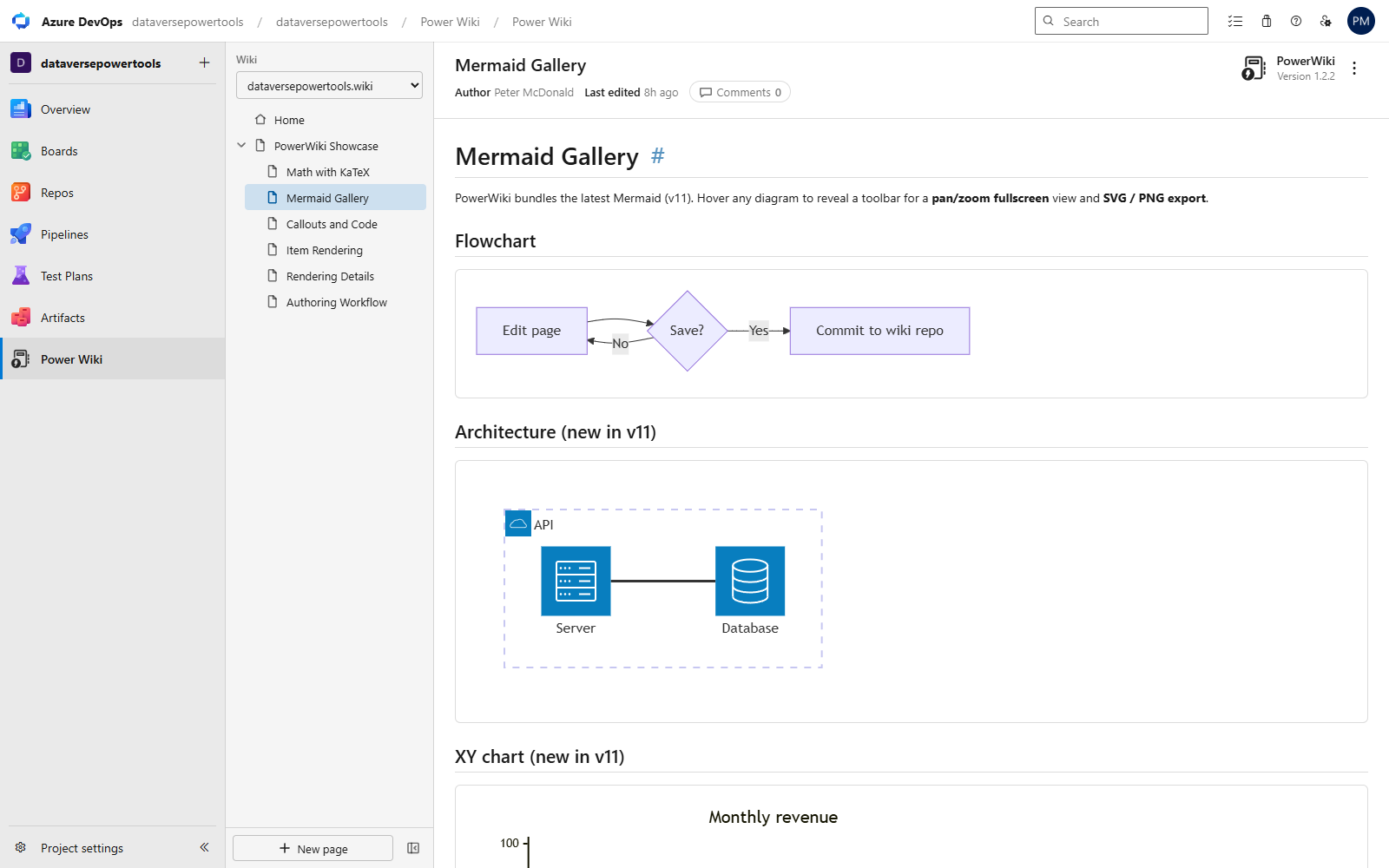
- Mermaid v11 with automatic light/dark theming, a fit-to-screen pan/zoom viewer, and SVG download. Works with
```mermaid fences and ::: mermaid blocks alike.
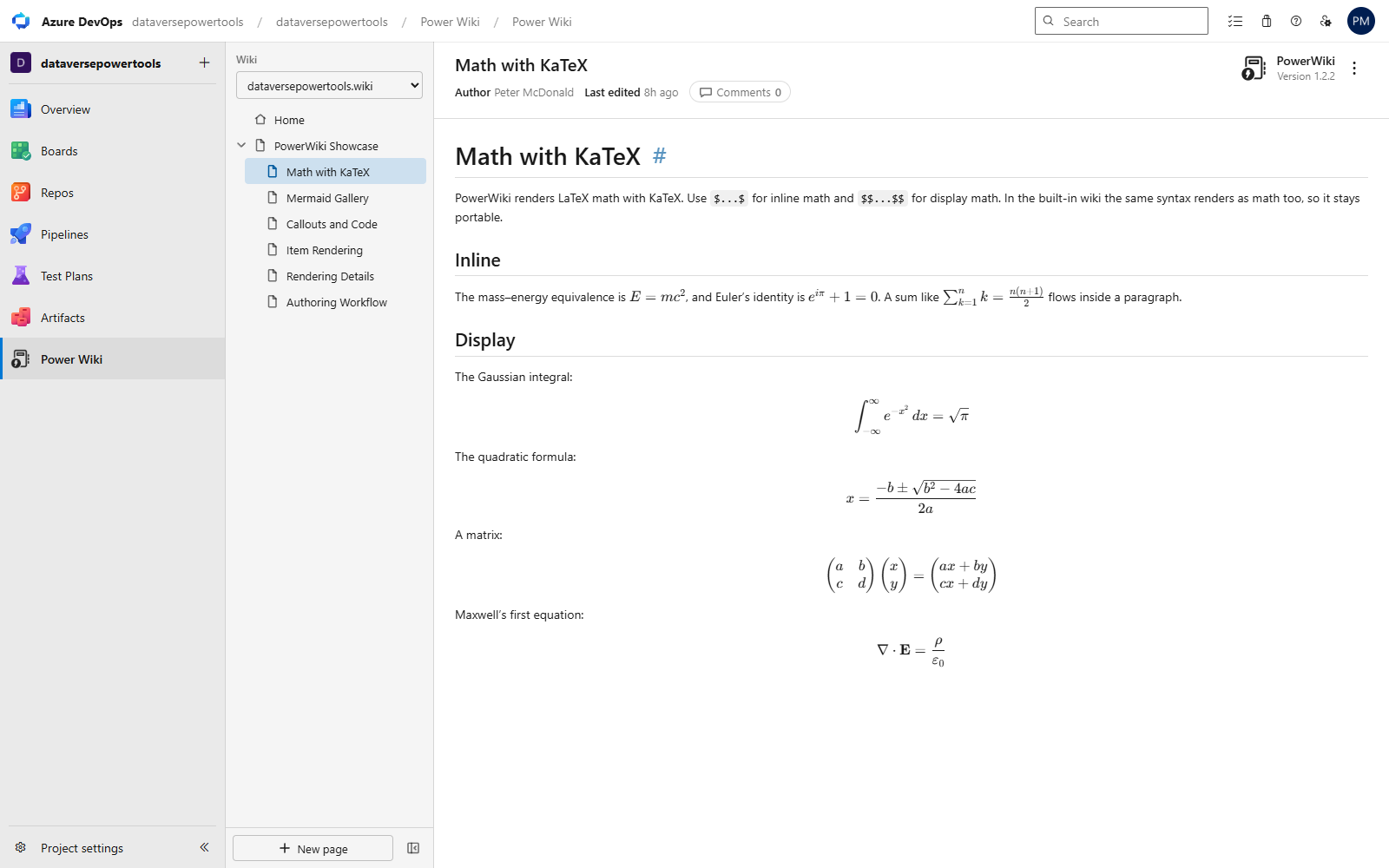
- LaTeX math with KaTeX (
$inline$ and $$display$$).
- Callouts (
> [!NOTE], [!TIP], [!WARNING]…), heading permalinks that copy a shareable Azure DevOps link, click-to-zoom images, and copy buttons on code blocks.
- Per-page byline (last editor and time, straight from Git history) and page comments.
Writing, without friction
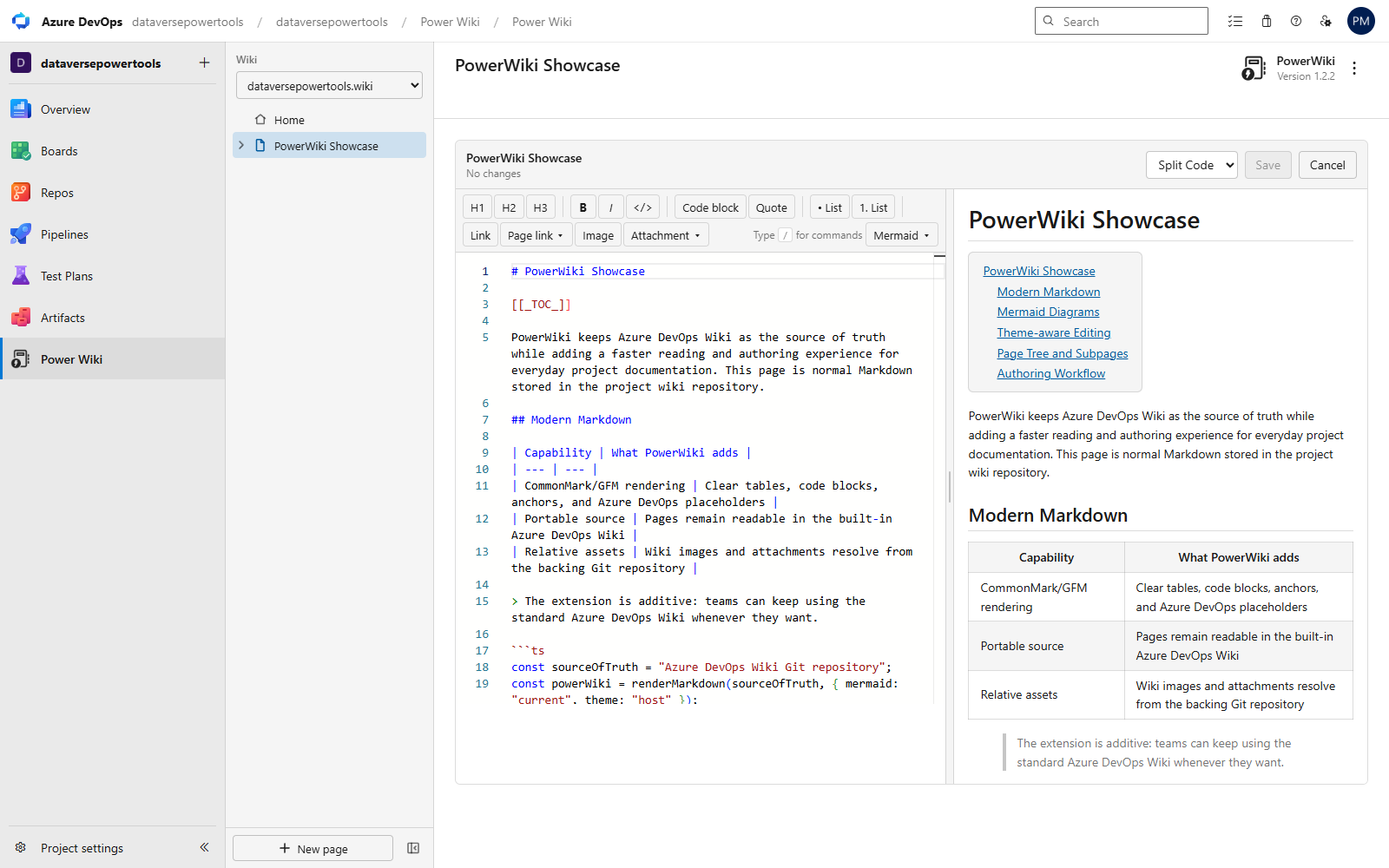
- Monaco Markdown editor with live split preview, word wrap, and Azure DevOps theming.
- Type
/ for anything: headings, tables, code blocks, every Mermaid diagram type, draw.io diagrams, work-item references, query tables, links.
- Ctrl+B / Ctrl+I / Ctrl+K, a searchable page-link picker, and an attachment picker for files you've already uploaded.
- Paste or drop images into any editor — they upload to
.attachments and the reference is inserted for you.
- Rich text mode with a floating table toolbar: insert, delete, and reorder rows and columns right at the table.
- Never lose work: unsaved-changes protection on refresh/close and local draft autosave with one-click recovery.
Mention people and teams
Type @ and pick from your organisation's directory — the same people and teams the built-in wiki offers, searched through Azure DevOps' own identity picker. Works in both the Markdown and rich text editors, and mentions you already have render as names rather than raw ids.
Stored exactly as the built-in wiki stores them, so a mention written in PowerWiki reads correctly there and vice versa. No extra permission: the lookup runs as you, through the host, so PowerWiki still never asks for directory access.
Diagrams you can actually edit
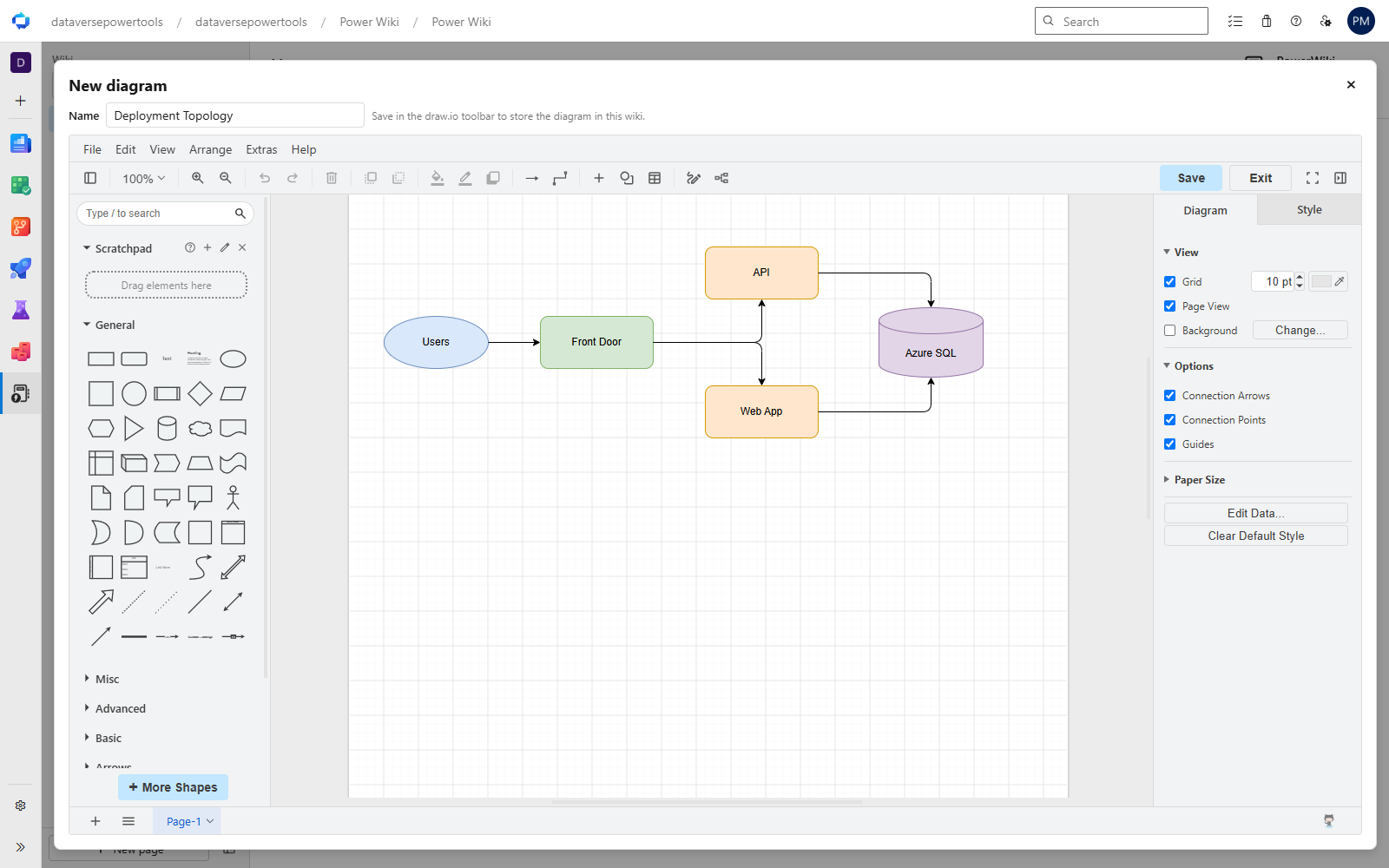
- Draw with draw.io, without leaving the wiki. Hit Diagram in the editor toolbar (or type
/diagram) for a full draw.io canvas — shapes, connectors, the whole shape library.
- Edit any diagram in place. Hover a diagram on a page and click Edit diagram. It reopens exactly as you drew it, not as a flat picture.
- Reuse one diagram across many pages. Reference the same diagram wherever it's relevant; edit it from any of those pages and every page updates. No more six stale copies of the same architecture diagram.
- Stored as a normal image. Each diagram is saved to
.attachments as a .drawio.png — a real PNG that happens to carry its own source. It renders in the built-in Azure DevOps Wiki, drops into Word and PDF exports like any other image, and keeps working if you ever stop using PowerWiki.
- Nothing leaves your browser. The editor loads only while you have it open, and diagram content is exchanged in-page rather than uploaded to a third party. Pages with diagrams on them never contact diagrams.net at all.
Documentation where the work happens
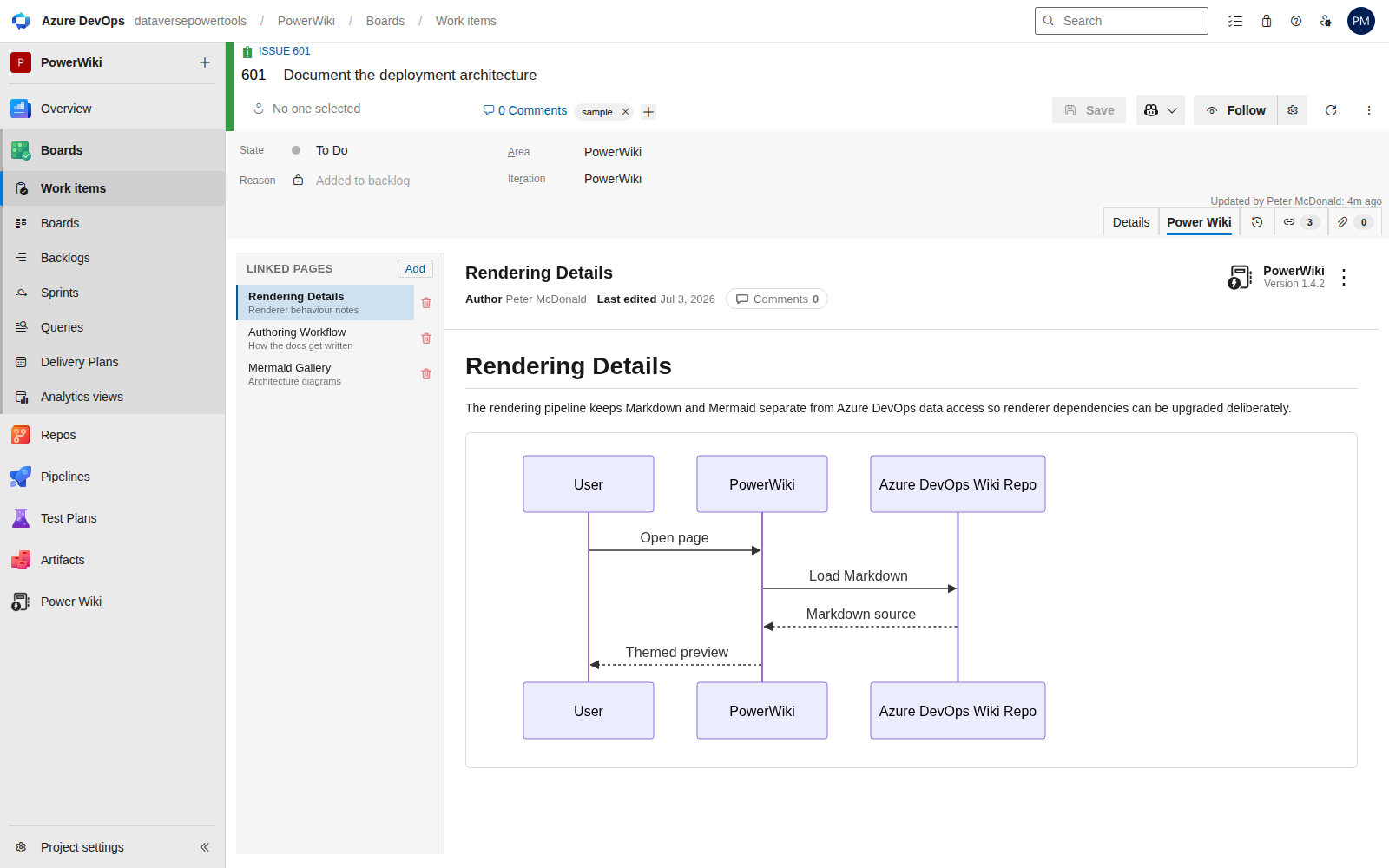
Wiki pages are linked to work items using Azure DevOps' own Wiki Page links — the ones already on the work item's Links tab. PowerWiki makes them useful, in both directions.
From the work item:
- A real tab on the work item form, beside Details, History and Links.
- The full page, not a preview. Mermaid, math, callouts, work item badges and query tables all render, and the page can be edited and saved right there.
- The rail lists this item's linked pages, so a work item with several documents is one click between them.
- Link a page with Add — search the wiki, pick a page, done. The link is added to the open work item and kept when you save it, exactly like any other change.
- Unlink from the same rail, behind a confirmation, without going to find the Links tab.
- Works in the modal form, opened from a backlog or board, as well as full screen.
From the wiki page:
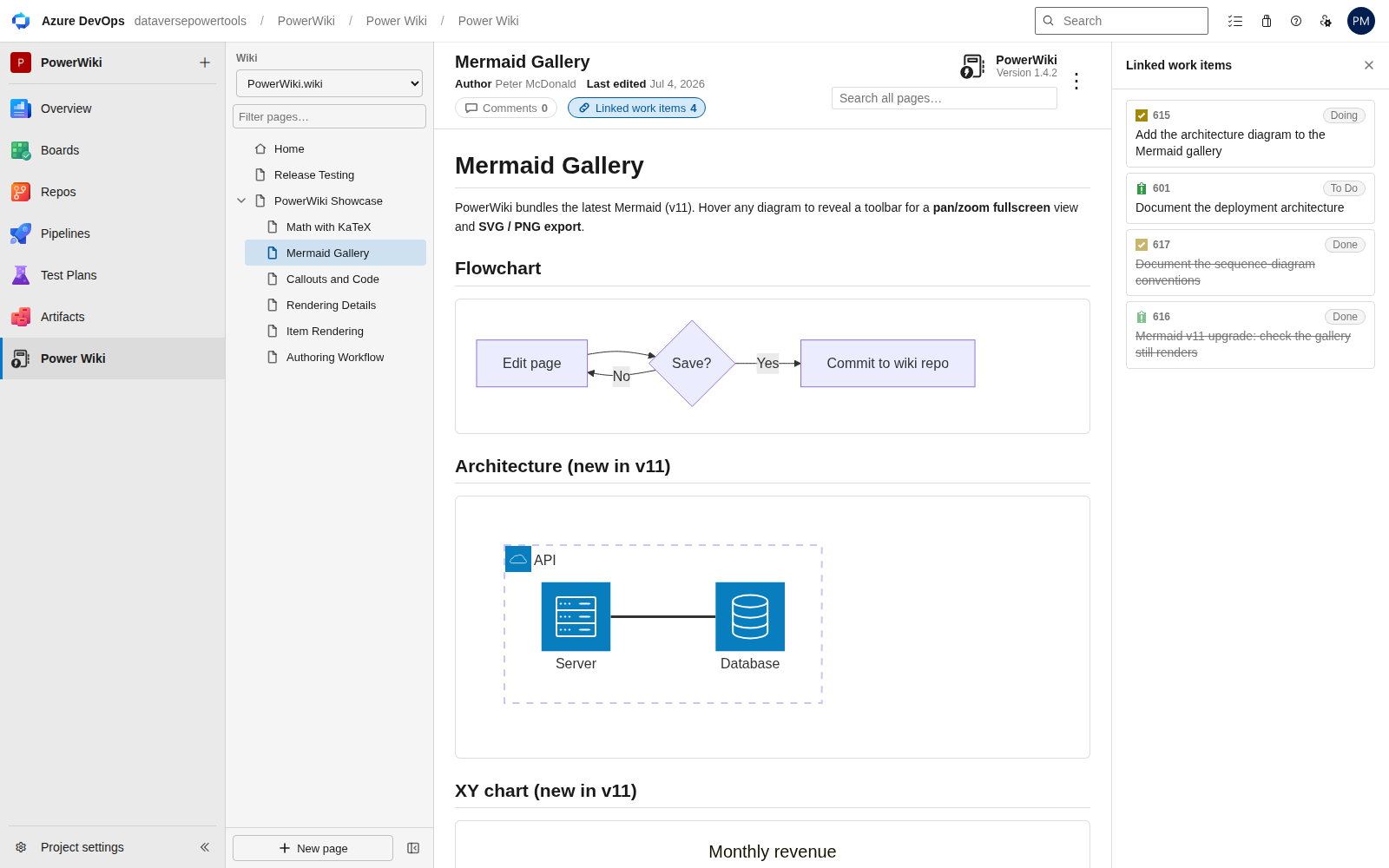
- Linked work items sits on the page byline next to Comments, with a count, and opens a panel listing every work item that links to the page — type icon, id, state and title. Click one to open it.
- Finished work stands down. Closed and removed items sort to the bottom and are dimmed, so what is still open reads first.
No new permissions either way. Linking goes through the work item form itself, and the reverse lookup is a read, so PowerWiki still asks only for read access to work items and your organisation does not have to re-approve anything.
History and stewardship
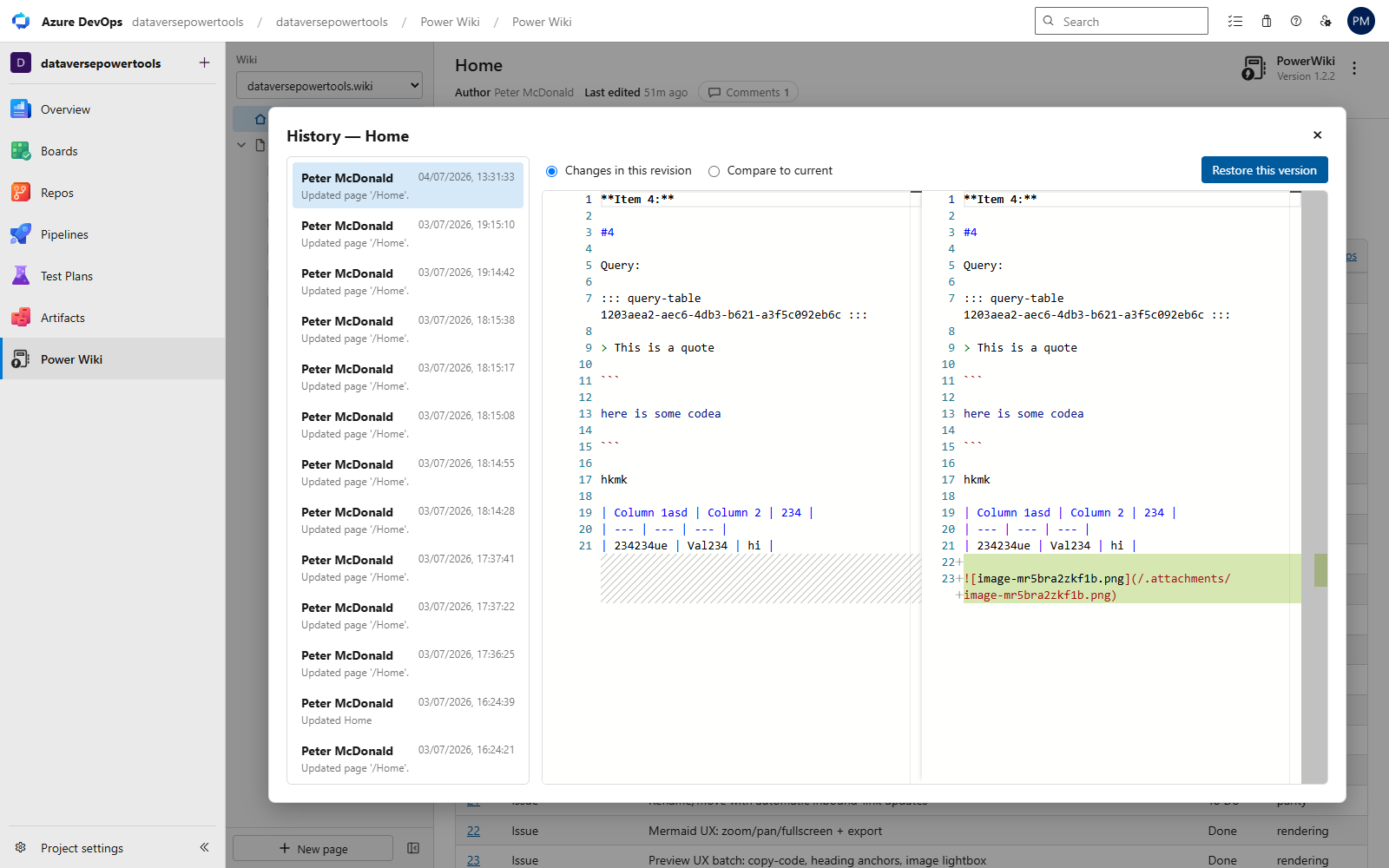
- Page history from Git: browse revisions, compare side by side (changes per revision or against current), and restore any version through the normal save path.
- Follow pages to get Azure DevOps notifications when they change — the same subscriptions the built-in wiki uses.
- Attachment manager: browse everything in
.attachments with previews and copy Markdown references in a click.
- Safe renames: when you move or rename a page, PowerWiki finds every inbound link, shows you the affected pages, and updates them on confirm.
Export that looks like you spent all day on it
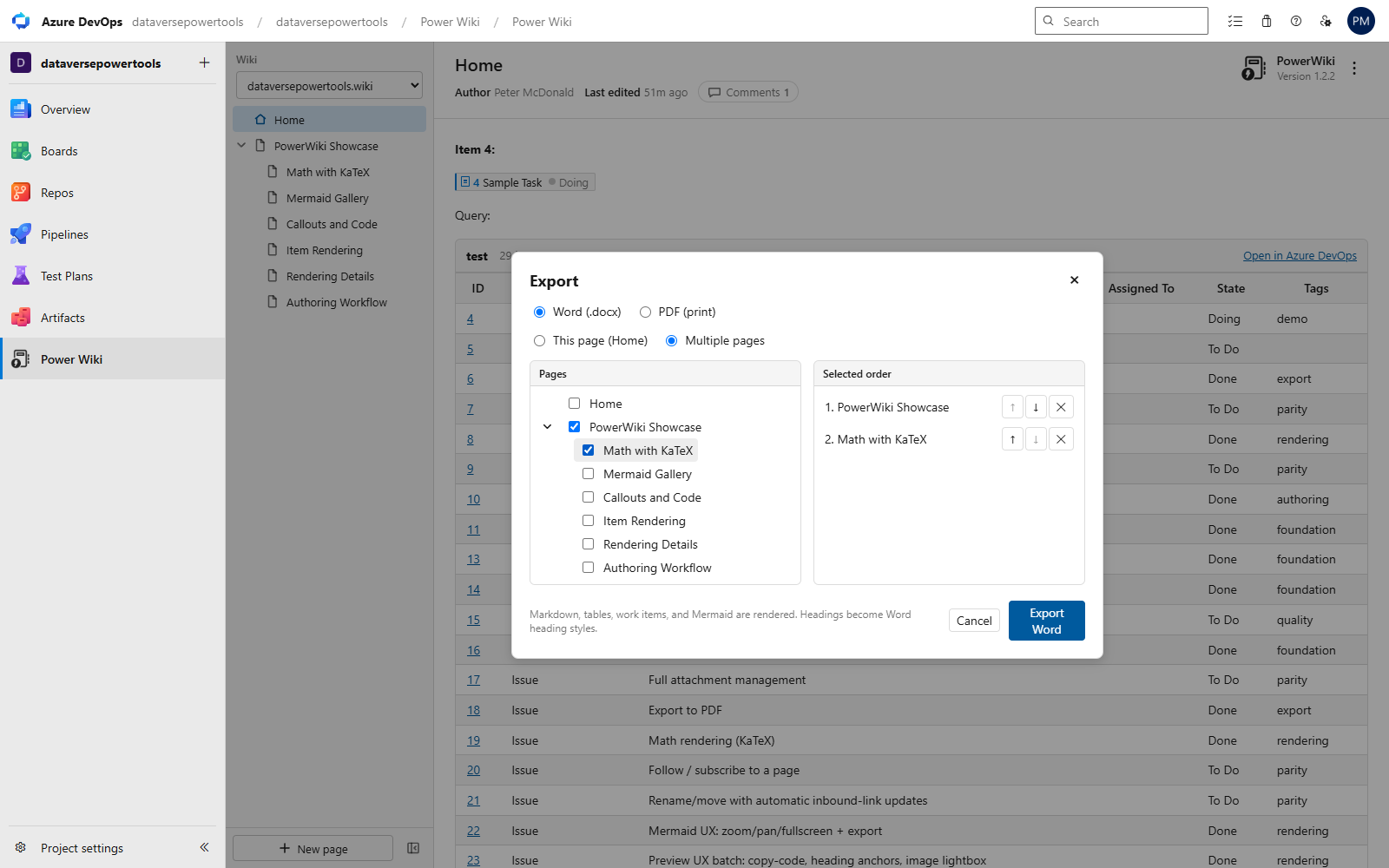
- Word (.docx): Markdown headings become real Word heading styles (navigation pane ready), equations become native editable Word math, Mermaid renders as crisp images, and tables/images/query results come across.
- Your own Word template. Put
{{PowerWikiContent}} where the pages belong and the export keeps everything around it — cover page, headers, footers, page setup and styles. A template without that marker still lends its fonts and heading styles. Upload one per export, or drop a powerwiki-template.docx into the wiki's .attachments so the whole project exports the same way.
- PDF: full-fidelity print with selectable text.
- Export one page, or select and order any set of pages from a tree into a single document.
Your content stays yours
PowerWiki stores nothing outside your wiki's Git repository. Every page remains plain, portable Markdown that renders in the built-in wiki, in clones, and in any Markdown tool. PowerWiki-specific niceties (badges, query tables, callouts) degrade to readable text everywhere else. The built-in wiki stays available to your whole team — PowerWiki is purely additive.
Requirements & permissions
- An Azure DevOps project with at least one wiki (Services; Server where extension APIs are available).
- Scopes: Wiki (read/write) for pages and attachments; Work Items (read) for badges, query tables, and the links between pages and work items; Code (read) for page history, the byline, and attachment listings from the wiki's Git repository; Notifications (write) for follow/unfollow page subscriptions.
- Light, dark, and custom Azure DevOps themes are detected automatically.
Open source
PowerWiki is MIT-licensed and developed in the open at github.com/pete-mc/PowerWiki. Read the source before you install it — and see exactly what it does with the permissions it asks for.
Install it, open Power Wiki in your project, and give your wiki the experience it deserves.
| |

