See anyone's contributions at a glance
Commit Graph brings the contribution heatmap you know from GitHub and GitLab profiles into Azure DevOps — for every person on your team.
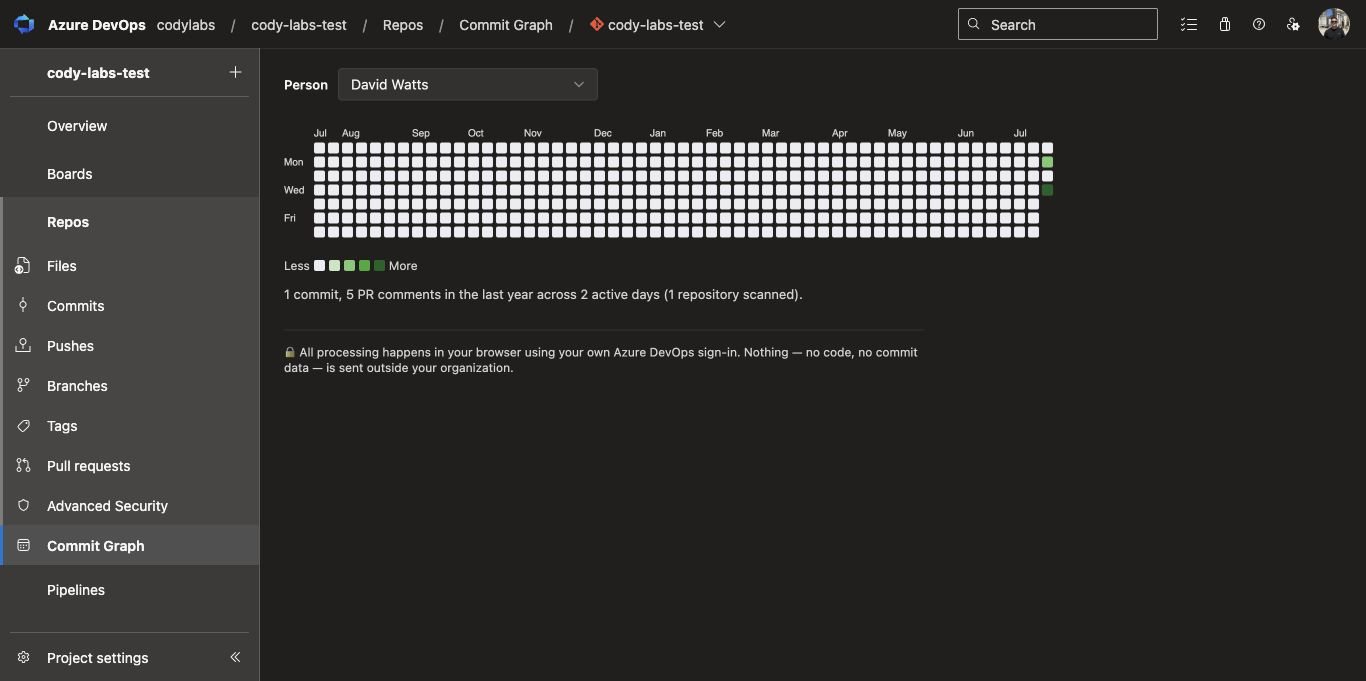
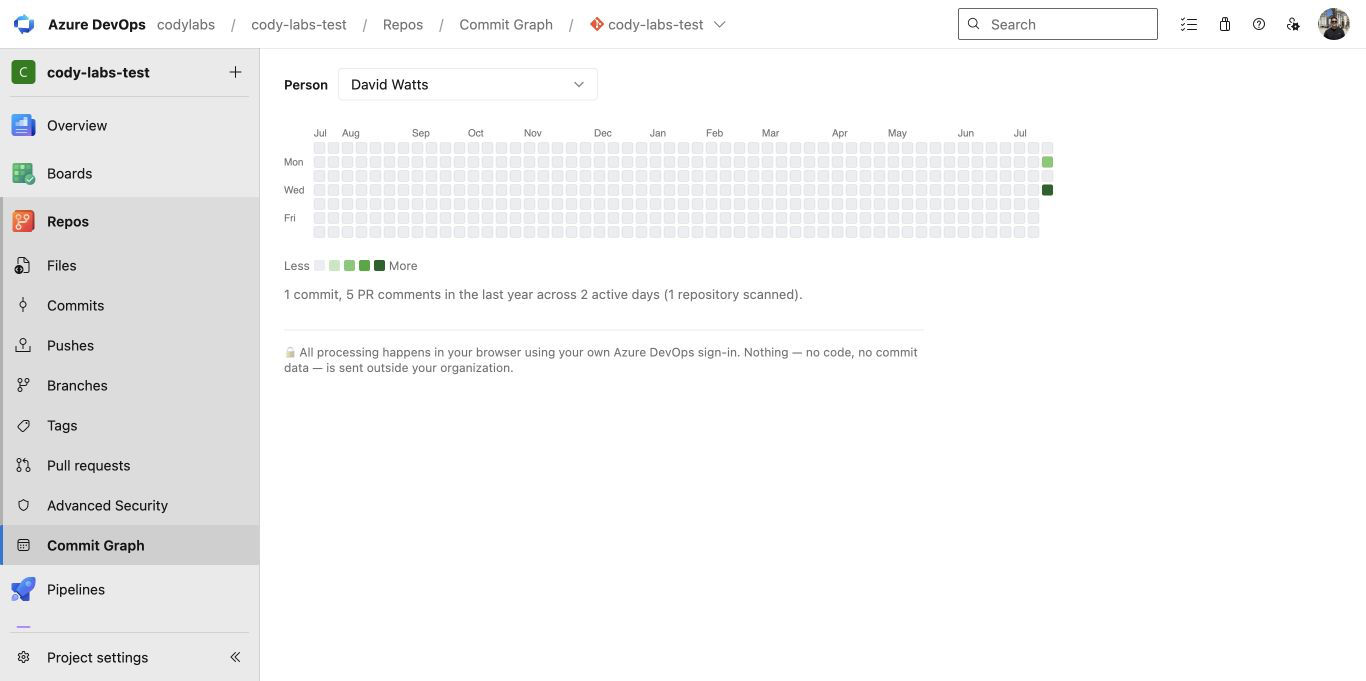
Pick a person (it starts with you), and get a year of their activity as a calendar heatmap: commits and pull-request comments, across every repository in the project, in one view.
Try the interactive 53-week contribution graph before installing.
Why teams install it
- The missing calendar view. Azure Repos has no per-person activity graph. This adds it, right in the Repos hub.
- More than commits. Code review is real work — pull-request comments count toward the graph, shown separately in each day's hover breakdown ("3 commits, 2 comments").
- Whole-project view. Activity is aggregated across all of the project's repositories, not one repo at a time.
- Instant answers. Great before 1:1s, retrospectives, or performance conversations — a year of contribution history in one screenshot.
Private by design
Everything runs client-side inside the Azure DevOps web UI, using the viewer's own credentials:
- No backend, no external servers — nothing to configure, nothing to trust.
- No data leaves your organization. Commit and pull-request data is read via the Azure DevOps REST API and rendered directly in your browser.
- Users only ever see activity they already have permission to see in Azure Repos.
About the "read code" permission
When you install the extension, Microsoft shows its standard label for the vso.code scope — "read source code". Here's exactly what that means in practice:
- The extension calls three Azure DevOps REST endpoints: the repository list, commit metadata (author, date), and pull-request comment threads. It never downloads file contents.
- Those calls go from your browser to your own
dev.azure.com — the same place the data already lives. The extension makes zero requests to any other server; there is no server of ours to send anything to.
- This is the narrowest permission Microsoft offers that includes commit and pull-request read access — no finer-grained scope exists.
You can verify all of this: the extension is a static page, and your browser's network tab will show only dev.azure.com traffic.
How to use it
- Install the extension.
- Open any project → Repos → Commit Graph.
- Your own graph loads automatically. Pick any teammate from the Person dropdown to see theirs.
- Hover any day for the exact breakdown of commits and comments.
Pricing
- Free — your own contribution graph, forever.
- Pro — US$10/month per Azure DevOps organization — unlock every contributor in the dropdown. Get a license key from Polar, then click Enter license key in the Commit Graph toolbar and paste it. One key covers everyone in your organization. Cancel anytime.
Good to know
- Covers the trailing 53 weeks (one year), scanning up to 5,000 commits and 300 pull requests per view — plenty for most projects; a notice appears if a very large history is truncated.
- People are matched by name/email text. An org-wide identity picker, cross-project views, and work-item activity are on the roadmap.
Support
Questions or feature requests: Cody Labs — Commit Graph or email hello@codylabs.uk.

