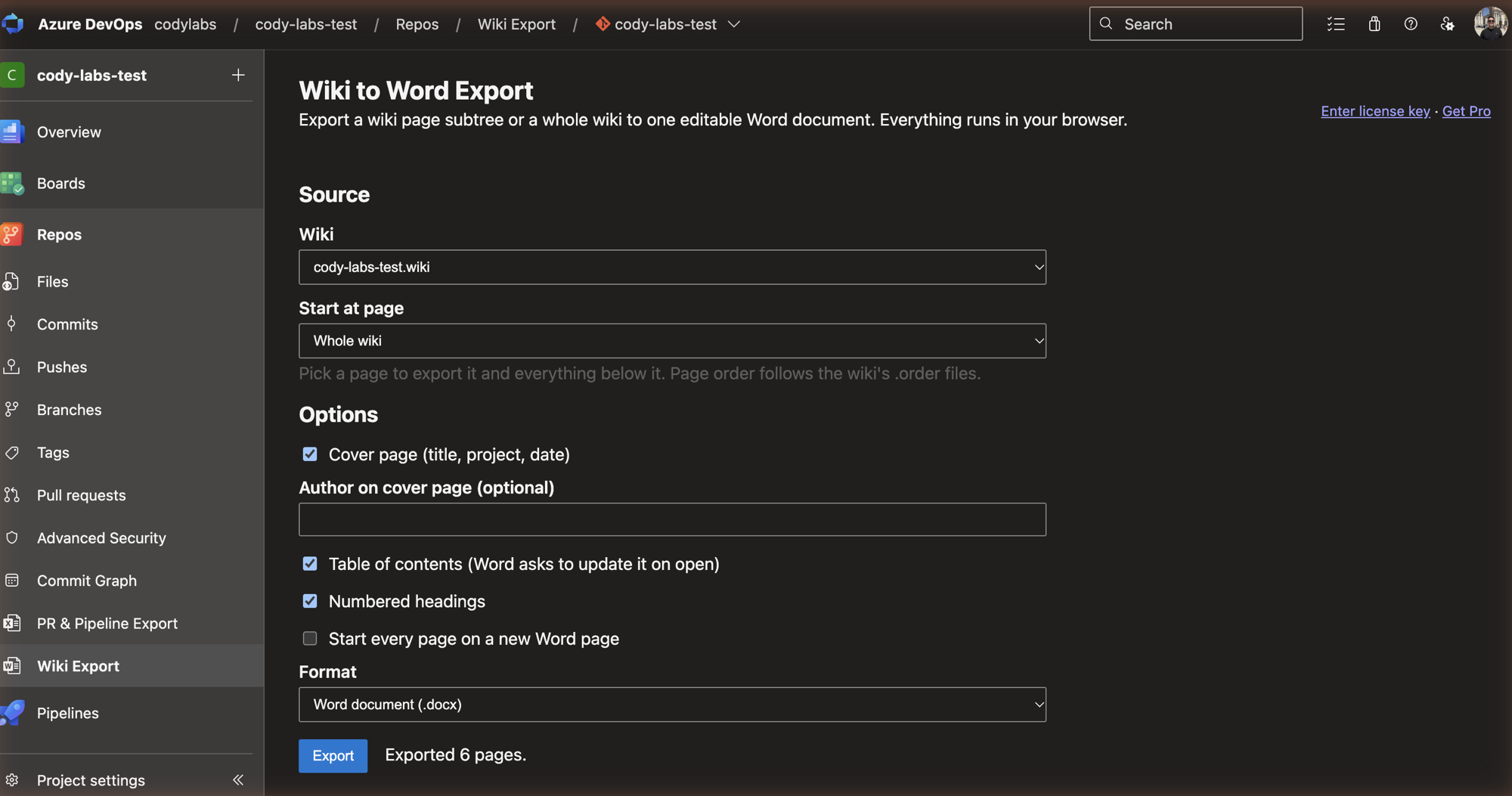
Export a wiki page subtree or a whole wiki to one editable Word document with a table of contents, images, tables and working internal links. No pipeline setup.
Export an Azure DevOps wiki page, a page subtree or the whole wiki to one editable Word (.docx) document. Pick the wiki, pick a starting page, click Export. No pipeline setup, no tokens to manage.
What you get
One .docx with a real Word table of contents (Word offers to update it when you open the file).
Page order follows the wiki's .order files, headings are shifted by tree depth and can be numbered.
Wiki attachments (PNG, JPEG, GIF) embedded and scaled to the page width.
Links between wiki pages become clickable in-document links.
Tables, nested lists, code blocks and a cover page (title, project, date, author).
Optional zip of the markdown files and attachments.
Free and Pro
Free: up to 10 pages per export, with a small footer line.
Pro, US$10/month or US$100/year: no page limit and no footer. Buy a license key at https://codylabs.uk/azure-wiki-export/ and paste it into the extension.
The license key is checked against Polar. Nothing else leaves your browser.
Privacy
The export runs entirely in your browser using your own Azure DevOps session. Wiki content is not sent to Cody Labs or anyone else.