Skip to content
| Marketplace
Sign in
Azure DevOps>Azure Pipelines>PR & Pipeline History Export for Azure DevOps
PR & Pipeline History Export for Azure DevOps

PR & Pipeline History Export for Azure DevOps

Cody Labs

|
1 install
| (0) | Free
Export pull request history, pipeline runs and test runs to a typed Excel workbook with review and merge time metrics.
Get it free

PR & Pipeline History Export

Export pull request history, pipeline run history and test runs from Azure DevOps to a typed Excel workbook.

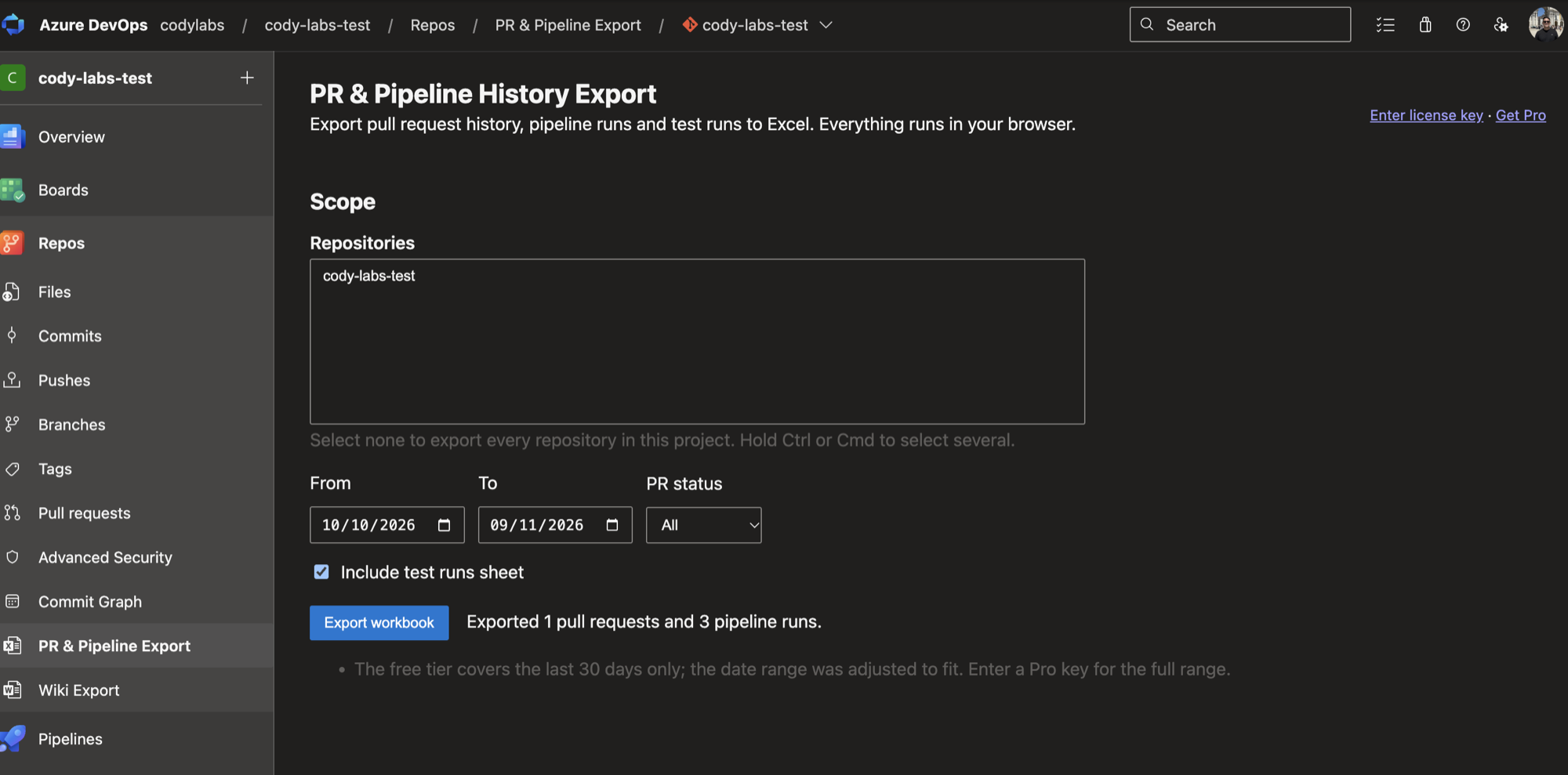
PR and Pipeline History Export hub after exporting pull requests and pipeline runs

After installing, open a project and choose Repos > PR & Pipeline Export.

What you get

  • Pull Requests sheet: id, title, repository, branches, author, created and closed dates, status, merge status, reviewers with votes, iterations, comment threads, time to first review and time to merge in hours, linked work items.
  • Pipeline Runs sheet: definition, run number, branch, reason, requested by, result, queued, started and finished times, duration in minutes.
  • Test Runs sheet: one row per test run with pass and fail counts.
  • Summary sheet: counts, median time to merge per repository, success rate per pipeline.

Privacy

Everything runs in your browser using your own Azure DevOps session. No data is sent to Cody Labs. The only outside call is the license key check against Polar.

Pricing

Free: last 30 days and the first 200 rows per sheet. Pro removes both limits.

  • Free: last 30 days, first 200 rows per sheet.
  • Pro, US$10/month or US$100/year: no date window and no row limit. Buy a license key at https://codylabs.uk/azure-pr-pipeline-export/ and paste it into the extension.

More information: https://codylabs.uk/azure-pr-pipeline-export/

I'm the developer. Support: hello@codylabs.uk

  • Contact us
  • Jobs
  • Privacy
  • Manage cookies
  • Terms of use
  • Trademarks
  • Your Privacy Choices
  • Consumer Health Privacy
© 2026 Microsoft