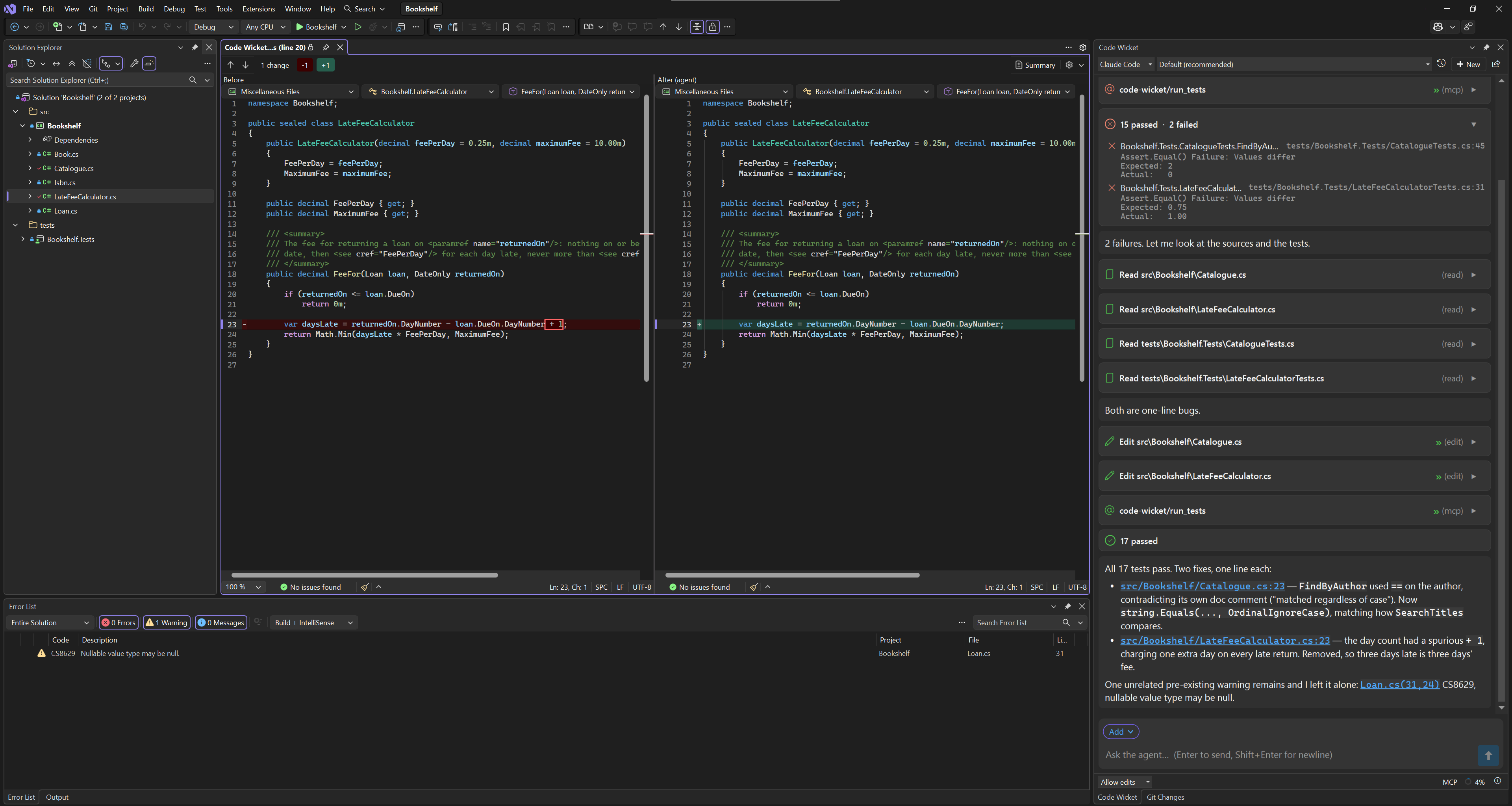
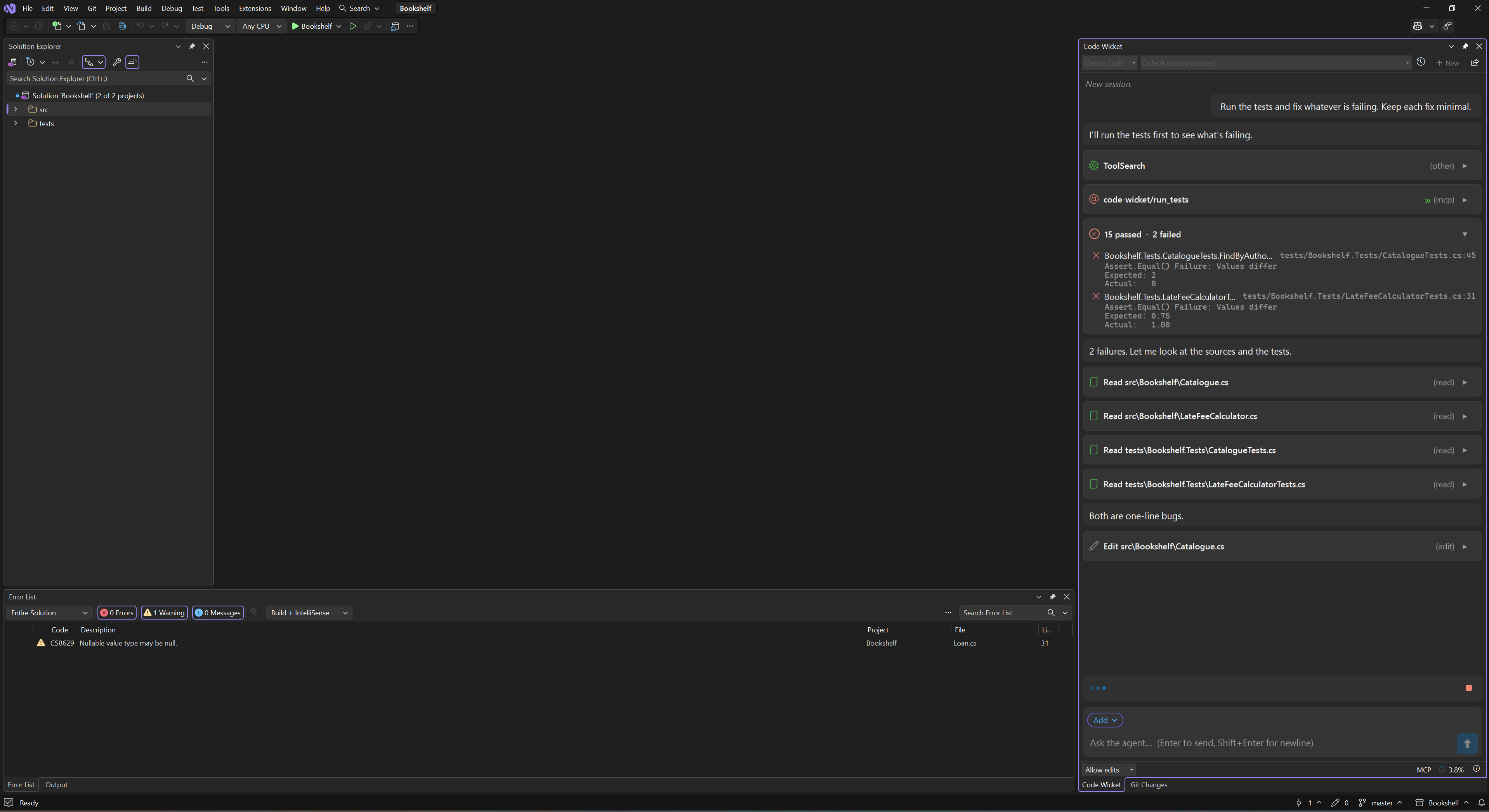
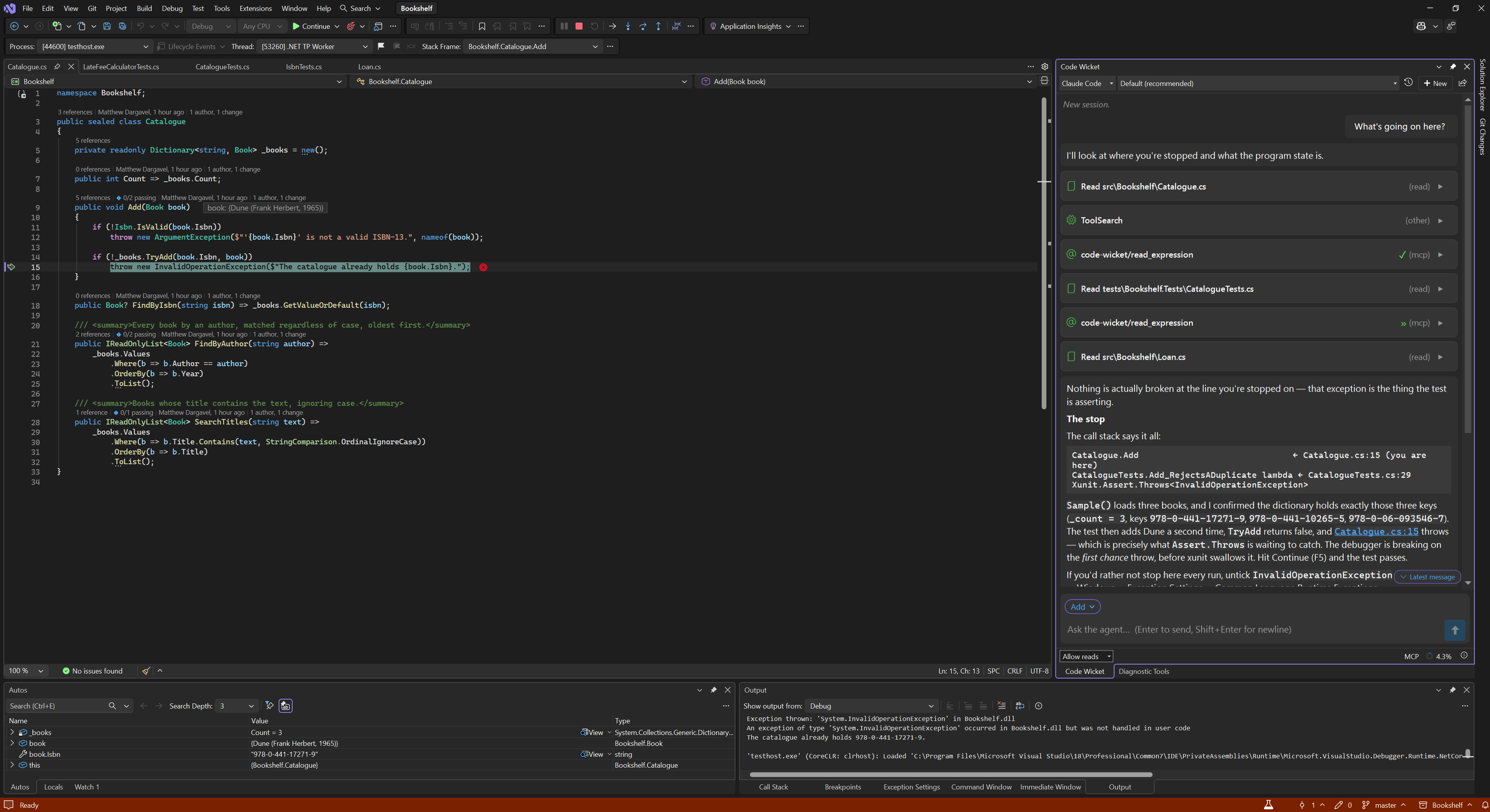
Code WicketConnect Claude Code, Kiro, or any ACP-enabled agent to Visual Studio 2022 and 2026 — with deep IDE integration: diffs, builds, tests, Roslyn code fixes, and the live debugger.
The agent runs in its o |

Code WicketOne gateway. Every agent. Connect Claude Code, Kiro, or any ACP-enabled agent to Visual Studio 2022 and 2026 — with deep IDE integration: diffs, builds, tests, Roslyn code fixes, and the live debugger.
Before you installCode Wicket is the gateway, not the agent. It ships no model, talks to no AI service of its own, and holds no API key. You bring a backend CLI and sign in to it yourself, under your own account and that vendor's terms.
Without a backend the extension is inert. Install one first. Visual Studio's own answers, not a shell'sThe agent runs in its own CLI. Code Wicket gives it your solution's context and a set of real Visual Studio tools, exposed to it as an MCP server — so when it asks whether the build is clean, it gets your build.
Building and checking
Navigating and changing code
Code Wicket ships no copy of Roslyn. These are the answers the IDE already has. The developer environment
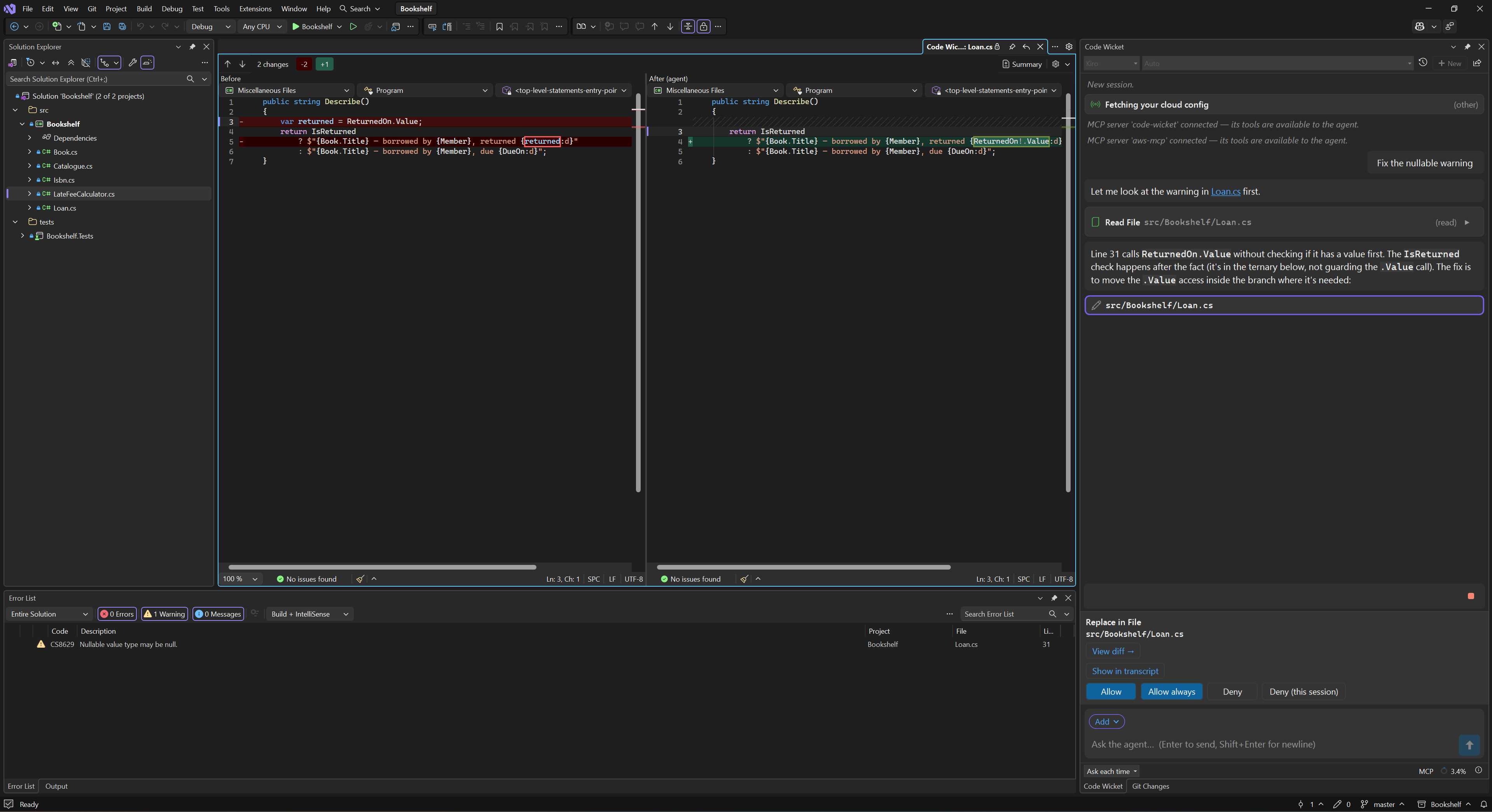
Visual Studio edits, and a native diff for every changeWhen the agent changes a file, an edit card appears in the transcript. Click it and the change opens in a native Visual Studio diff — the one you already know, with your settings and your theme — whichever backend made it. Code Wicket supports Visual Studio edits. Where Visual Studio applies the change — a backend that hands its file writes to the editor, and Code Wicket's own rename and code-fix tools — Ctrl+Z undoes it like your own, and if a file is read-only or needs checking out, the write is refused and says so plainly; nothing is routed around your refusal. You decide what's approvedA permission banner appears in the chat when the agent asks to do something your current mode doesn't already cover, and the agent waits — that action doesn't happen until you answer.
Four modes, a cumulative ladder — Ask each time (the default), Allow reads, Allow edits,
Allow all. On top of the mode you keep rules of your own: allowed commands, allowed edit paths,
allowed MCP tools, and an always-prompt list that overrides all of it, so Backends resolve their own settings before asking, so low-risk work — reading a file in your solution, a text search — often won't raise a banner at all. Every tool row records which way it went, including when the backend never asked. It can drive the debugger — and running your code is its own permissionThe agent doesn't start debugging; you do (F5 by default). It places the breakpoints and reads what stops there.
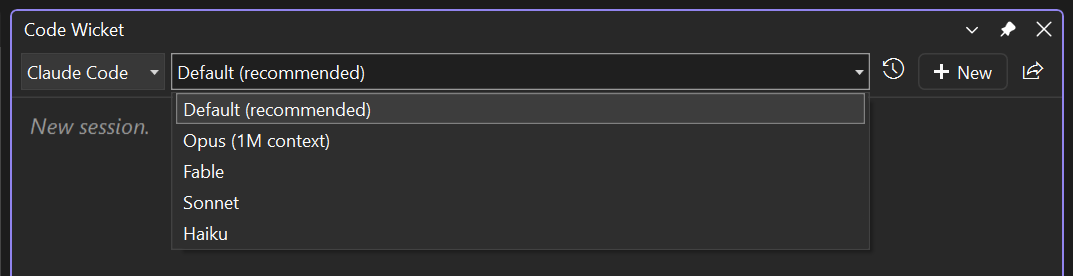
Each of those is a pair of separate tools rather than one with a flag, so the safe one can be allowed without allowing the one that runs code. You hand the debugger over deliberately, as a chip on your message — the stopped frame, its locals and their values go to the agent when you say so, not on every prompt. Bring your own agentKiro and Claude Code ship configured. Anything else that speaks ACP over stdio is a few lines of config away — command, arguments, environment — with no code and no new build. Switch backend or model per conversation from the chat header.
Conversations save themselves per workspace and resume where you left off, and Code Wicket can pick up conversations you started in the backend's own CLI, outside Visual Studio entirely. What happens to your codeCode Wicket does not talk to any AI service. It has no model, no API key and no account of its own — it launches the CLI you installed and signed in to, and everything goes through that, under that vendor's terms and your account with them. We are not a party to it and cannot see it. When you send a message, the backend receives what you typed, a small block describing your workspace, anything you attached, and whatever the agent then asks for — including the contents of files it reads. Assume anything in your solution can end up in the conversation. Settings, saved conversations, logs and attachments live under Getting started
Full setup, backend-by-backend, in the getting started guide. Links |