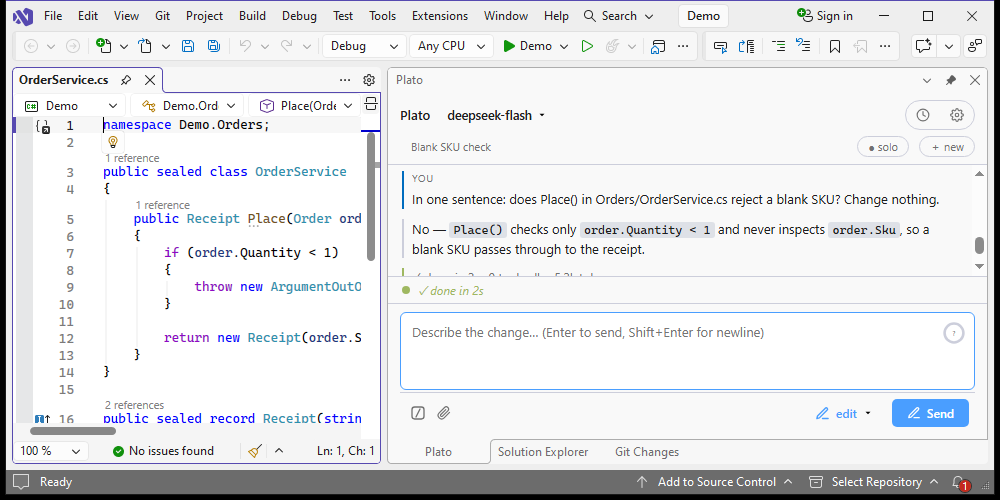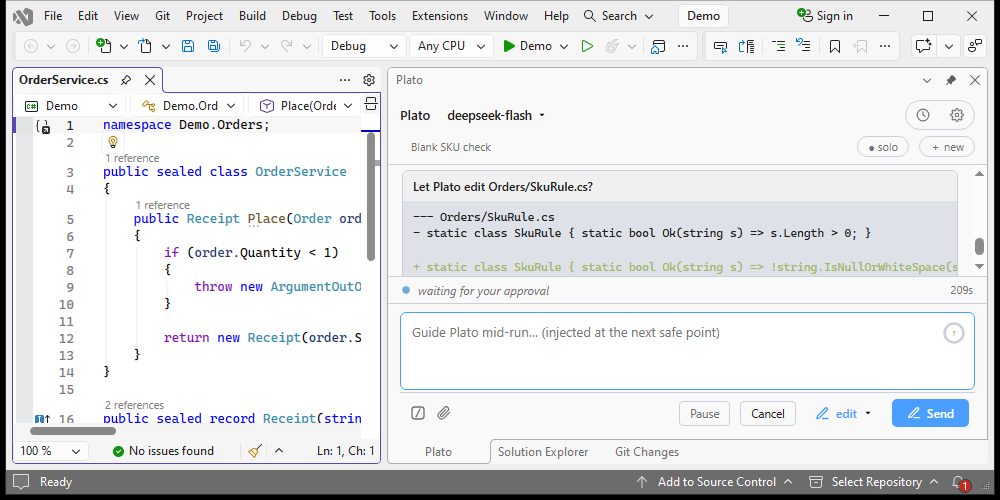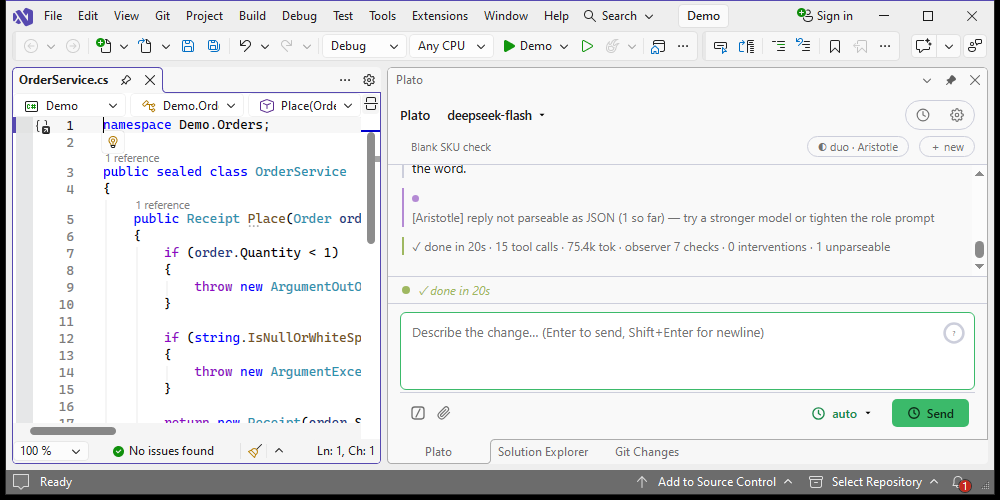

Plato by Applivity for Visual StudioPlato is an AI coding agent that works in a tool window beside your code. It does not hide its work: every step appears as it happens — the files it reads, the commands it runs, the change it proposes — so you can follow the plan as it forms, take the wheel mid-run, or stop at a safe point. Plan, edit, or auto. You hold the switch.
Plato cannot change its own mode. When the work needs more room, it asks you.
A run in the tool window, beside your own editor.
Edit mode: the real diff, and one decision before anything changes.
Duo: a philosopher reads along, with its own model and its own permissions. What is newOpen more than one Plato window, and work in each on its own task. Every window keeps its own conversation, its own mode and its own model, so you can keep a long task moving in one corner of the screen while you start something else in another. Plato windows and Plato sessions in a terminal can message each other. Ask a window to send a note to another window or to a terminal session, and it goes. If someone working in a terminal sends a message to a window, the window takes the task and can answer the sender once. You can see who asked in the window, and a window that is busy queues the message behind the run in front of it.
InstallPlato runs in Visual Studio 2022 17.14 or later, including Visual Studio 2026, on 64-bit Windows.
Or install a downloaded VSIX: Use the file name of the VSIX you downloaded. You supply the model key and you pay the model provider. Plato sends nothing to Applivity. Plato is pre-release. |