Skip to content
| Marketplace
Sign in
Visual Studio>Tools>ClearCode Theme
ClearCode Theme

ClearCode Theme

Amritendu Mondal

|
3 installs
| (0) | Free
A warm brown color theme for Visual Studio 2026, in Light and Dark variants. Built around a #362202 espresso base with amber accents. This is tested in Visual Studio 18.7.4.
Download

ClearCode Theme

ClearCode is a warm brown color theme for Visual Studio, designed for comfortable everyday coding.

Included themes

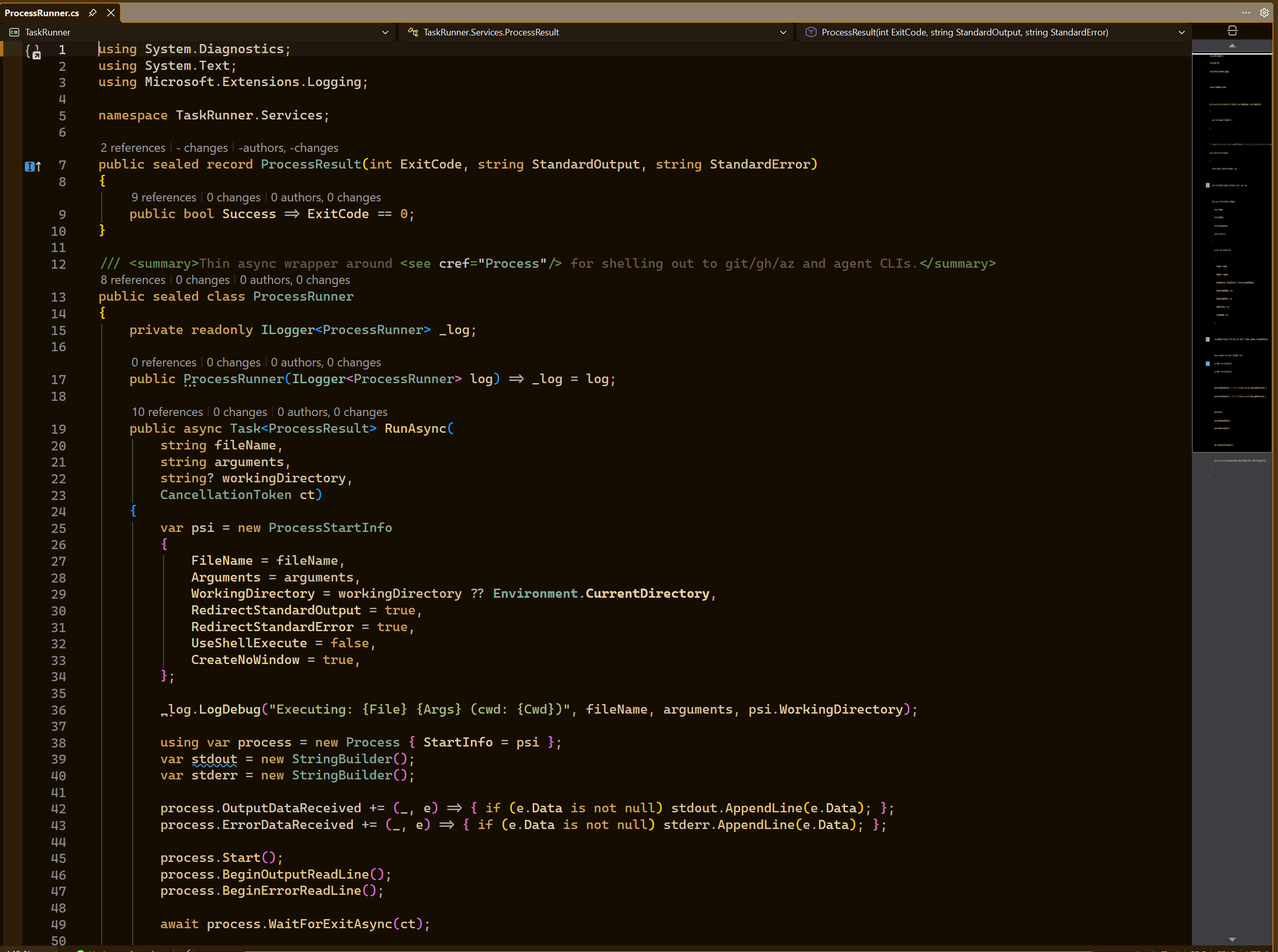
  • ClearCode Dark: Espresso editor background with warm amber accents
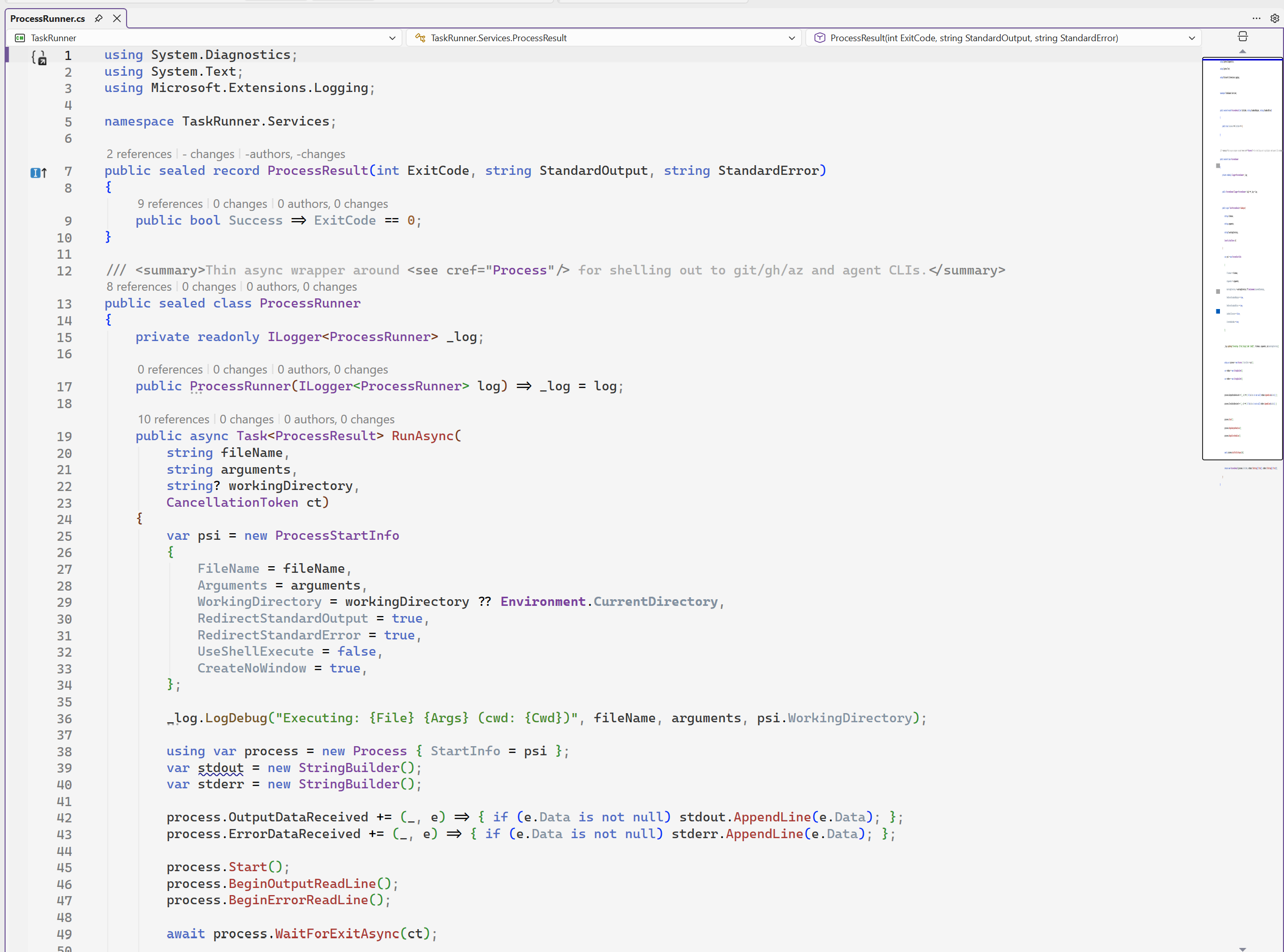
  • ClearCode Light: Soft light background with clear brown text and accents

Installation

  1. Install the extension.
  2. Restart Visual Studio.
  3. Open Tools > Options > Environment > General.
  4. Select ClearCode (Dark) or ClearCode (Light) under Color theme.

Preview

Dark Theme

screenshot-dark.png

Light Theme

screenshot-light.png

Compatibility

Supports Visual Studio 2022 version 17.14 and later, including Visual Studio 2026.

  • Contact us
  • Jobs
  • Privacy
  • Manage cookies
  • Terms of use
  • Trademarks
© 2026 Microsoft