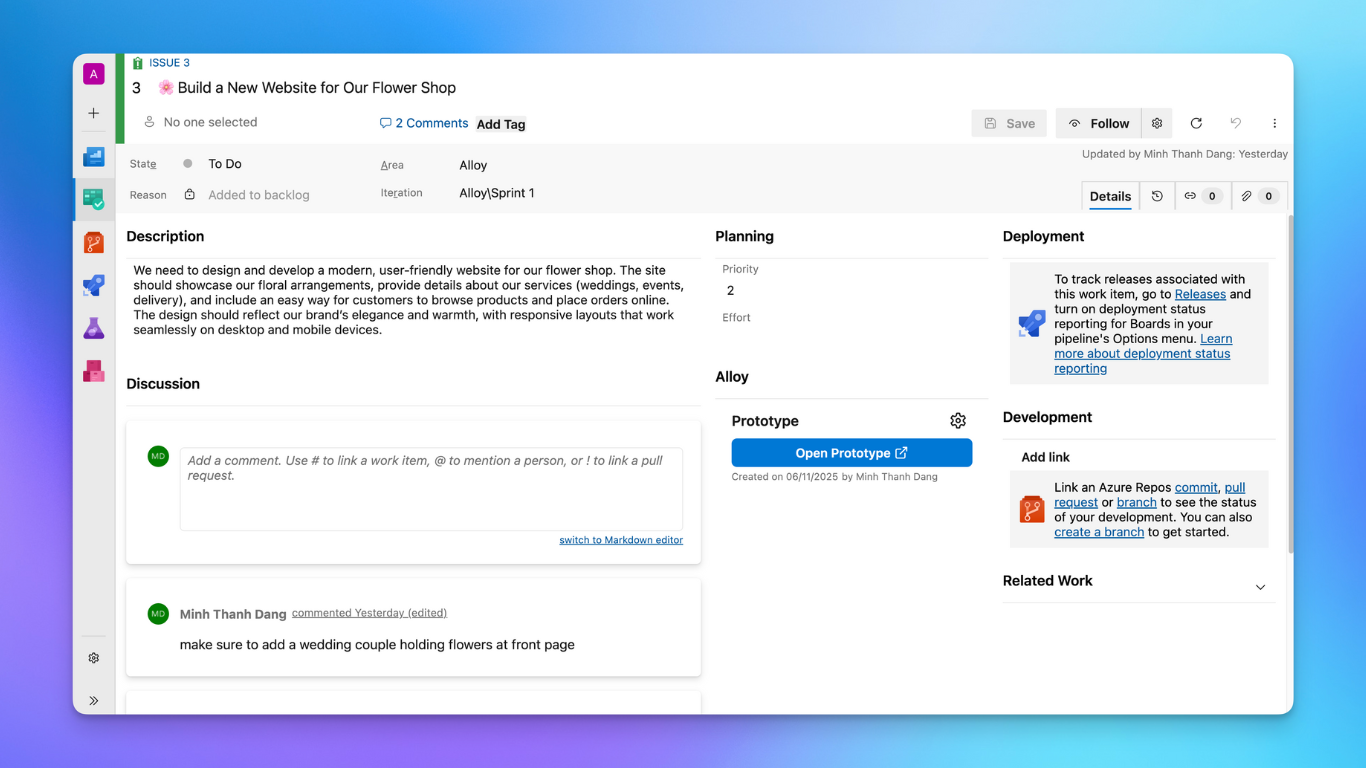
Turn your Azure DevOps work items into interactive product prototypes — instantly.
Alloy helps product managers, designers, and developers move faster by transforming feature requests and user stories into visual prototypes powered by AI.
🚀 What It Does
Alloy integrates directly into your Azure DevOps work items. From the work item menu, you can:
Generate interactive prototypes based on the work item’s title and description.
Preview and refine ideas before development begins.
Share prototypes with your team to align on design and functionality early.
💡 Why Use Alloy
Save time: Skip manual mockups and quickly validate feature ideas.
Boost clarity: Turn ambiguous requirements into visual flows everyone understands.
Stay in context: No switching tools — generate prototypes right inside Azure DevOps.
🧩 How It Works
Install the Alloy extension from the Visual Studio Marketplace.
Open any work item and click "Log in with Alloy".
Click "Create Prototype"!
Alloy will automatically generate a prototype based on your work item’s details.
🔗 Learn More
Visit alloy.app to explore how Alloy helps teams design smarter and deliver faster.