
Markdown Import For Word And PowerPointConvert Word (.docx) documents and PowerPoint (.pptx) presentations into Markdown (.md) files from Visual Studio. Choose a destination folder, select an Office file, and the extension creates the Mark |

Markdown Import for Word and PowerPointA Visual Studio extension that converts Word ( Features
Requirements
Installation
Usage
What gets convertedWord (
|
| Word | Markdown |
|---|---|
| Title, Heading 1 to 9, or any paragraph with an outline level | # headings (up to six levels) |
| Bulleted and numbered lists, including nested levels | - and 1. lists with indentation |
| Bold, italic, strikethrough | **bold**, *italic*, ~~strikethrough~~ |
| Hyperlinks | [text](url) |
| Manual line breaks | Line breaks inside the paragraph |
| Monospace fonts (Consolas, Courier New and similar) or code styles | Inline code, or fenced code blocks for whole paragraphs |
| Quote and Block Text styles | > quotes |
| Tables | Markdown tables (the first row becomes the header row) |
PowerPoint (.pptx)
| PowerPoint | Markdown |
|---|---|
| Slide title | # heading |
| Slide without a title | <!-- Slide N --> comment |
| Body text | Bulleted list, indented according to the paragraph level |
| Numbered paragraphs | 1. lists |
| Bold, italic, hyperlinks | **bold**, *italic*, [text](url) |
| Tables | Markdown tables |
| Slide boundaries | --- |
Example
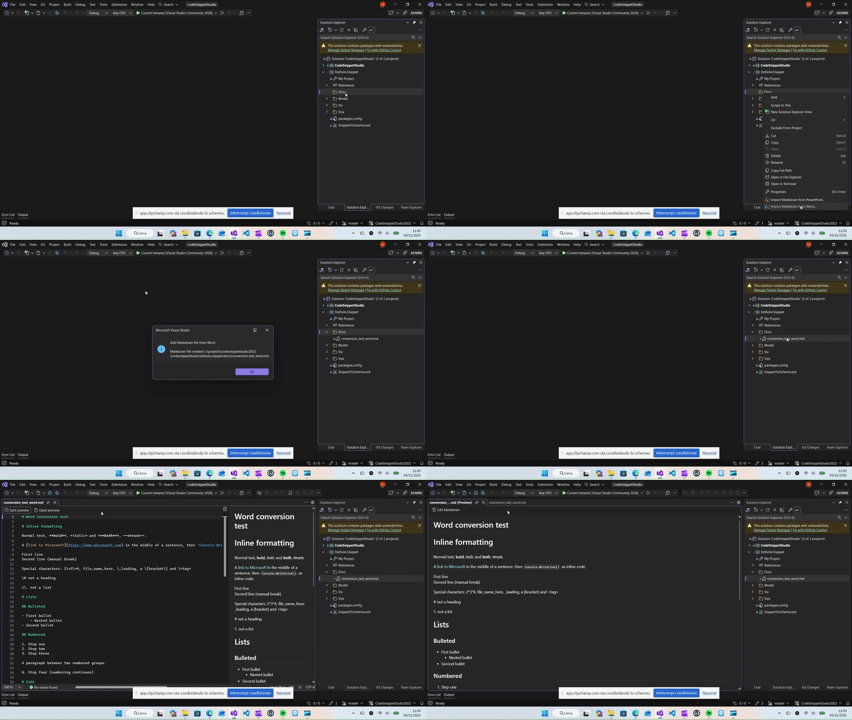
A Word document with a heading, formatted text and inline code:
# Inline formatting

Normal text, **bold**, *italic* and ***both***, ~~struck~~.

A [link to Microsoft](https://www.microsoft.com) in the middle of a sentence, then `Console.WriteLine()` as inline code.
Known limitations
Both formats
- Images, and the content of text boxes, are not converted.
- Conversion runs on the Visual Studio UI thread, so very large files may freeze the IDE for a moment.
Word
- Footnotes, endnotes, headers, footers and comments are ignored.
- Deleted text in tracked changes is ignored.
- Tables nested inside table cells are ignored.
- Hyperlinks stored as complex fields (instead of regular hyperlinks) are kept as plain text.
- Title and Heading 1 both map to a level 1 heading.
PowerPoint
- Charts and SmartArt are ignored, as are footer, date and slide number placeholders.
- Speaker notes are not included.
- Text in body placeholders is treated as a bulleted list unless the paragraph explicitly turns bullets off. Bullet settings inherited from the slide layout or master are not resolved.
- Text follows the order of the shapes in the file, which can differ from the visual order on the slide.
- Hidden slides are included.
Author
Alessandro Del Sole