Complete or set auto-complete on a pull request with a properly formatted Conventional Commits merge message — no more hand-typing feat(scope): subject or forgetting the breaking-change footer.
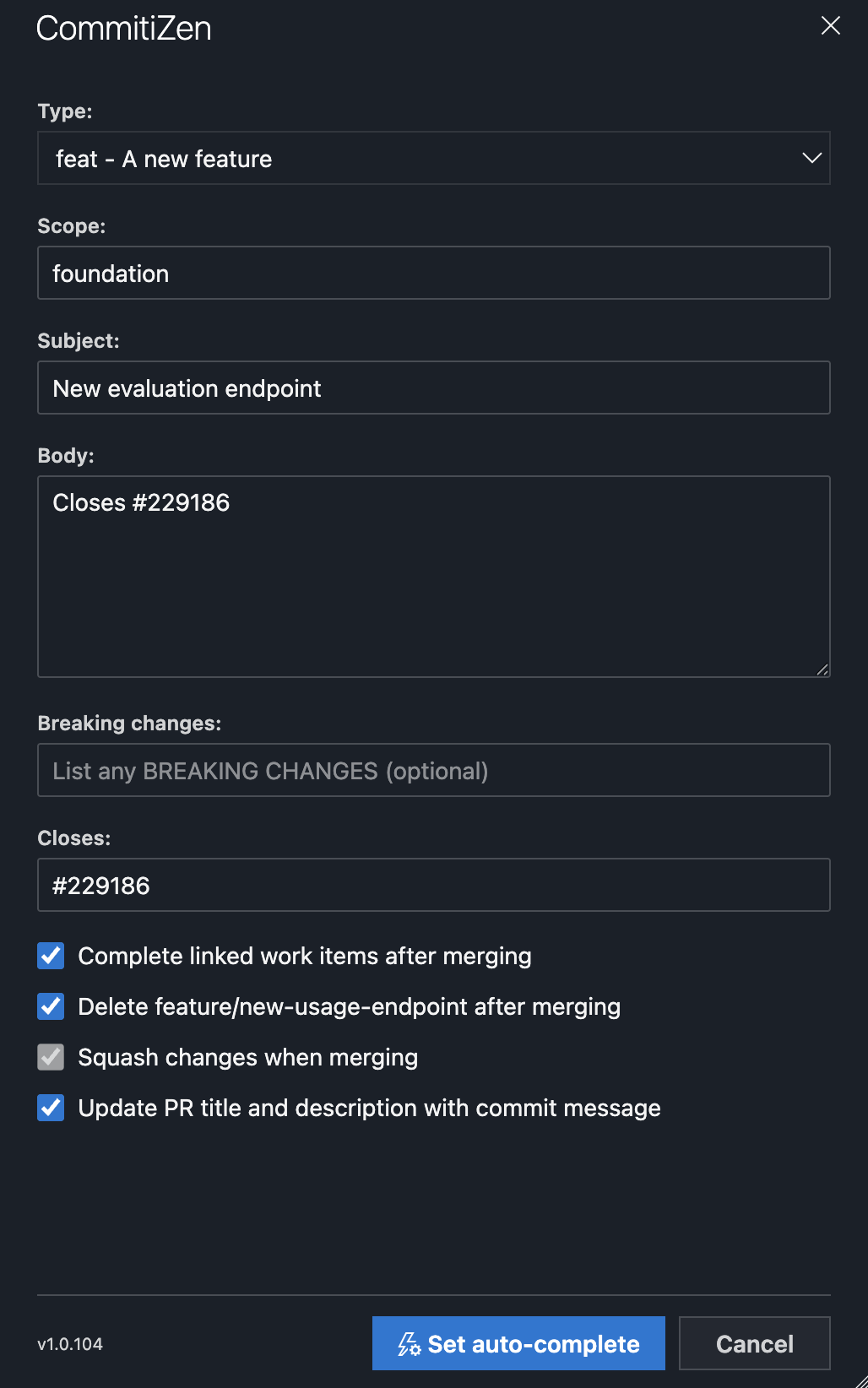
Scope, subject and body fields, plus dedicated fields for breaking changes and closed work items.
Builds the merge message for you — title and description are generated from the fields, following the Conventional Commits format.
Keeps your usual merge options — squash, delete source branch, complete linked work items and update the PR title/description all stay in sync with the pull request's own settings.
How it works
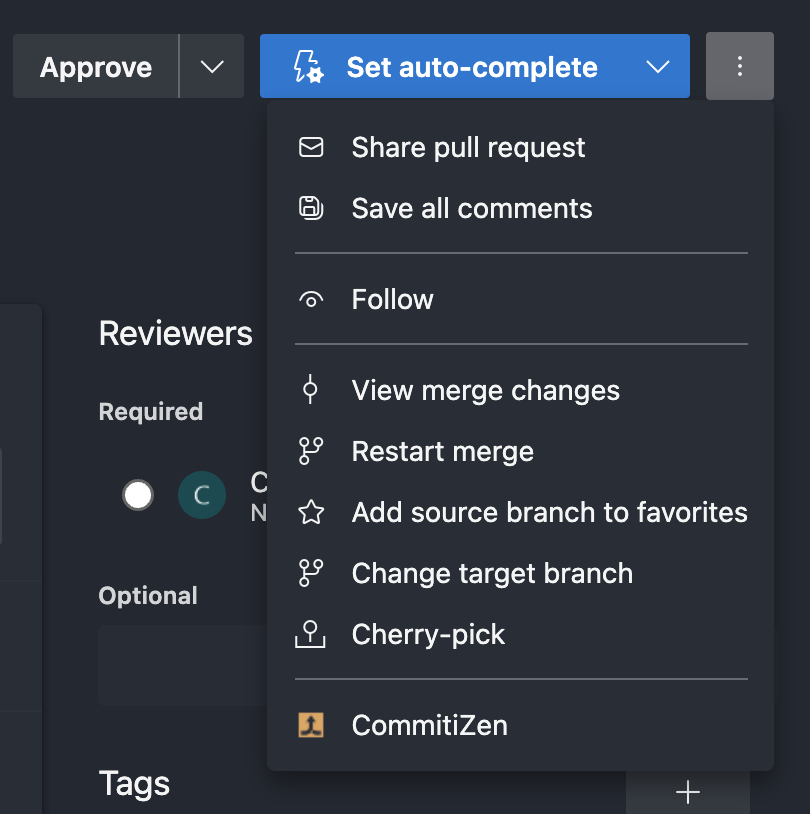
Open CommitiZen from the pull request's ... action menu.
Fill in the commit details and click Set auto-complete (or Complete, once all policies are satisfied).
That's it — the pull request is completed (or queued for auto-complete) with a clean, Conventional Commits-formatted merge message.