Skip to content
| Marketplace
Sign in
Azure DevOps>Azure Boards>Bravo Notes
Bravo Notes

Bravo Notes

Agile Extensions

agileextensions.com
Top Publisher
|
1,642 installs
| (100) | Paid
Create, export and publish release notes and other documents from work items.
Get30 days free trial

Bravo Notes — Release Notes & Document Generation for Azure DevOps

Turn your work items into professional release notes, test reports, and stakeholder documents — in minutes, not hours.

⭐ 4.9/5 from 99 Marketplace reviews · 30-day free trial · Trusted by teams since 2018

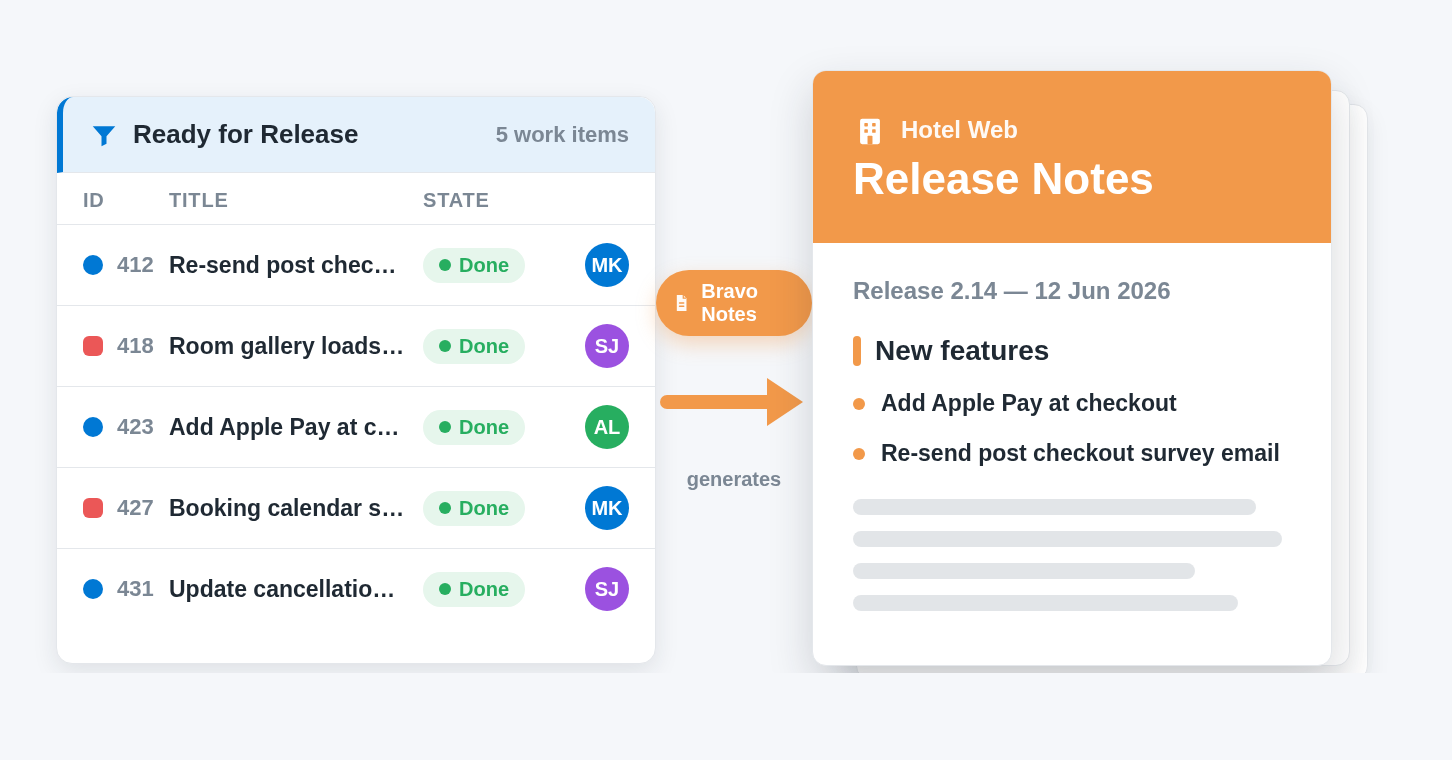
Bravo Notes hero — an Azure DevOps query on the left transforming into a polished, branded PDF release notes document on the right


Your team already writes everything down — user stories, bugs, test results, acceptance criteria. It's all in Azure DevOps. So why is someone still copy-pasting it into a Word document the night before every release?

Bravo Notes generates polished, branded documents directly from your Azure DevOps data. Point it at a query, a sprint, a build, or a test plan — and export to PDF, HTML, or Markdown, or publish straight to your Wiki or Confluence. Set it up once, then let your pipeline do it automatically on every release.

"Bravo Notes has moved us from 'Word, copy&paste, cut...fingers crossed' last-moment release notes — to a 'one button, anyone, anytime' solution." — ⭐⭐⭐⭐⭐ Marketplace review


From hours to minutes

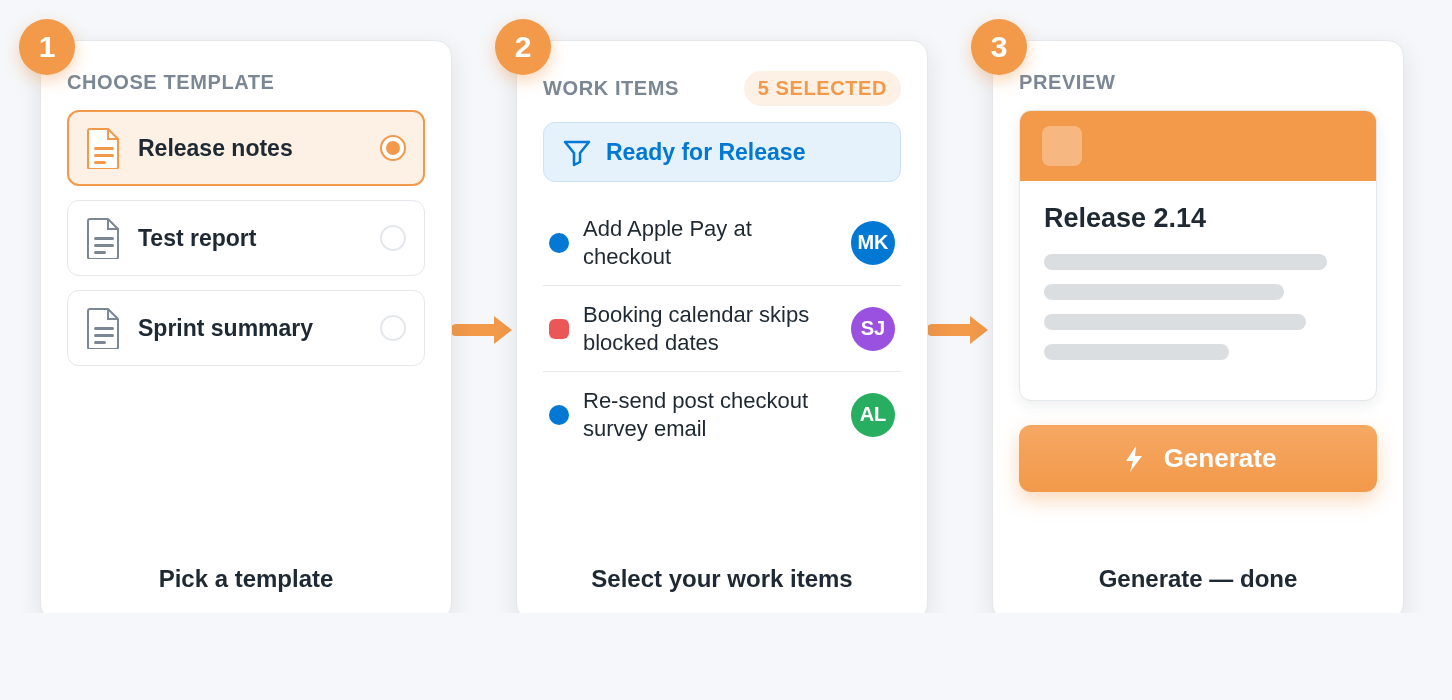
Pick a template, select your work items, generate. Teams report cutting release documentation from a full day to a coffee break — one reviewer measured 8 hours saved per major build, another gets stakeholder-ready notes in 5 minutes per release.

Generating a document in three clicks — template picker, work item selection from a saved query, and the generated preview

"It takes us 5 minutes to create the release notes and our stakeholders have a much better understanding of what is included in each release." — ⭐⭐⭐⭐⭐ Marketplace review


Documents your customers actually want to read

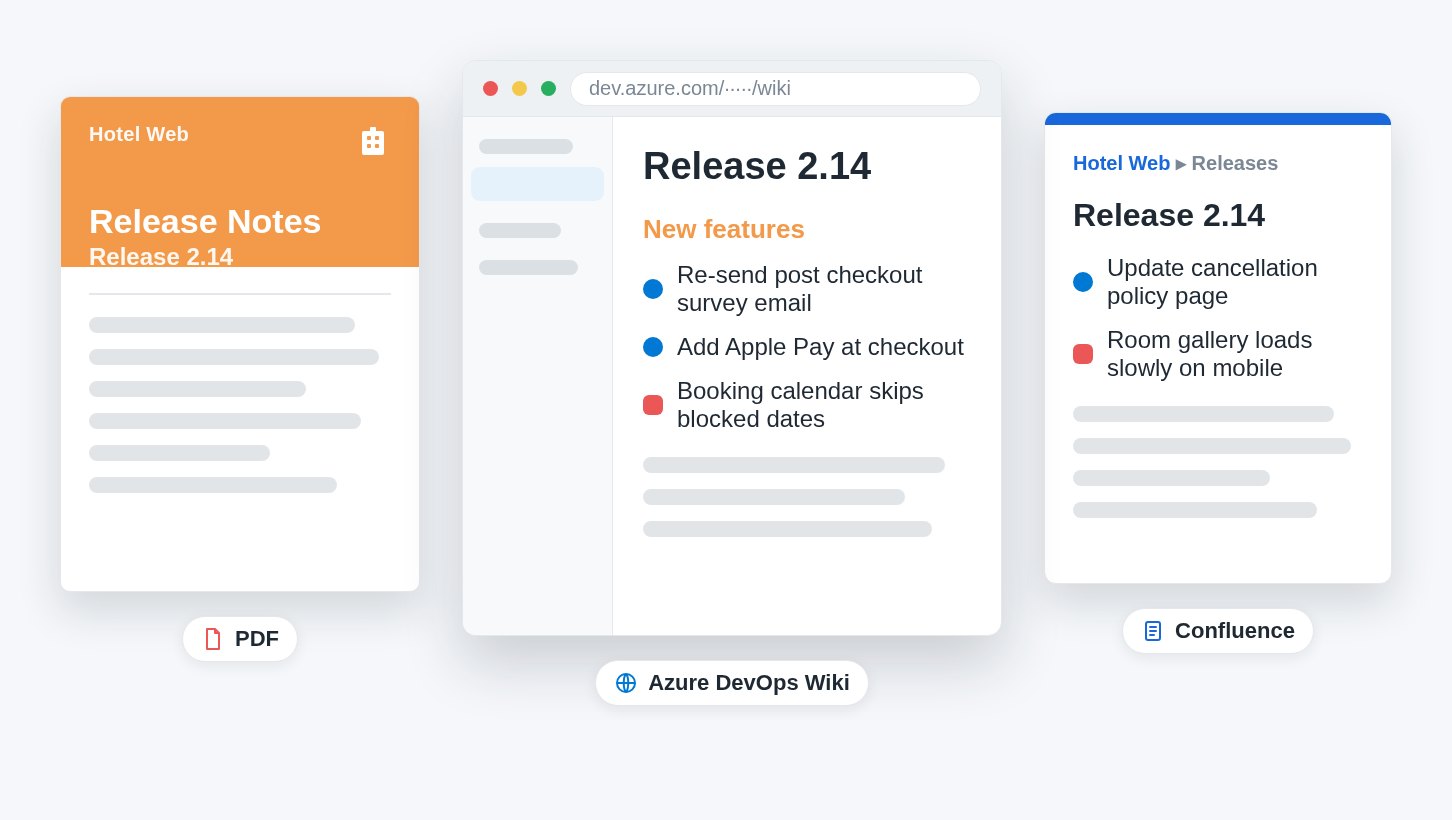
  • PDF — print-ready output with cover pages, table of contents, headers, footers, and page numbers
  • HTML & Markdown — for portals, wikis, and Git repositories
  • Publish directly to Azure DevOps Wiki, Confluence, Git repos, or email
  • Full CSS branding — pixel-perfect match to your company style

Gallery of finished documents — a branded PDF with cover page, a published Azure DevOps wiki page, and a Confluence page, all generated from the same work items


Easy to start, powerful when you need it

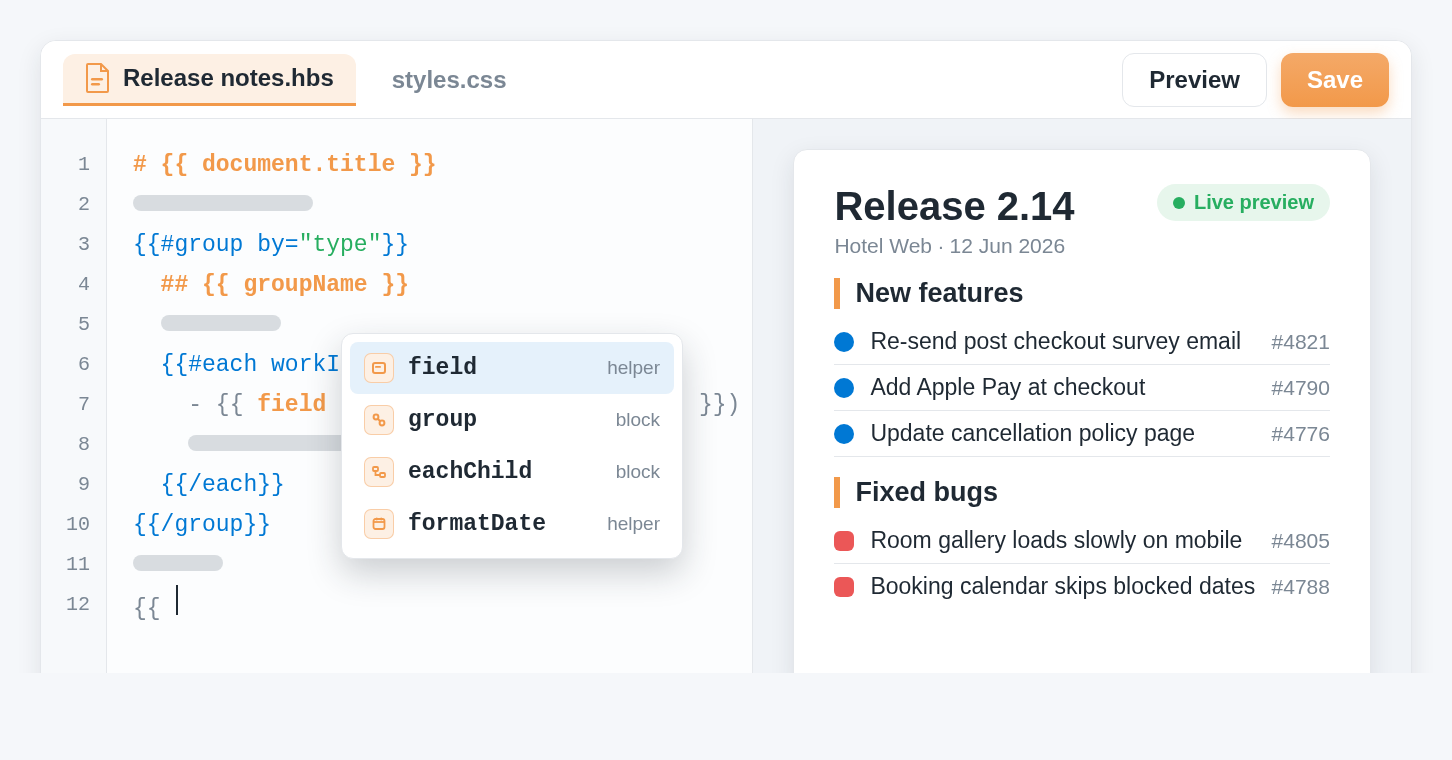
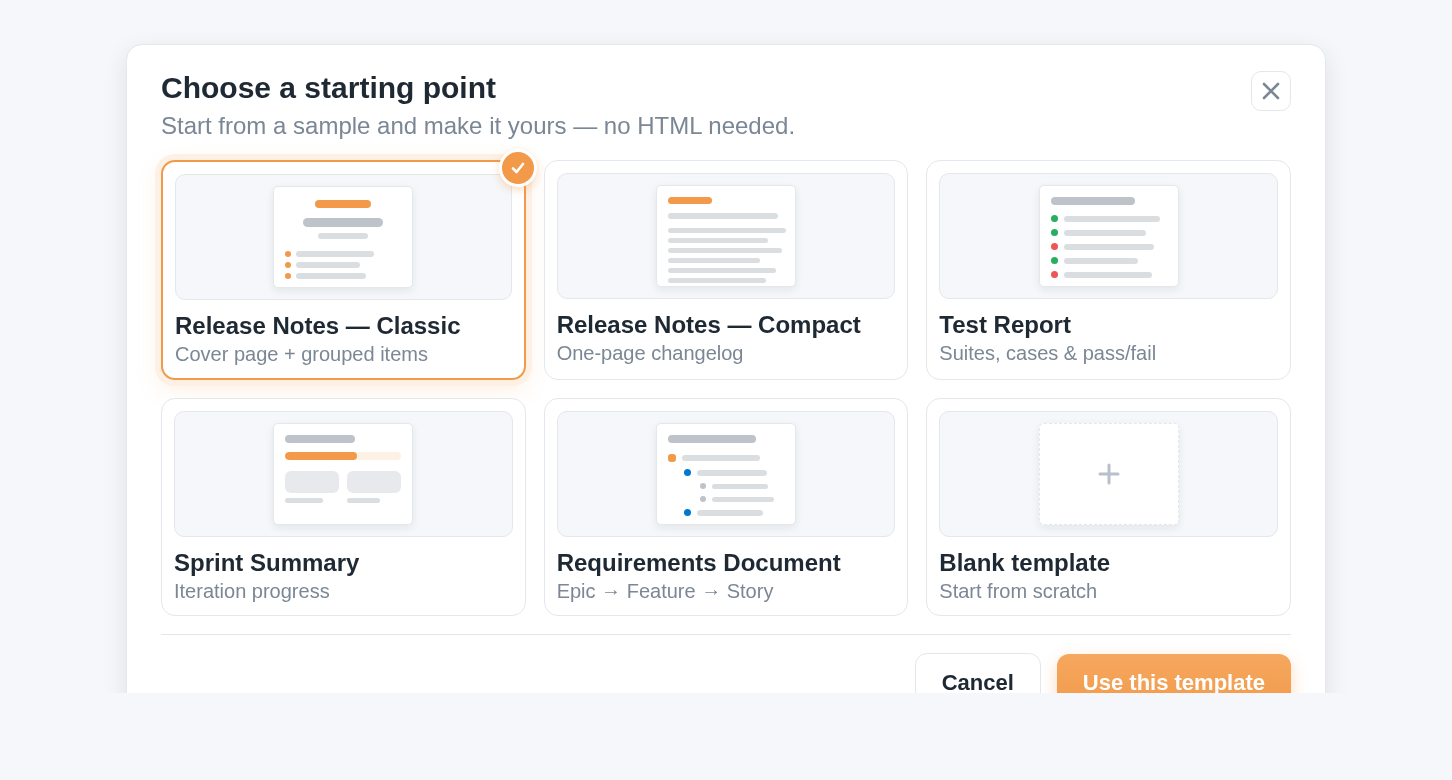
Start from ready-made samples and the template wizard — no HTML or Markdown expertise required. Technical writers, project managers, and developers all get professional results on day one. When you need more, the template engine scales with you: Handlebars + Markdown, 87+ built-in helpers, and a professional editor with IntelliSense, live preview, and inline diagnostics.

The Bravo Notes template editor — code on the left with IntelliSense suggestions open, live document preview on the right

"The template editor makes me, an HTML novice, feel comfortable enough to create some pretty advanced looking documents." — ⭐⭐⭐⭐⭐ Marketplace review


Automate it in your pipelines

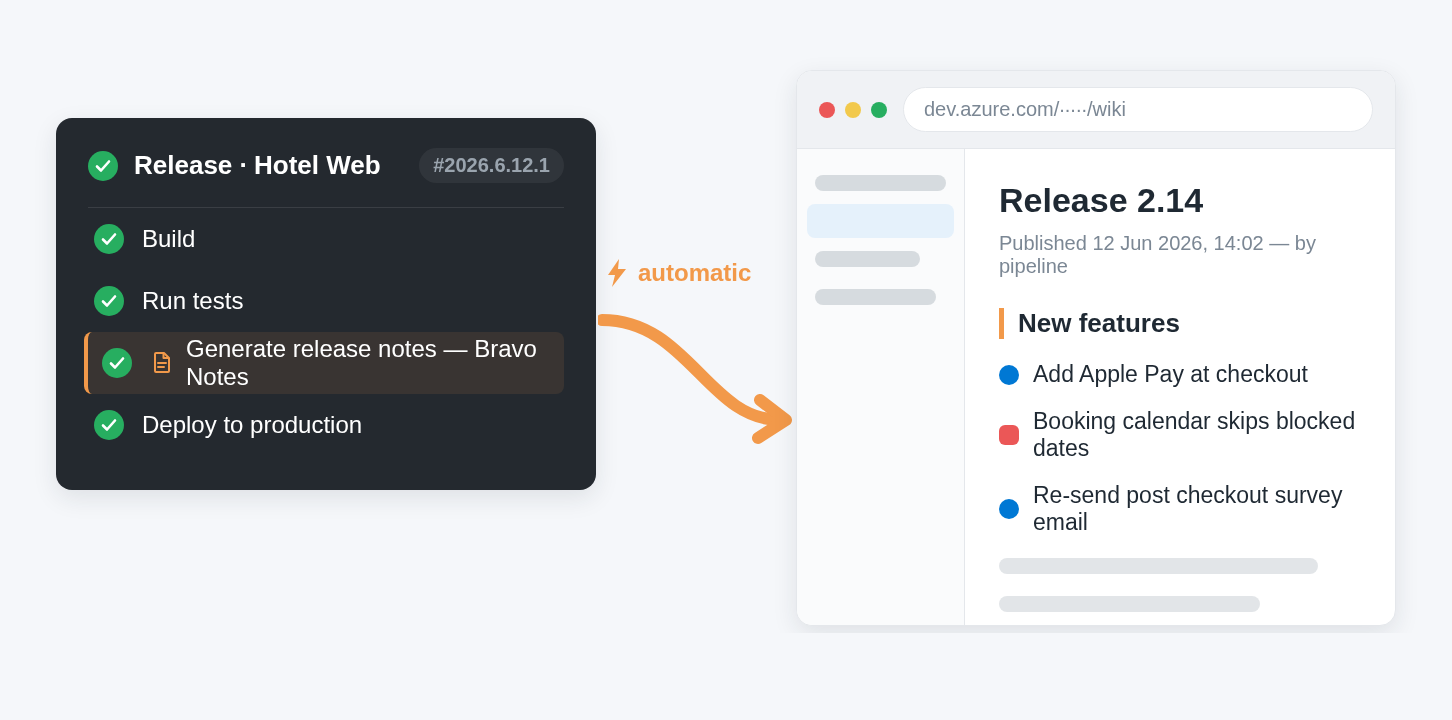
Add the native Azure Pipelines task and release notes generate themselves — on every build, release, or schedule. Pull work items from builds, commit ranges, queries, or iterations. Publish to the Wiki, Confluence, a Git repo, or attach to build artifacts. Teams even fan out customer-specific release notes from a single pipeline.

Azure Pipelines release with the Bravo Notes task — the pipeline run on the left, the automatically published wiki page on the right

"We never miss a Note anymore while we release in our bi-weekly schedule. Well worth the money!" — ⭐⭐⭐⭐⭐ Marketplace review


Way more than release notes

Document type Generated from
Release notes Work items, builds, commits
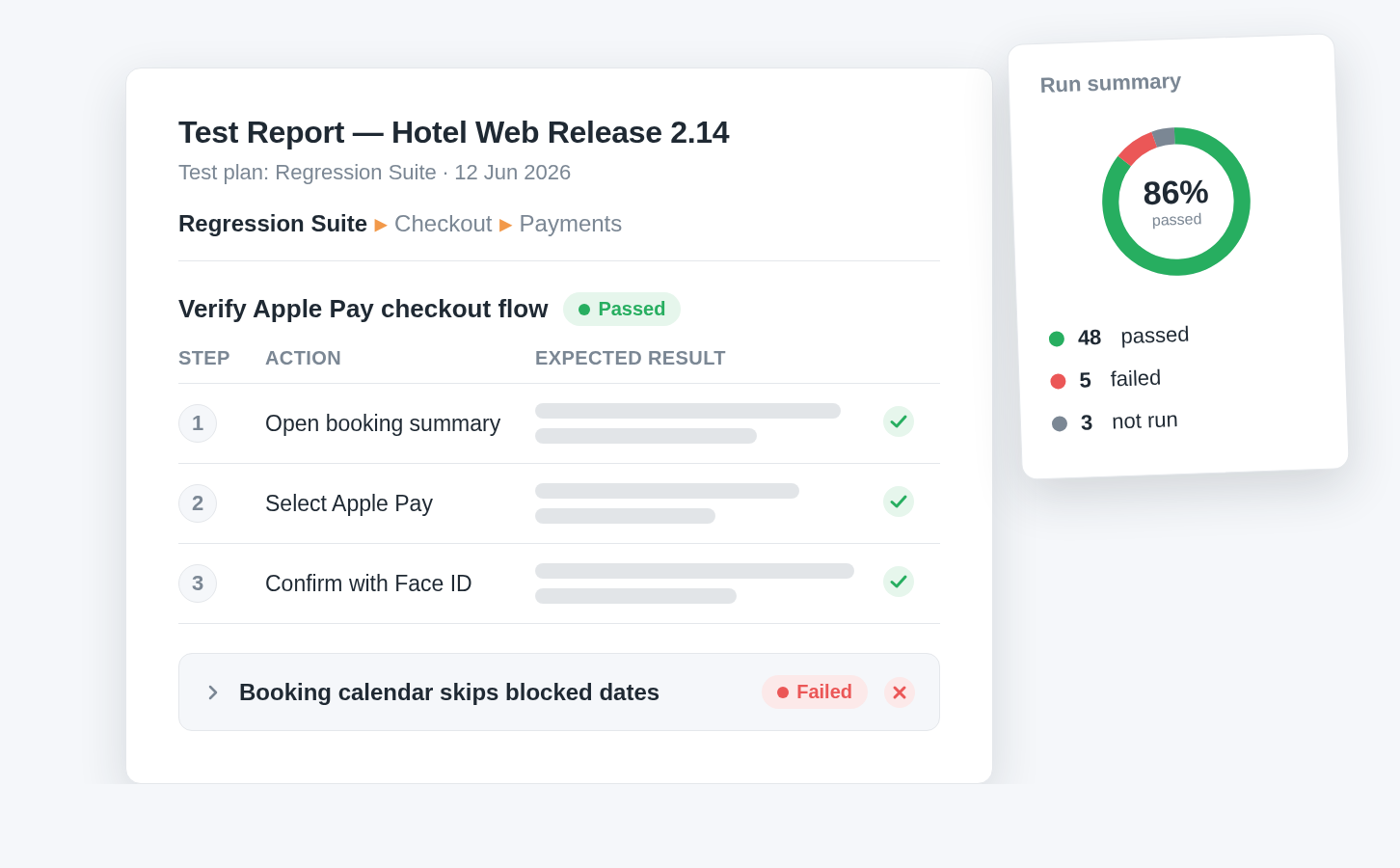
Test reports Test plans, suites, cases, and runs
Sprint & status reports Iterations and backlogs
Requirements documents Work item hierarchies (epics → features → stories)
Change requests & compliance docs Any query, audit-ready

A generated test report — a test case with steps and expected results, a pass/fail summary, and suite breakdown

"It's not a plug-in, it's a life saver... I'm not just handling release notes but producing progress reports for project management, test, ad-hoc backlog planning reports." — ⭐⭐⭐⭐⭐ Marketplace review


Secure by design

Bravo Notes runs entirely within Azure DevOps. Your data never leaves your organization, and Azure DevOps permissions are always respected — a fit for regulated industries that need audit-ready documentation.


Support people write reviews about

Around 8 out of 10 reviews mention our support — fast answers, same-day fixes, and hands-on help building your first template. Try us.

"Their support in forums, kb articles and in email is the best I have dealt with in decades." — ⭐⭐⭐⭐⭐ Marketplace review


Get started in minutes

  1. Install Bravo Notes — 30-day free trial with full access
  2. Pick a sample template or run the template wizard
  3. Select work items from a query, sprint, backlog, or build
  4. Generate — PDF, HTML, Markdown, Wiki, or Confluence
  5. Automate with the Azure Pipelines task

Template wizard — choosing a starting point from ready-made release notes and report samples

📖 Documentation & guides: bravonotes.com 💬 Support: bravonotes.com/support — friendly humans, fast replies

Built with ❤ by Agile Extensions

  • Contact us
  • Jobs
  • Privacy
  • Manage cookies
  • Terms of use
  • Trademarks
  • Your Privacy Choices
  • Consumer Health Privacy
© 2026 Microsoft