ADO Pilot: AI-powered pull request reviews for Azure DevOps
ADO Pilot reviews every pull request in your Azure DevOps organization and
posts inline comments and status checks straight onto the PR. No pipeline
changes. No code modifications. Install the extension, configure it once, and
every new PR gets reviewed automatically from then on.
What you get
Automatic reviews on every PR. The extension registers service hooks
during onboarding, so new PRs and updates kick off a review within seconds.
There's nothing to wire into your pipeline.
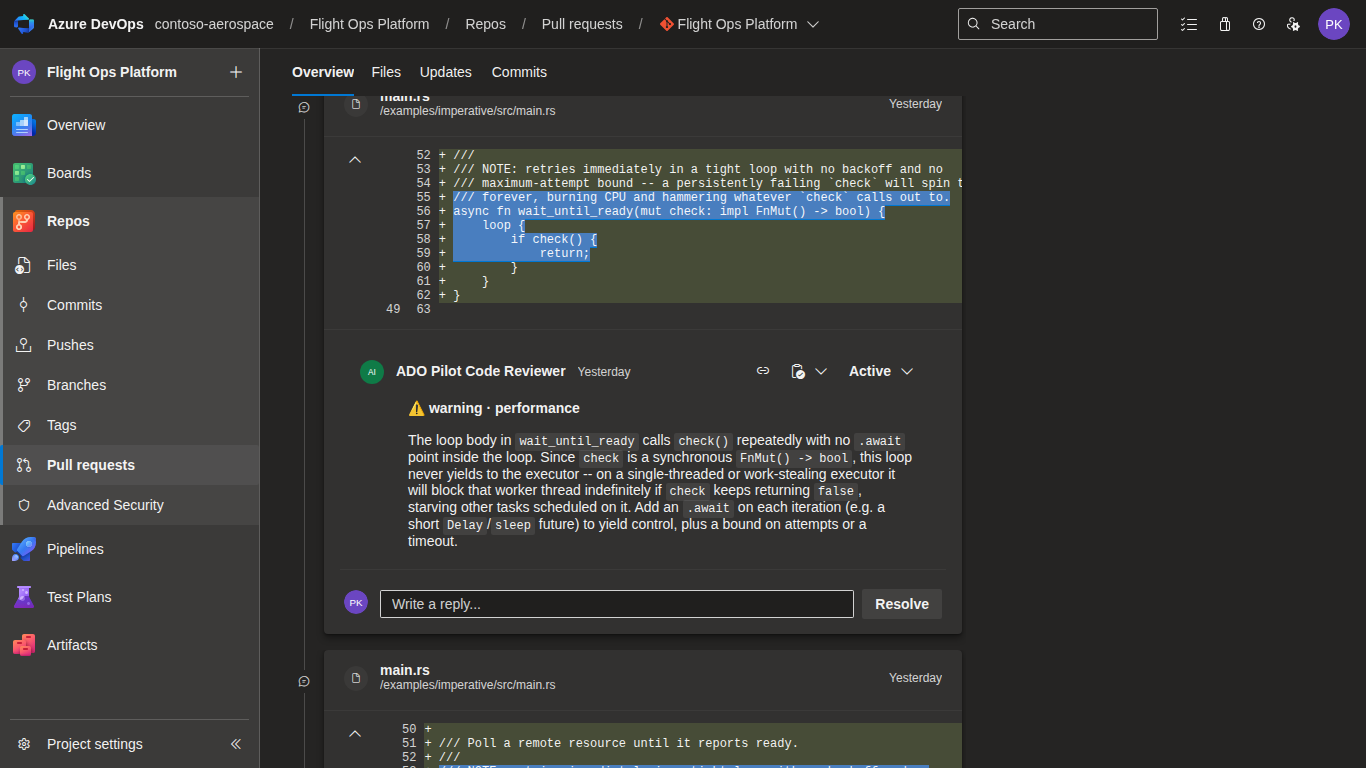
Comments where the problem is. Findings land as inline comments on the
exact file and line, each with a concrete suggestion you can act on.
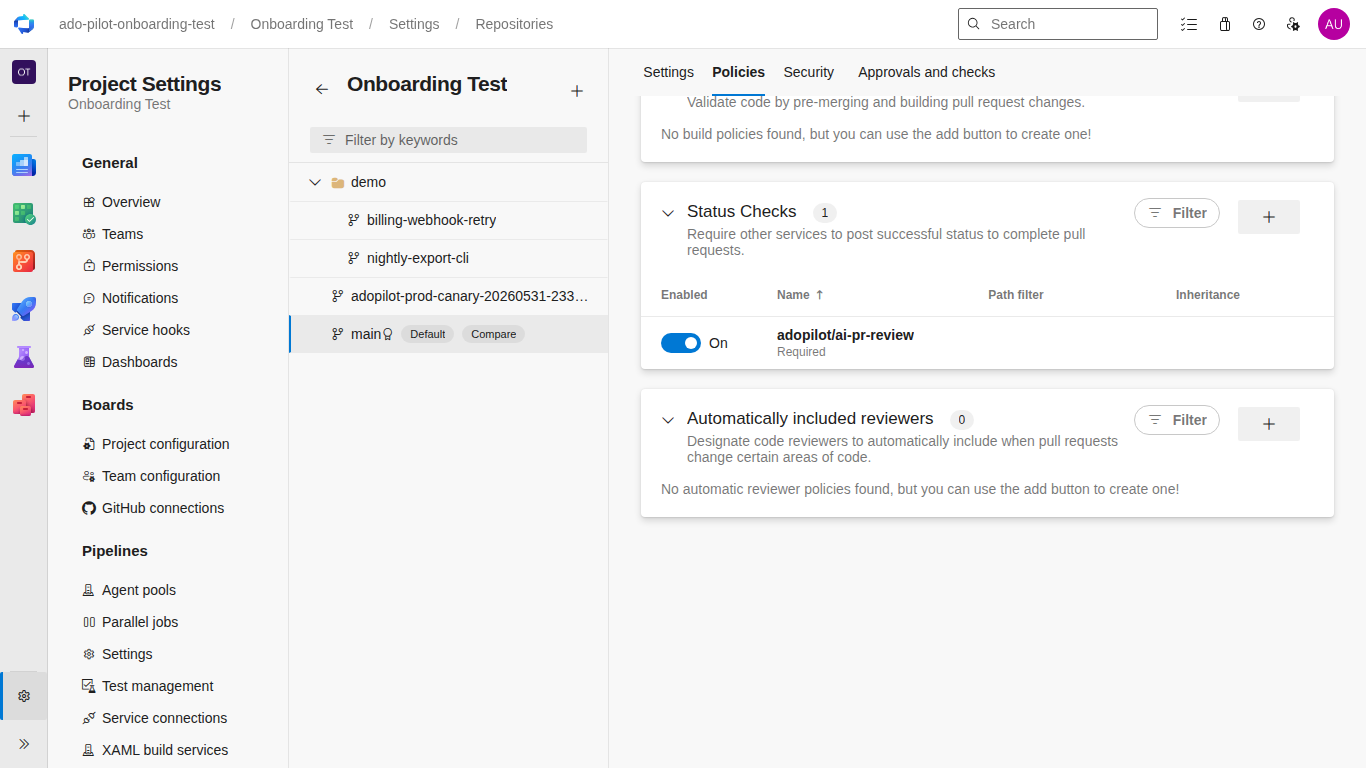
A status check you can enforce. ADO Pilot posts an adopilot/ai-pr-review
status check that you can promote to a required branch policy.
More than a linter. It catches real bugs, security issues, API misuse,
and logic errors across every major language, not just style nits.
A second pass before you see it. Claude reviews its own draft findings
first and drops anything it can't stand behind, so you get fewer comments
and less noise.
How it works
Install the extension into your Azure DevOps organization.
Sign up at app.adopilot.dev.
Connect your ADO org, set your review preferences, and pick which repos get
reviewed.
Open a PR. ADO Pilot receives the webhook, runs the review, and posts
results back within minutes.
Pricing
Pricing is usage-based: you pay for Review Credits (RCs), not seats. Starter,
Team, and Business plans are listed at
adopilot.dev/pricing.
Every free trial comes with enough credits to try ADO Pilot on real PRs.
Privacy and security
PR content is sent to Anthropic for AI analysis and is not retained beyond
the review cycle.
All credentials are stored encrypted at rest and never exposed to the
browser or the extension manifest.
All webhook traffic is authenticated with a per-tenant secret you rotate
from the Settings Hub.
ADO Pilot's AI reviews are powered by Anthropic's Claude models; Anthropic
does not sponsor, endorse, or partner with ADO Pilot. Any mention of GitHub
Copilot or Microsoft is for comparison purposes only. ADO Pilot has no
technical integration with, affiliation with, or endorsement from GitHub or
Microsoft. All trademarks are the property of their respective owners.