Debug Window Layout
Automatically arrange debug target windows in Visual Studio when debugging starts.
Debug Window Layout is a lightweight in-process VSIX for multi-process debugging setups.
It detects the processes currently being debugged, finds their visible top-level windows, and places them on your monitors based on simple layout rules.
Why use it
When debugging multiple services, console apps, or workers, window management becomes noisy.
This extension keeps your workspace organized so you can focus on debugging instead of manually moving windows.
Key features
- Automatic arrangement on debugger start (
OnEnterRunMode)
- Manual command: Arrange Now
- Per-solution configuration via
.vsdebuglayout.json
- Command to open config directly in Visual Studio: Open Config
- Config is stored as formatted (beautified) JSON
- Multi-monitor support (
DISPLAY1, DISPLAY2, ...)
- Rule-based placement by process name and optional window title match
- Predefined zones (
TopLeft, BottomRight, Full, etc.) or custom normalized bounds
- Console-window fallback matching for
conhost/OpenConsole scenarios
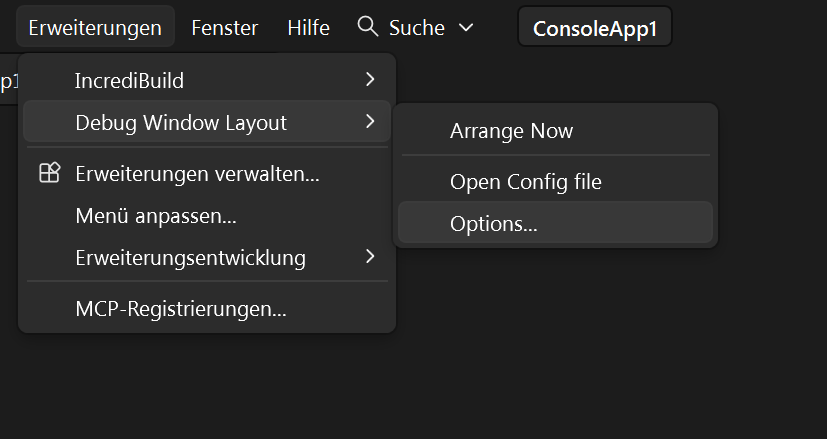
Commands are available in a dedicated submenu:
Extensions > Debug Window Layout
Typical use case
Ideal for solutions with multiple startup projects (for example API, gateway, worker, and background service) where each process should always appear in a predictable screen region.
How to use
open menu extensions -> Debug Window Layout -> Options
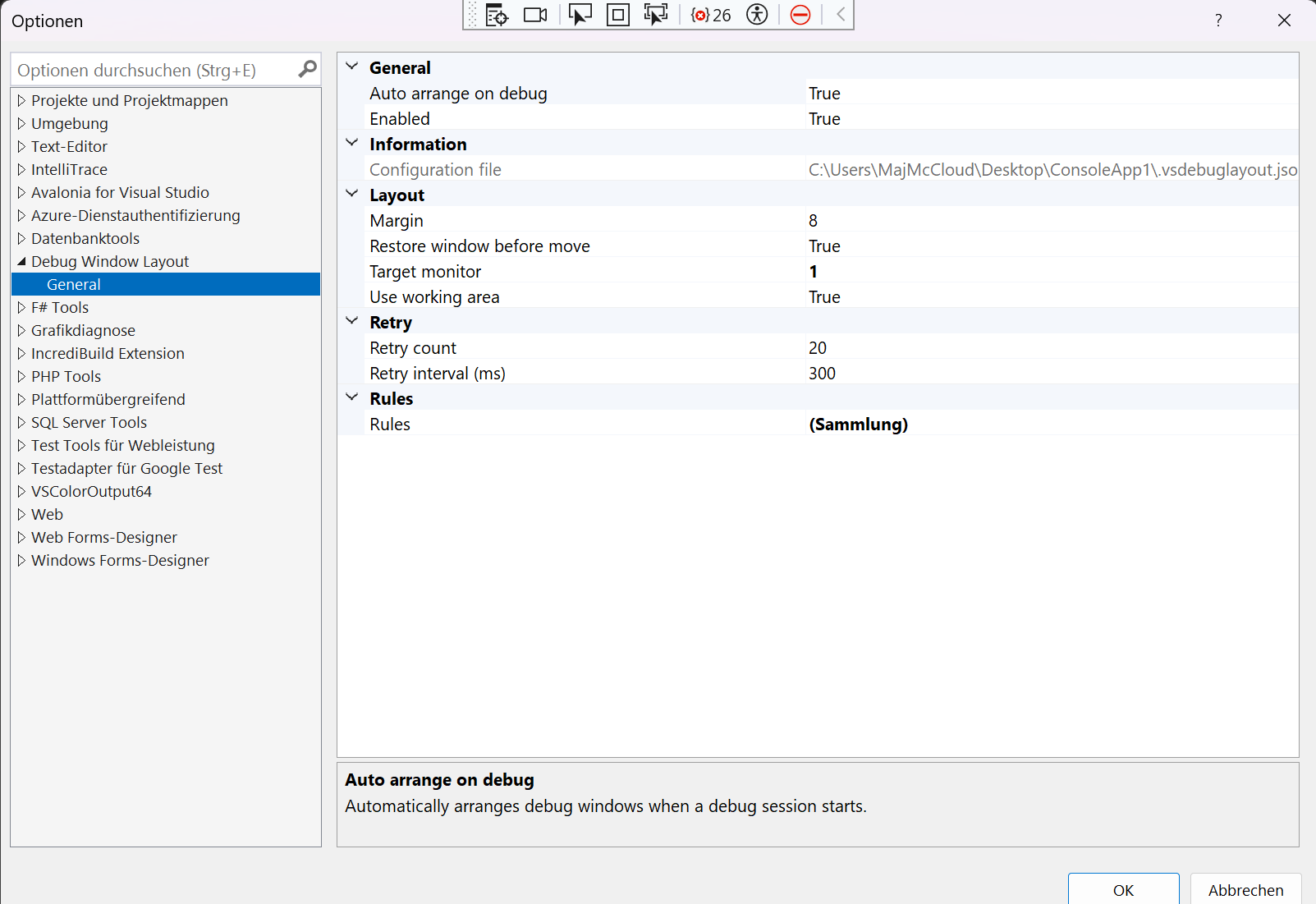
Activate enabled and choose different settings if needed, by default it works already
Requirements
- Visual Studio 2022 / 2026
- .NET Framework 4.8 targeting pack
- Visual Studio extension development workload (for building from source)

