CopyRelativePathForAI
A Visual Studio 2022 extension that displays the current document's file path in the editor status bar and provides multiple ways to copy it to the clipboard (full, relative, or regex-processed).
Ideal for AI-assisted development workflows where you need to quickly reference file paths in prompts, or for switching between editors like VS Code and Sublime Text.
Features
Status bar path display - Always see the current file's path at the bottom of the editor, above the horizontal scrollbar
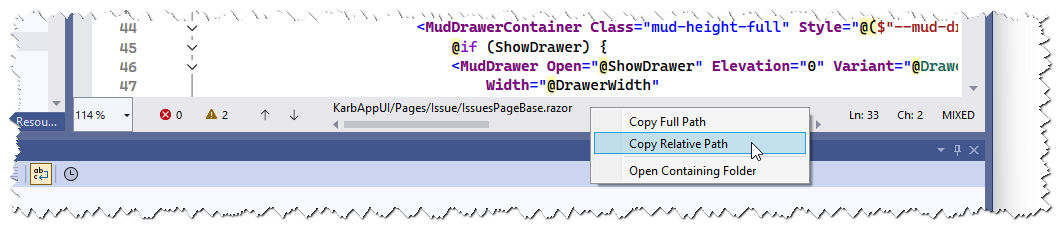
Status bar context menu with options:
- Copy Full Path
- Copy Relative Path
- Open Containing Folder
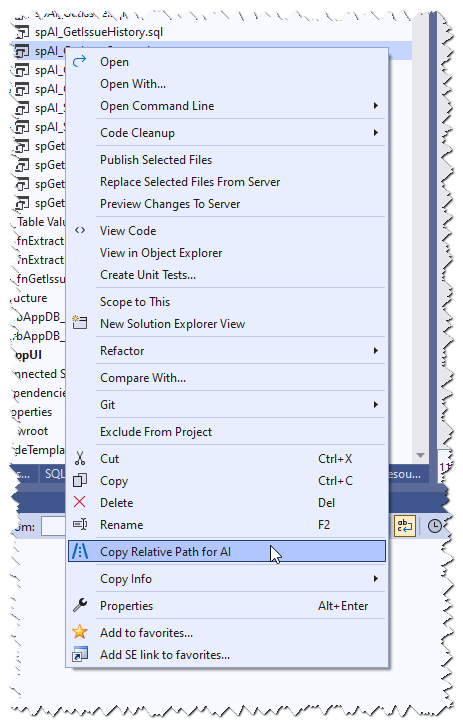
Copy from Solution Explorer - Right-click any file to copy its relative path
Copy from the active document - Toolbar button or keyboard shortcut (Ctrl+Shift+Alt+C)
Text selection - Select part of the displayed path to copy just that portion (click to position caret, or multi-click to select words/full text)
Configurable path format - Absolute or relative (solution-relative)
Custom directory separator - Use /, \, or any string
Regex processing - Apply a C# regex to transform the path (first capturing group is used)
Theme support - Respects VS Dark, Light, Blue themes and High Contrast mode
Environment Font support - Honors Tools > Options > Environment > Fonts and Colors > Environment Font
Internal file filtering - Automatically ignores VS internal/temporary files
Usage
Status Bar
Once installed, the current file's path appears in the editor's bottom status bar. Right-click it for copy/open options.
Right-click any file in Solution Explorer and select Copy Relative Path for AI.
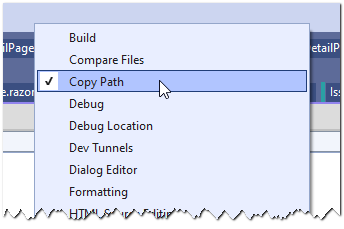
Enable the toolbar via View > Toolbars > Copy Path. Click the button to copy the active file's relative path.

...or add it to an existing toolbar (search for it under the "File" category):
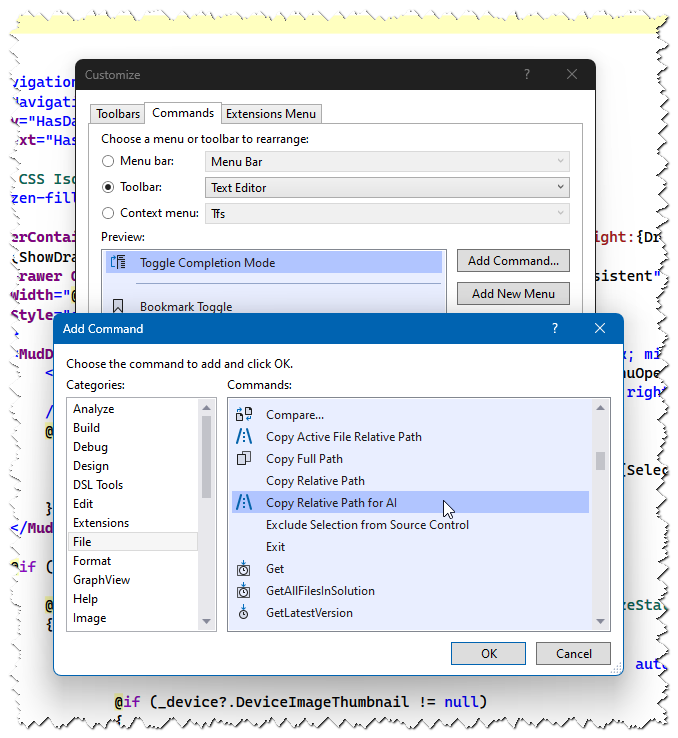
Keyboard Shortcut
The default shortcut is Ctrl+Shift+Alt+C. You can customize this in Tools > Options > Environment > Keyboard by searching for CopyRelativePathActiveDoc.
Configuration
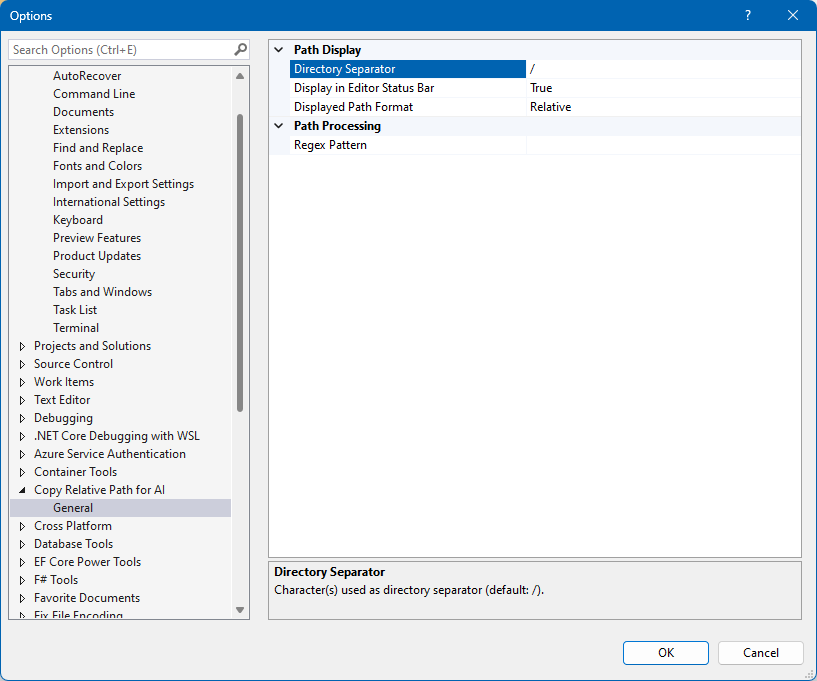
Go to Tools > Options > Copy Relative Path for AI > General:
| Setting |
Description |
Default |
| Displayed Path Format |
Absolute or Relative |
Relative |
| Directory Separator |
Character(s) used as separator |
/ |
| Display in Editor Status Bar |
Show/hide the status bar path |
On |
| Regex Pattern |
C# regex applied to the path (first capture group is used) |
(empty) |
Regex Examples
| Pattern |
Input |
Output |
[^/]+/(.*) |
MyProject/src/Models/User.cs |
src/Models/User.cs |
.*/(Controllers/.*) |
MyApp/Areas/Admin/Controllers/HomeController.cs |
Controllers/HomeController.cs |
Requirements
- Visual Studio 2022 (version 17.0+), 64-bit
Acknowledgements
This extension is a fork of CopyRelativePathUnixStyle by Dennis Huillca, which provided the original functionality for copying relative file paths with Unix-style separators from Solution Explorer.
The original project built upon work by Masoud Memariani (CopyProjectUnixPath) and a StackOverflow answer that provided the core path-copying logic.

