Add configurable delays to SSIS packages without scripting — pause execution by days, hours, minutes, or seconds. Choose Relative mode for elapsed waits or Absolute mode to hold until a specific datetime or variable value. Part of ZappySys SSIS PowerPack.
Pause SSIS package execution for a precise delay — no Script Task required.
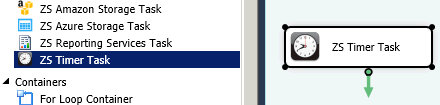
Add absolute or relative delays anywhere in your Control Flow using a simple drag-and-drop task.
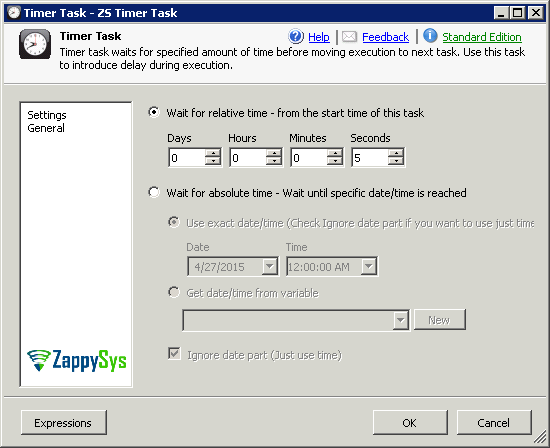
Wait for a fixed elapsed time (days, hours, minutes, seconds) in Relative mode, or hold execution
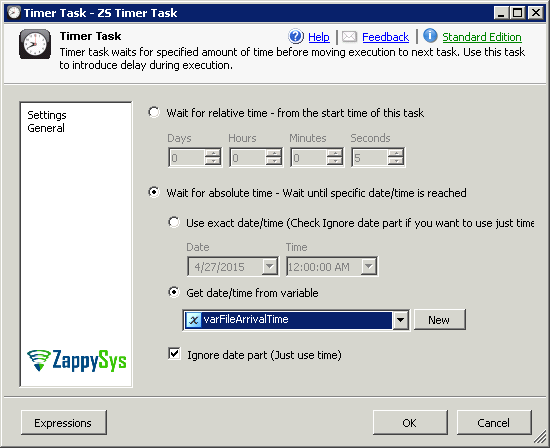
until a specific target datetime in Absolute mode — reading the target from a property or directly
from an SSIS variable.
Part of ZappySys SSIS PowerPack (100+ connectors & tasks).
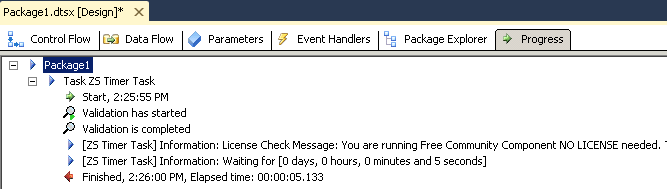
Relative (default) — Wait for an exact elapsed time calculated from the moment the task starts; combine TimerDays, TimerHours, TimerMinutes, and TimerSeconds as needed
Absolute — Pause execution until a specific target datetime is reached; by default only the time portion is matched (date-independent daily scheduling)
Relative Mode Settings
TimerDays — days to wait
TimerHours — hours to wait
TimerMinutes — minutes to wait
TimerSeconds — seconds to wait
Absolute Mode Settings
Specify the target datetime directly via the TimerDateTime property
Or read the target datetime from an SSIS variable (enable ReadDateTimeFromVariable and set TimerDateTimeVariable)
Uncheck Ignore Date Part to wait until an exact date and time (not just a daily time)
Common real-world scenarios where this task eliminates the need for Script Task-based delays:
API Rate Limiting: Add a pause between API requests to avoid throttling errors. Example: Wait 5 seconds between each batch call in a For Loop container.
Wait for File Availability: Delay before checking for an upstream file drop. Example: Pause 2 minutes after triggering a remote export before polling for the output file.
Time-of-Day Scheduling: Hold execution until a specific time before running downstream tasks. Example: Use Absolute mode to wait until 02:00 AM before starting a heavy data load.
Retry Logic with Delay: Add a back-off interval between retry attempts. Example: Wait 30 seconds before each retry in a For Loop error-handling pattern.
Throttle Batch Operations: Introduce pauses between processing batches to reduce database load. Example: Pause 10 seconds between each chunk of records in a large data migration.
🎯 Summary
Add precise timing control anywhere in your SSIS Control Flow — no scripting needed.
Use Relative mode for elapsed waits or Absolute mode for time-of-day scheduling, with support for variable-driven datetime targets.
Trusted by Developers & IT Teams Worldwide
Built for SSIS Workflows: Purpose-built for high-performance ETL and complex integration scenarios.
Expert Technical Support: Direct access to engineers via email and remote screen-share sessions.
Proven Enterprise Scale: Trusted by 3000+ teams across 90+ countries, including Fortune 500.