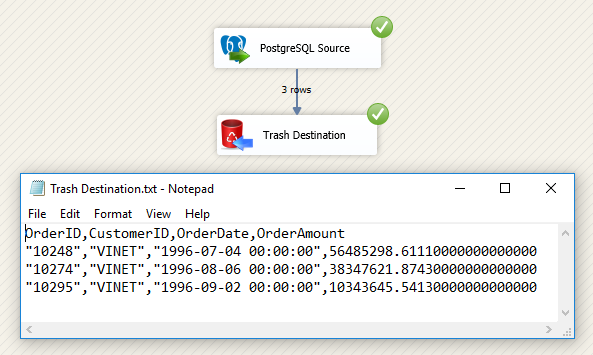
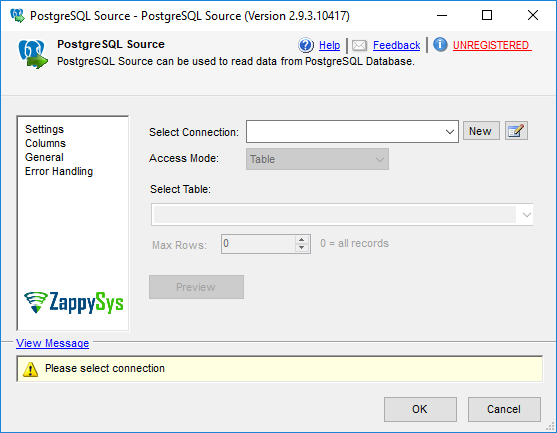
Read PostgreSQL data in SSIS using table mode or custom SQL query mode with no scripting. Supports secure PostgreSQL connection setup, dynamic query variables, flexible column selection, and high-speed extraction to any SSIS destination. Part of ZappySys SSIS PowerPack.
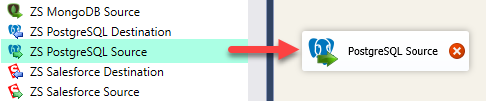
Read data from PostgreSQL directly in SSIS Data Flow with drag-and-drop configuration — no scripting required.
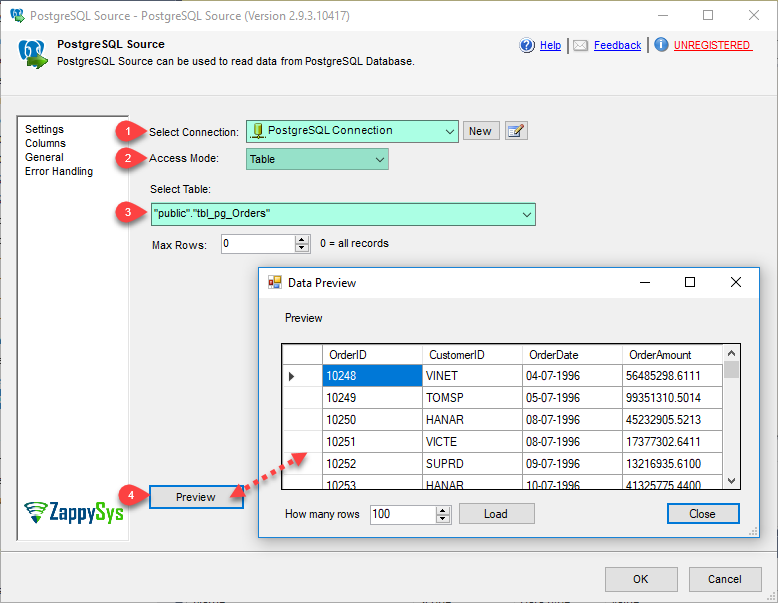
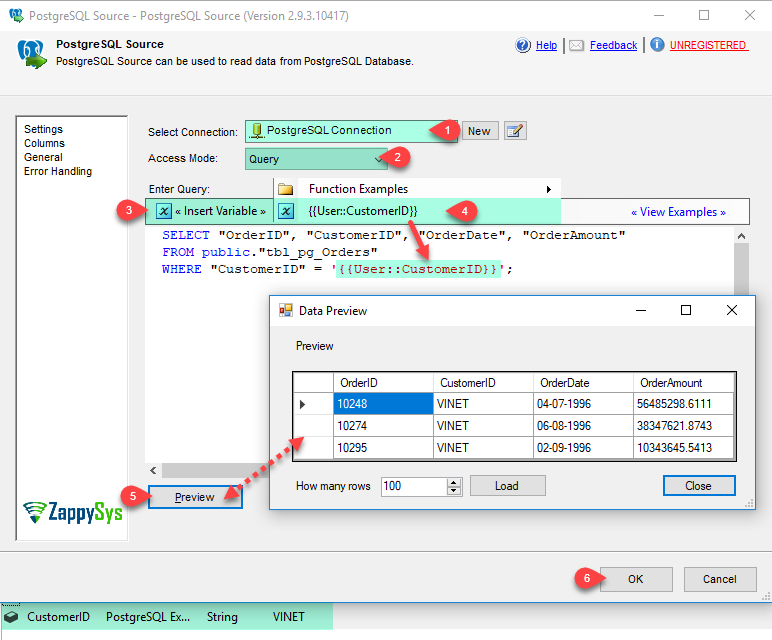
Use table mode for quick extraction or query mode for custom SQL with dynamic variables.
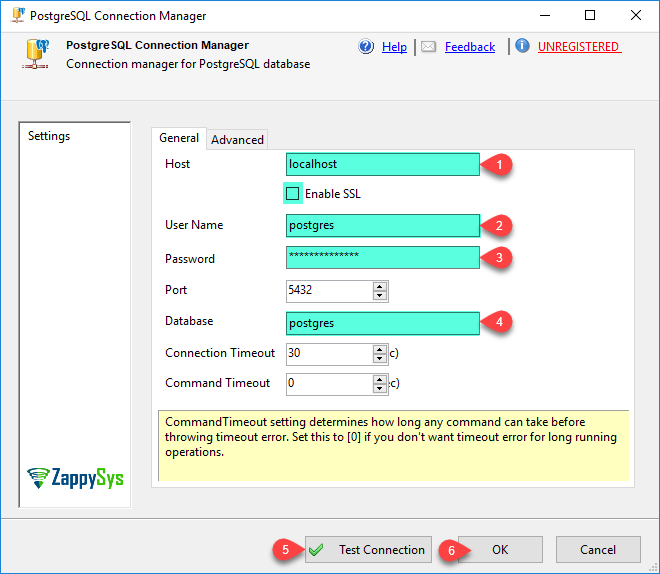
Configure PostgreSQL connection properties securely, choose output columns and datatypes, and stream data
from PostgreSQL to any SSIS destination (SQL Server, files, APIs, cloud targets, and more).
Part of ZappySys SSIS PowerPack.
Read from PostgreSQL table mode for fast no-query extraction
Run custom PostgreSQL SQL in query mode
Use SSIS variables to build dynamic SQL at runtime
Connection & Mapping
Reusable PostgreSQL connection manager setup
Select output columns and tune datatype mapping before execution
Preview and validate extraction settings in UI
Pipeline Integration
Stream data to SQL Server, flat files, APIs, cloud, and custom destinations
Support high-volume extraction in enterprise ETL workflows
Compatible with SQL Server 2012–2025 (32/64-bit) and Azure Data Factory
💡 Common Use Cases
Common real-world scenarios for PostgreSQL data extraction in SSIS:
PostgreSQL to SQL Server Migration: Load PostgreSQL tables into SQL Server staging/warehouse targets.
Custom Incremental Loads: Use query mode with date/key filters for incremental ETL windows.
Cross-System Reporting: Extract PostgreSQL data to CSV/JSON/XML for reporting and partner delivery.
Hybrid Cloud Pipelines: Pull PostgreSQL data and route into API or cloud destinations from SSIS.
🎯 Summary
Replace manual ODBC scripts with a drag-and-drop PostgreSQL source purpose-built for SSIS.
Use table or query mode, configure secure connections quickly, and stream data into any downstream ETL target with full mapping control.
Trusted by Developers & IT Teams Worldwide
Built for SSIS Workflows: Purpose-built for high-performance ETL and complex integration scenarios.
Expert Technical Support: Direct access to engineers via email and remote screen-share sessions.
Proven Enterprise Scale: Trusted by 3000+ teams across 90+ countries, including Fortune 500.