Skip to content
| Marketplace
Sign in
Visual Studio>Controls>SSIS Secure FTP Source for CSV File (SFTP, FTPS)
SSIS Secure FTP Source for CSV File (SFTP, FTPS)

SSIS Secure FTP Source for CSV File (SFTP, FTPS)

ZappySys

|
244 clicks
| (0) | Free Trial
Read CSV files from FTP, SFTP, or FTPS in SSIS without scripting. Load single or wildcard files, stream ZIP/GZip content, apply parser options, and preview output with robust error handling in a drag-and-drop source component. Part of ZappySys SSIS PowerPack.
Get Started

Read CSV files directly from FTP, SFTP, or FTPS in SSIS with a no-code source component.

Ingest single or wildcard CSV files, stream compressed files, tune parser options, and preview data before execution. Designed for secure, file-based ingestion workflows.
Part of ZappySys SSIS PowerPack.

Recommended starting point
View Setup Guide & Get Started →
See features, UI & examples →
Pro Tip: Use wildcard paths and advanced parser options together to handle real-world CSV variability.
Compatibility: SQL Server 2012–2025+ (32/64-bit) | Azure Data Factory / Azure-SSIS IR Ready

⚡ Key Benefits

  • Secure CSV Ingestion — Connect via FTP, SFTP, or FTPS from SSIS
  • Wildcard File Selection — Process one or many CSV files dynamically
  • Compressed Stream Support — Read ZIP/GZip CSV content without extraction
  • Advanced Parser Controls — Handle delimiters, blanks, mismatches, and date-time parsing
  • Reliable Operations — Preview outputs and route bad records with error-handling options

📸 Visual Overview & Setup

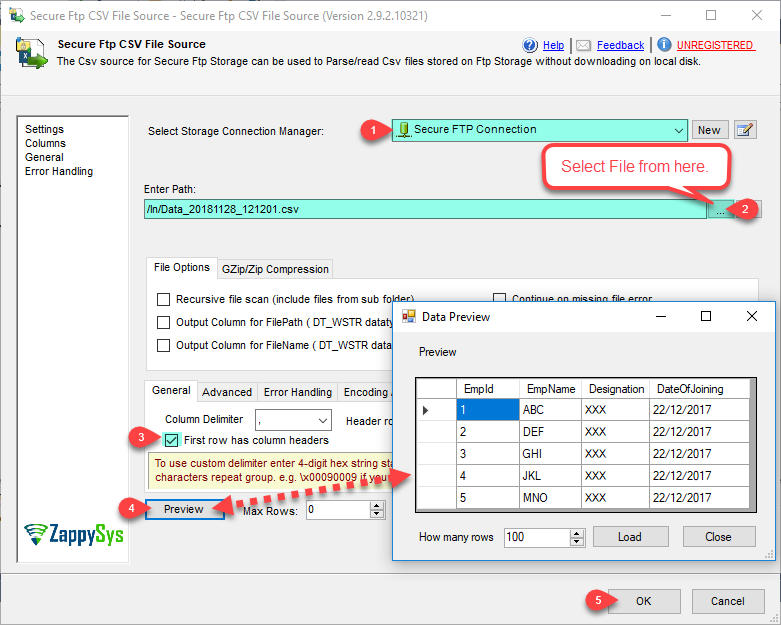
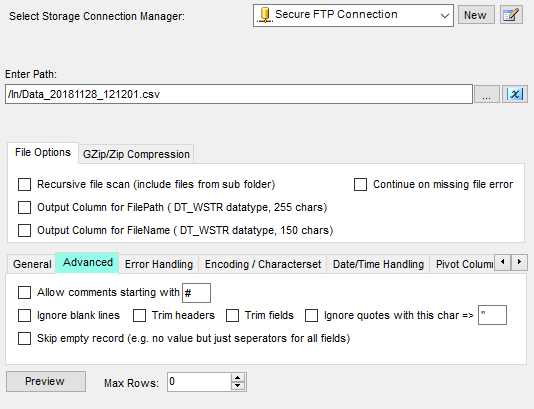
1. CSV File Read Options
Secure FTP CSV source read options
🔍 View Full Size
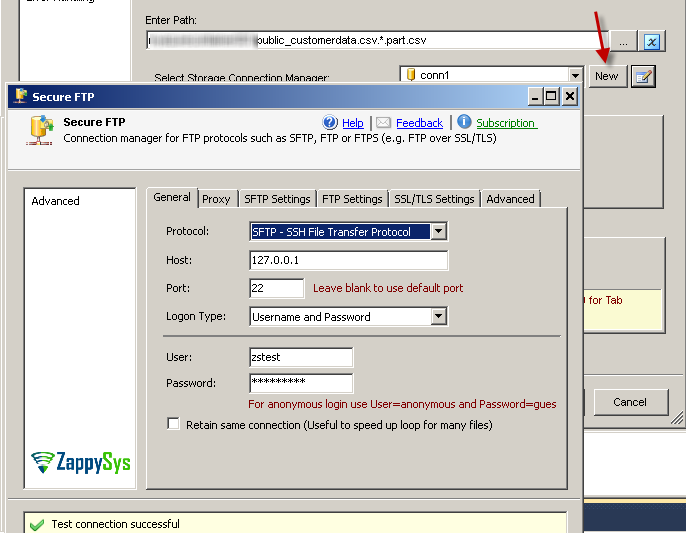
2. Select Connection Manager
Select secure FTP connection manager
🔍 View Full Size
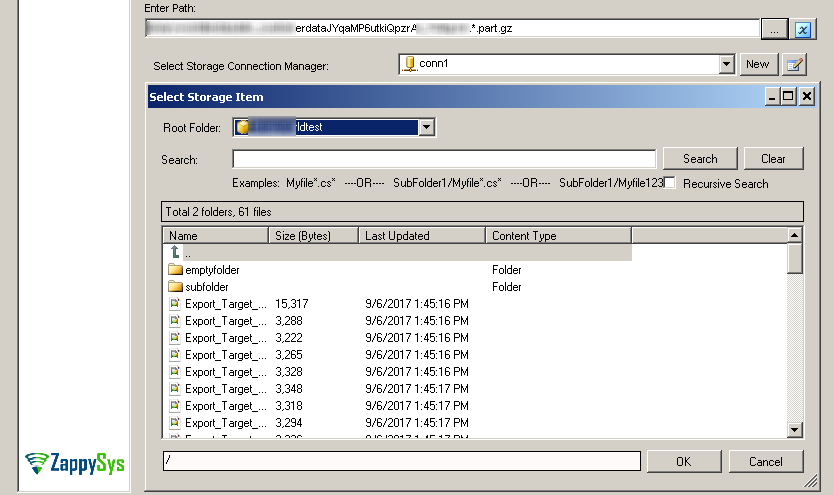
3. Browse and Select CSV Files
Browse and select CSV files from secure FTP
🔍 View Full Size
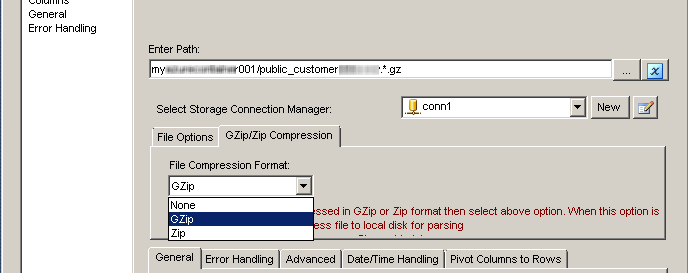
4. Read ZIP/GZip CSV Files
Read ZIP and GZip compressed CSV files
🔍 View Full Size
5. Advanced CSV Parser Options
Advanced CSV parser options
🔍 View Full Size
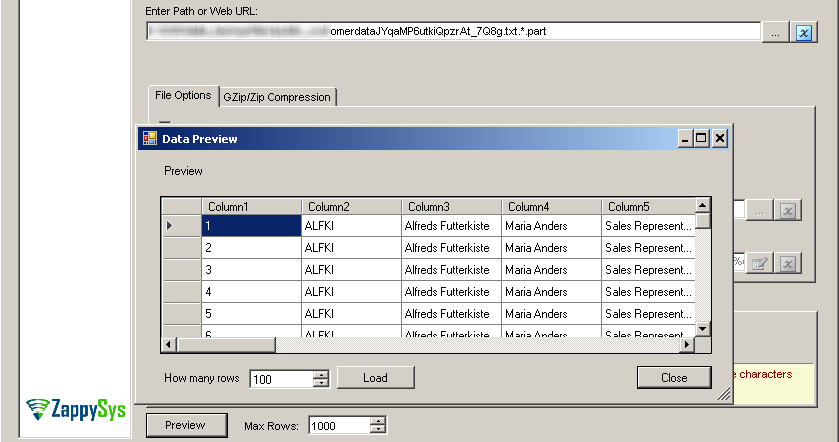
6. Design-Time Data Preview
Design time data preview
🔍 View Full Size

🔧 Key Features

  • Read CSV from FTP, SFTP, and FTPS endpoints
  • Wildcard path support and dynamic file selection
  • ZIP/GZip compressed file stream support
  • Advanced parser, trimming, and blank-row handling controls
  • Error-handling and preview support for reliable ingestion

💡 Common Use Cases

  • Partner File Intake: Read secure CSV feeds delivered over SFTP/FTPS.
  • Daily Batch Imports: Process wildcard-matched drops with evolving file names.
  • Compressed Feed Processing: Ingest ZIP/GZip files without local extraction steps.
  • Quality-Controlled Loads: Use parser and error-routing options for robust ETL.

🎯 Summary

SSIS FTP Source for CSV File streamlines secure CSV ingestion with flexible file selection, advanced parsing controls, and strong operational safety. It helps teams onboard external files faster while reducing script-heavy maintenance.

Trusted by Developers & IT Teams Worldwide

  • Built for SSIS Workflows: Purpose-built for high-performance ETL and complex integration scenarios.
  • Expert Technical Support: Direct access to engineers via email and remote screen-share sessions.
  • Proven Enterprise Scale: Trusted by 3000+ teams across 90+ countries, including Fortune 500.
SSIS PowerPack
Includes SSIS FTP Source for CSV File
Capterra Rating
Read reviews on Capterra →

Start Automating Workflows with SSIS PowerPack

Includes connectors for APIs, databases & cloud apps. Build robust ETL workflows without custom scripting.

Download SSIS PowerPack (Free Trial)

Full functionality is FREE for development within Visual Studio

  • Contact us
  • Jobs
  • Privacy
  • Manage cookies
  • Terms of use
  • Trademarks
© 2026 Microsoft