Skip to content
| Marketplace
Sign in
Visual Studio>Controls>SSIS CSV File Source (Flat File or Rest API)
SSIS CSV File Source (Flat File or Rest API)

SSIS CSV File Source (Flat File or Rest API)

ZappySys

|
323 clicks
| (0) | Free Trial
Read CSV from files or web APIs in SSIS with flexible parsing, compressed file support, advanced options, and preview. Configure file/API settings and stream rows into downstream ETL flows. Part of ZappySys SSIS PowerPack.
Get Started

Read CSV from flat files and web APIs in SSIS with one configurable source.

Configure file path or API input, parse CSV with advanced options, read compressed files (ZIP/GZip), preview data at design time, and stream rows into downstream SSIS transforms and destinations.
Part of ZappySys SSIS PowerPack.

Recommended starting point
View Setup Guide & Get Started →
See features, UI & examples →
Pro Tip: Start with file/API options and data preview first, then enable advanced/error-handling options only where source quality requires it.
Compatibility: SQL Server 2012–2025+ (32/64-bit) | Azure Data Factory / Azure-SSIS IR Ready

⚡ Key Benefits

  • File and API CSV ingestion — Use one source component for local/remote files and HTTP endpoints
  • Compressed file support — Read ZIP and GZip CSV without external preprocessing
  • Advanced parsing controls — Tune delimiter, quoting, and parsing behavior for complex feeds
  • Design-time data preview — Validate output shape before full package execution
  • Error-handling options — Redirect or handle malformed records for resilient pipelines

📸 Visual Overview & Setup

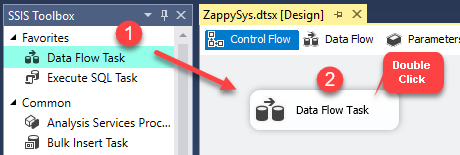
1. Drag Data Flow Task
Drag Data Flow Task in SSIS control flow
🔍 View Full Size
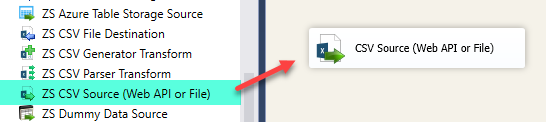
2. Add CSV Source
Drag CSV file source in SSIS data flow
🔍 View Full Size
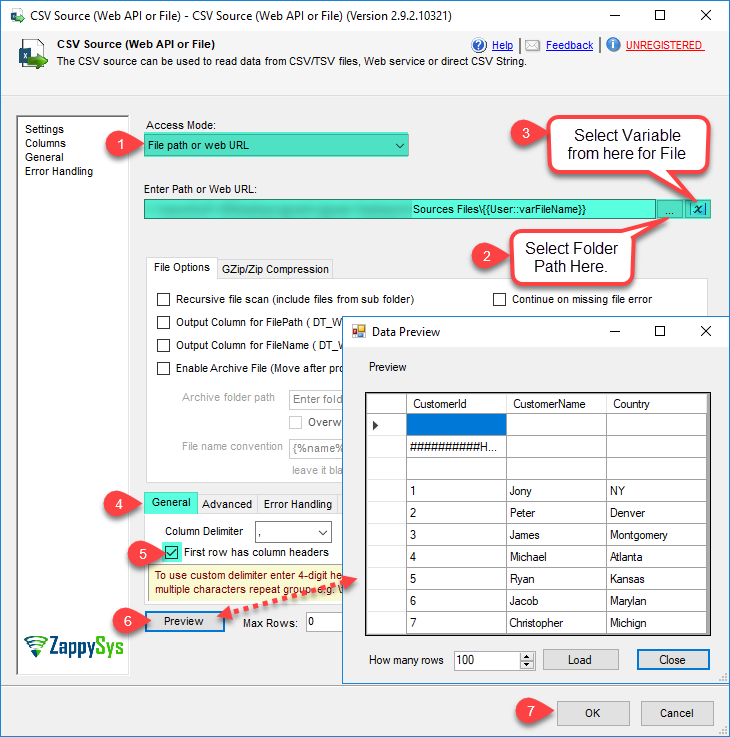
3. Configure File Options
Configure CSV file source options
🔍 View Full Size
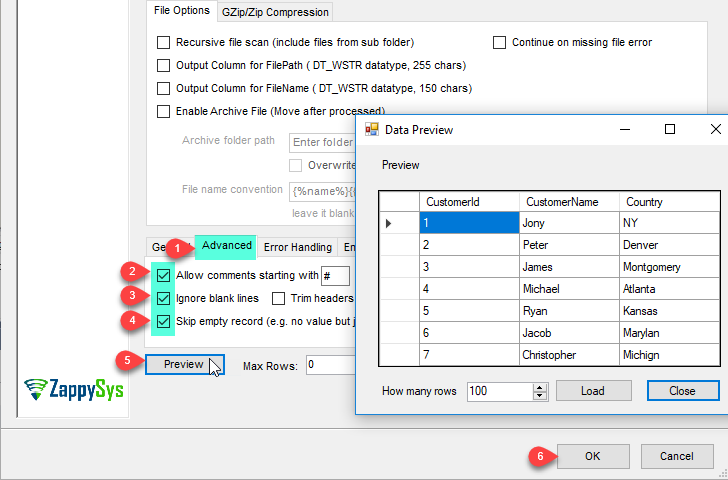
4. Apply Advanced Parsing
Apply advanced CSV parsing options
🔍 View Full Size
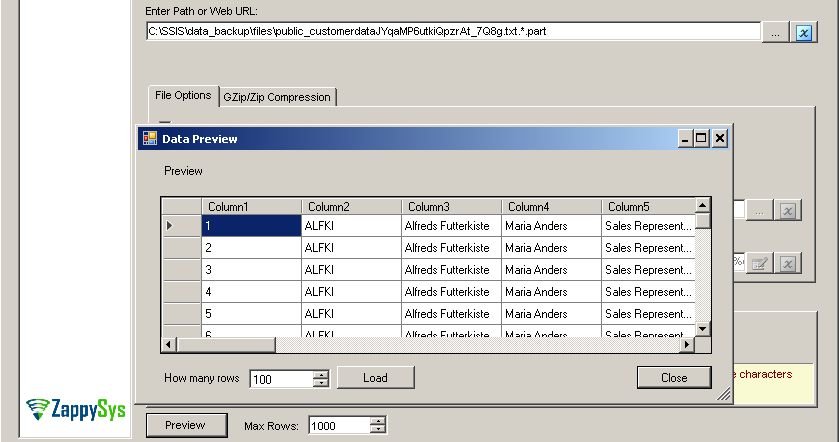
5. Preview Parsed Data
Preview parsed CSV rows in source UI
🔍 View Full Size
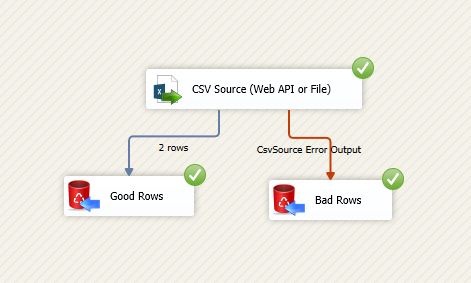
6. Execute and Stream Rows
Execute package and stream CSV rows
🔍 View Full Size

🔧 Key Features

  • CSV source for file or API — Read delimited data from local/remote files and HTTP responses
  • ZIP / GZip read support — Ingest compressed CSV directly in the source component
  • Advanced parser options — Handle edge cases like quoting, escaped delimiters, and datetime formats
  • Error handling controls — Redirect bad records and continue processing healthy rows
  • Data preview in UI — Validate structure and parsed output before runtime
  • SSIS-native integration — Connect directly to transforms/destinations in the same data flow

💡 Common Use Cases

  • Flat file ingestion: Load recurring CSV drops from file shares into staging tables.
  • API-to-SSIS pipelines: Read CSV payloads from web endpoints and route to ETL targets.
  • Compressed feed processing: Consume ZIP/GZip CSV exports without external unzip steps.
  • Data quality pipelines: Parse, preview, and redirect malformed rows for review workflows.

🎯 Summary

SSIS CSV File Source (Flat File / Web API) provides a flexible ingestion layer for CSV feeds, combining file/API input modes, advanced parsing, compressed-file support, and preview/error controls so teams can operationalize inbound text data in reliable SSIS pipelines.

Trusted by Developers & IT Teams Worldwide

  • Built for SSIS Workflows: Purpose-built for high-performance ETL and complex integration scenarios.
  • Expert Technical Support: Direct access to engineers via email and remote screen-share sessions.
  • Proven Enterprise Scale: Trusted by 3000+ teams across 90+ countries, including Fortune 500.

SSIS PowerPack
Includes SSIS CSV File Source
Capterra Rating
Read reviews on Capterra →

Start Automating Workflows with SSIS PowerPack

Includes connectors for APIs, databases & cloud apps. Build robust ETL workflows without custom scripting.

Download SSIS PowerPack (Free Trial)

Full functionality is FREE for development within Visual Studio

  • Contact us
  • Jobs
  • Privacy
  • Manage cookies
  • Terms of use
  • Trademarks
© 2026 Microsoft