Skip to content
| Marketplace
Sign in
Visual Studio>Controls>SSIS Amazon S3 CSV File Destination
SSIS Amazon S3 CSV File Destination

SSIS Amazon S3 CSV File Destination

ZappySys

|
247 clicks
| (0) | Free Trial
Write CSV files to Amazon S3 from SSIS without scripting. Stream output directly to S3, split files by row count or size, generate GZip files, apply encryption options, and map columns from any source. Part of ZappySys SSIS PowerPack.
Get Started

Write CSV files to Amazon S3 directly from SSIS Data Flow.

Export data from SQL Server or any SSIS source to S3 without staging local files. Configure split-by-size/row, GZip output, encryption options, and mapping in a drag-and-drop destination UI.
Part of ZappySys SSIS PowerPack.

Recommended starting point
View Setup Guide & Get Started →
See features, UI & examples →
Pro Tip: The Visual Studio download installs a basic extension. Use the guide above to install and run the full SSIS PowerPack (all connectors & UI).
Compatibility: SQL Server 2012–2025+ (32/64-bit) | Azure Data Factory / Azure-SSIS IR Ready

⚡ Key Benefits

  • Direct S3 CSV Export — Write output files to Amazon S3 without local staging
  • Split & Compress Controls — Split by row/size and create GZip files in stream mode
  • Encryption Support — Use server-side or client-side encryption options
  • Flexible Column Mapping — Map incoming SSIS columns to output schema with control
  • Cloud ETL Ready — Build scheduled SQL-to-S3 export pipelines at scale

📸 Visual Overview & Setup

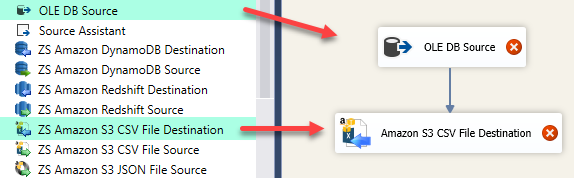
1. Drag Amazon S3 CSV Destination
Drag Amazon S3 CSV destination into SSIS data flow
🔍 View Full Size
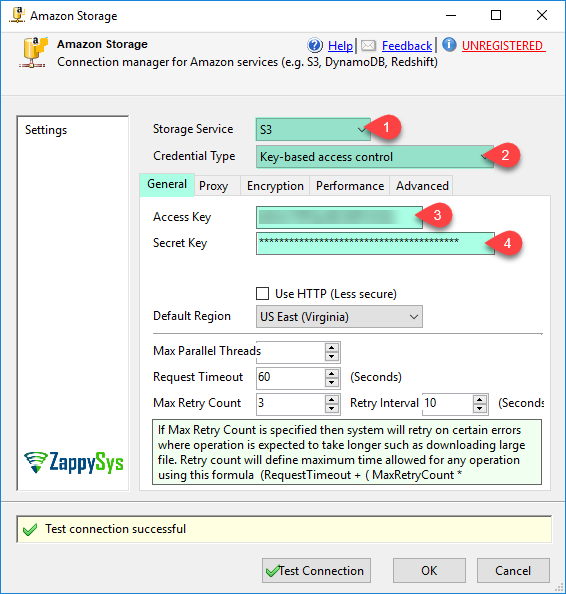
2. Create Amazon Storage Connection
Create SSIS Amazon storage connection manager
🔍 View Full Size
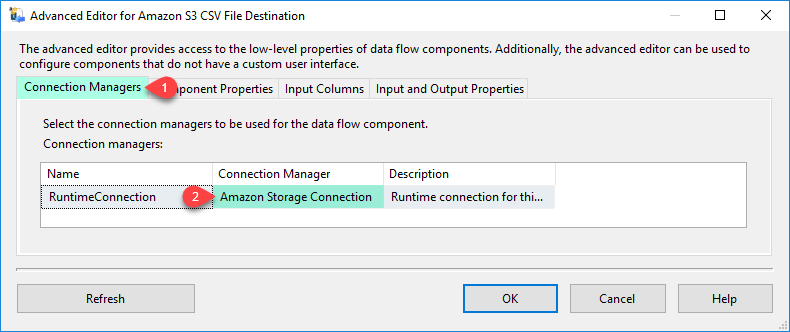
3. Select Destination Connection
Select Amazon S3 destination connection manager
🔍 View Full Size
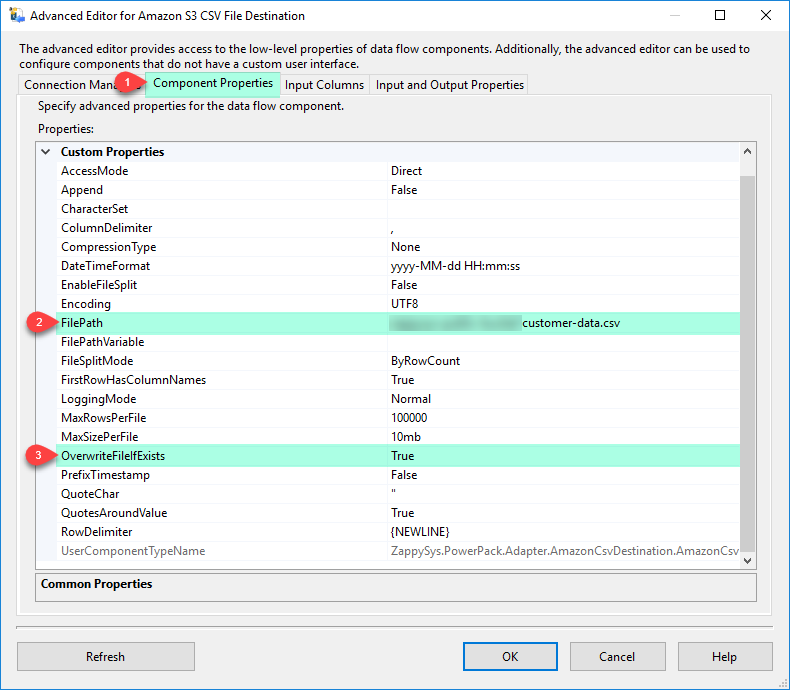
4. Configure Writer Properties
Configure Amazon S3 CSV writer component properties
🔍 View Full Size
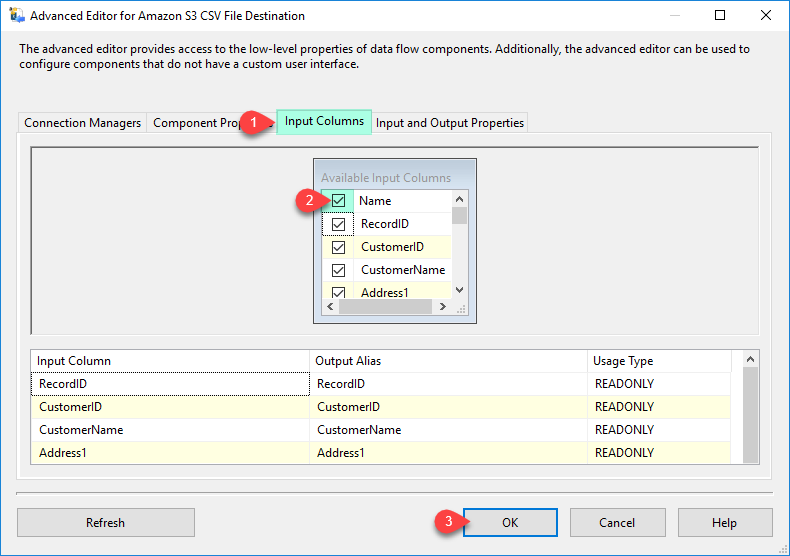
5. Map Destination Columns
Map columns for Amazon S3 CSV destination
🔍 View Full Size
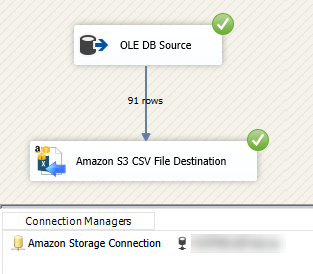
6. Execute SQL-to-S3 Load
Load SQL Server data to Amazon S3 CSV file
🔍 View Full Size

🔧 Key Features

  • Write CSV files directly to Amazon S3 from SSIS data flow
  • Split output by row count or file size at runtime
  • GZip stream output support
  • Server-side and client-side encryption options
  • Flexible column mapping for source-to-file export

💡 Common Use Cases

  • Warehouse Export Pipelines: Publish SQL resultsets to S3 as scheduled CSV feeds.
  • Large Dataset Delivery: Split high-volume exports into manageable S3 file chunks.
  • Cost-Efficient Storage: Compress output with GZip to reduce storage/transfer footprint.
  • Secure Data Distribution: Apply encryption for regulated or sensitive file transfers.

🎯 Summary

SSIS Amazon S3 CSV File Destination provides a no-code way to export relational data to S3 with split, compression, and encryption options. It is built for production-grade SQL-to-S3 file delivery workflows.

Trusted by Developers & IT Teams Worldwide

  • Built for SSIS Workflows: Purpose-built for high-performance ETL and complex integration scenarios.
  • Expert Technical Support: Direct access to engineers via email and remote screen-share sessions.
  • Proven Enterprise Scale: Trusted by 3000+ teams across 90+ countries, including Fortune 500.

SSIS PowerPack
Includes SSIS Amazon S3 CSV File Destination
Capterra Rating
Read reviews on Capterra →

Start Automating Workflows with SSIS PowerPack

Includes connectors for APIs, databases & cloud apps. Build robust ETL workflows without custom scripting.

Download SSIS PowerPack (Free Trial)

Full functionality is FREE for development within Visual Studio

  • Contact us
  • Jobs
  • Privacy
  • Manage cookies
  • Terms of use
  • Trademarks
© 2026 Microsoft