Read and write Zoom in SSIS with API Source and API Destination — meetings, webinars, users, registrants, and reports with minimal coding.
The SSIS Zoom Connector is built on the ZappySys API Connector framework: install or download the Zoom connector from the Popular Connector list or Search Online, target https://api.zoom.us/v2 (default base URL from the hub), authenticate with OAuth [OAuth] using a Zoom app in Admin Console (user credentials with granular or legacy scopes, or server-to-server app credentials for account-level access), preview endpoints in the API Source, and map writes in the API Destination.
Part of ZappySys SSIS PowerPack (100+ connectors & tasks).
Recommended starting point
Pro Tip: The Visual Studio download installs a lightweight extension. Use the guide above to install and run the full SSIS PowerPack (all connectors & UI) on your designer machine.
Compatibility: SQL Server 2012–2025+ (32/64-bit) | Azure Data Factory / Azure-SSIS IR Ready
⚡ Key Benefits
- Bidirectional Zoom ETL — Pair API Source extracts with API Destination writes for meetings, webinars, and directory data in one workflow
- Flexible Zoom OAuth — User credentials (granular or legacy scopes), or app credentials (server-to-server) for account-level automation — see the hub authentication sections
- Connector acquisition — Start from the Popular Connector list or Search Online when Zoom is not embedded locally
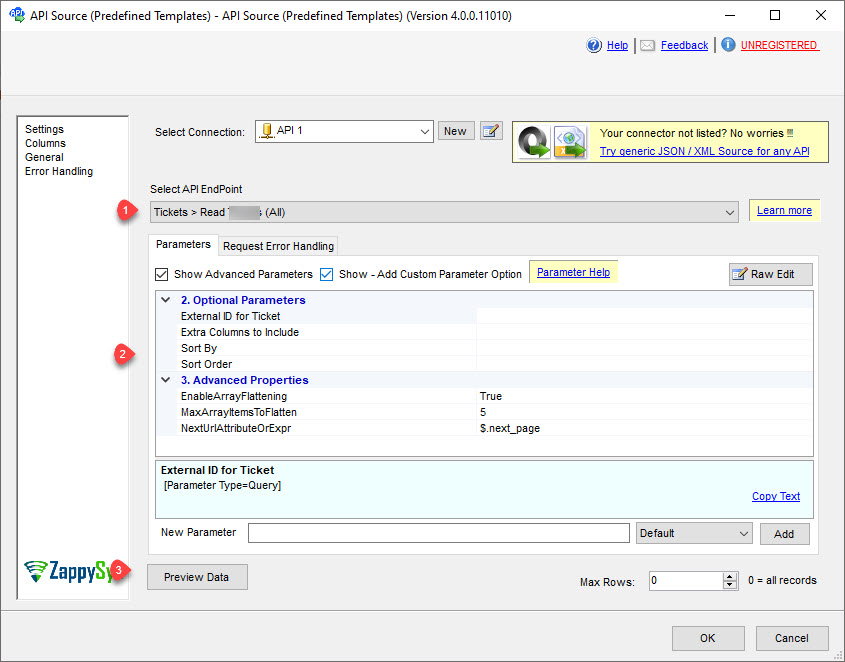
- Endpoint previews — Select Zoom endpoints, set parameters, and preview rows before executing the data flow
- Throttle-aware retries — Tune RetryMode, HTTP status lists (examples include
429), counts, and multiply-wait options shown in the UI
📸 Visual Overview & Setup
|
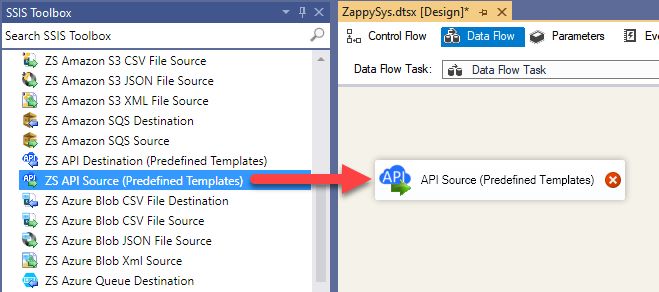
1. Drag API Source onto Data Flow
|
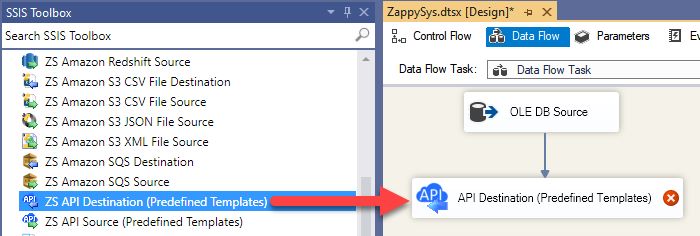
2. Drag API Destination onto Data Flow
|
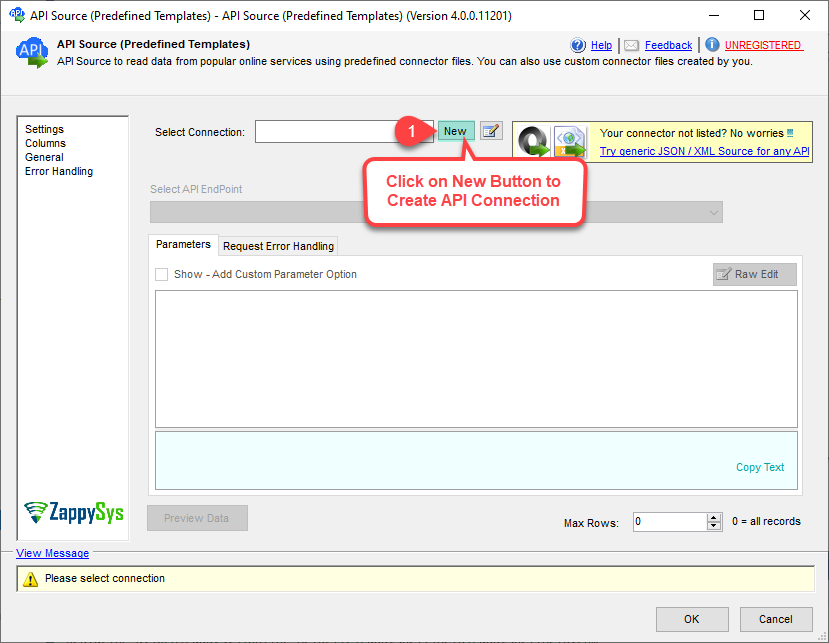
3. Pick & Download Zoom Connector
|
|
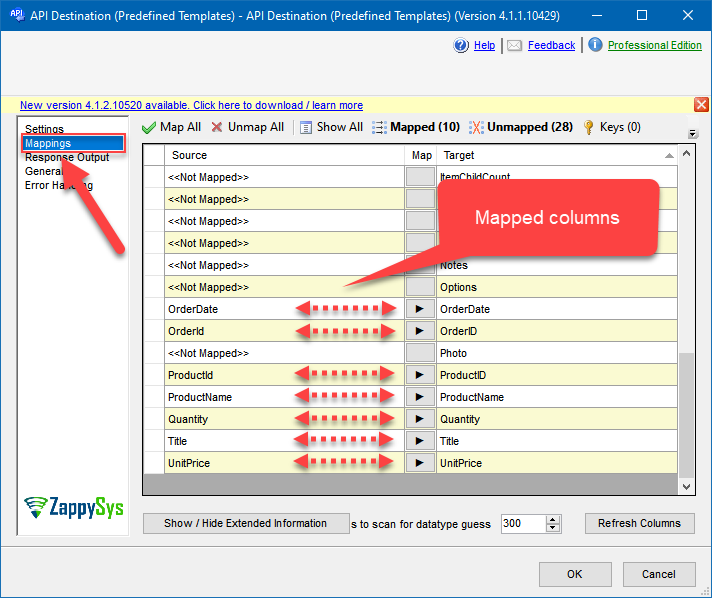
4. Map the Columns
|
Select Endpoint and Preview data
|
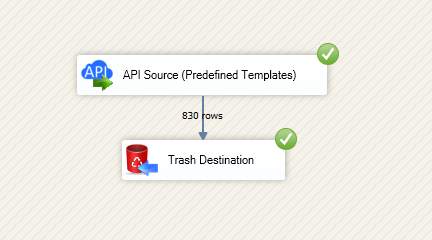
Destination Mapping & Execute
|
🔧 Key Features
Source — Read Zoom
- Extract meetings, webinars, users, registrants, past meetings, and report data using API Source templates from the connector hub
- Use the default REST base
https://api.zoom.us/v2 unless your scenario requires a different host per the setup article
- Land extracts in SQL Server, PostgreSQL, or Amazon Redshift with Upsert Destination or other SSIS destinations
Destination — Write Zoom
- POST, update, and dynamic endpoints supported by the connector — see Explore supported Zoom Connector actions on the hub
- Map pipeline columns on the Mappings tab after choosing the endpoint and parameters
- Reuse the same connection manager across read and write data flows
Authentication
- User credentials (granular) — Create an OAuth app under Zoom Admin Console (Channel > API > Settings); add granular scopes (user, meeting, webinar, report families per the hub); set Client Id, Secret, redirect, token, and authorization URLs; use Generate Token in the UI
- App credentials (server-to-server) — Use account Id, Client Id, and Client Secret with the token URL for automation without interactive consent — see the hub for admin/master scope lists
- Legacy scopes — Optional flow with classic scope strings (for example
meeting:read, webinar:read) when your app still uses the legacy model
- Full parameter tables and links: OAuth granular and related authentication topics on the hub
Reliability
- Configure retry mode, HTTP status lists (including
429), retry counts, and multiply-wait behavior using the UI examples from the setup article
💡 Common Use Cases
Typical collaboration and analytics scenarios for the Zoom connector components:
-
Meeting and webinar warehouse: Stage scheduled and historical meetings for BI or compliance retention.
Example: Incremental load by meeting start time.
-
Registrant and attendance analytics: Join registrant endpoints with internal attendee dimensions in SQL Server.
Example: API Source to Upsert Destination for a registrants fact table.
-
User directory sync: Keep Zoom users aligned with HR or IdP master data.
Example: Daily refresh with admin-level scopes where permitted.
-
Usage and report feeds: Pull report APIs for utilization dashboards.
Example: Scheduled package writing to a reporting database.
-
Multi-account templates: Parameterize credentials or account Id per Zoom sub-account.
Example: One package template, many Zoom accounts.
-
Azure-SSIS IR: Run the same packages on Azure Data Factory integration runtimes after custom setup per the hub ADF section.
Example: Cloud-hosted Zoom ETL without redesigning API flows.
🎯 Summary
Automate Zoom REST workloads inside SSIS using shared API Source and API Destination patterns.
Register OAuth or server-to-server credentials once, preview calls, and keep read/write paths inside one PowerPack installation.
Trusted by Developers & IT Teams Worldwide
- Built for SSIS Workflows: Purpose-built for high-performance ETL and complex integration scenarios.
- Expert Technical Support: Direct access to engineers via email and remote screen-share sessions.
- Proven Enterprise Scale: Trusted by 3000+ teams across 90+ countries, including Fortune 500.
|
SSIS PowerPack
Includes SSIS Zoom Connector

Read reviews on Capterra →
|
Start Moving Zoom Data with SSIS PowerPack
Includes the SSIS Zoom Connector plus 100+ connectors & tasks for APIs, databases & cloud apps. Build production ETL workflows without custom scripting.
Full functionality is FREE for development within Visual Studio
| |


