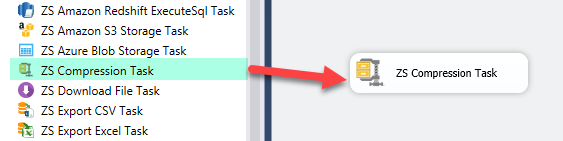
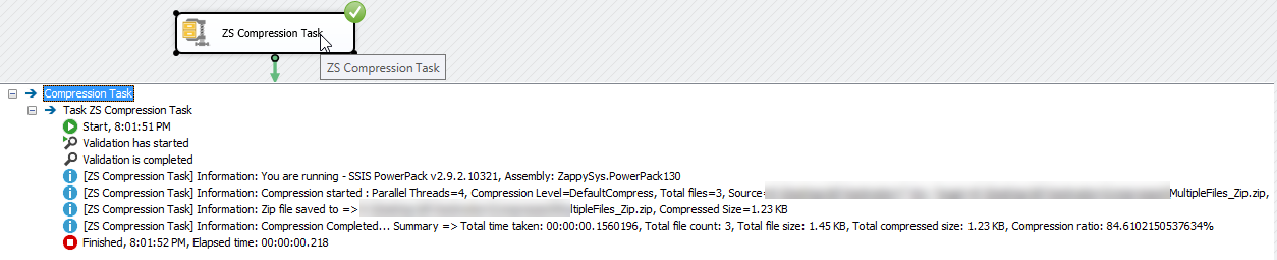
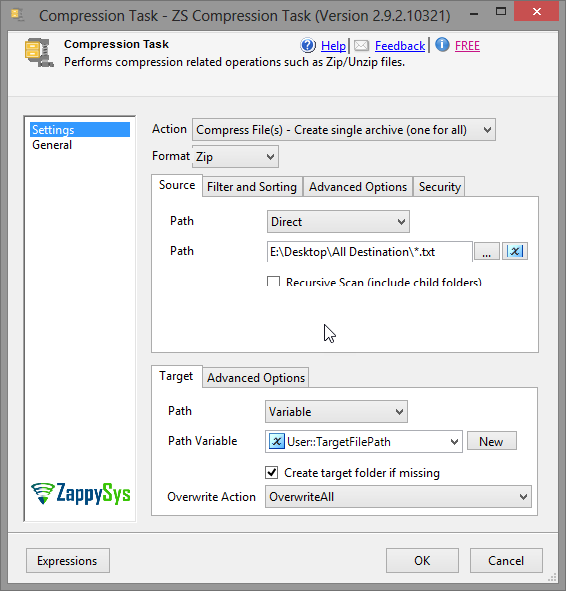
Zip, Unzip, and GZip files and folders in SSIS without scripting. Supports wildcard and Regex file selection, password-protected archives with AES encryption, multi-threaded compression, and auto folder creation. Part of ZappySys SSIS PowerPack (FREE).
Zip, Unzip, and GZip files and folders in SSIS — no Script Task required.
Compress or decompress single files, multiple files, or entire folders using Zip or GZip format.
Select files with wildcard patterns or Regex include/exclude rules, secure archives with
AES or PKWARE encryption, and run multi-threaded operations for maximum throughput —
all from a simple drag-and-drop task UI.
Part of ZappySys SSIS PowerPack — this component is FREE.
Compress and decompress files and folders in Zip or GZip format
Three compression levels: NoCompression, Deflate, and Best
Process a single file, multiple files, or entire folder trees
Auto-create missing target folder — no separate File System Task needed
File Selection
Wildcard patterns for source files (e.g. File*.csv, *.txt)
Regex-based include patterns (e.g. ^Customer.*\.csv$)
Regex-based exclude patterns (e.g. \.exe$|\.msi$)
Security & Encryption
Password-protected Zip archives (Note: password protection is Zip format only)
Encryption algorithms: AES-128, AES-192, AES-256
PKWARE (Zip20) encryption for legacy compatibility
Performance
Multi-threaded operations — utilize multiple CPU cores for large file sets
💡 Common Use Cases
Common real-world scenarios where this task eliminates Script Task-based compression:
Archive ETL Output Files: Compress output files before delivery or archiving. Example: Zip all CSV export files into a single archive before FTP upload.
Unzip Incoming Data Files: Decompress source files before loading into the database. Example: Unzip a daily delivery archive and process each extracted CSV with a Data Flow task.
Encrypted Compliance Archives: Create password-protected Zip files for regulatory or secure file transfer requirements. Example: Compress sensitive reports with AES-256 encryption before emailing.
Log File Archival: Batch compress old log files to reclaim disk space. Example: GZip all log files older than 30 days into a dated archive folder.
Selective Compression: Compress only files matching specific patterns, excluding binaries. Example: Include *.csv and *.txt files while excluding *.exe and *.msi.
🎯 Summary
Replace Script Tasks with a drag-and-drop compression component that handles Zip and GZip operations end to end.
Select files by wildcard or Regex, apply AES encryption, run multi-threaded, and auto-create target folders — all without writing a single line of code.
Trusted by Developers & IT Teams Worldwide
Built for SSIS Workflows: Purpose-built for high-performance ETL and complex integration scenarios.
Expert Technical Support: Direct access to engineers via email and remote screen-share sessions.
Proven Enterprise Scale: Trusted by 3000+ teams across 90+ countries, including Fortune 500.