Read and write YouTube in SSIS with API Source and API Destination — videos, playlists, channels, and analytics with minimal coding.
The SSIS YouTube Connector is built on the ZappySys API Connector framework: install or download the YouTube connector, choose API Key [Http] or User Account [OAuth] (with Google API Console steps from the guide), target https://youtube.googleapis.com/youtube/v3, preview endpoints in the API Source, and map writes in the API Destination.
Part of ZappySys SSIS PowerPack (100+ connectors & tasks).
Recommended starting point
Pro Tip: The Visual Studio download installs a lightweight extension. Use the guide above to install and run the full SSIS PowerPack (all connectors & UI) on your designer machine.
Compatibility: SQL Server 2012–2025+ (32/64-bit) | Azure Data Factory / Azure-SSIS IR Ready
⚡ Key Benefits
- Bidirectional YouTube ETL — Combine API Source reads and API Destination writes for channels, videos, and playlists in one package
- Google-ready authentication — Follow the documented API Key [Http] path or User Account [OAuth] flow with Google API Console setup
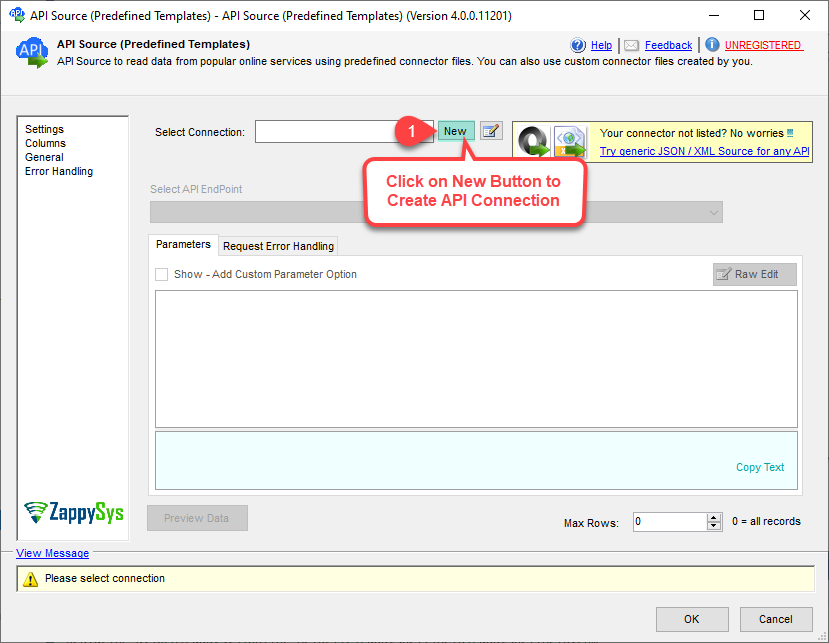
- Connector onboarding — Start from the Popular Connector list or Search Online when YouTube is not already embedded
- Endpoint previews — Select YouTube Data API v3 endpoints and preview rows before executing the data flow
- Quota-aware retries — Configure RetryMode, HTTP status lists (including
403|429 in the examples), counts, and multiply-wait behavior from the UI
📸 Visual Overview & Setup
|
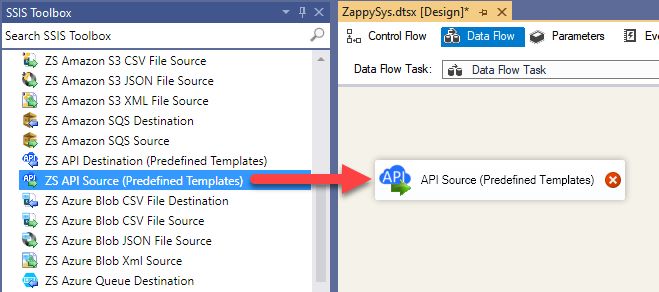
1. Drag API Source onto Data Flow
|
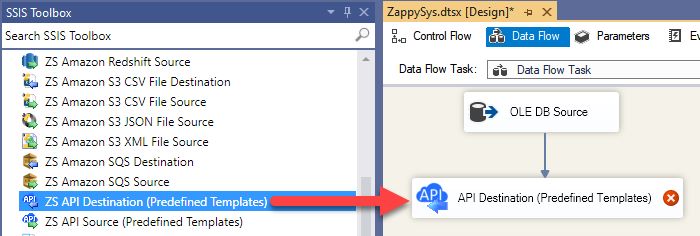
2. Drag API Destination onto Data Flow
|
3. Pick & Download YouTube Connector
|
|
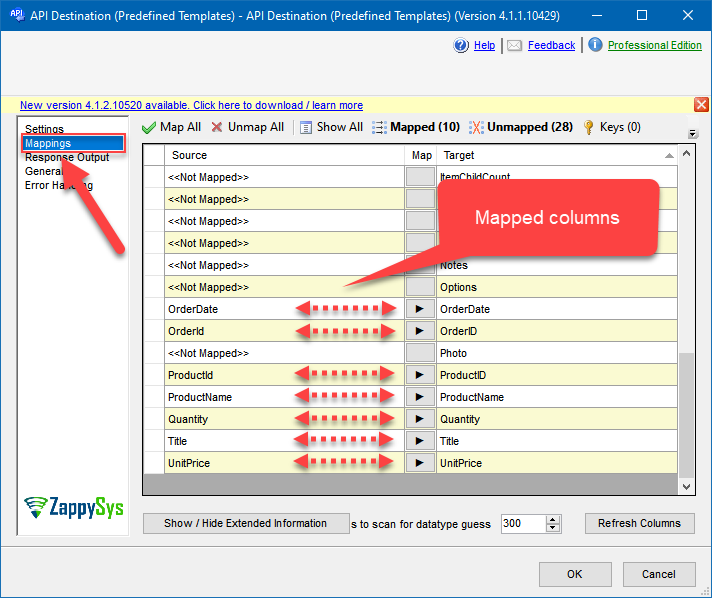
4. Map the Columns
|
Select Endpoint and Preview data
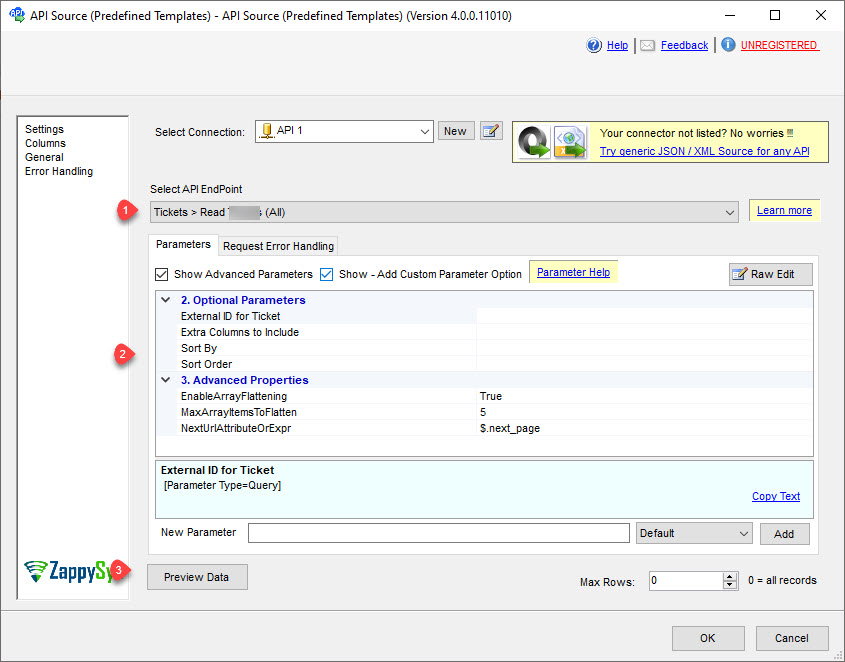
|
Destination Mapping & Execute
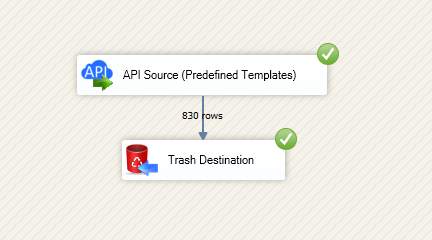
|
🔧 Key Features
Source — Read YouTube Data API v3
- Extract channel, video, playlist, and analytics-oriented endpoints using the API Source templates described on the hub page
- Point the connection at
https://youtube.googleapis.com/youtube/v3 as shown in the configuration placeholders
- Preview API responses in the component before executing the package
Destination — Write YouTube
- Use the API Destination walkthrough to post updates that the connector supports (for example uploads or metadata changes illustrated in the article)
- Map pipeline columns to YouTube fields using the destination mapping grid
- Chain other sources ahead of the destination when the guide recommends staging JSON or relational data first
Authentication
- API Key [Http] — Service-style access using a key from Google API Console, as documented in the connector article
- User Account [OAuth] — Interactive OAuth with consent screen, client ID/secret, and the YouTube scopes listed in the setup steps
- Jump to the connector authentication reference linked from the landing page for parameter-level detail
Reliability
- Tune retry mode, HTTP status lists (examples include
403|429), retry counts, and multiply-wait options shown in the UI screenshots
💡 Common Use Cases
Typical media and marketing analytics scenarios for the YouTube connector components:
-
Channel and video inventory to SQL: Stage playlists, videos, and metadata for reporting.
Example: Nightly snapshot of public uploads into a warehouse table.
-
Analytics alignment: Combine YouTube metrics extracts with ad or CRM data in SSIS.
Example: Join video performance with campaign keys from another source.
-
Content operations: Push approved updates from internal systems back to YouTube.
Example: API Destination batches generated after DAM workflow approval.
-
Playlist maintenance: Read playlist items for reconciliation jobs.
Example: Detect drift between CMS playlists and YouTube playlists.
-
Multi-channel publishing: Reuse the same connector pattern across dev/test/prod projects.
Example: Parameterize API keys or OAuth apps per environment.
-
Lift-and-shift to Azure-SSIS IR: Run the same packages in ADF integration runtimes.
Example: Schedule cloud-hosted refreshes without redesigning the data flow.
🎯 Summary
Automate YouTube Data API v3 workloads inside SSIS using the same API Source and API Destination model as other ZappySys connectors.
Authenticate with Google, pick endpoints, preview results, and keep read/write paths in one PowerPack installation.
Trusted by Developers & IT Teams Worldwide
- Built for SSIS Workflows: Purpose-built for high-performance ETL and complex integration scenarios.
- Expert Technical Support: Direct access to engineers via email and remote screen-share sessions.
- Proven Enterprise Scale: Trusted by 3000+ teams across 90+ countries, including Fortune 500.
|
SSIS PowerPack
Includes SSIS YouTube Connector

Read reviews on Capterra →
|
Start Moving YouTube Data with SSIS PowerPack
Includes the SSIS YouTube Connector plus 100+ connectors & tasks for APIs, databases & cloud apps. Build production ETL workflows without custom scripting.
Full functionality is FREE for development within Visual Studio
| |


