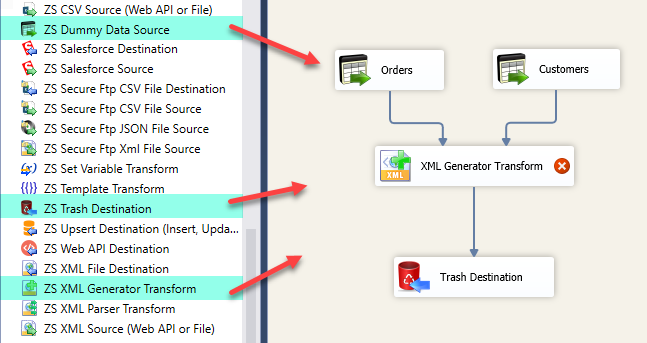
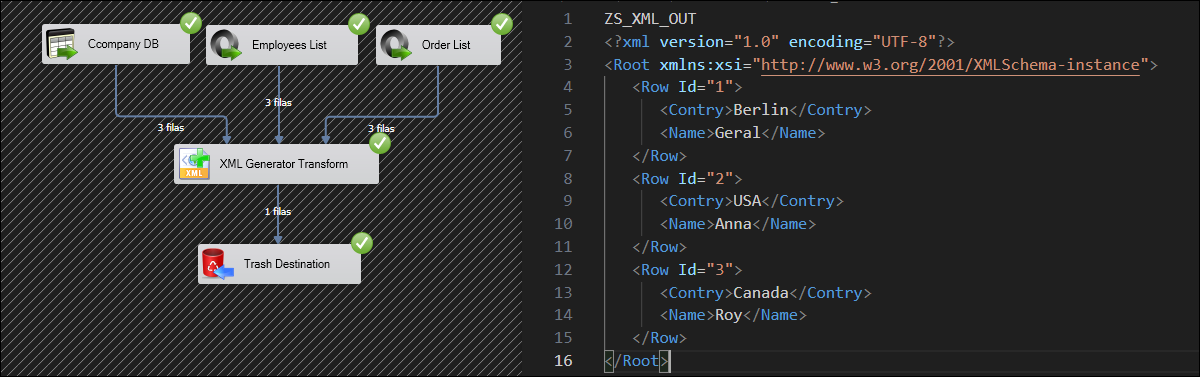
Generate single or multiple XML documents from any SSIS data source directly inside a Data Flow. Supports nested structures from multiple datasets, parent-child relations, XML namespaces, and live structure preview. Part of ZappySys SSIS PowerPack.
Generate single or multiple XML documents from any data source directly inside an SSIS Data Flow — no Script Task required.
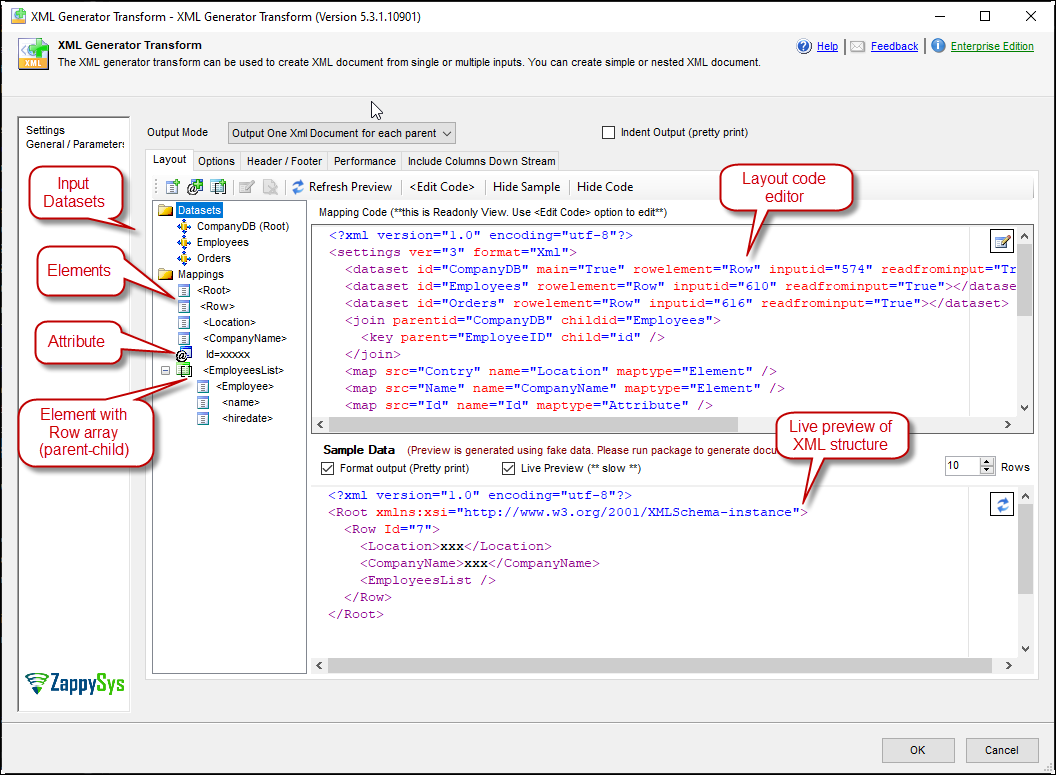
Use a drag-and-drop layout editor to design nested XML structures with elements, attributes, arrays,
and parent-child relationships — joining multiple datasets from SQL Server, flat files, Excel, and more.
Choose between one XML document per row or one document for all records, preview the XML structure live
as you edit, and pass the generated XML downstream to any SSIS destination.
Part of ZappySys SSIS PowerPack.
Visual drag-and-drop layout editor with live XML structure preview — design without XSLT
Support for elements, attributes, document arrays, and nested sub-elements
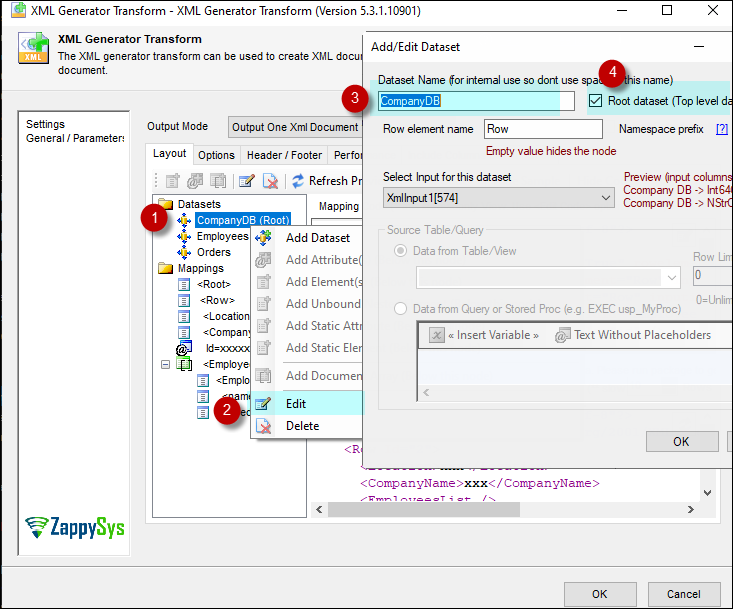
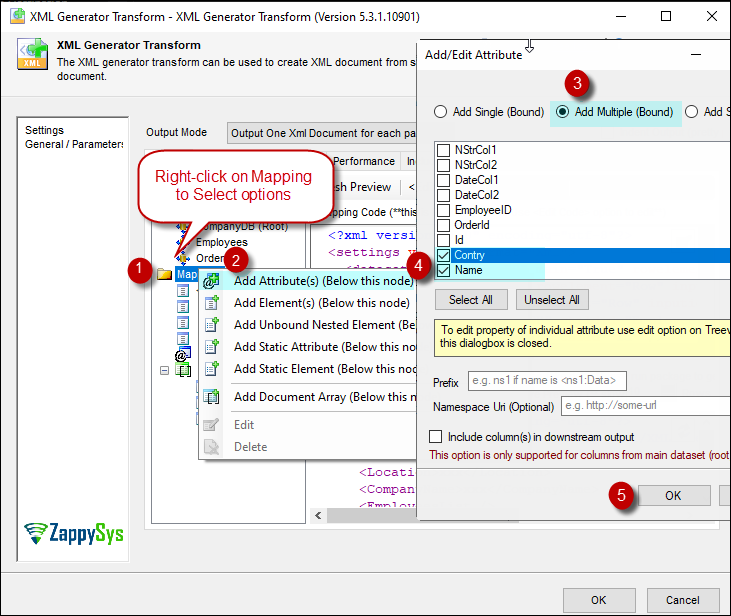
Right-click context menu for fast add/edit of XML nodes directly in the layout editor
Generation Modes
One XML per row — generate a separate XML document for each record from the root dataset
One XML for all rows — wrap all input records in a single root XML document
Output the generated XML as a new column in the data flow for downstream use
Multi-Dataset & Compatibility
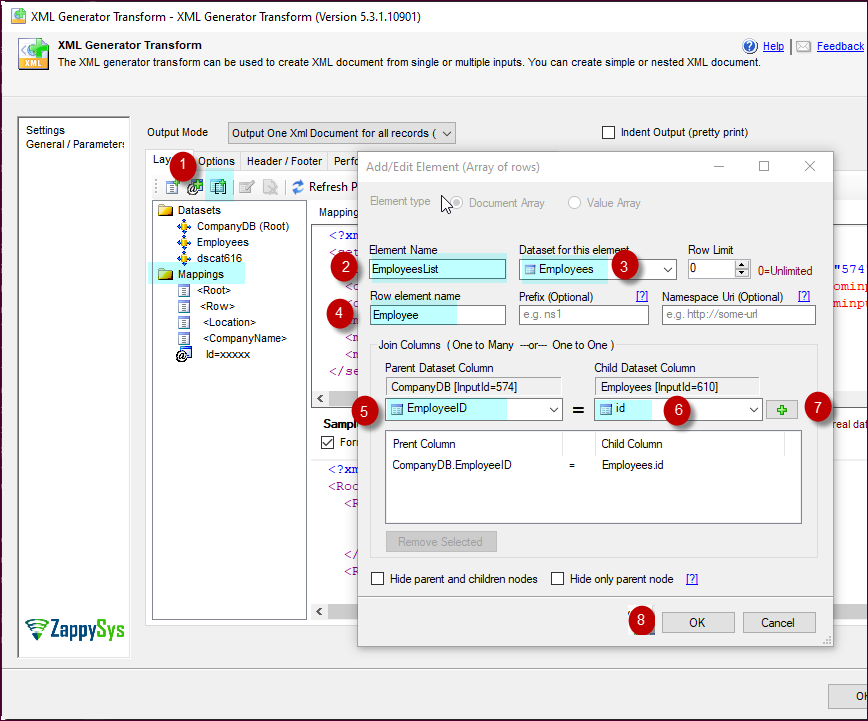
Join multiple input datasets (SQL Server, flat file, Excel) for parent-child nested XML
Support for XML namespaces and prefixes for SOAP and standards-compliant documents
Compatible with SQL Server 2012–2025 (32/64-bit) and Azure Data Factory
💡 Common Use Cases
Common real-world scenarios for generating XML documents inside an SSIS Data Flow:
SOAP API Payload Construction: Build XML SOAP request bodies from SQL data and pass them to a Web Service Task. Example: Generate a SOAP XML envelope per row from an orders table and POST each to a Workday or legacy API endpoint.
Batch REST API Requests: Wrap multiple rows into a single nested XML payload for bulk API submission. Example: Collect all pending order rows and generate one XML batch document for a single bulk API call.
Hierarchical XML Export: Produce nested XML with parent-child structure from multiple related tables in one pipeline. Example: Join customer and order tables to generate per-customer XML documents with nested order line items.
XML with Namespaces: Generate standards-compliant XML with proper namespace declarations for EDI or system integrations. Example: Produce XML with xmlns prefixes required by a trading partner's schema validation.
🎯 Summary
Replace Script Tasks and custom XML serialization with a drag-and-drop transform that generates XML documents inline inside your SSIS Data Flow.
Design nested structures visually, join multiple datasets for parent-child nesting, choose per-row or all-rows output mode, and pass generated XML directly downstream — all without writing a single line of code.
Trusted by Developers & IT Teams Worldwide
Built for SSIS Workflows: Purpose-built for high-performance ETL and complex integration scenarios.
Expert Technical Support: Direct access to engineers via email and remote screen-share sessions.
Proven Enterprise Scale: Trusted by 3000+ teams across 90+ countries, including Fortune 500.