Read and write Stripe in SSIS with API Source and API Destination — customers, products, subscriptions, and invoices with minimal coding.
The SSIS Stripe Connector is built on the ZappySys API Connector framework: install or download the Stripe connector, configure Stripe [Http] authentication, select endpoints, preview rows in the API Source, and map columns in the API Destination to post updates back to Stripe.
Part of ZappySys SSIS PowerPack (100+ connectors & tasks).
Recommended starting point
Pro Tip: The Visual Studio download installs a lightweight extension. Use the guide above to install and run the full SSIS PowerPack (all connectors & UI) on your designer machine.
Compatibility: SQL Server 2012–2025+ (32/64-bit) | Azure Data Factory / Azure-SSIS IR Ready
⚡ Key Benefits
- Bidirectional Stripe ETL — Use API Source to extract and API Destination to load or update Stripe objects in one PowerPack workflow
- Stripe HTTP authentication — Configure Stripe [Http] in the connection manager using the connector's documented steps
- Connector onboarding — Start from the Popular Connector list or use Search Online to download the Stripe connector
- Endpoint-driven reads — Pick Stripe endpoints, preview data, and execute packages without hand-written REST calls
- Throttle-aware retries — Tune retry mode, status lists (including 429), counts, and multiply-wait options where shown in the UI
📸 Visual Overview & Setup
|
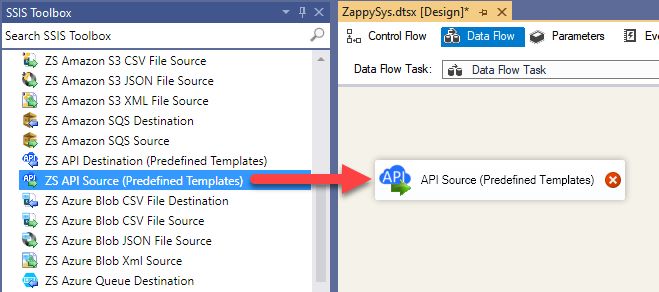
1. Drag API Source onto Data Flow
|
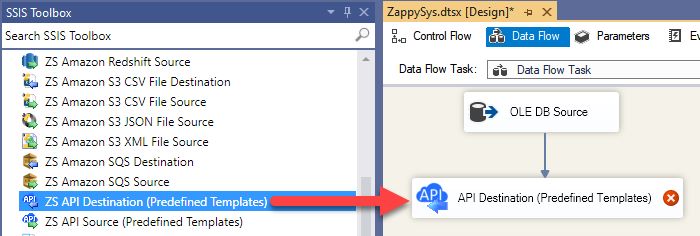
2. Drag API Destination onto Data Flow
|
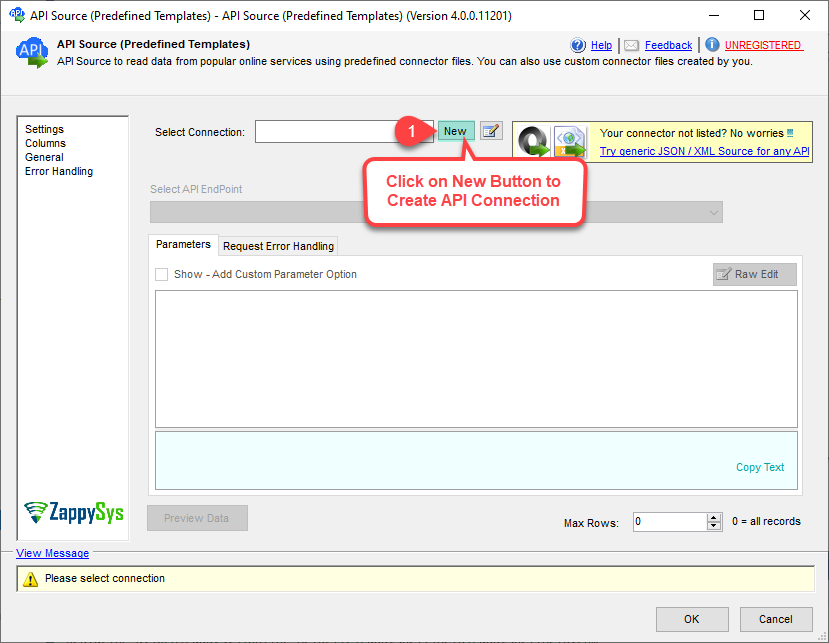
3. Pick & Download Stripe Connector
|
|
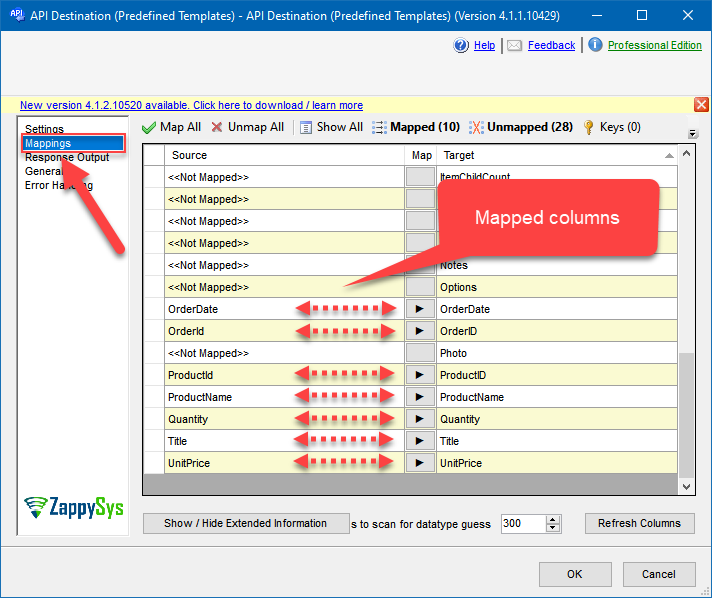
4. Map the Columns
|
Select Endpoint and Preview data
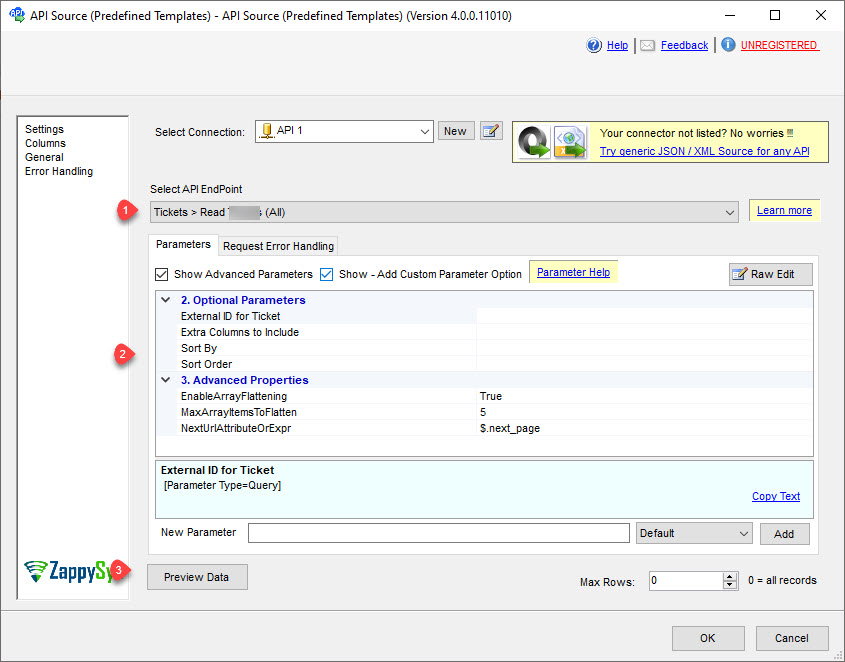
|
Destination Mapping & Execute
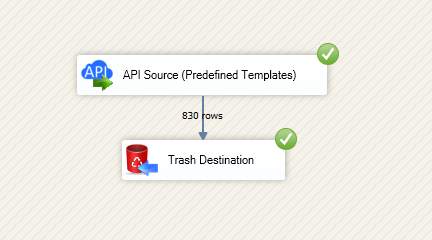
|
🔧 Key Features
Source — Read Stripe
- Extract Stripe objects using the API Source with predefined connector templates
- Work through the endpoint picker to read customers, products, subscriptions, invoices, and related resources described on the product page
- Preview Stripe data in the component before you execute the data flow
Destination — Write Stripe
- Use the API Destination to post, update, or look up Stripe records as shown in the import walkthrough
- Map incoming columns to Stripe fields using the visual mapping grid
- Chain sources (including JSON/XML/API Source) ahead of the destination when the guide calls for staging data
Authentication & connector acquisition
- Set Authentication Type to
Stripe [Http] and follow the Stripe login steps illustrated in the setup article
- Choose Stripe from the Popular Connector list or switch to Search Online to download the latest connector package
- Jump to the connector's authentication reference for full parameter detail when you need deeper options
Reliability controls
- Configure retry mode, HTTP status lists (including
429), retry counts, and multiply-wait behavior from the UI examples on the landing page
💡 Common Use Cases
Typical finance and operations pipelines you can build with the Stripe connector components:
-
Revenue analytics landing zone: Pull charges, balance transactions, and payouts into a warehouse table.
Example: Nightly Stripe extract that feeds accounting dashboards in SQL Server.
-
Customer 360 enrichment: Merge Stripe customers and subscriptions with CRM or ERP keys.
Example: Consolidate subscription status next to on-prem customer master data.
-
Billing remediation loads: Push curated updates from staging into Stripe objects.
Example: Apply API Destination batches generated from approved service-desk tickets.
-
Invoice & subscription reconciliation: Compare Stripe invoices with finance system totals.
Example: Detect mismatches before month-end close.
-
Product catalog sync: Read Stripe products and prices for merchandising systems.
Example: Refresh price books before promotional campaigns.
-
Operational copy for support teams: Materialize Stripe lists that analysts can query without production API access.
Example: Snapshot subscriptions for read-only reporting databases.
🎯 Summary
Move Stripe data in both directions inside SSIS using the same API Source and API Destination pattern as other ZappySys connectors.
Follow the hub guide to authenticate, pick endpoints, preview results, and execute production packages without maintaining custom REST code.
Trusted by Developers & IT Teams Worldwide
- Built for SSIS Workflows: Purpose-built for high-performance ETL and complex integration scenarios.
- Expert Technical Support: Direct access to engineers via email and remote screen-share sessions.
- Proven Enterprise Scale: Trusted by 3000+ teams across 90+ countries, including Fortune 500.
|
SSIS PowerPack
Includes SSIS Stripe Connector

Read reviews on Capterra →
|
Start Moving Stripe Data with SSIS PowerPack
Includes the SSIS Stripe Connector plus 100+ connectors & tasks for APIs, databases & cloud apps. Build production ETL workflows without custom scripting.
Full functionality is FREE for development within Visual Studio
| |


