Read SharePoint Online data in SSIS — no hand-coded REST.
Use SSIS API Source with the prebuilt SharePoint connector to choose actions, supply parameters, preview returned rows, and shape output columns in a guided UI.
Pull list items, files, folders, drives, and sites into downstream ETL without writing Microsoft Graph plumbing.
Part of ZappySys SSIS PowerPack (100+ connectors & tasks).
Recommended starting point
Pro Tip: After saving the API connection, use preview to validate site, list, path, or filter parameters before wiring destinations.
Compatibility: SQL Server 2012–2025+ (32/64-bit) | Azure Data Factory / Azure-SSIS IR Ready
⚡ Key Benefits
- Connector-driven reads — Pick SharePoint actions and parameters in the API Source UI
- Broad SharePoint coverage — Lists, libraries, files, folders, drives, and sites
- Design-time preview — Inspect returned rows while configuring the source
- Column control — Toggle output columns for cleaner downstream mapping
- Extensible patterns — Reuse connector files and optional generic REST mode
📸 Visual Overview & Setup
|
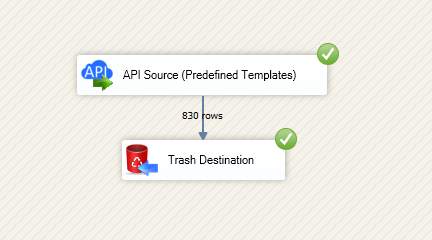
1. Drag API Source from Toolbox

|
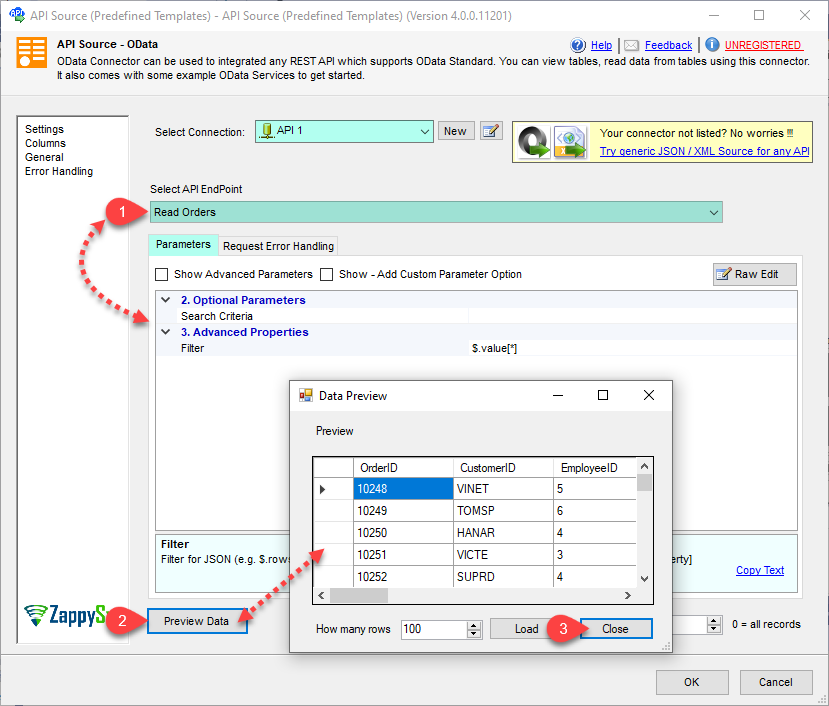
2. Create / Select API Connection
|
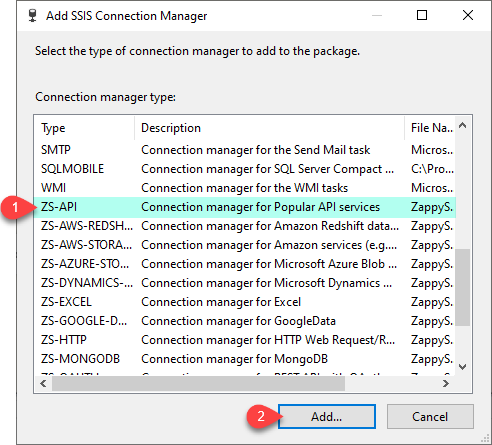
3. Choose SharePoint Connector
|
|
4. Configure Endpoint & Preview
|
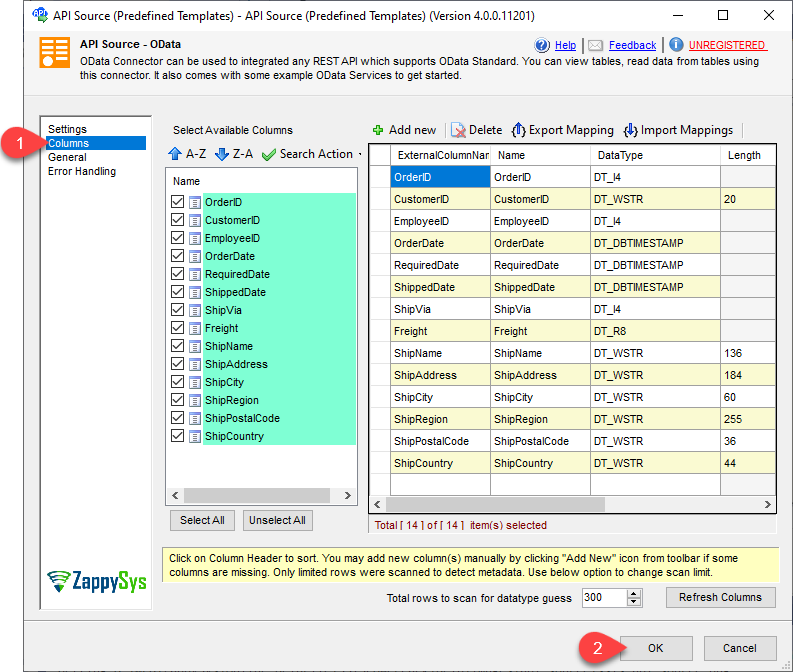
5. Review Output Columns
|
6. Save Connector & Run Data Flow
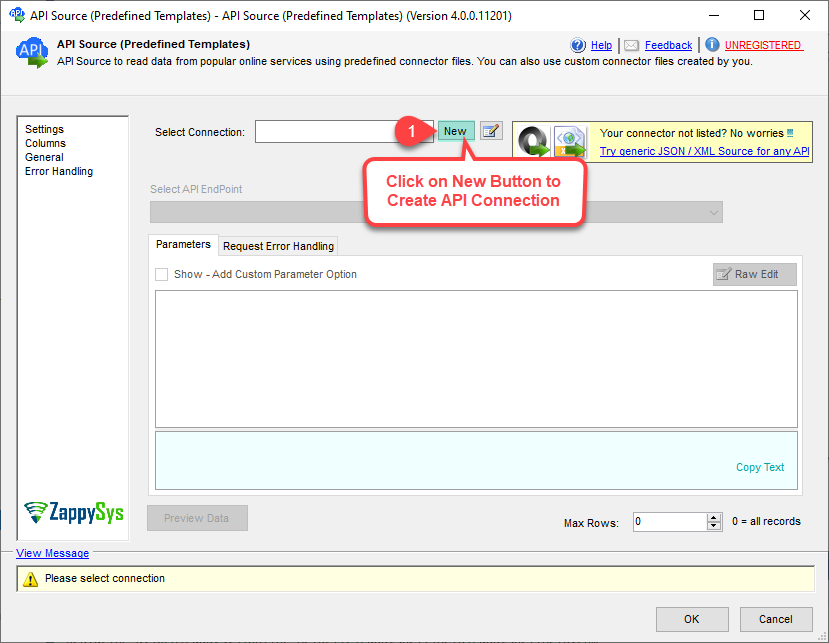
|
🔧 Key Features
SharePoint read coverage
- Read list items, fields, and related metadata for ETL staging
- Enumerate sites, drives, folders, libraries, and file paths
- Download or read file contents where the action supports it (CSV/JSON/Excel scenarios)
- Copy, move, rename, or delete flows available through connector actions when your package needs them
Guided API Source experience
- Step-by-step connection and connector selection
- Endpoint parameter inputs with design-time validation
- Preview grid to inspect row shape before runtime
- Output column picker to reduce noise in downstream mappings
Advanced flexibility
- Connector files for reusable, team-standard integration patterns
- Generic REST request mode for custom Graph endpoints
- OAuth patterns aligned with Microsoft Graph security guidance
💡 Common Use Cases
Common real-world scenarios where this component simplifies SSIS development:
-
List-to-SQL staging: Extract SharePoint lists on a schedule for reporting or warehousing.
Example: Land a tracking list into SQL Server each night for dashboards.
-
Document catalog metadata: Read file and folder metadata for audit or search indexing.
Example: Capture library paths and modified dates into a catalog table.
-
Hybrid file ingestion: Pull JSON/CSV/Excel stored in libraries into ETL pipelines.
Example: Parse a shared JSON payload after it lands in a known folder.
-
Reference lookups: Enrich rows using SharePoint as a master reference source.
Example: Join transaction data to a SharePoint-maintained category list.
🎯 Summary
SSIS SharePoint Source packages Microsoft Graph reads into a familiar API Source workflow—connection, connector selection, preview, and column shaping—so teams can treat SharePoint like any other SSIS row source without maintaining custom REST code.
Trusted by Developers & IT Teams Worldwide
- Built for SSIS Workflows: Purpose-built for high-performance ETL and complex integration scenarios.
- Expert Technical Support: Direct access to engineers via email and remote screen-share sessions.
- Proven Enterprise Scale: Trusted by 3000+ teams across 90+ countries, including Fortune 500.
|
SSIS PowerPack
Includes SSIS SharePoint Source

Read reviews on Capterra →
|
Start Automating Workflows with SSIS PowerPack
Includes connectors for APIs, databases & cloud apps. Build robust ETL workflows without custom scripting.
Full functionality is FREE for development within Visual Studio
| |

