Write data to SharePoint Online from SSIS — no scripting required.
Insert, update, delete, and look up SharePoint list items, upload files to document libraries, and create CSV or JSON files — all from a drag-and-drop SSIS component.
Authenticate using OAuth 2.0 (User or Application Credentials) and work through Microsoft Graph calls without writing API code.
Part of ZappySys SSIS PowerPack (100+ connectors & tasks).
Recommended starting point
Pro Tip: Confirm the target list, item ID/key fields, and OAuth permissions on the component tabs before running large data loads.
Compatibility: SQL Server 2012–2025+ (32/64-bit) | Azure Data Factory / Azure-SSIS IR Ready
⚡ Key Benefits
- Write to SharePoint Lists — Insert, update, delete, and look up list items directly from SSIS data flows
- File upload & management — Upload files and create CSV/JSON files in document libraries
- OAuth 2.0 authentication options — Use User Credentials (delegated) or Application Credentials (app-only)
- Automatic retry logic — Handles transient errors and rate limits (HTTP 429, 503, 423) without custom code
- Graph API integration in UI — Built-in connector handles Graph calls, pagination, and auth flows
📸 Visual Overview & Setup
|
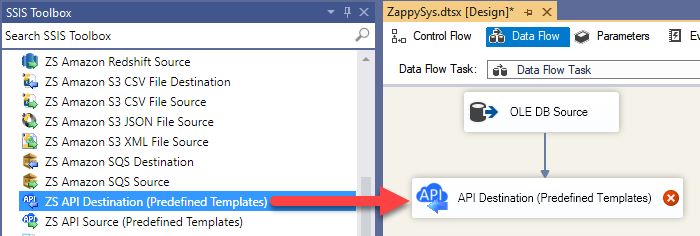
1. Drag API Destination into Data Flow
|
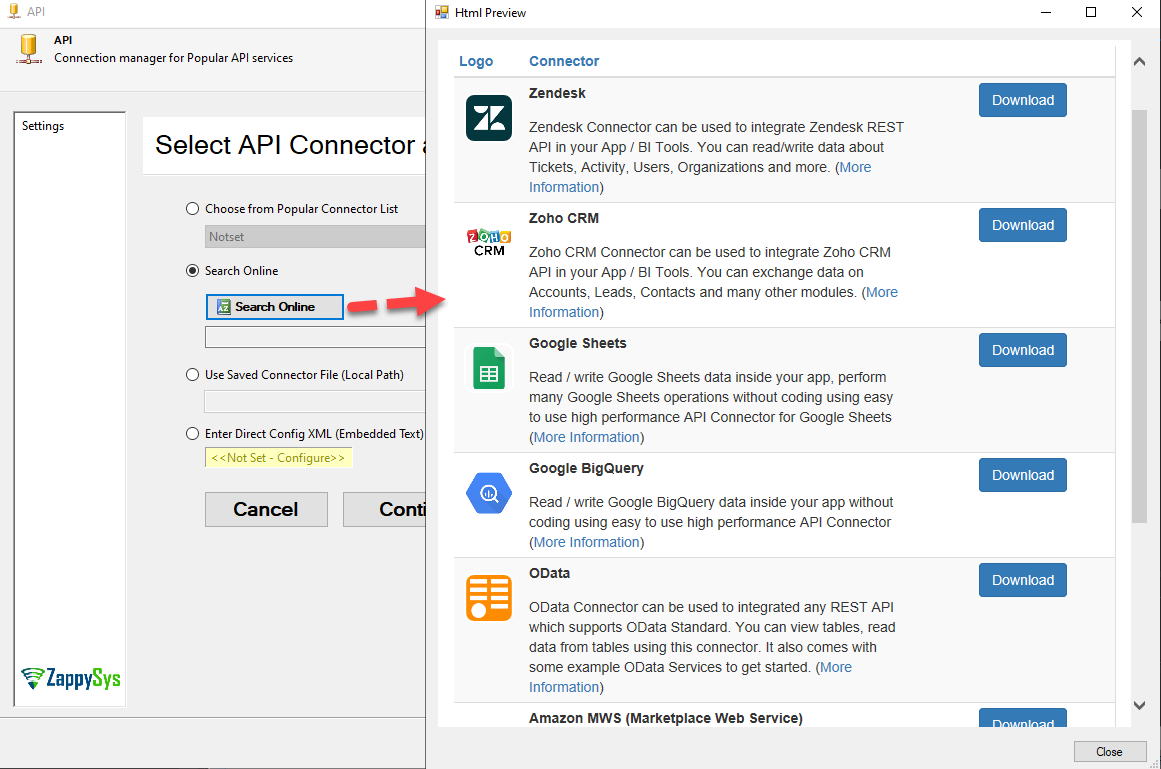
2. Create / Select API Connection
|
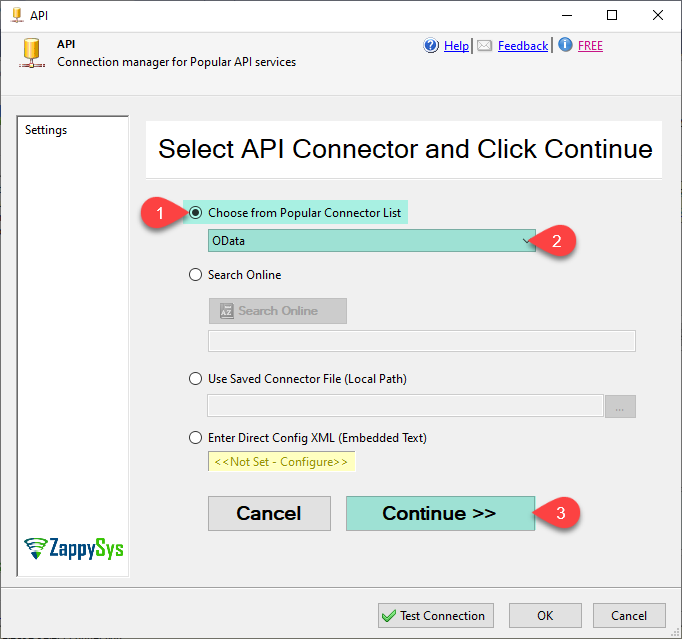
3. Choose SharePoint Connector
|
|
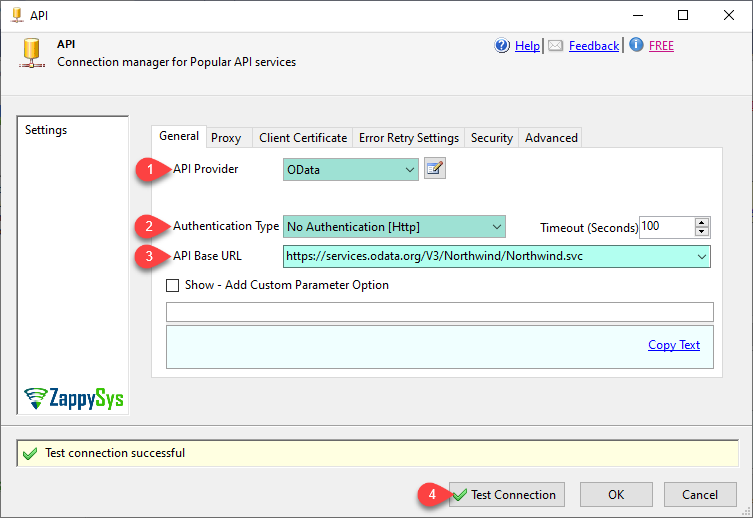
4. Configure OAuth Authentication
|
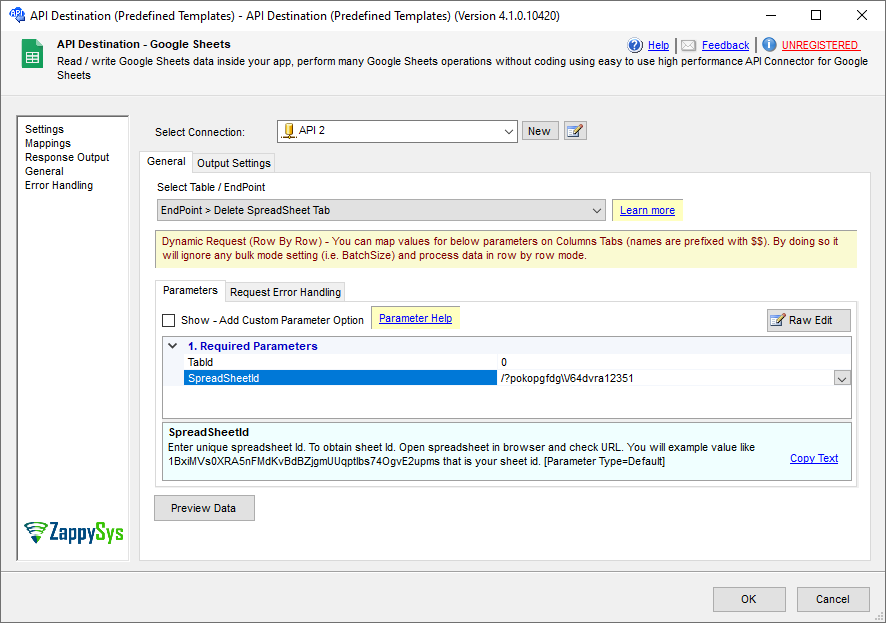
5. Select Action & Configure Endpoint
|
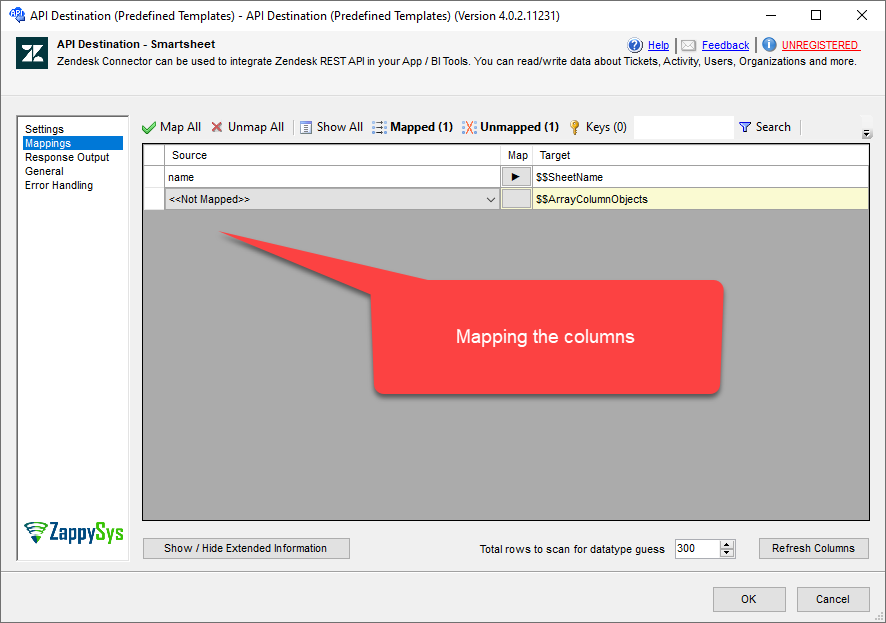
6. Map Columns & Execute
|
🔧 Key Features
Write Operations
- Create, update, delete, and look up SharePoint list items
- Upload files to document libraries
- Create or update CSV and JSON files in SharePoint
- Copy, move, rename, and delete files and folders
- Make generic REST API requests (including bulk write patterns)
Read & Lookup
- Lookup list items by ID or key columns during data flow
- Read list items, list fields, and list metadata
- Read Excel worksheets plus JSON and CSV files stored in SharePoint
- List sites, drives, folders, and document libraries
Authentication & Security
- OAuth 2.0 — User Credentials (delegated) for interactive sign-in scenarios
- OAuth 2.0 — Application Credentials (app-only) for unattended, automated pipelines
- Certificate-based auth — Sign JWT with private key (PFX / PEM)
- Granular site and list permissions via Sites.Selected and Lists.SelectedOperations.Selected
Reliability & Connectivity
- Connects via Microsoft Graph API v1.0
- Built-in retry for rate limits and transient errors (HTTP 429, 503, 423)
- Configurable retry count and exponential back-off
- Compatible with Azure Data Factory / Azure-SSIS Integration Runtime
Deployment
- Supports SQL Server 2012–2025 (32/64-bit)
- Deploy and schedule via SQL Server Catalog or SQL Agent
💡 Common Use Cases
Common real-world scenarios where this component simplifies data delivery to SharePoint Online:
- Sync database records to SharePoint lists: Push SQL Server table data into SharePoint lists on a schedule.
- Upload ETL-generated files: Deliver processed files directly to SharePoint document libraries.
- Automate list item creation: Create SharePoint list items from incoming ERP transactions.
- Update or delete stale items: Keep SharePoint lists in sync with source systems.
- Lookup enrichment during ETL: Retrieve SharePoint list values to enrich data rows mid-pipeline.
- File lifecycle management: Copy, move, rename, or delete SharePoint files as part of ETL workflows.
🎯 Summary
SSIS SharePoint destination turns SharePoint Online operations into a standard ETL component—so you can write list items and upload files without hand-coding Graph API requests.
Trusted by Developers & IT Teams Worldwide
- Built for SSIS Workflows: Purpose-built for high-performance ETL and complex integration scenarios.
- Expert Technical Support: Direct access to engineers via email and remote screen-share sessions.
- Proven Enterprise Scale: Trusted by 3000+ teams across 90+ countries, including Fortune 500.
|
SSIS PowerPack
Includes SSIS SharePoint Destination

Read reviews on Capterra →
|
Start Automating Workflows with SSIS PowerPack
Includes connectors for APIs, databases & cloud apps. Build robust ETL workflows without custom scripting.
Full functionality is FREE for development within Visual Studio
| |

