Read and write SharePoint Online in SSIS — sites, lists, document libraries, and files with no scripting.
The SSIS SharePoint Connector adds predefined API Source and API Destination components that target the Microsoft Graph SharePoint Online endpoint. Query list items with SQL-like syntax, upload or download files, and create, update, or delete records using User Credentials, Application Credentials, or Certificate (JWT) OAuth flows — all configured from a visual connection manager.
Part of ZappySys SSIS PowerPack (100+ connectors & tasks).
Recommended starting point
Pro Tip: The Visual Studio download installs a lightweight extension. Use the guide above to install and run the full SSIS PowerPack (all connectors & UI) on your designer machine.
Compatibility: SQL Server 2012–2025+ (32/64-bit) | Azure Data Factory / Azure-SSIS IR Ready
⚡ Key Benefits
- Bidirectional — Source and Destination components for SharePoint reads and writes in the same package
- OAuth Ready — User Credentials, Application Credentials, and Certificate (JWT) authentication flows
- Low-Code UI — Configure connection, endpoints, and mapping from a visual connection manager
- Rich Operations — List sites, read and write list items, upload, download, copy, move, and delete files
- Built-in Resilience — Retry handling for 429, 503, and 423 responses with configurable wait strategy
📸 Visual Overview & Setup
|
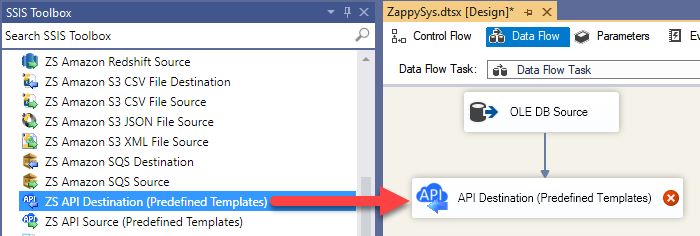
1. Drag API Source onto Data Flow

|
2. Drag API Destination onto Data Flow
|
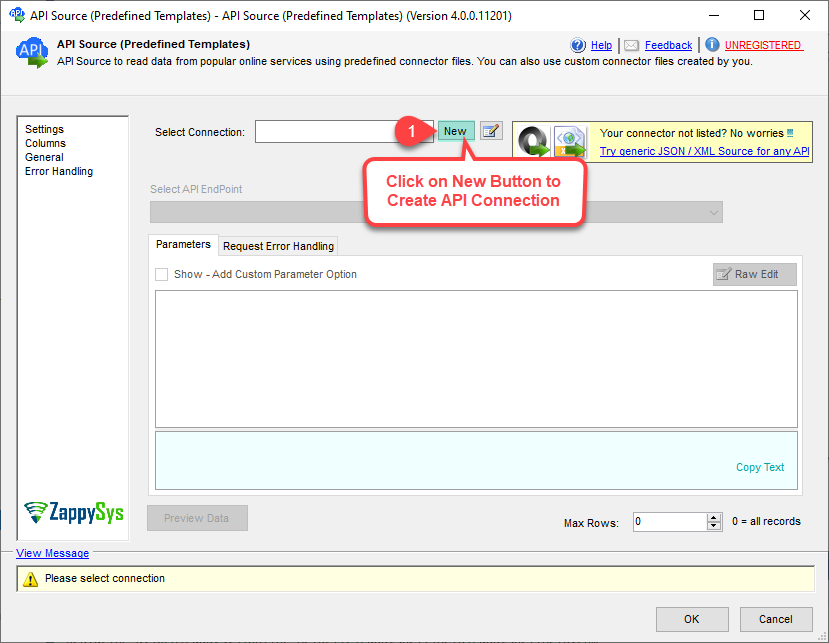
3. Pick & Download SharePoint Connector
|
|
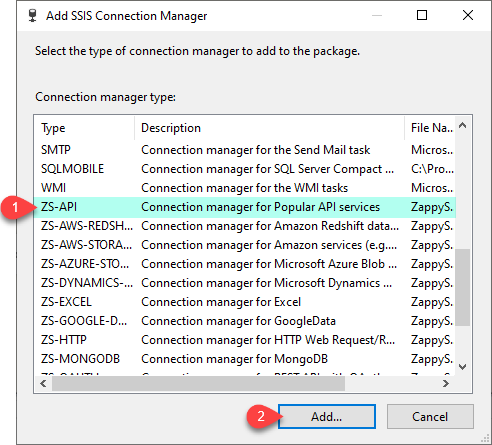
4. Configure OAuth Connection
|
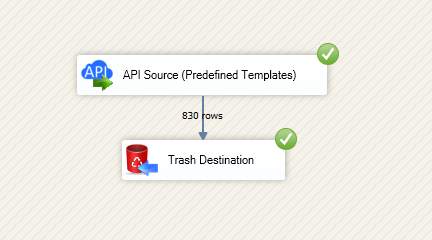
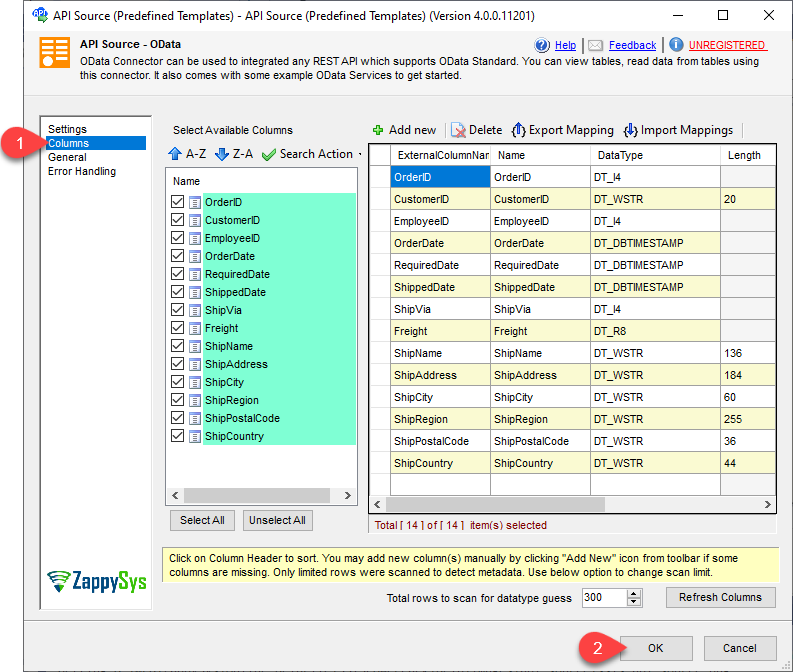
5. Source — Select Endpoint & Preview
|
6. Destination — Map Columns & Run
|
🔧 Key Features
Source — Read SharePoint Online
- Query list items, files, folders, drives, and sites through predefined endpoints
- Read Excel worksheets (auto-detect or exact range), CSV, and JSON files stored in SharePoint
- Dynamic columns support for list items with custom SharePoint fields
- Make generic REST API requests against any Microsoft Graph path
Destination — Write SharePoint Online
- Create, update, and delete list items (row-level CRUD)
- Upload, copy, move, rename, and delete files in document libraries
- Create and update generic CSV and JSON files on the target drive
- Bulk write via generic REST API request with source-to-target mapping
Authentication
- User Credentials (delegated OAuth)
- Application Credentials with Client Secret
- Application Credentials with Certificate (JWT signed with private key, PFX or PEM)
- Granular
Sites.Selected, Lists.SelectedOperations.Selected, and ListItems.SelectedOperations.Selected scopes
Resilience & Control
- Configurable retry mode for
429, 503, and 423 status codes
- Multiply-wait back-off and maximum retry count
- Extra headers and search options for indexed and non-indexed fields
💡 Common Use Cases
Realistic SharePoint Online scenarios that the connector handles without custom code:
-
Export List Items to SQL Server: Pull SharePoint list rows into staging tables and merge with Upsert Destination.
Example: Nightly sync of a project tracker list into a data warehouse.
-
Push Records Into SharePoint Lists: Insert or update list items from SQL Server or CSV sources.
Example: Publish approved expense reports from ERP to a SharePoint list.
-
Document Library Automation: Upload generated reports or archive older files.
Example: Drop nightly PDFs into a SharePoint folder with a timestamped path.
-
Excel / CSV / JSON in SharePoint: Read SharePoint-hosted spreadsheets and flat files directly.
Example: Load a shared Excel worksheet into a database without downloading manually.
-
Granular Security Deployments: Run integrations with
Sites.Selected scoped apps.
Example: Limit an automation app to a specific site collection rather than the tenant.
-
Azure Data Factory Lift-and-Shift: Run the same SSIS packages on Azure-SSIS Integration Runtime.
Example: Host recurring SharePoint pipelines in ADF alongside on-prem workloads.
🎯 Summary
Move SharePoint Online data in and out of SSIS without writing Microsoft Graph code.
One connector, two components, full read and write — configured from a visual UI.
Trusted by Developers & IT Teams Worldwide
- Built for SSIS Workflows: Purpose-built for high-performance ETL and complex integration scenarios.
- Expert Technical Support: Direct access to engineers via email and remote screen-share sessions.
- Proven Enterprise Scale: Trusted by 3000+ teams across 90+ countries, including Fortune 500.
|
SSIS PowerPack
Includes SSIS SharePoint Connector

Read reviews on Capterra →
|
Start Moving SharePoint Online Data with SSIS PowerPack
Includes the SSIS SharePoint Connector plus 100+ connectors & tasks for APIs, databases & cloud apps. Build production ETL workflows without custom scripting.
Full functionality is FREE for development within Visual Studio
| |


