Read and write ServiceNow data in SSIS with API Source and API Destination — no scripting.
Connect to ServiceNow APIs from a visual connector UI: query incidents, tasks, users, and custom table data, then push updates back through the Destination. Configure Basic Auth or OAuth flows from the connection manager using your ServiceNow instance settings.
Part of ZappySys SSIS PowerPack (100+ connectors & tasks).
Recommended starting point
Pro Tip: The Visual Studio download installs a lightweight extension. Use the guide above to install and run the full SSIS PowerPack (all connectors & UI) on your designer machine.
Compatibility: SQL Server 2012–2025+ (32/64-bit) | Azure Data Factory / Azure-SSIS IR Ready
⚡ Key Benefits
- Bidirectional ServiceNow ETL — API Source and API Destination for reads and writes in the same SSIS solution
- ServiceNow API coverage — Predefined endpoints for incidents, tasks, users, and table API operations documented on the hub page
- Flexible authentication — Basic Auth, OAuth Authorization Code, OAuth Client Credentials, and OAuth Password Grant options in the UI
- Low-code configuration — Pick endpoints, set parameters, preview data, then map columns without custom scripts
- Operational automation — Create, update, or sync ITSM records from SSIS after upstream loads complete
📸 Visual Overview & Setup
|
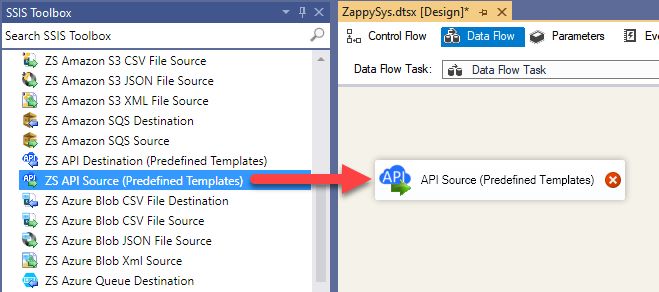
1. Drag API Source onto Data Flow
|
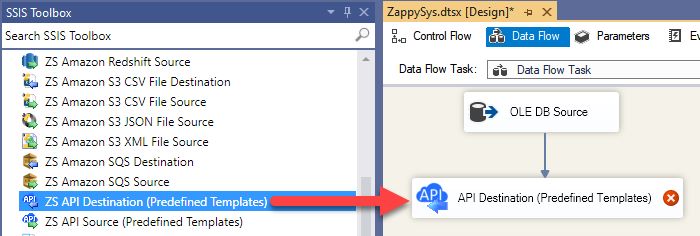
2. Drag API Destination onto Data Flow
|
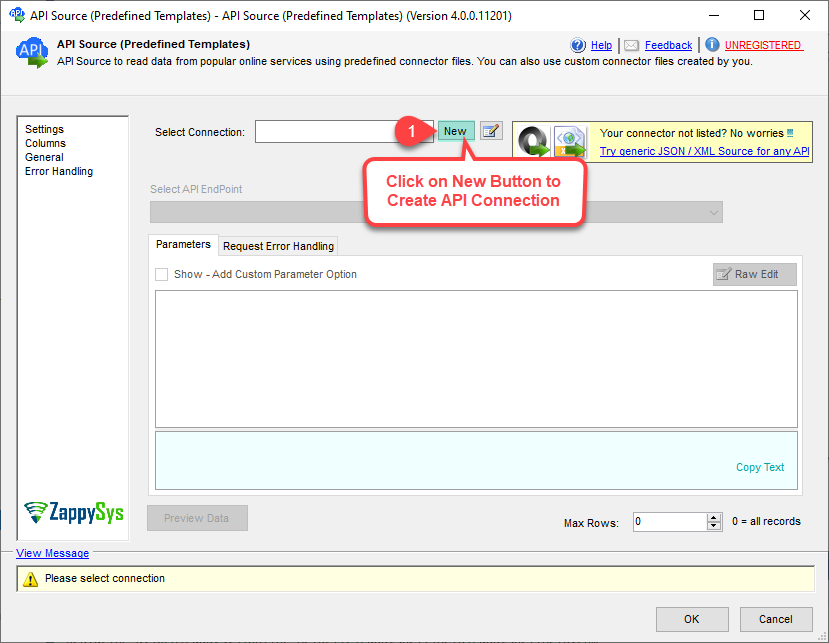
3. Pick ServiceNow Connector
|
|
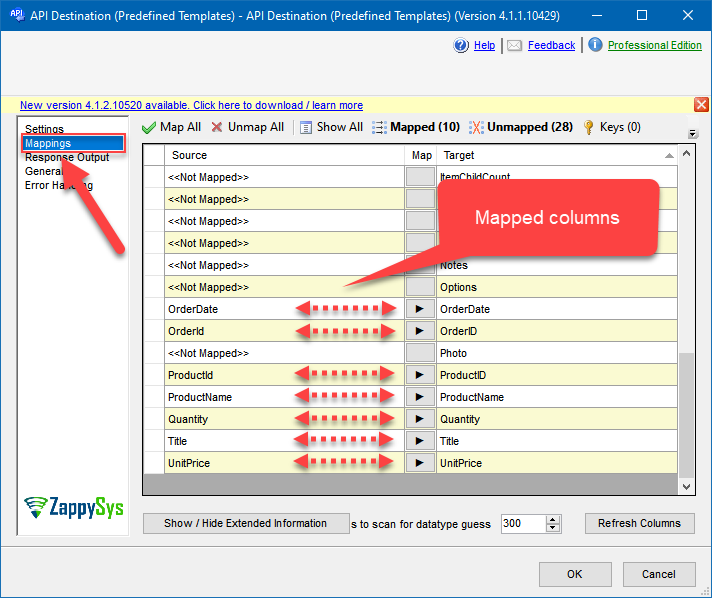
4. Map the Columns
|
5. Select Endpoint and Preview data
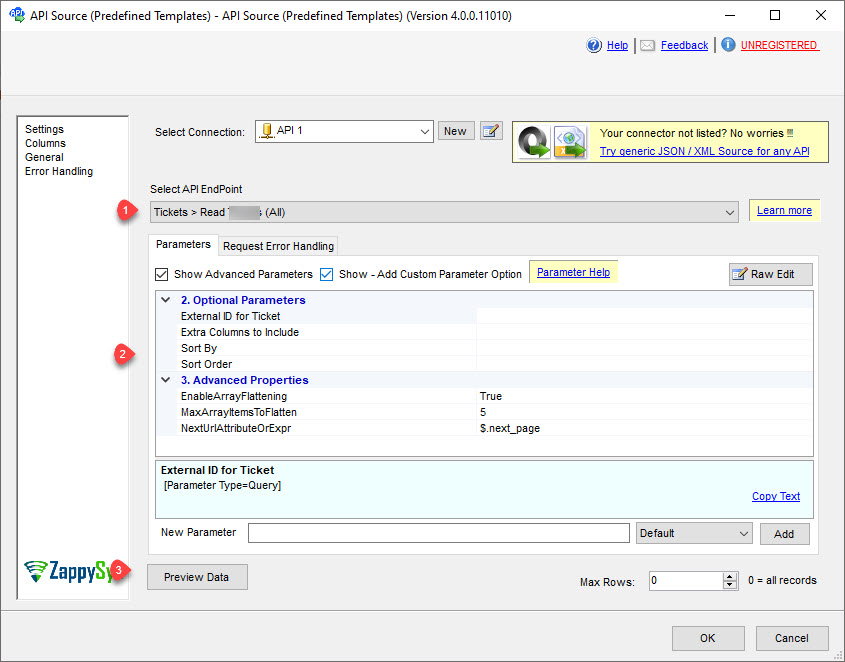
|
6. Destination Mapping & Execute
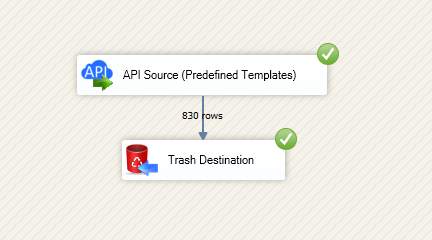
|
🔧 Key Features
Source — Read ServiceNow
- Export incidents, tasks, users, and table records using predefined ServiceNow endpoints with parameter-driven requests
- Read entities exposed on the Integration Hub action list, including table API based operations
- Preview JSON in the API Source UI before you wire the data flow downstream
- Combine with SQL Server staging for ITSM analytics, SLA reporting, and governance workloads
Destination — Write ServiceNow
- Create or update ServiceNow records through the API Destination with column mapping
- Follow the documented write workflow: choose authentication, base URL, required parameters, then map on the Mappings tab
- Use the same connector packaging model as other API Integration Hub components in SSIS PowerPack
Authentication & security
- Basic Auth (UserName and Password) [Http] for quick instance-level access with HTTP credentials
- OAuth Authorization Code Grant, OAuth Client Credentials Grant (admin-enabled), and OAuth Password Grant options for governed access
- ServiceNow instance URL pattern and app registry settings are documented on the connector page
Operations catalog
- How-to actions listed on the connector page for common ServiceNow operations and table API patterns
- Pair Source reads with SQL Server or other ZappySys destinations in one control flow
💡 Common Use Cases
Typical SSIS scenarios for ServiceNow:
-
Incident warehouse feed: Incrementally load incidents and related task records into SQL Server for KPI reporting.
Example: Nightly pull of open incidents with assignment-group dimensions for operational dashboards.
-
SLA and backlog analytics: Combine ServiceNow extracts with internal staffing data.
Example: Measure resolution-time trends by priority and support tier.
-
Bi-directional sync: Write status updates from downstream systems back into ServiceNow via API Destination.
Example: Update incident notes after automated remediation workflows complete.
-
Master data alignment: Sync users, groups, and reference tables with enterprise systems.
Example: Keep CMDB-adjacent lookup data consistent across ITSM and data warehouse layers.
-
Automated ticket operations: Create or enrich records from monitoring or alert pipelines.
Example: Raise incidents from failed batch events with mapped package context.
-
Cross-platform observability: Join ServiceNow ticket data with logs and metrics in one ETL batch.
Example: Correlate outage incidents with infrastructure telemetry for root-cause reviews.
🎯 Summary
Give your SSIS team a repeatable, UI-first path to ServiceNow data and operations.
Read and write ServiceNow with the same API Source and API Destination pattern used across ZappySys API connectors — less custom code, clearer handoffs to operations.
Trusted by Developers & IT Teams Worldwide
- Built for SSIS Workflows: Purpose-built for high-performance ETL and complex integration scenarios.
- Expert Technical Support: Direct access to engineers via email and remote screen-share sessions.
- Proven Enterprise Scale: Trusted by 3000+ teams across 90+ countries, including Fortune 500.
|
SSIS PowerPack
Includes SSIS ServiceNow Connector

Read reviews on Capterra →
|
Start Automating Workflows with SSIS PowerPack
Includes connectors for APIs, databases & cloud apps. Build robust ETL workflows without custom scripting.
Full functionality is FREE for development within Visual Studio
| |


