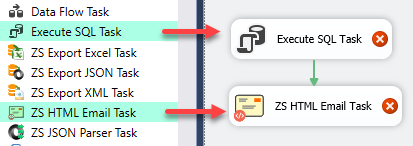
Send rich HTML emails from SSIS using template files or inline HTML with variable placeholders. Supports custom SMTP credentials, auto-expanding Recordset-to-HTML-table, and CSS-styled email formatting. Part of ZappySys SSIS PowerPack (FREE).
Send professional HTML emails from SSIS — custom SMTP, variable placeholders, and Recordset-to-table built in.
Compose HTML emails from inline text or a template file and embed SSIS variable values anywhere
in the subject or body using simple {{User::VarName}} placeholders. Automatically
expand an ADO.NET Recordset or DataTable into a formatted HTML table in the email body —
no scripting required. Configure any SMTP server with full UserID, Password, and Port control.
Part of ZappySys SSIS PowerPack — this component is FREE.
Pro Tip: The Visual Studio download installs a basic extension.
Use the guide above to install and run the full SSIS PowerPack (all connectors & UI).
Compatibility: SQL Server 2012–2025+ (32/64-bit) | Azure Data Factory / Azure-SSIS IR Ready
⚡ Key Benefits
HTML Email from Templates or Inline Text — Compose email body from a template file or write HTML directly in the task UI
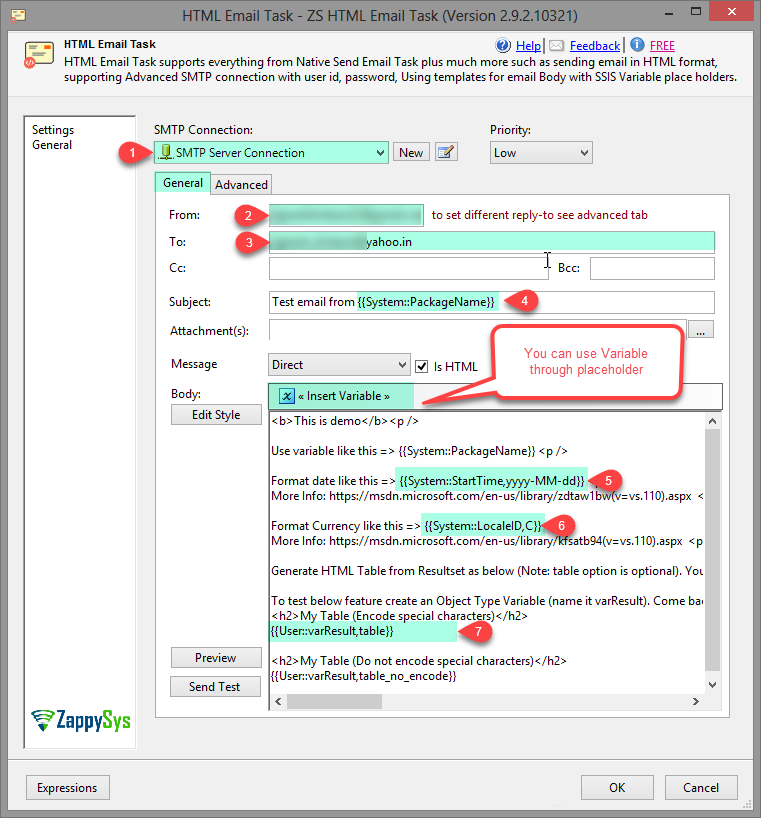
Variable Placeholder Support — Embed SSIS variable values anywhere in the subject or body using {{User::VarName}} syntax, resolved at runtime
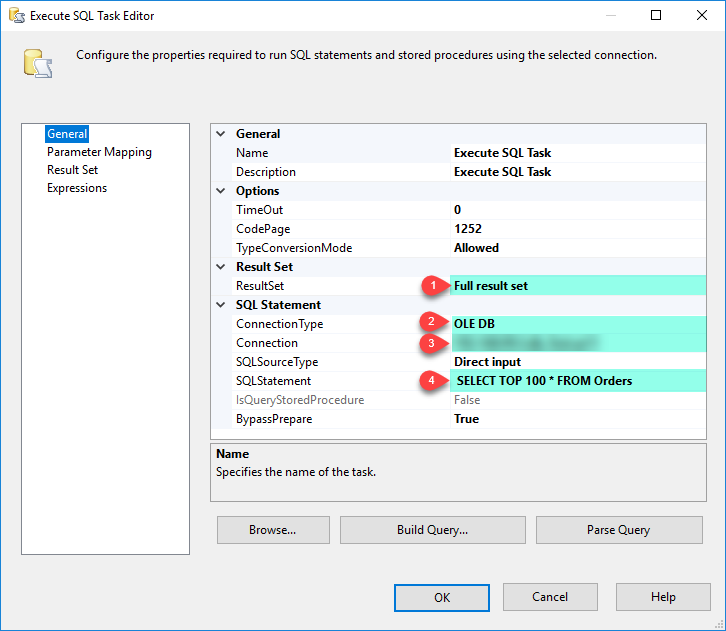
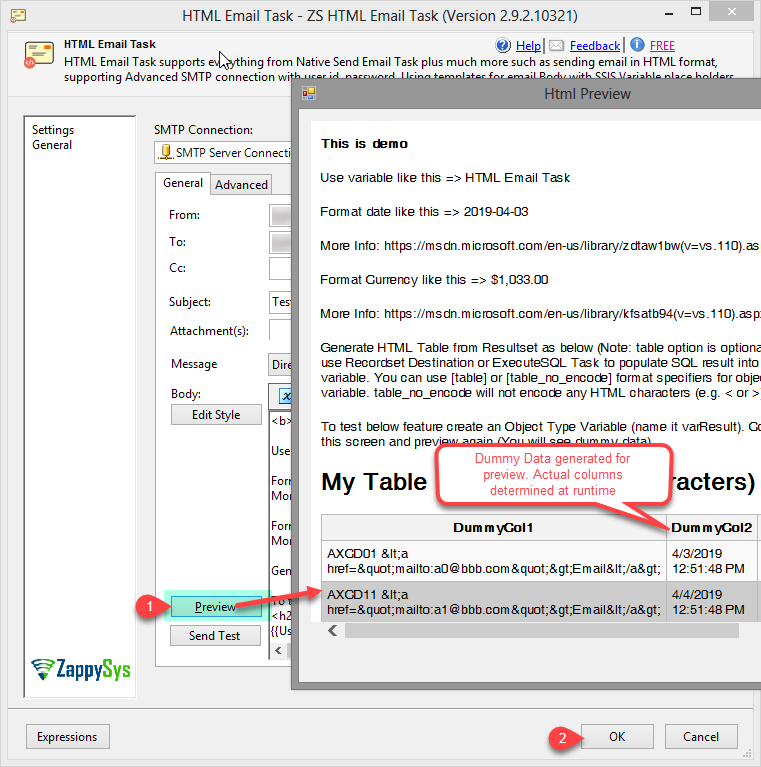
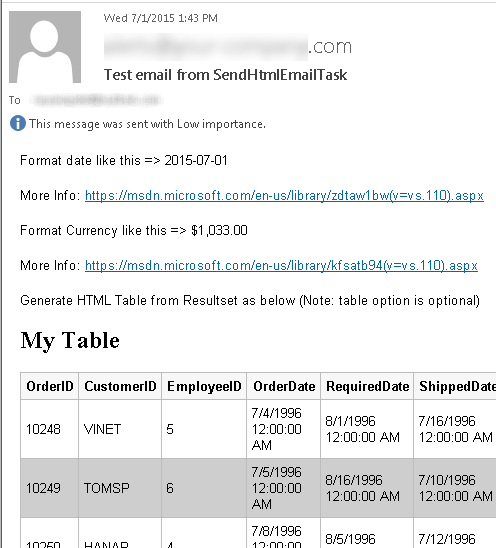
Recordset-to-HTML-Table — Automatically expand an SSIS object variable (Recordset or DataTable from ExecuteSQL) into a formatted HTML table in the email body
Custom SMTP Connection — Configure host, port, UserID, and password — options unavailable in the native SSIS Send Mail Task
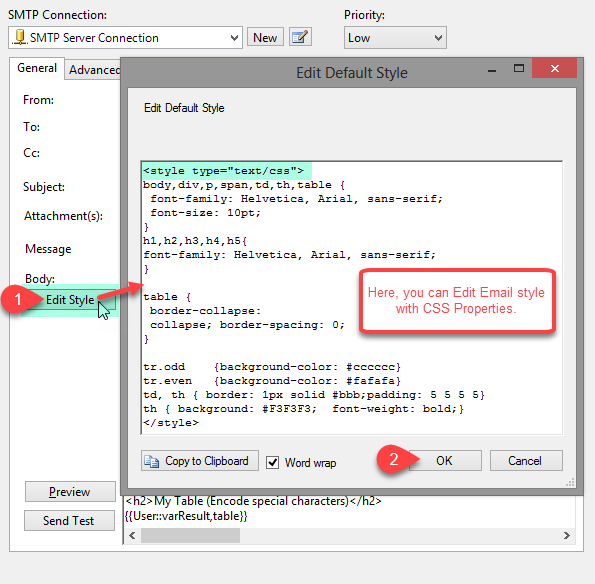
CSS Style Editing — Customize HTML table appearance with editable CSS directly in the task UI, with a live email preview
Write HTML body inline in the task UI or load from a template file on disk
Variable placeholders in subject and body: {{User::VarName}} resolved at runtime
RowSet placeholder: object-type SSIS variable (Recordset or DataTable) auto-expands as a formatted HTML table
Compatible with Recordset output from ExecuteSQL Task or Script Task
SMTP Configuration
Custom SMTP Connection Manager with host, port, UserID, and password
Not limited to the company email server — works with any SMTP provider
Goes beyond the native SSIS Send Mail Task (which lacks UserID/Password/Port support)
Styling & Preview
Edit CSS styles for the auto-generated HTML table directly in the task UI
Live email preview before execution
Date and currency formatting applied automatically when rendering Recordset as table
💡 Common Use Cases
Common real-world scenarios where this task replaces custom Script Task email solutions:
Email SQL Query Results: Send a formatted HTML table from a SQL query result without writing code. Example: Email a daily sales summary table using an ExecuteSQL Recordset variable.
ETL Status Notifications: Send pipeline completion or failure alerts with variable context. Example: Email "Package {{System::PackageName}} completed — {{User::RowCount}} rows loaded."
Scheduled Report Distribution: Send periodic HTML reports to stakeholders directly from the SSIS package. Example: Distribute a weekly KPI report table from a stored procedure result.
Newsletter & Mass Email: Loop through a recipient list and send personalized HTML emails using variable placeholders. Example: Email each customer with their order summary using {{User::CustomerName}} and {{User::OrderData}}.
Error Alerting with Context: Send structured error notifications with relevant variable values when a pipeline step fails. Example: On failure, email an alert including the failed step name, timestamp, and row count processed so far.
🎯 Summary
Replace Script Tasks with a drag-and-drop HTML email component that goes far beyond the native SSIS Send Mail Task.
Send styled, data-rich HTML emails with SQL query results, variable placeholders, and custom SMTP — all without a single line of code.
Trusted by Developers & IT Teams Worldwide
Built for SSIS Workflows: Purpose-built for high-performance ETL and complex integration scenarios.
Expert Technical Support: Direct access to engineers via email and remote screen-share sessions.
Proven Enterprise Scale: Trusted by 3000+ teams across 90+ countries, including Fortune 500.